
Prompt Properties
Create custom LLM-as-a-judge evaluators that score interactions on criteria you define - in natural language, without code.
Prompt properties use an LLM as a judge to evaluate aspects of your interactions that built-in properties don't cover - things specific to your domain, your tone requirements, or your business rules. You write natural language guidelines describing what to evaluate, and Deepchecks handles the rest: scoring every interaction and surfacing results alongside your built-in properties.
Two types
Numerical - The LLM returns a score from 1 to 5 and a reasoning. Use this when you want a graded scale, for example: "How professional is the tone?" or "How complete is the answer?"
Categorical - The LLM classifies the interaction into categories you define. Use this when you want labels, for example: "What topic does this interaction cover?" or "Did the agent follow the escalation policy?"
Model choice
Prompt properties use the LLM configured at either the organization or application level. You can set this independently for each level, so different applications can use different models.
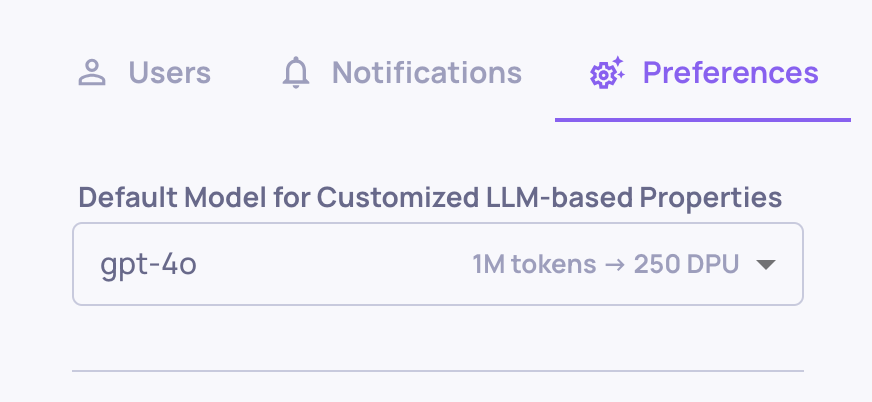
Organization-level model choice

Application-level model choice (overrides organization default)
Creating a prompt property
From the Properties screen, click Add Properties → Create Custom Property and choose either Numerical or Categorical.
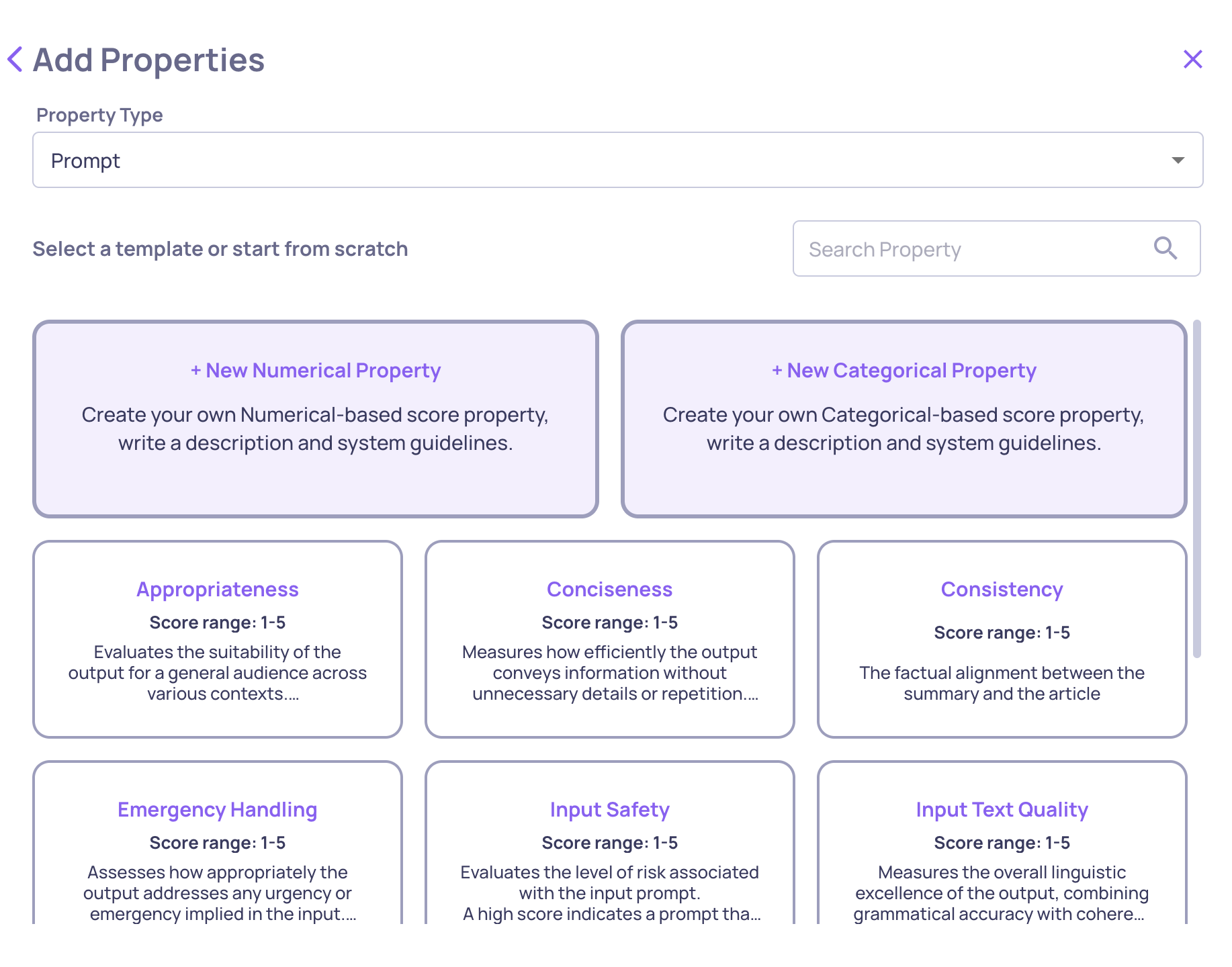
For a Numerical property, configure:
- Guidelines - the evaluation criteria, written in plain language
- Data fields - which parts of the interaction the LLM sees (input, output, context, etc.)
- Number of judges - how many independent LLM calls to aggregate
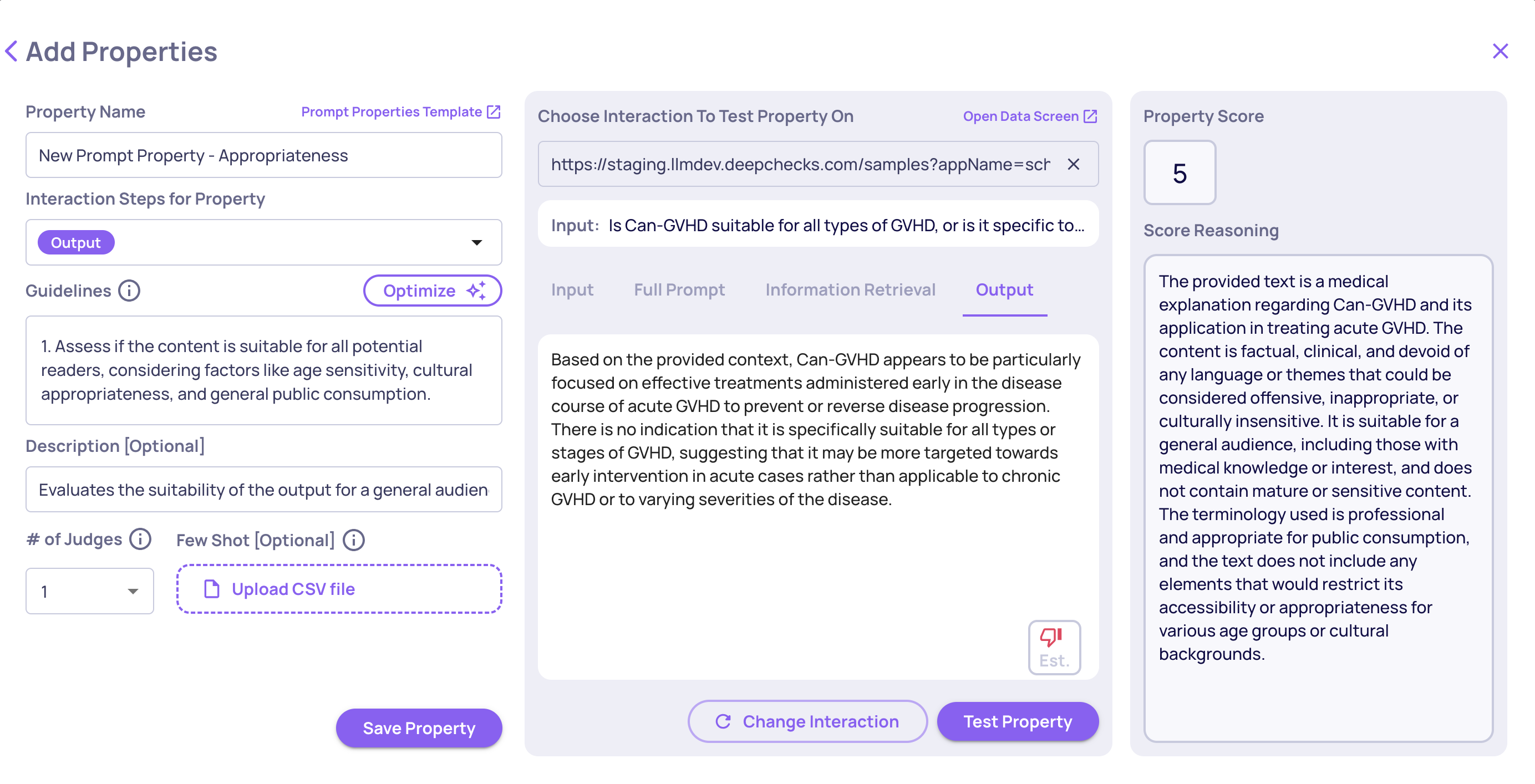
Numerical prompt property creation
For a Categorical property, configure:
- Categories - names and descriptions for each label
- Multi-label - whether a single interaction can receive multiple categories
- Unlisted categories - whether the LLM can create new categories beyond your list
- Additional guidelines - any extra context or edge-case instructions
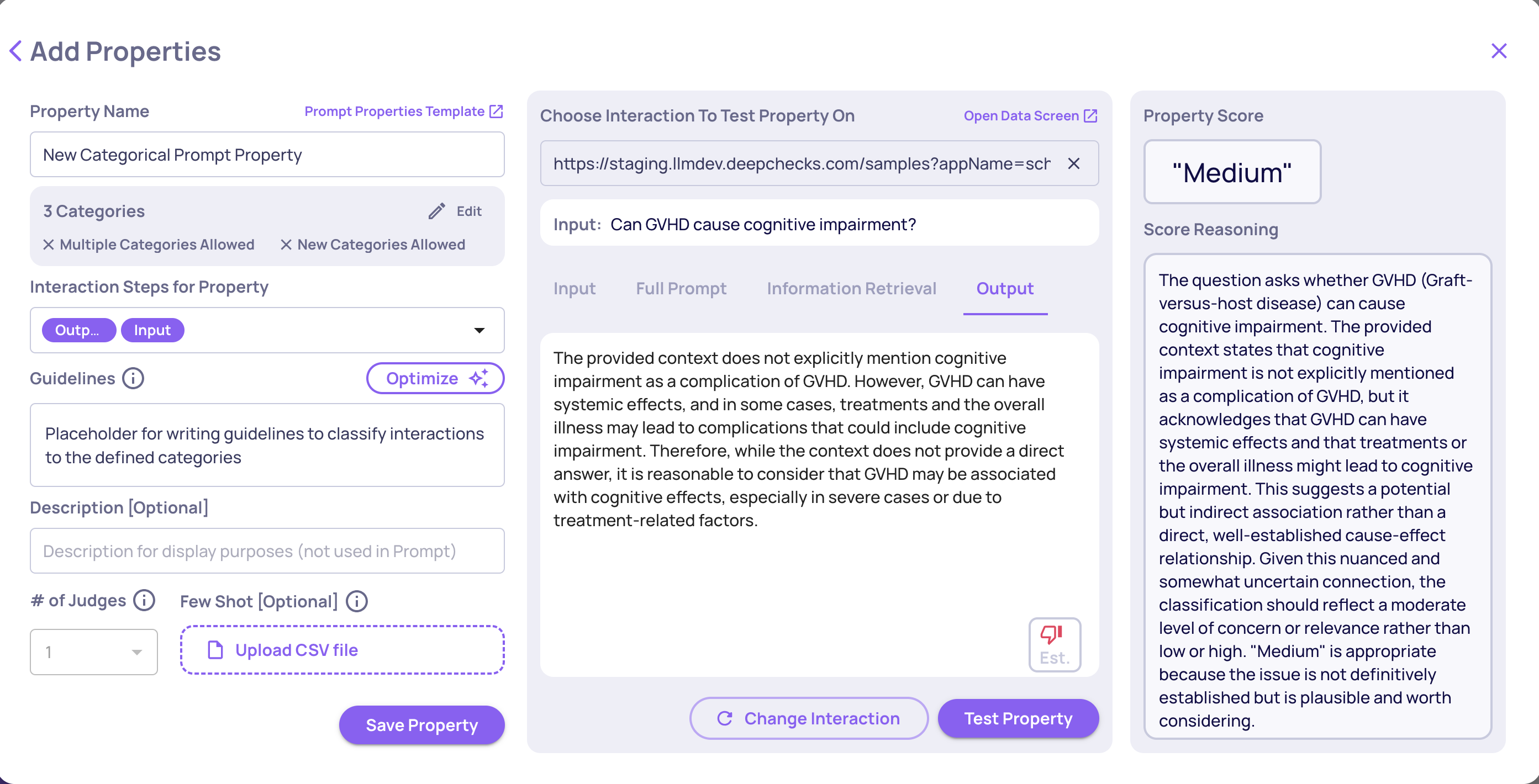
Categorical prompt property creation
Tip: Use the built-in Test feature to run the property on a sample interaction before saving. This lets you validate that your guidelines produce the scores you expect before applying to all data.
Note: If "Allow classification to unlisted categories" is unchecked and the LLM finds no suitable match, the interaction is classified as "Other."
What's in this section
- Data Fields for Evaluation - Control exactly which parts of an interaction the LLM judge sees. Includes support for hierarchical agentic workflows.
- Number of Judges - Run multiple independent LLM calls per property and aggregate the results for more reliable scores on high-stakes evaluations.
- Improve Guidelines with AI - Use Deepchecks' built-in AI optimizer to turn rough notes into polished, effective guidelines.
- Refining with Few-Shot Examples - Add real interactions as examples to teach the evaluator your quality standards over time.
Importing and exporting prompt properties
Prompt property configurations can be downloaded as JSON files and uploaded to another application or environment. This is useful for version-controlling your property definitions, sharing configurations across teams, or migrating properties between environments.
To export, open the property editor and click Download JSON. To import, use the Upload JSON option in the properties configuration page.
Updated 3 months ago