
Logging the Data
Creating the Crew
Before logging data, we need to define the multi-agent workflow.
The crew consists of three sequential agents working together to create blog posts.
The agents:
- Writer - Drafts the initial blog post based on topic, audience, and context
- Reviewer - Critiques the draft and identifies improvements
- Editor - Applies fixes and enhancements to produce the final post
Tool configuration:
All agents have access to internet search via SerperDevTool.
The Editor agent also gets three custom LLM-powered tools:
- Hook Improver - Enhances blog post openings
- Tone Adjuster - Matches tone to target audience
- Content Rewriter - Fixes specific issues in the draft
The crew is created using a create_crew(model) function that takes a Bedrock model ID.
Each agent is configured with its role, goal, backstory, and available tools.
The custom editor tools use the @tool decorator and leverage the LLM for text transformations.
For complete implementation see the Demo Notebook.
Open the Demo Notebook via Colab or Download it LocallyClick the badge below to open the Google Colab or click here to download the Notebook, set in your API token (see below), and you're ready to go!

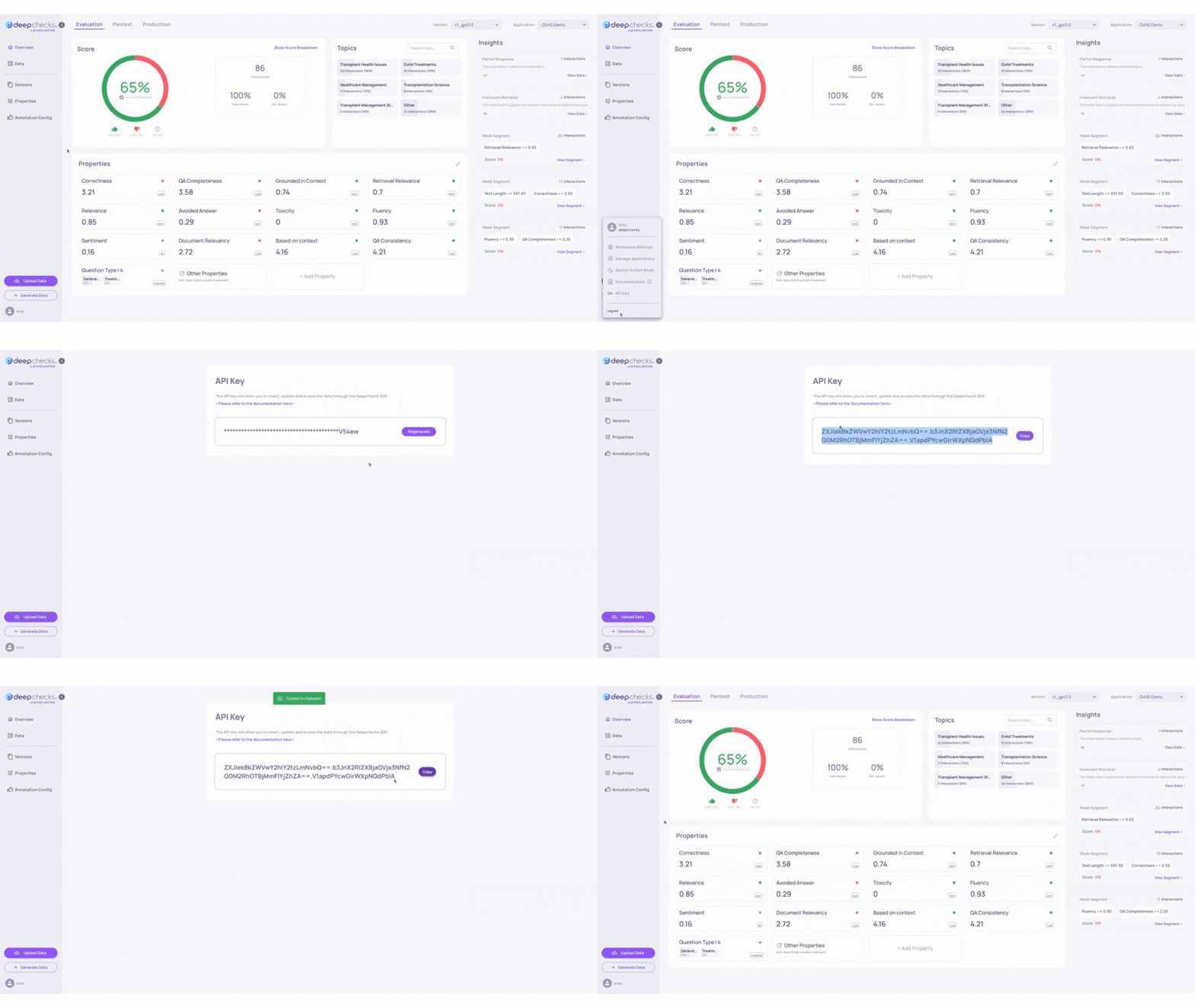
Get your API key from the user menu in the app:
Our Running Example
Throughout this demo, we'll follow one specific test case:
- Topic: "Why 'just build stuff' is the best advice for new developers"
- Audience: Junior software developers and coding bootcamp students
- Context: (none provided)
Test the Crew
Now that our crew is ready, let's test the example above and see the results:
Why 'Just Build Stuff' Is the Best Advice for New
DevelopersThere's a reason why seasoned developers consistently give this seemingly simple advice: 'just build stuff.' It's not just a casual suggestion - it's the secret sauce to becoming a real developer. And if you're thinking "I don't feel ready yet," that's exactly why you need to start building.
...
Our Crew worked! But... This might be a personal preference, but if I was to see this post, I would skip after the first sentence.
Let's turn on the observability so we can see what went wrong.
Enabling Observability
Now that we have our crew defined, we need to enable trace logging.
Standard logging only captures initial inputs and final outputs, making debugging multi-agent workflows feel daunting and even impossible, due to the lack of intermediate steps.
We need to observe whether the agents use their tools or bypass them, whether they build on each other's work, and whether they ground their outputs in retrieved information or hallucinate facts.
Trace logging exposes the complete execution path, and will only require a few lines of code from us.
We use the Deepchecks SDK to automatically trace every step of the CrewAI workflow.
This requires minimal code changes.
You simply register the exporter before running your crew.
For other frameworks, refer to the documentation for implementation details.
from deepchecks_llm_client.otel import CrewaiIntegration
from deepchecks_llm_client.data_types import EnvType

# Enable automatic tracing for CrewAI
tracer_provider = CrewaiIntegration().register_dc_exporter(
    host="https://app.llm.deepchecks.com",
    api_key="YOUR_API_KEY",
    app_name="Content Creator Crew",
    version_name="Baseline - Claude 3.5 Sonnet",
    env_type=EnvType.EVAL
)
How It Works
The integration automatically captures:
- Inputs and outputs for every agent interaction.
- Tool calls, including arguments and results.
- Latency and token usage for performance tracking.
- Intermediate thoughts and reasoning steps.
The Eval Dataset
We prepared a set of diverse blog post topics to evaluate our content creator workflow.
The topics span technical content, opinion pieces, satire, and practical guides.
Each input specifies a topic, target audience, and optional context.
This variety helps us identify whether the Editor handles different content types consistently.
As the agents run, data streams directly to Deepchecks, you can watch the traces appear in real-time.
What We Couldn't See Before
Without trace logging, we would only observe:
- Input: "Write about 'just build stuff' advice for developers"
- Output: Generic blog post
We wouldn't see:
- Which agent produced which text
- Whether tools were called
- Why the Editor chose manual rewriting over tool usage
This visibility gap makes debugging multi-agent systems nearly impossible.
Updated 3 months ago
What’s Next
Trace logging now captures all agent interactions and tool calls.
Go to the next step to analyze the performance.