
Cost Tracking
Automatic LLM cost tracking and analysis across interactions, sessions, and versions based on configured model pricing
When you log model, input_tokens, and output_tokens with your interactions, Deepchecks calculates costs automatically based on your configured model pricing - so you can weigh quality improvements against token spend before committing to a version.
Configuration
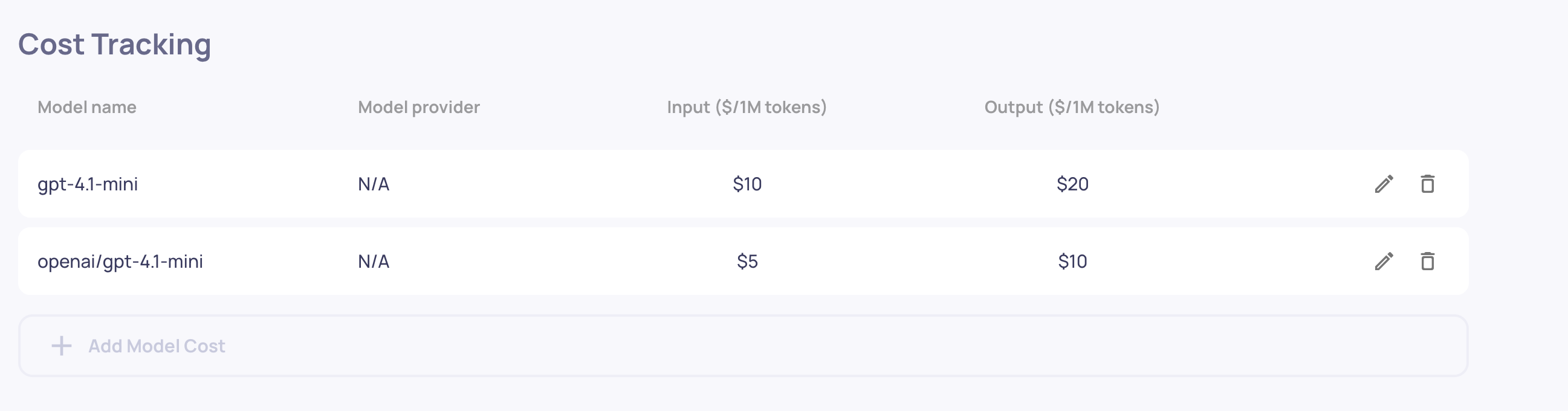
Navigate to Workspace Settings > Cost Tracking to configure model pricing. You need:
- Model Name (required) - Must exactly match the model name in your logged data
- Model Provider (optional) - e.g., "OpenAI", "Anthropic", "Azure" - provides additional matching accuracy
- Input Token Price (required) - Price in USD per 1 million prompt tokens
- Output Token Price (required) - Price in USD per 1 million completion tokens
Click Add Model Cost to create a new entry. You can edit or delete existing configurations at any time. Configuration changes apply immediately to all new interactions. This can be done by Admins and Owners of the organization.
Model name matching
Cost calculation requires an exact match (case-insensitive) between the model name in your configuration and the model name logged in your interactions. For example:
- Configuration:
"gpt-4"matches logged data:model: "gpt-4"ormodel: "GPT-4" - Configuration:
"gpt-3.5"does NOT match logged data:model: "gpt-3.5-turbo"
If you use the same model name across different providers (e.g., "gpt-4" from both OpenAI and Azure), add the provider to disambiguate. Deepchecks will first try to match both model name and provider, then fall back to matching just the model name, and return no cost if no match is found.
Viewing costs
Interaction level
Costs appear on individual interaction details in the System Metrics section, with separate input_cost and output_cost values. You can also filter the Interactions table by cost range.
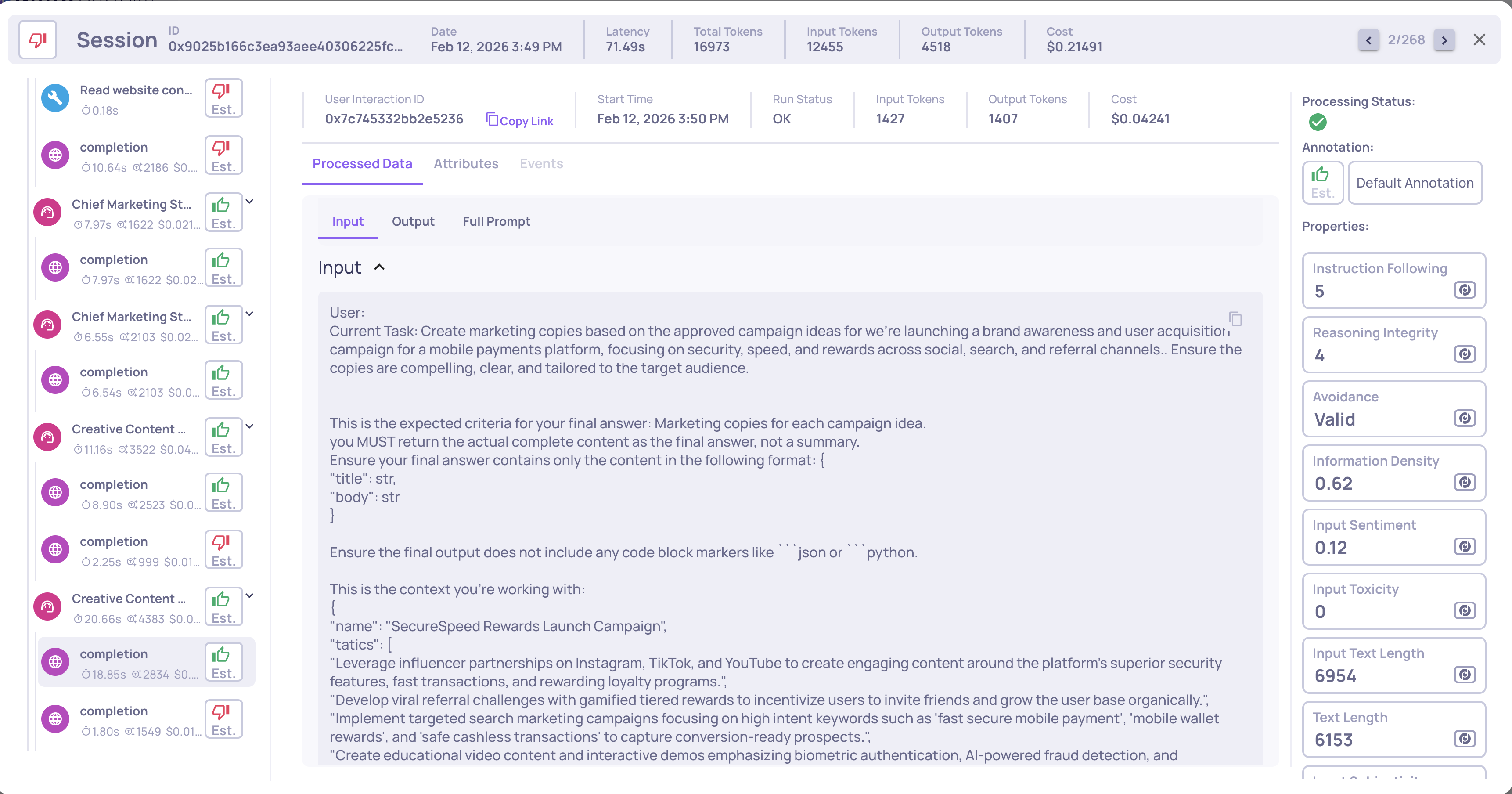
For agentic workflows (data uploaded via Upload Agentic Data or Auto-Instrumentation), costs are automatically aggregated through the span hierarchy:
- LLM Spans - Direct token usage costs
- Parent Spans (Chain, Agent, Tool, Retrieval) - Aggregate costs from all descendant LLM spans
- Root Interactions - Total cost includes all nested span costs
Session level
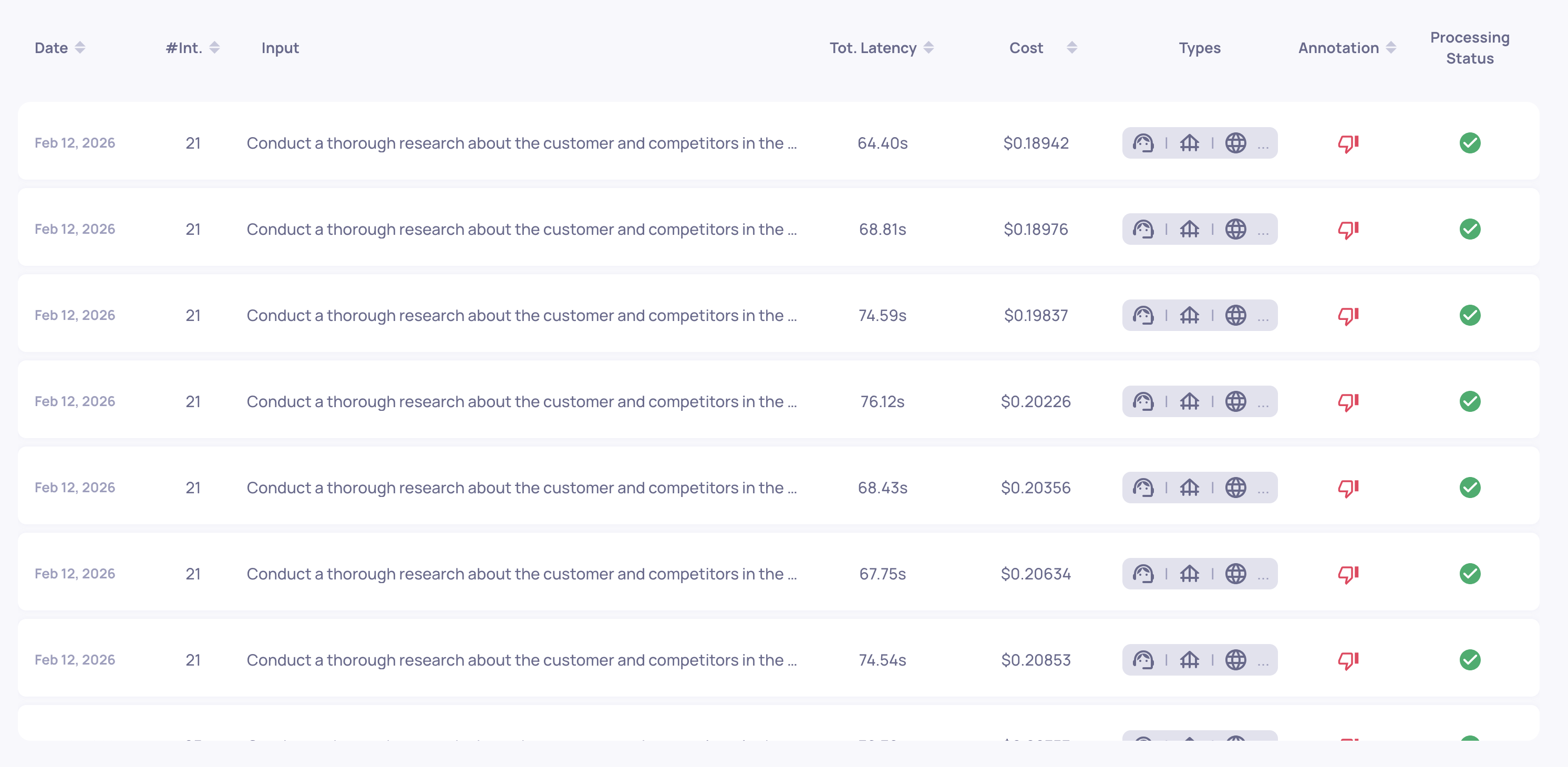
The Sessions view displays aggregated costs per session - total cost and token metrics. This helps identify expensive conversation flows.
Version level
The Versions screen shows version-level cost metrics: total cost, average cost per interaction, and cost comparison across versions. Both production and evaluation environments display separate metrics, so you can assess spending in each context. This pairs naturally with Version Comparison - you can evaluate quality and cost side by side.
Requirements
To enable cost tracking, your logged data must include:
model- The model name (e.g.,"gpt-4","claude-3-opus")input_tokens- Number of input/prompt tokens usedoutput_tokens- Number of output/completion tokens generatedmodel_provider(optional) - Provider name for disambiguation
These fields can be included in the SDK's log_interaction() method, Span objects, or as CSV columns. See Data Fields Reference for details. When using Auto-Instrumentation, token counts and model names are captured automatically from your framework.