
Analyze Performance
After running the eval dataset, we'll go to Deepchecks and see the results.
Overview
The Deepchecks dashboard provides a high-level health check and workflow composition view.
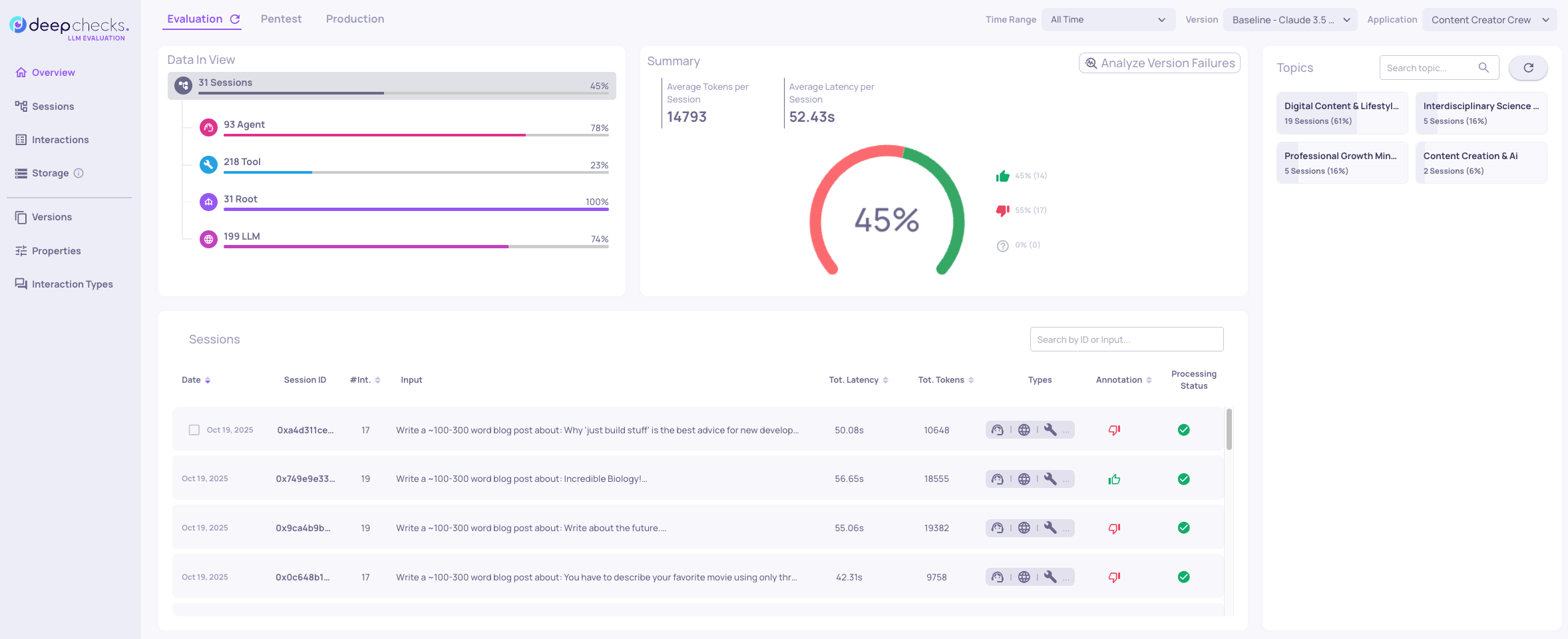
The baseline workflow using Claude 3.5 Sonnet achieves 45% overall score. This means that only 45% of our dataset was estimated as good.
This indicates systematic issues requiring investigation.
The left panel breaks down performance by interaction type: Root, Agent, LLM, and Tool.
Each interaction type represents a different component in the multi-agent workflow. [Link to docs]
- The Root represents the entire workflow execution.
- Agent interactions show individual agent performance.
- LLM interactions capture language model calls.
- Tool interactions measure tool execution quality.
A quick look at the interaction types and we see the Tool interaction type score only 23%, significantly lower than other components.
This suggests a bottleneck in tool execution.
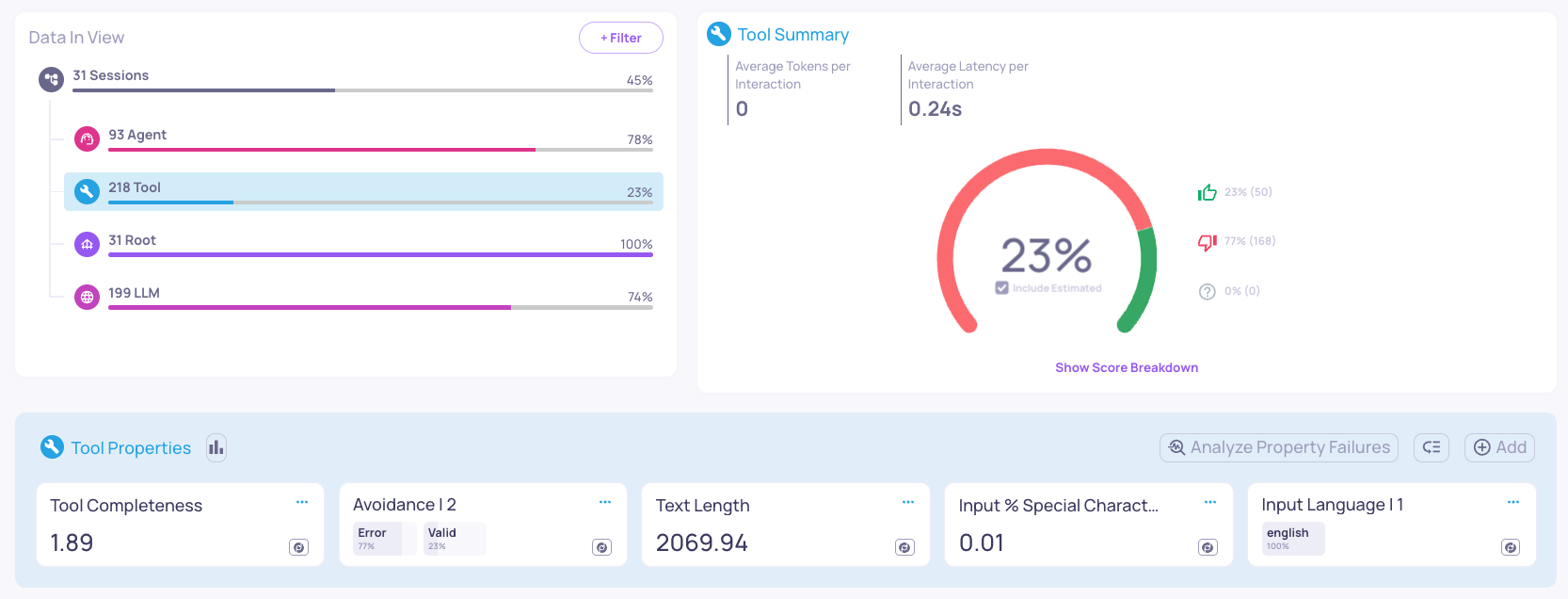
Pressing the Tool interaction type reveals the Tool Properties panel.
Understanding Properties
Properties are specialized evaluators that measure specific aspects of agent behavior.
For our content creator, key properties include:
Tool Interaction Type
- Tool Completeness: Did the Tool response fulfill its intended purpose?
- Avoidance: Was the response avoided, and if so, was it due to missing knowledge, policy restrictions, other reasons, or an error?
Agent Interaction Type
- Tool Coverage: Did the agent get all the needed information from the tools?
- Plan Efficiency: Did the agent use available tools appropriately?
- Completeness: Did the agent fully addressed all components of it's task?
LLM Interaction Type
- Reasoning Integrity: Did the LLM output show a logical, qualitative, and consistent understanding?
- Instruction Following: Did the LLM follow the instructions given in the full prompt?
These properties eliminate manual inspection of hundreds of traces.
They surface patterns that would be invisible in raw logs.
Tool Interaction Type Failures
The "Tool Completeness" property is failing significantly with an average score of 1.89.
Selecting the property displays the score distribution on the left panel.
The distribution reveals a large spike at score 1, the lowest possible value.
The "Avoidance" property tells us that 77% of the Tool interactions return with an Error message.
Selecting the property shows a few examples where we get an Error message from the Output.
Updated 6 months ago
What’s Next
Root cause analysis determines why tool calls fail.
Go to the next step to do root cause analysis and investigate traces.