
Generate Test Data
Generate Test Data
Overview
Instead of manually writing test cases, describe your application and let AI generate diverse, realistic inputs covering different scenarios, complexity levels, and edge cases. This accelerates dataset creation from days to minutes.
Generation Methods
Deepchecks offers three specialized generation approaches, each optimized for different application types:
RAG
Best for: Applications that answer questions based on specific documents, knowledge bases, or content sources.
Generate test samples by analyzing your application's data sources (documentation, websites, PDFs). We extract key information and create questions that would naturally arise from that content, ensuring tests align with your actual domain knowledge.
How it works:
- Provide your data context via URL crawling or file upload
- Describe your agent application's purpose and capabilities (If you already provided an application description when creating the application on Deepchecks or via the Edit Application flow, the saved description will be used for data generation).
- Add generation guidelines specifying question types or focus areas
- AI analyzes the content and generates relevant user inputs
Example:
- Data source: Company documentation website
- Application description: "Customer support chatbot for product questions"
- Guidelines: "Generate questions about pricing, features, and troubleshooting"
- Result: 20+ realistic customer questions derived from actual documentation content
Agents
Best for: Agentic applications, autonomous systems, and complex multi-step workflows.
This advanced generation method creates synthetic inputs specifically designed for agent testing. Unlike RAG which relies on existing documents, Agents mode uses dimensional analysis to generate diverse scenarios that stress-test your agent's capabilities across multiple axes of complexity.
How it works:
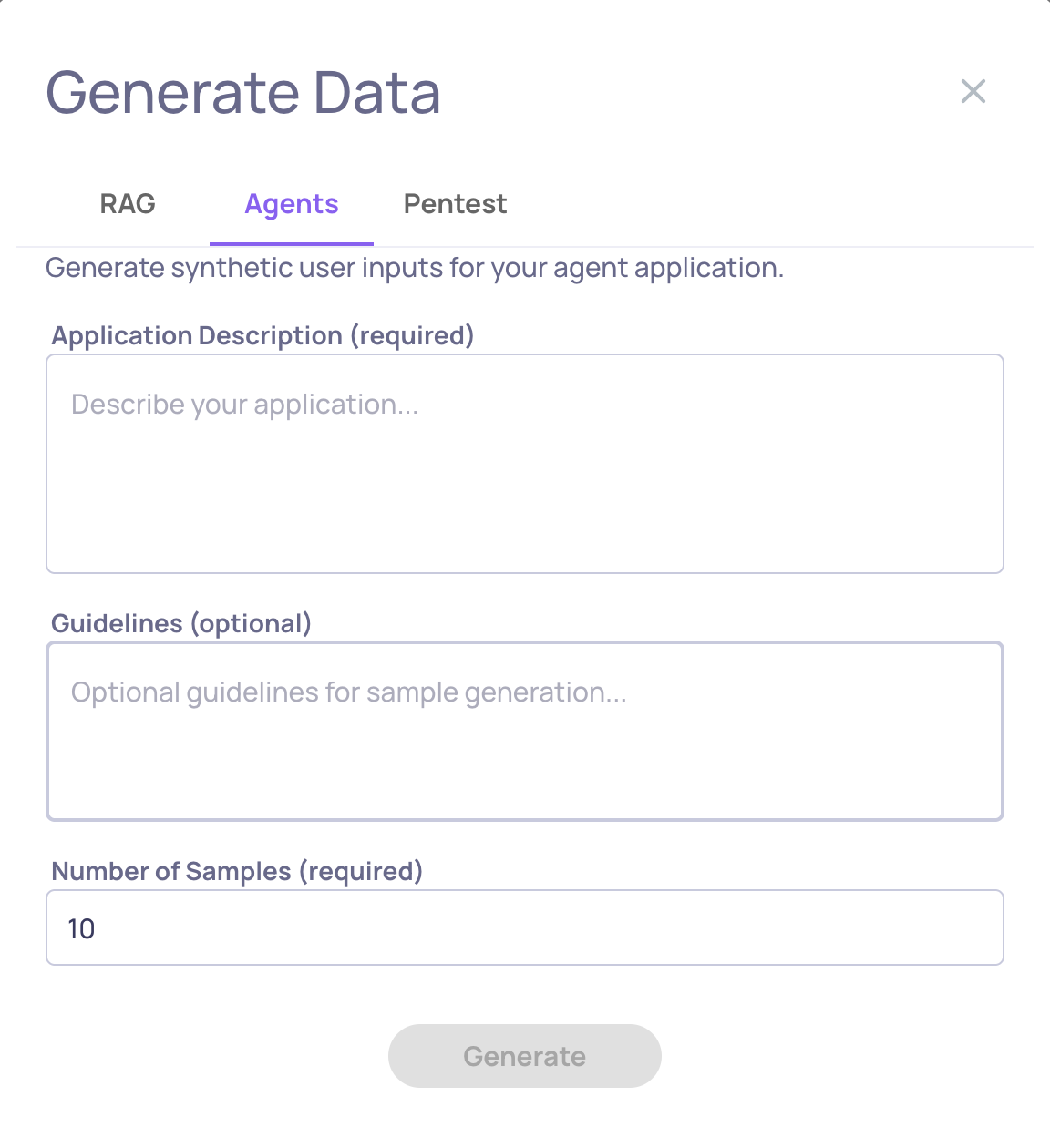
- Describe your agent application's purpose and capabilities (If you already provided an application description when creating the application on Deepchecks or via the Edit Application flow, the saved description will be used for data generation).
- Specify the number of samples to generate (up to 50)
- Optionally add guidelines to focus on specific dimensions
- AI identifies universal dimensions (complexity, ambiguity, multi-step reasoning) and app-specific dimensions derived from your description
- Generates samples across dimensional combinations to maximize coverage
Example:
- Application description: "Travel booking agent that searches flights, hotels, and activities"
- Number of samples: 30
- Guidelines: "Focus on multi-destination trips and budget constraints"
- Result: Diverse requests ranging from simple single-flight bookings to complex multi-city itineraries with various constraints and edge cases
Penetration Testing
Best for: Security evaluation and adversarial robustness testing.
Generate adversarial prompts designed to expose vulnerabilities, test safety guardrails, and validate security measures. Each category represents a specific attack vector or vulnerability type.
How it works:
- Browse available penetration testing categories
- Select relevant threat categories for your application
- Generate prompts designed to trigger specific vulnerabilities
- Run against your application in the Pentest environment
- Evaluate whether safety measures successfully blocked malicious inputs
Categories include:
- Prompt injection attempts
- Jailbreak techniques
- PII extraction
- Bias and toxicity triggers
- Instruction override attacks
Using AI Generation
From the UI
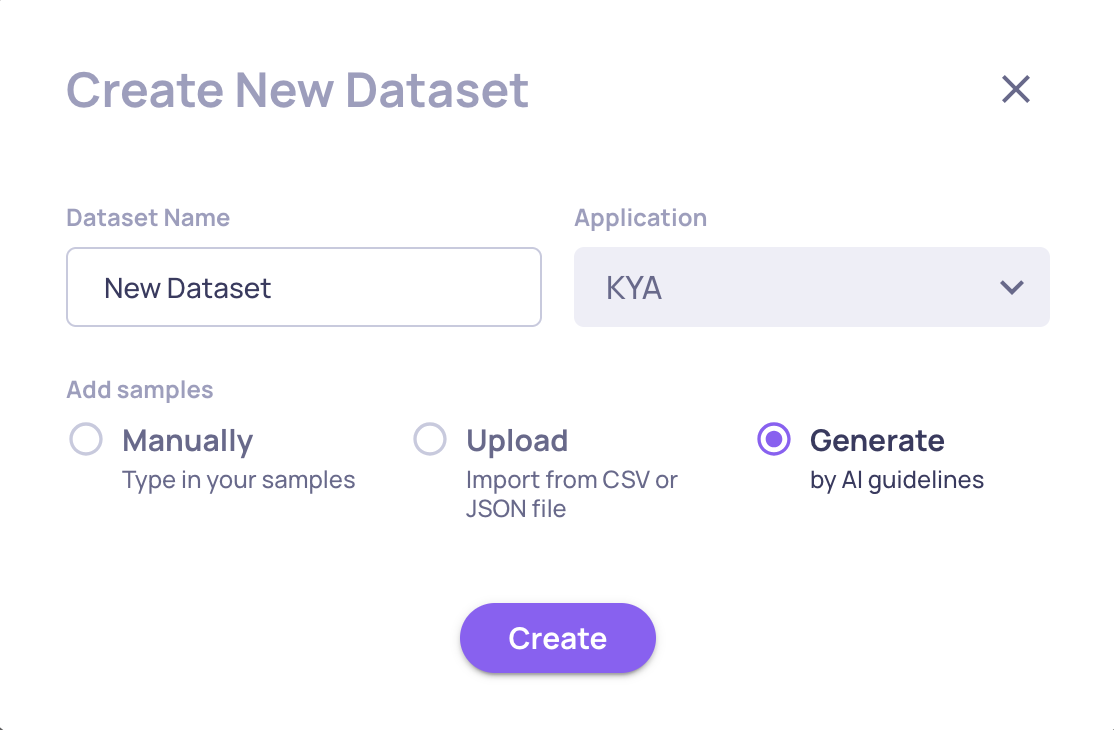
Create a New Dataset with AI:
-
Navigate to Datasets and choose "Add Dataset"
-
Click Generate Data
-
Select your generation method (RAG, Agents, or Pentest)
-
Fill in the required fields:
-
Click Generate
-
Review generated samples within the Dataset
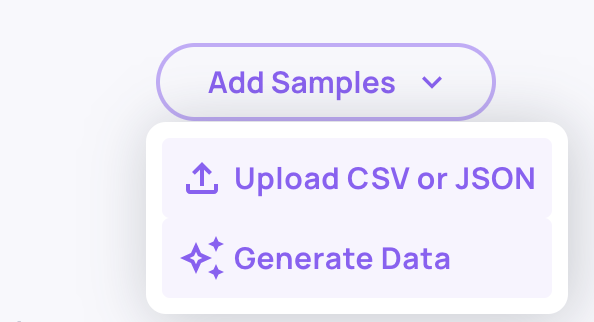
Add to Existing Dataset:
-
Open an existing dataset
-
Click Generate Data in the dataset header
-
Follow the same process - generated samples will be appended
Generation Tips
Be Specific in Descriptions: Vague descriptions like "a chatbot" produce generic questions. Instead: "Customer support chatbot for SaaS product that helps users troubleshoot login issues, manage subscriptions, and understand billing."
Use Guidelines for Focus: Guidelines steer generation toward specific areas. Examples:
- "Include questions about edge cases and error scenarios"
- "Generate queries requiring multi-step reasoning"
- "Focus on questions combining multiple features"
Start Small: Generate 10-20 samples first, review quality, refine your description/guidelines, then generate more. This iterative approach yields better results than generating 100 samples in one shot.
Combine with Manual Samples: AI generation provides breadth; manual curation adds critical edge cases you know matter. Use generation to build the foundation, then add targeted samples for known gaps.
For Agents Mode: Describe your agent's capabilities thoroughly. Mention available tools, typical workflows, and constraints. The more context provided, the more realistic and challenging the generated scenarios.