
Refining Properties with Few-Shot Examples
Improve property accuracy by adding real interactions as examples that guide the evaluator toward your quality standards
Overview
You can improve the accuracy of prompt properties by adding real interactions as few-shot examples. For any prompt property on any interaction, you can provide the correct score and reasoning directly on that interaction. Deepchecks then uses your example to guide future evaluations - the property's LLM prompt includes your examples alongside its guidelines, teaching the evaluator how to handle similar cases.
Over time, adding examples across diverse interactions transforms a generic property into one tailored to your quality standards, domain terminology, and edge cases.
How It Works
- You review an interaction's property and disagree with a property's score (or just want to use this interaction as an example)
- You provide the correct score (or category if it's a categorical property) and explain your reasoning
- Your example is stored and automatically included in the property's LLM prompt as a few-shot example
- Future evaluations reference your examples to make better-aligned decisions
Each example you add strengthens the property. A single example provides limited signal, but consistent examples across different scenarios teach the evaluator the nuances of your criteria.
Adding an Example
- Open any interaction in the Interactions screen
- In the Properties section, find the property you want to refine (available only for custom LLM properties)
- Click the feedback icon next to the property score
For Numeric Properties (1-5 scale):
- Select the correct score
- Enter your reasoning
For Categorical Properties:
-
Select the correct category (or categories, for multi-label properties)
-
Enter your reasoning
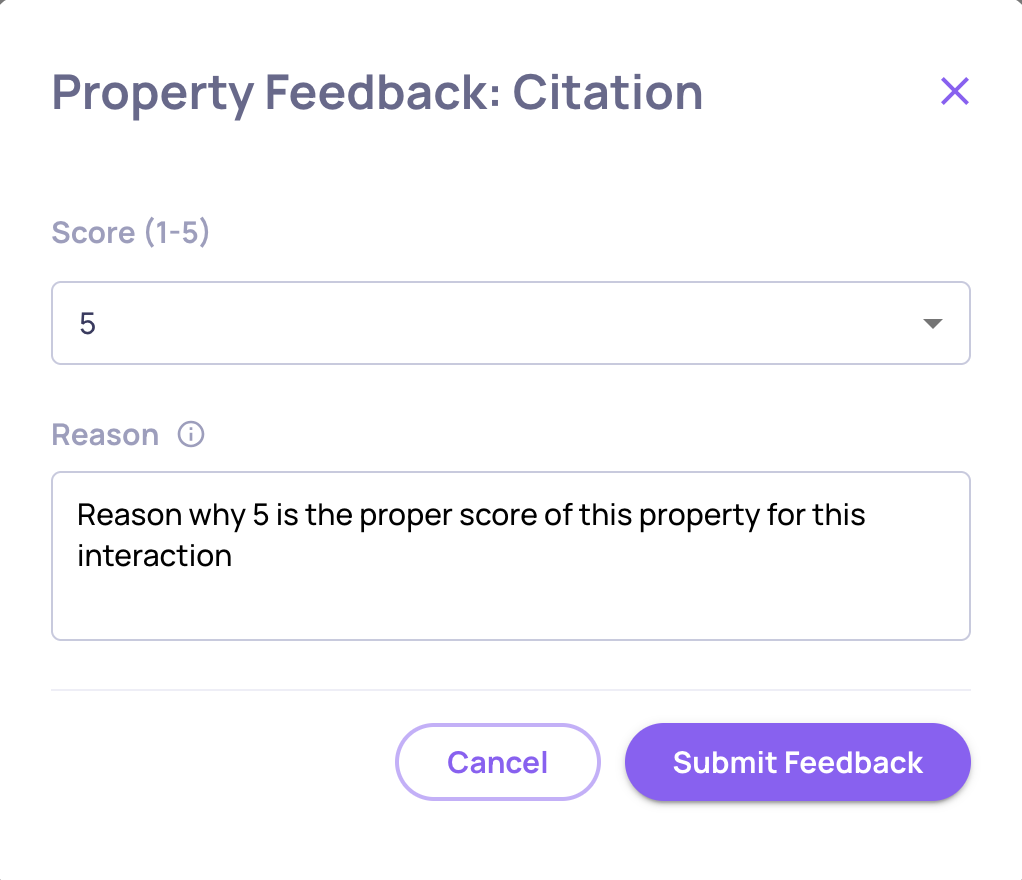
Writing Good Reasoning
The reasoning is what actually teaches the evaluator. Strong reasoning:
- Explains why your score is correct, referencing specific details in the interaction
- Addresses edge cases or ambiguous scenarios
Avoid vague explanations like "This score is wrong." Instead: "Rated 2 because while the response is grammatically correct, it completely misses the user's actual question about pricing tiers."
Important note: few shot examples should complement the guidelines of the property. Avoid providing examples that contradict / don't have much to do with the guidelines.
Relation Between Few Shot Examples and Property GuidelinesFew shot examples should complement the guidelines of the property. Avoid providing examples that contradict the guidelines, that don't have much to do with the guidelines, or that add new information on top of the guidelines. Major changes to the property should usually take place in the guidelines themselves.
Managing Examples
Viewing All Examples
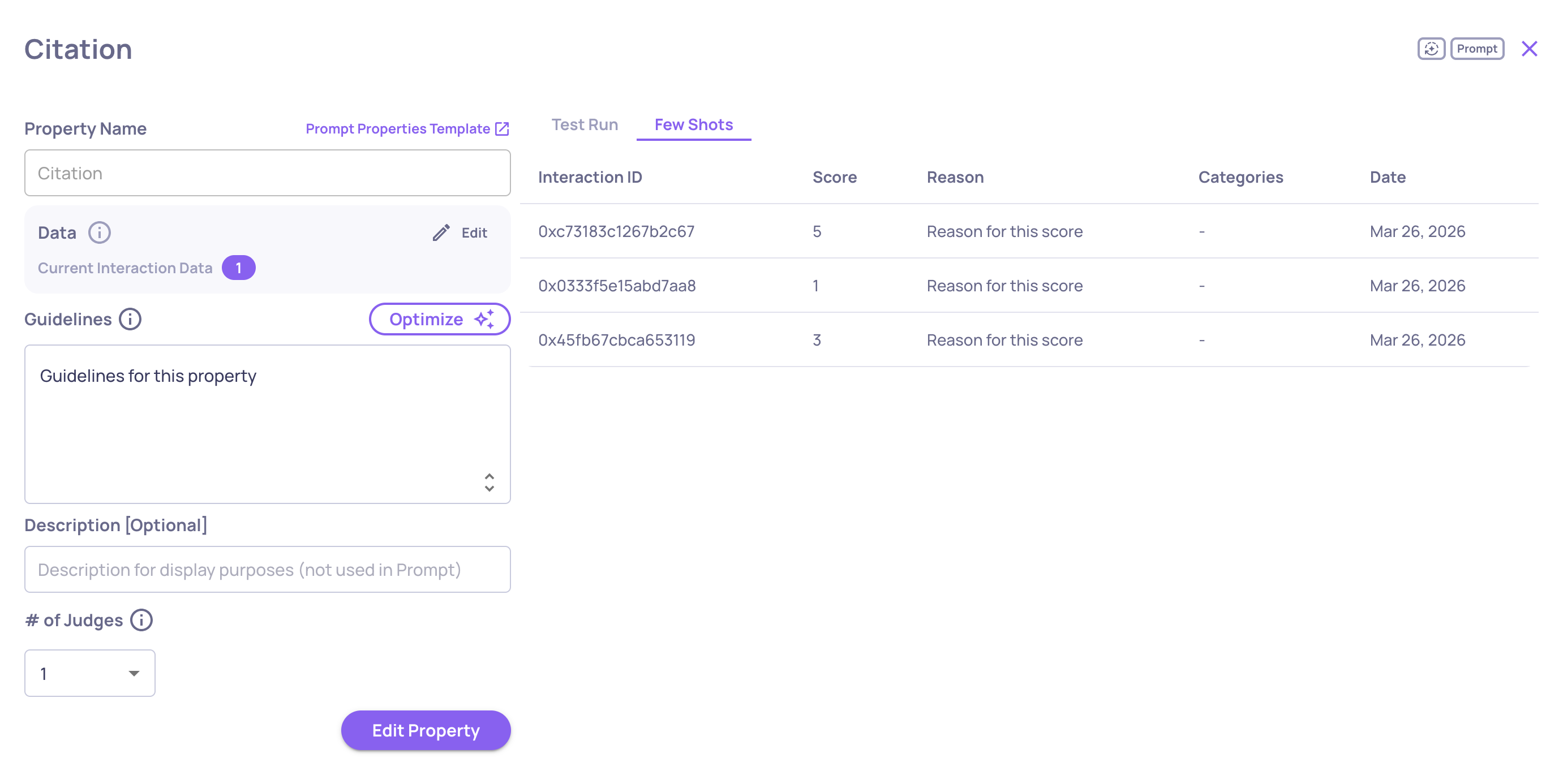
In the property editor (accessed from the Properties configuration page), the Feedbacks tab shows all examples added to a property, including:
-
Interaction ID
-
Score or categories
-
Reasoning
-
Date added
AI Feedback on Your Examples
When you add a few-shot example, Deepchecks reviews it against the property's guidelines and provides feedback on the example you're about to insert. This helps you catch misaligned examples early — for instance, if your reasoning contradicts the guidelines or if the score doesn't match the interaction content. Review the feedback before saving to ensure each example strengthens the property.