
Session-Level Properties
Learn about Deepchecks' session-level properties - what they're used for and how to configure them
Overview
Session-level properties evaluate the quality of entire multi-turn conversation sessions rather than individual interactions. While interaction-level properties score each span independently, session-level properties analyze the full conversation transcript to assess qualities that only emerge across multiple turns - such as whether the user left satisfied or whether all their requests were ultimately addressed.
Deepchecks supports three kinds of session-level properties:
- Built-in properties - Pre-configured evaluations engineered by Deepchecks
- Prompt properties - Custom LLM-evaluated properties where you define the evaluation guidelines
- User-value properties - Values you set directly via the SDK or API, for tracking business metrics, user segments, or any custom data
Why Session-Level Properties?
Some quality signals are invisible at the interaction level. Consider a session where the assistant gives a wrong answer in turn 2 but corrects itself in turn 4 after the user pushes back. Each individual interaction might score reasonably well, but only by looking at the full session can you detect patterns like:
- User frustration building over time - repeated corrections, resignation, or the user giving up entirely
- Instruction drift - the assistant following a persistent instruction initially but gradually deviating
- Recovery from errors - early mistakes that get resolved in later turns
- Cumulative fulfillment - whether all parts of a complex, multi-turn request were eventually addressed
Session-level properties are especially valuable for long, complex sessions where individual turn quality doesn't tell the full story.
Built-In Session Properties
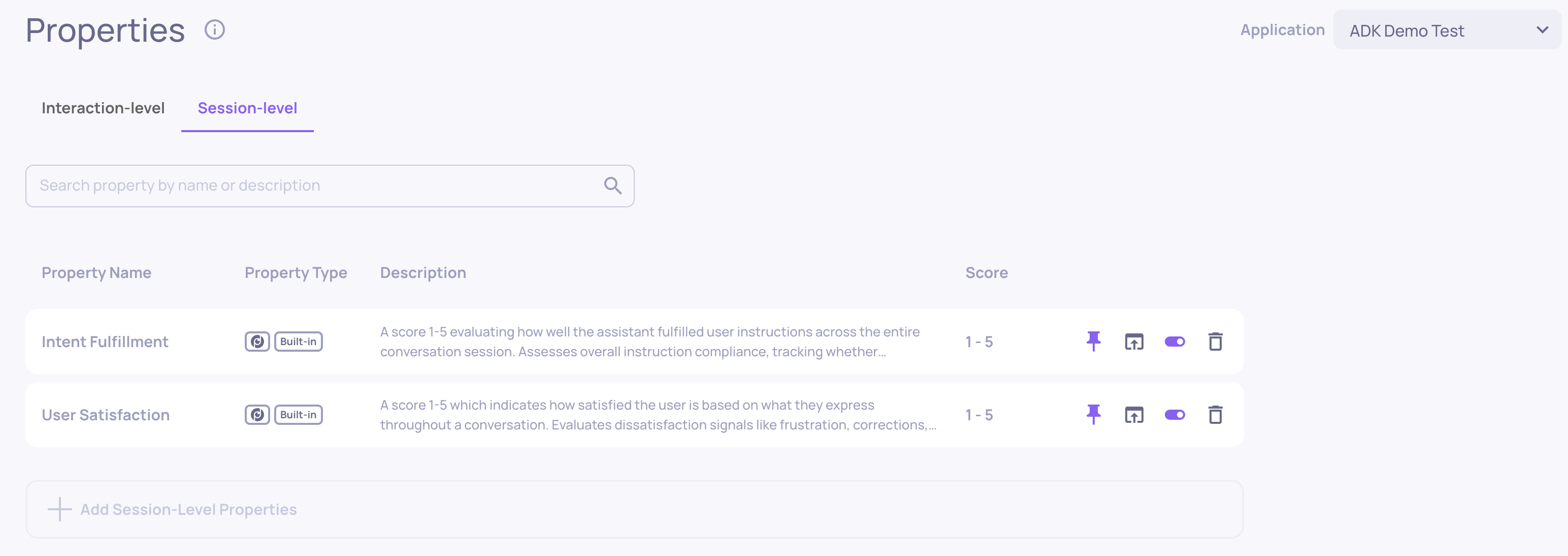
Deepchecks provides two built-in session-level properties. Both produce a numeric score from 1 to 5 and are evaluated by an LLM that reviews the full session transcript.
User Satisfaction
Measures how satisfied the user appears based on what they express throughout the conversation. This property looks for explicit satisfaction and dissatisfaction signals - not whether the answer was objectively correct, but whether the user seemed happy with the experience.
What it detects:
| Signal | Examples | Impact |
|---|---|---|
| Frustration | "This is really confusing!", angry tone | Lowers score |
| Resignation | "I'll just figure it out myself" | Lowers score |
| Repetition | User re-states something already said | Lowers score |
| Corrections | User fixes substantive assistant errors | Lowers score |
| Enthusiasm | "Perfect!", "Exactly what I needed!" | Raises score |
| Smooth flow | Conversation proceeds without friction | Raises score |
Scoring scale:
- 5 - Genuine enthusiasm expressed
- 4 - No dissatisfaction signals; task completed or limitations accepted gracefully
- 3 - Minor friction (e.g., a single clarification needed) or external failures handled without frustration
- 2 - Resignation, repeated corrections, or explicit frustration
- 1 - Strong frustration, gave up entirely, or explicitly criticized the assistant
Note: Requires a minimum of 2 turns to evaluate. Sessions with a single turn will receive an N/A score.
Intent Fulfillment
Evaluates how well the assistant addressed the user's requests across the entire session. This property tracks every explicit request, including persistent instructions like "always respond in bullet points", and checks whether each was addressed at some point during the conversation.
Key evaluation principles:
- Recovery counts - If the assistant fails initially but corrects itself later, the request is considered addressed
- Clarification is positive - Asking for clarification followed by a genuine attempt counts as addressing the request
- Addressing vs. perfection - A genuine attempt to help counts, even if the answer isn't perfect. What matters is that the assistant engaged with the request rather than ignoring it
- Critical failures cap the score - Ignoring a request 3+ times, responding to a completely wrong topic, or ignoring parts of a multi-part question cap the score at 2 or below
Scoring scale:
- 5 - All requests addressed, core intent fully satisfied
- 4 - Core intent fulfilled with minor gaps; recovery from early mistakes counts positively
- 3 - Primary intent mostly addressed; some secondary requests missed
- 2 - Core intent not addressed, or a critical failure occurred
- 1 - Complete failure; multiple requests ignored with no genuine attempt
Prompt Properties
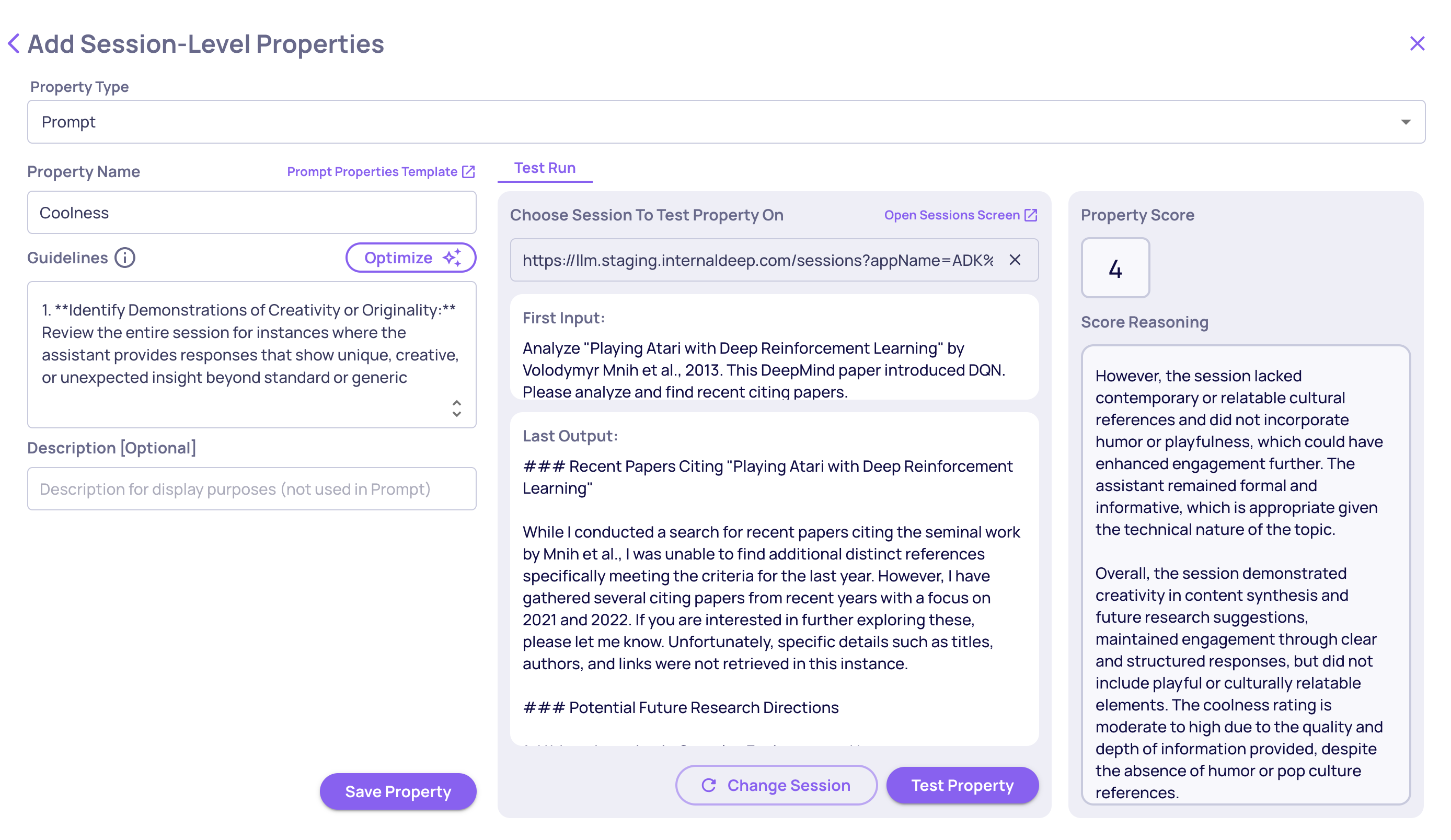
Prompt properties let you define custom LLM-evaluated session properties using your own evaluation guidelines - the same concept as interaction-level prompt properties, but applied to the full session transcript instead of a single interaction.
This is useful when the built-in properties don't cover your specific quality criteria. For example, you might want to evaluate whether the assistant maintained a specific persona throughout the session, whether compliance-sensitive topics were handled correctly across turns, or whether the conversation achieved a specific business goal.
User-Value Properties
User-value properties let you attach custom values to sessions - values that you compute or collect outside of Deepchecks and send in via the SDK. This is the same concept as interaction-level user-value properties, but applied at the session level.
Common use cases include:
- Business outcomes - Whether the session resulted in a conversion, a support ticket resolution, or a successful booking
- User segments - Tagging sessions by user tier, region, or experiment group
- External quality signals - Scores from your own evaluation pipeline, human review results, or CSAT ratings collected after the session
Setting Values via the SDK
Use set_session_property_values() to set one or more property values on a session. Properties are auto-created the first time you set a value - no need to pre-configure them in the UI although possible and recommended.
from deepchecks_llm_client import DeepchecksClient

dc_client = DeepchecksClient(host="https://app.deepchecks.com", api_token="YOUR_API_TOKEN")

dc_client.set_session_property_values(
    app_name="my-app",
    version_name="v1",
    session_id="session-abc-123",
    values={
        "Converted": "yes",                  # Categorical - string
        "User Tier": "enterprise",           # Categorical - string
        "CSAT Score": 4.5,                   # Numeric - int or float
        "Topics Discussed": ["billing", "upgrade"],  # Categorical - list of strings
    }
)
Key details:
- Numeric properties accept
intorfloatvalues - Categorical properties accept
strorlist[str]values
Managing User-Value Properties in the UI
Once a user-value property has been created (either via the SDK or manually in the UI), it appears in the Session Properties tab alongside built-in and prompt properties. From there you can:
- View the distribution of values across sessions
- Use the property to filter and sort the sessions table
You can also edit user-value properties directly within the single-interaction view.
Adding Session Properties to Your Application
Session-level properties are added per application from the application's properties configuration.
Via the UI
- Navigate to your application's Properties page
- Open the Session Properties tab
- Click Add Property
- Select a built-in property from the available list, or choose Prompt Property to create a custom LLM-evaluated property
- If you chose Prompt Property, give it a name, guidelines and test it across different sessions in your app.
- Save - the property will begin evaluating new sessions automatically
Recalculating Existing Sessions
After adding a session property, it applies to new sessions going forward. To evaluate sessions that were already logged:
- Go to the Session Properties tab
- Click Recalculate on the property you want to re-evaluate (upon creating a property this option will be suggested to you automatically)
- Optionally filter by version, environment, or time range
- Confirm - recalculation runs in the background and results appear as they complete
Note: Recalculation applies to built-in and prompt properties.
Viewing Results
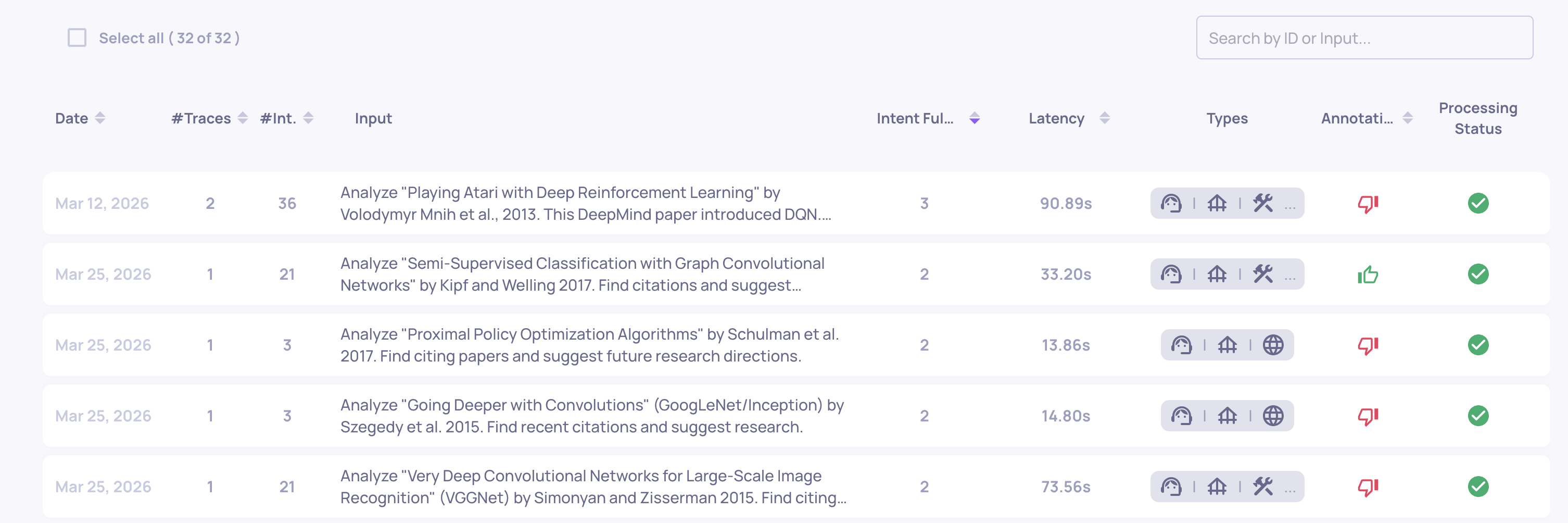
Session property scores appear in the Sessions table alongside each session. Click on a session to see:
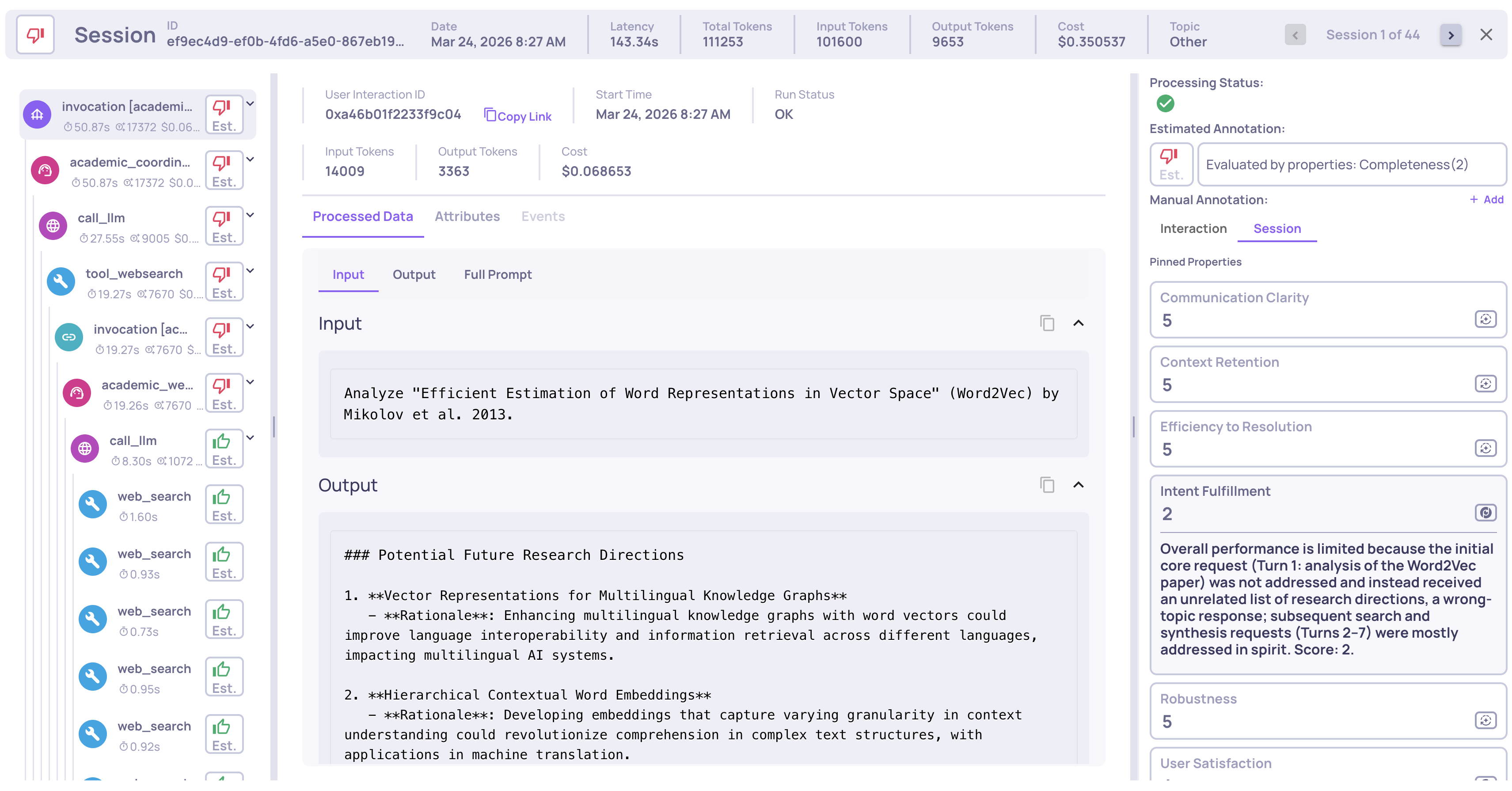
- Score - The numeric value (1-5) or category
- Reasoning - The detailed analysis explaining how the score was determined, with references to specific turns in the conversation
Use session property scores to filter and sort the sessions table, helping you quickly find problematic sessions that need attention.
In the Single Session View, the properties with their score and reasoning will appear in the Session tab under the Properties section.
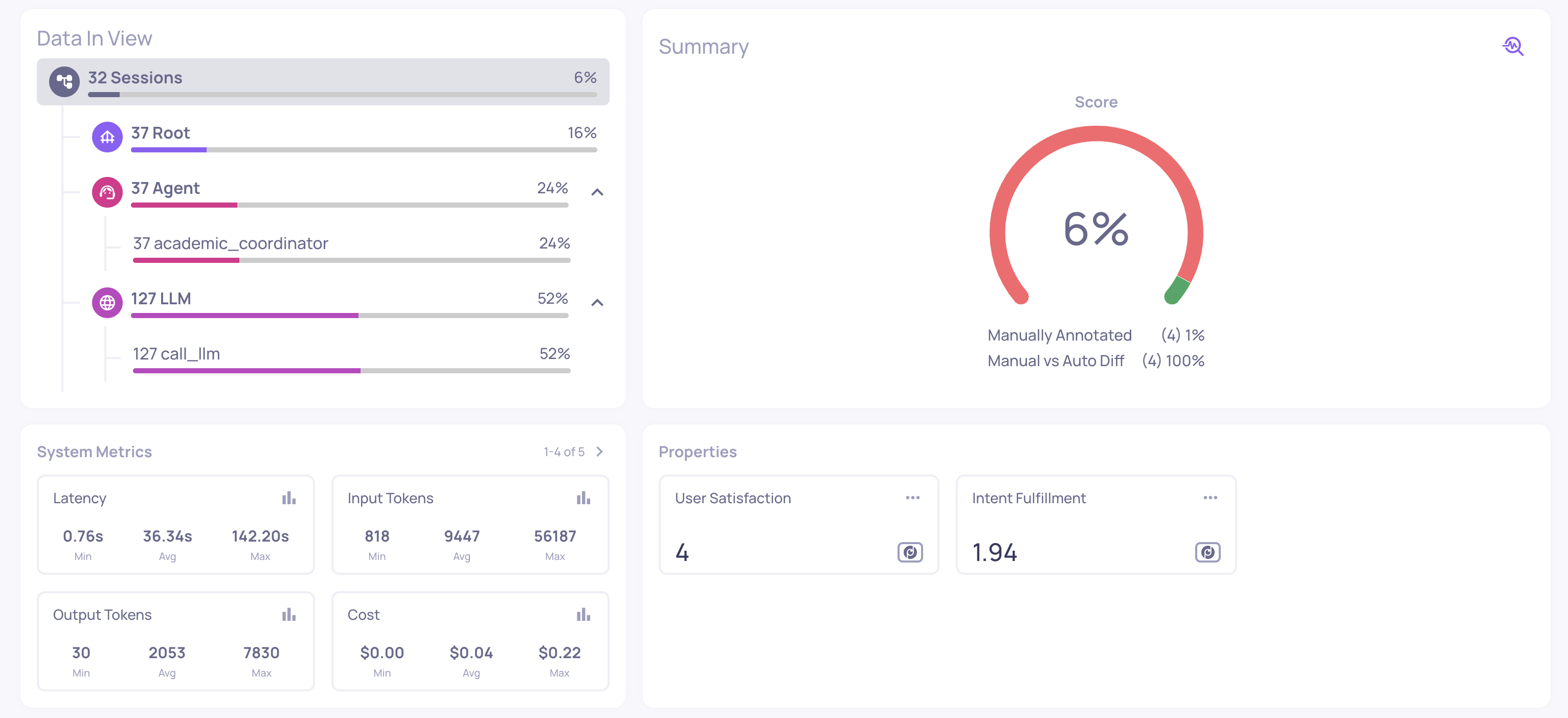
In addition, averages and aggregations on the session level, both of properties and system metrics, are shown in the Overview screen under the Sessions filter.
Updated 4 months ago