
Activate or Pause Property Calculations
Learn how to put properties on "Pause" mode, allowing you to calculate them ad-hoc on any interaction while saving costs during automatic calculation upon data upload
Overview
Every property in Deepchecks is automatically calculated whenever new data is uploaded. While this is ideal for most properties, there are situations where you may want to temporarily stop a property from running automatically. For example, if you're still refining its guidelines, it's only needed occasionally, or you want to reduce costs.
Pausing a property skips it during automatic calculation on newly uploaded data, while still letting you run it on-demand for any interaction. This gives you full control over when and where each property is evaluated.
Active vs. Paused
| Active (default) | Paused | |
|---|---|---|
| Automatic calculation | Calculated on every new interaction | Skipped |
| On-demand calculation | Available | Available |
| Recalculation | Available | Available |
| Existing scores | Preserved | Preserved |
When a property is paused, any new interactions uploaded will simply not have a score for that property. Previously calculated scores remain unchanged.
How to Pause a Property
- Go to Properties in the sidebar
- Find the property you want to pause
- Click the toggle icon in the property's action buttons
- The toggle switches to the off state, indicating the property is now paused
You can also filter the properties list by status using the Status filter to see all paused or active properties at a glance.
How to Reactivate a Property
- Go to Properties in the sidebar
- Find the paused property (use the Status filter if needed)
- Click the toggle icon to switch it back on
Running a Paused Property On-Demand
Even while a property is paused, you can still calculate it whenever you need to:
-
Recalculate: Use the Recalculate dialog from the Properties page to run the property on a specific version, environment, and time range. This works the same way for both active and paused properties.
-
Select Interactions: Select any number of interactions on the Interactions screen (for example after filtering the screen), click the "Calculate" icon, choose any property and calculate it ad-hoc on those interactions.
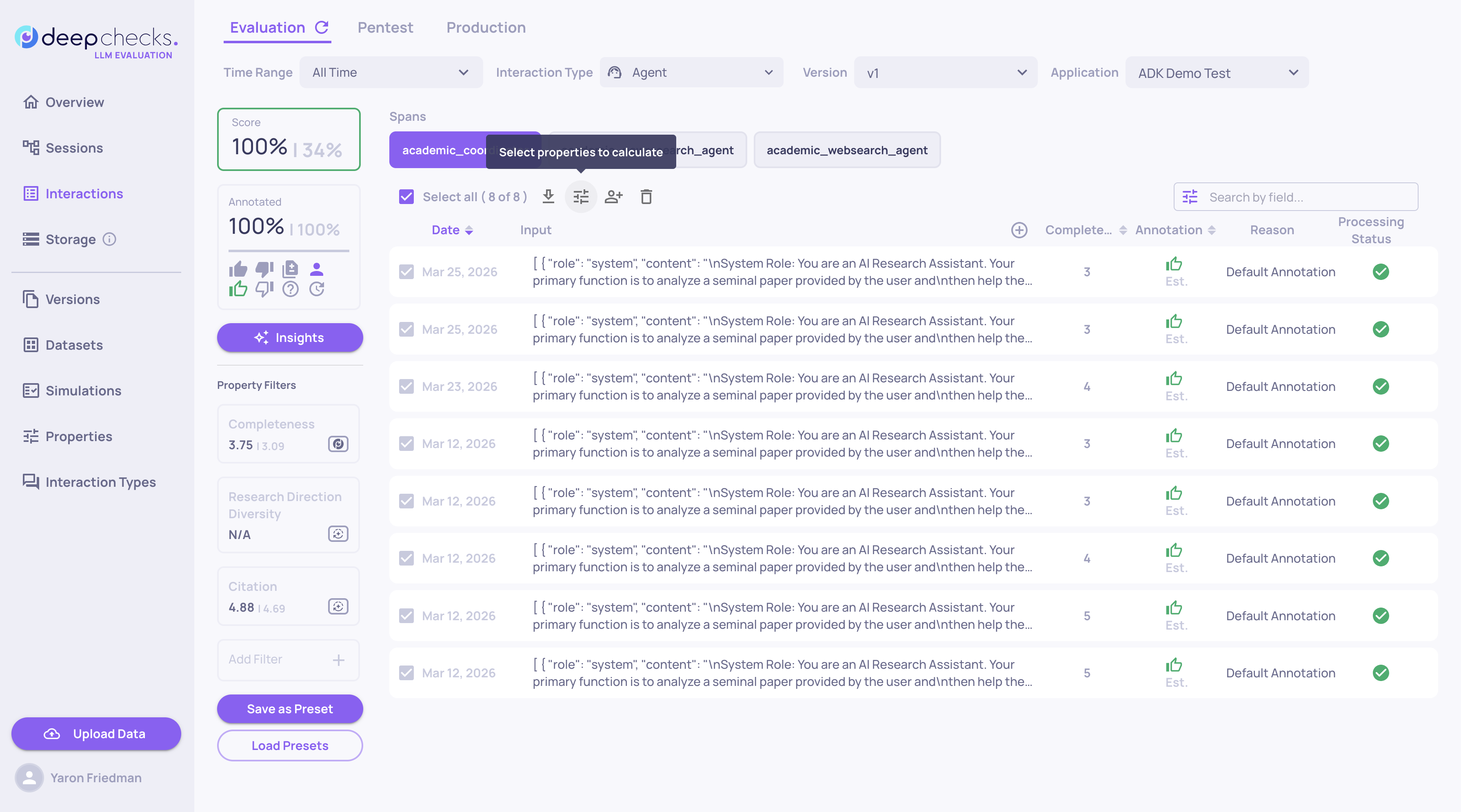
This makes pausing ideal for properties you only need to run occasionally or on specific subsets of data.
Things to Keep In Mind
- Pausing applies to both interaction-level and session-level properties.
- Pausing a property does not delete any existing scores. All historical data is preserved.
- When new data is uploaded for a paused property, the interaction will show no score for that property. You can always recalculate later to fill in the gaps.
- Pausing and activating a property requires relevant permissions.