
Export Data for Offline Analysis
Download enriched interaction data from Deepchecks - with property scores, annotations, and topics - for fine-tuning, external analysis, or CI/CD integration.
Once Deepchecks has evaluated your data, you can download it enriched with property scores, annotations, and topics. This is useful for fine-tuning a model on hard cases, doing offline analysis, feeding results into external pipelines, or running quality gates in CI/CD.
Download via SDK
The get_data method returns a pandas DataFrame with your interaction data plus all calculated properties:
from deepchecks_llm_client.client import DeepchecksLLMClient
from deepchecks_llm_client.data_types import EnvType

dc_client = DeepchecksLLMClient(api_token="YOUR_API_KEY")

df = dc_client.get_data(
    app_name="my-app",
    version_name="v1",
    env_type=EnvType.EVAL,
    # Optional filters:
    # user_interaction_ids=["id-1", "id-2"],
    # start_time="2024-09-01T00:00:00",
    # end_time="2024-10-01T00:00:00",
    # session_ids=["session-1", "session-2"],
)
The returned DataFrame includes columns for input, output, all property scores, estimated and manual annotations, topics, and metadata.
Download on-demand (for CI/CD)
If you're running an evaluation job and need to wait for calculations to finish before proceeding, use get_data_if_calculations_completed. This polls until evaluation is complete for the specified interactions, then returns the results:
results = dc_client.get_data_if_calculations_completed(
    app_name="my-app",
    version_name="v2",
    env_type=EnvType.EVAL,
    user_interaction_ids=["id-1", "id-2", "id-3"],
    max_retries=60,
    retry_interval_in_seconds=10,
)
This is the pattern used in CI/CD quality gates - upload your new version, wait for evaluation, download results, run assertions. → See Integrate into CI/CD for the full workflow.
Hard sample mining
The most common use case for downloading data is extracting "hard samples" - failing interactions to use for fine-tuning or targeted improvement.
Workflow:
- Go to the Interactions screen and filter for Bad and "estimated bad" interactions
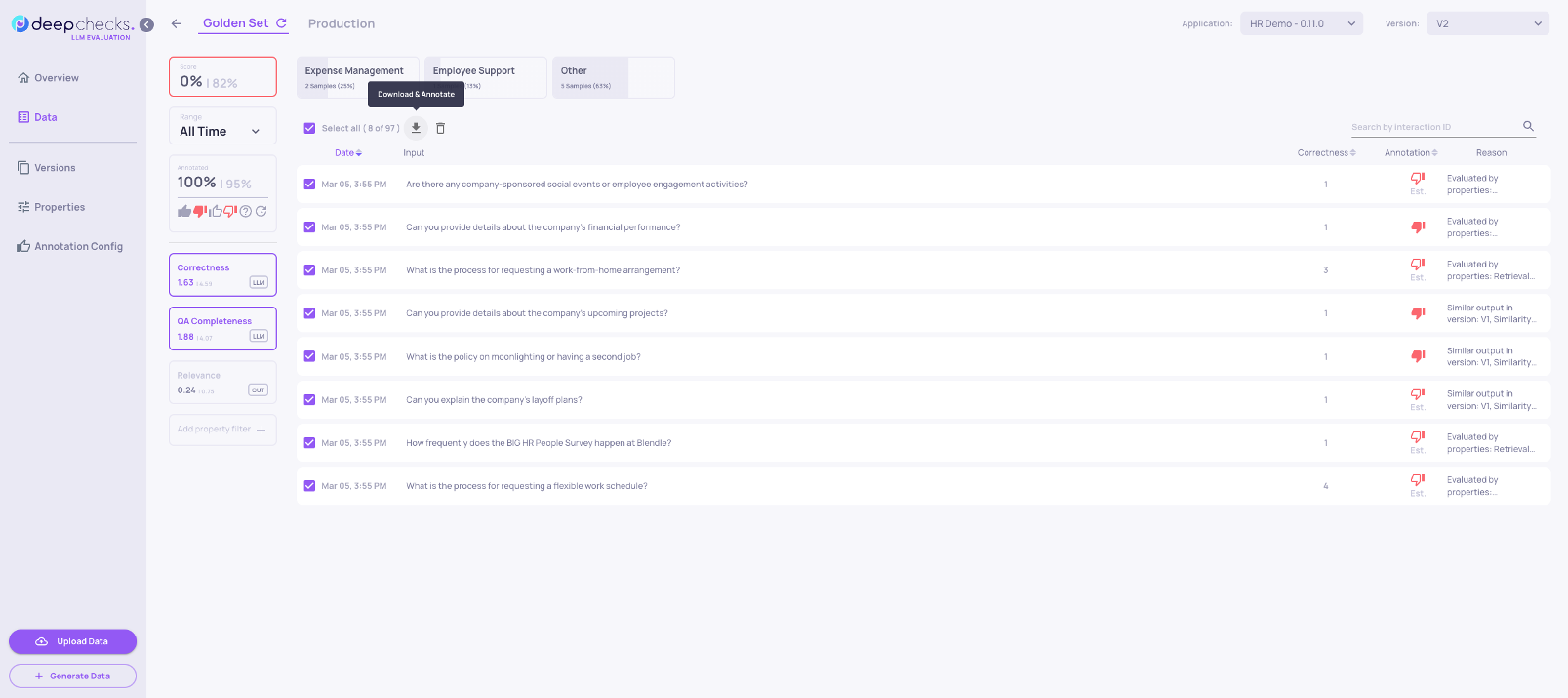
- Sort by a property score to segment further - for example, sort by Grounded in Context ascending to find the worst hallucinations first
- Add additional property filters to isolate a specific failure segment (e.g., only interactions in a specific topic category, or above a certain text length)
- Click Select All → Download to export the filtered interactions as a CSV
The downloaded CSV includes all property scores and reasoning, making it directly useful for fine-tuning annotations or building a focused training set.
Tips:
- Filter by topic to get domain-specific hard samples
- Combine Bad annotation + specific low-scoring property for targeted failure sets
- When running in production, use this workflow to build a dataset from real failures for the next version's evaluation set
Updated 4 months ago