Manual Annotations
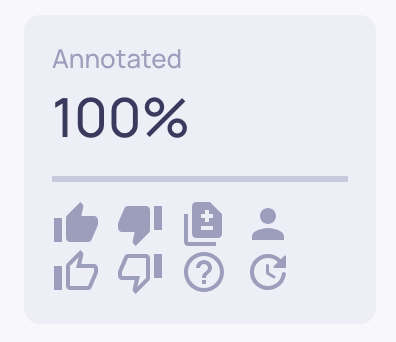
While automatic annotations provide quality labels for every interaction without human effort, manual annotations let your team add human judgment where it matters most. Manual annotations serve three purposes: they provide ground-truth labels for your data, they help calibrate how well the automatic pipeline is working, and they feed into the Deepchecks Evaluator to improve automatic scoring over time.
Estimated vs. manual annotations
Every interaction can have two layers of annotation:
- Estimated - Automatically generated by Deepchecks using property scores, similarity, and other evaluation methods. These appear by default for all interactions as outlined badges.
- Manual - Provided by a human reviewer. When present, shown as filled badges and used in place of estimated annotations for analysis.
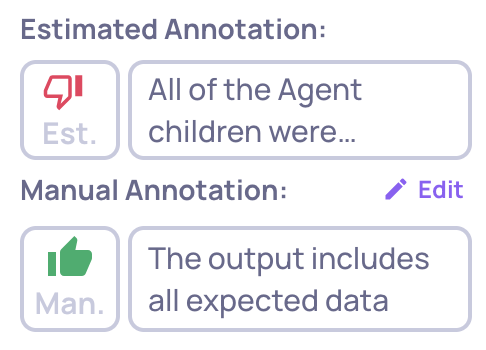
You may have already included manual annotations when integrating your data - via the annotation column in a CSV upload or the annotation field in the SDK. Annotations added in the UI work the same way.
Assigning interactions for review
Before team members annotate, organization Admins can assign specific interactions to reviewers:
- Go to the Interactions screen
- Select one or more interactions
- Click the Assign button and choose a team member from the dropdown
- The selected interactions are assigned to that person
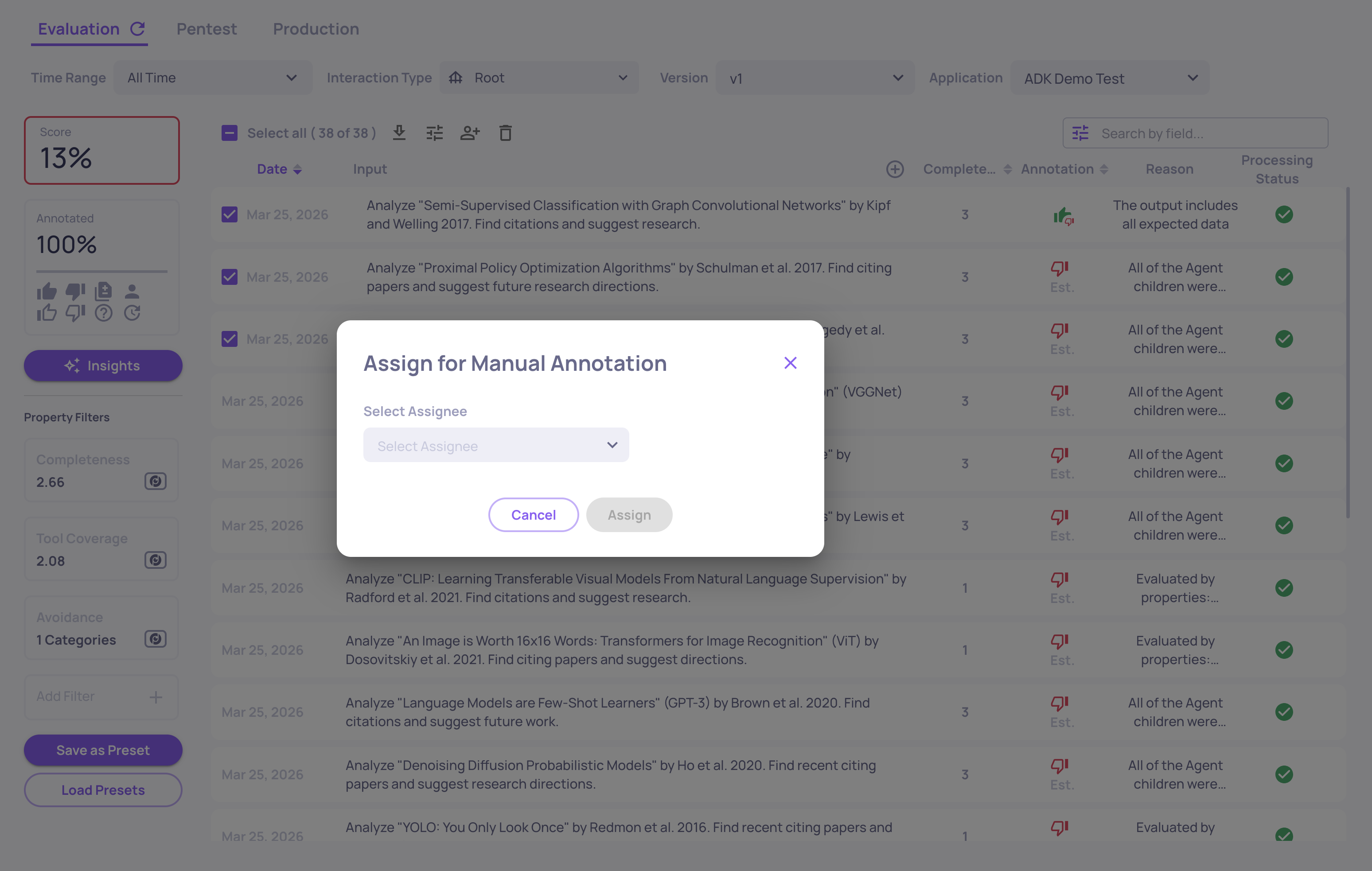
You can filter interactions by assignee to see what is assigned to each reviewer, or filter for unassigned interactions. To remove an assignment, select the interactions and clear the assignee.
Annotating an interaction
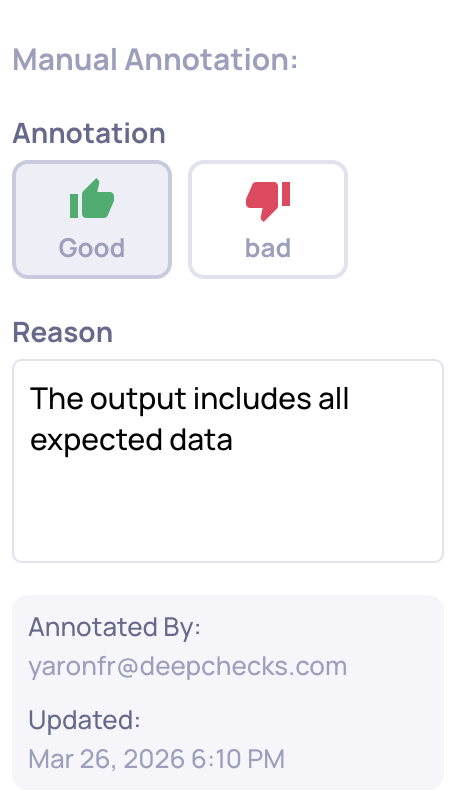
- Open an interaction from the Interactions screen
- Click Add (or Edit if an annotation already exists) next to the annotation field
- Select Good or Bad
- Optionally add a reason explaining your judgment
- Click Save
The system records who annotated the interaction and when. The last editor of a manual annotation is considered the interaction's annotator. To remove a manual annotation, use the Delete option.
Annotating interactions is available for Members or higher-permission roles.
Filtering and reviewing annotations
The Interactions screen provides several ways to filter by annotation status:
- Annotation value - Filter by Good, Bad, Unknown, or Pending (no annotation yet)
- Annotation source - Filter by User Annotated (manual) or Estimated (automatic)
- Manual vs. Auto Diff - Quickly identify where manual and automatic annotations disagree - these disagreements help you refine the automatic annotation configuration
- Annotated By - Filter by the team member who provided the annotation
- Assignee - Filter by who the interaction is assigned to