
Optimize Costs & Usage
How to control evaluation costs in Deepchecks - sampling, property selection, DPU rates, and practical tips for high-volume production apps.
Deepchecks uses DPUs (Deepchecks Processing Units) to measure evaluation usage. Every property calculation, data token, and LLM-based judge call costs DPUs. This guide covers the main levers for controlling that spend without sacrificing the quality signals you need.
The biggest lever: sampling
For production data, you rarely need to evaluate every interaction. Configure a sampling ratio on your application to evaluate only a representative subset.
- Go to Manage Applications → Edit Application
- Set the Sampling Ratio (0 to 1)
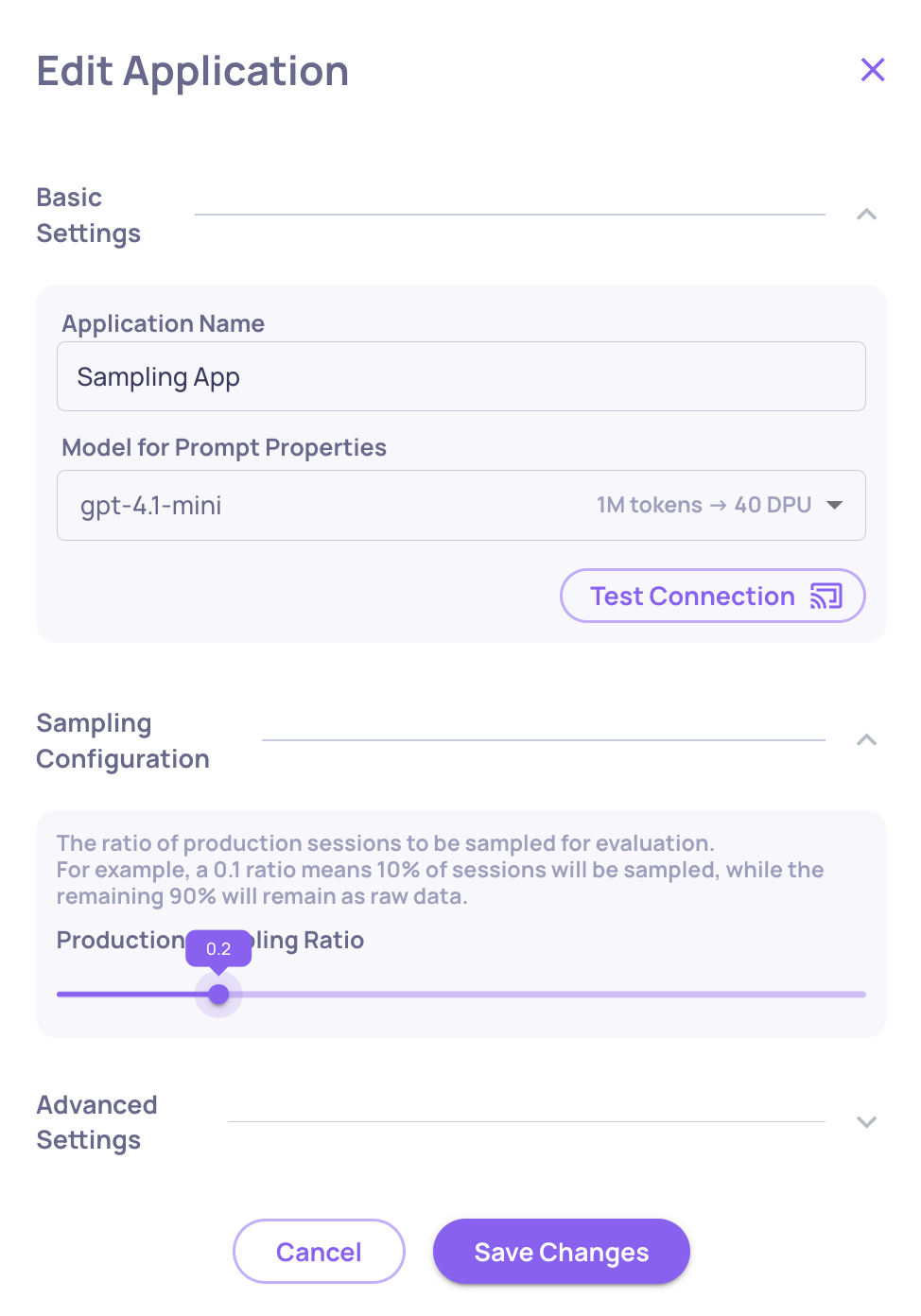
Recommended starting point for high-volume apps: 0.2 (20%). At 20%, you spend roughly 35% of full-evaluation cost while keeping statistically representative results. Deepchecks uses random selection, so the evaluated sample mirrors your overall traffic distribution.
Interactions not selected for evaluation land in the Storage screen - stored as raw data, where you can selectively send specific sessions for evaluation when needed.
Control which properties run
Not every property needs to run on every interaction type. The most expensive properties are LLM-based (prompt properties and LLM-based built-ins). The least expensive are rule-based or GPU-based.
To reduce costs:
- Pause properties you're not actively using. Go to Settings → Properties, find the property, and click the pause icon. Paused properties don't run on new data but remain available to recalculate later.
- Run expensive properties on evaluation data only, not production. You can configure properties to run per environment.
- Reduce the number of judges on prompt properties. Three or five judges give more reliable scores but cost proportionally more. Use 1 judge (default) unless the property is critical.
→ See Number of Judges for when to use multiple judges.
DPU conversion rates
Understanding what costs what helps you make informed trade-offs.
LLM judge DPUs per 1 million tokens:
| Model | DPUs / 1M tokens |
|---|---|
| OpenAI GPT-3.5-turbo | 40 |
| OpenAI GPT-4o-mini | 15 |
| OpenAI GPT-4.1-nano | 10 |
| OpenAI GPT-4.1-mini | 40 |
| OpenAI GPT-4o | 250 |
| OpenAI GPT-4.1 | 200 |
| OpenAI GPT-4 | 1,000 |
| OpenAI o3-mini / o4-mini | 110 |
| Anthropic Claude Sonnet 3.5 / 3.7 | 400 |
Base token cost: 1 million data tokens = 250 DPUs
Translation (if enabled):
- Language detection (Claude-3-Haiku): ~40 DPUs / 1M tokens
- Translation (Claude Sonnet): ~400 DPUs / 1M tokens
The model Deepchecks uses for built-in LLM properties is configurable at the org and application level. Switching from GPT-4o to GPT-4o-mini for lower-stakes properties can significantly reduce costs.
→ See DPU and Supported Models for the full reference.
Practical tips
For evaluation environments: Run all properties - the data volume is small and you want full signal before deploying.
For production: Start with 20% sampling + GPU/rule-based properties only. Add LLM-based properties to your production configuration only for the signals that matter most (e.g., Grounded in Context for RAG, Toxicity for user-facing apps).
For high-cost properties: Use failure mode analysis periodically rather than scoring every interaction. Instead of running an expensive prompt property on 100% of traffic, run it on a sample and use insights to surface patterns.
Recalculate selectively: When you update a property's guidelines, use Recalculate only on the time ranges or versions where you need historical data - not everything.
What's next
- Set Up Production Monitoring - configure sampling as part of your production setup
- Properties - understand which properties are GPU-based vs LLM-based
- Number of Judges - configure judge count per prompt property