0.43.0 Release Notes
Deepchecks LLM Evaluation 0.43.0 Release
We're excited to announce version 0.43 of Deepchecks LLM Evaluation. This release focuses on deeper evaluation capabilities, streamlined property management, and hands-on annotation workflows. Highlights include new built-in properties for agent tool abuse and error detection, a redesigned single interaction view, manual annotation management, and expanded session-level property types.
Deepchecks LLM Evaluation 0.43.0 Release:
🤖 Know Your Agent (KYA) Feature Suite
🔧 New Properties: Tool Abuse & Error Detection
🔍 Structured Processed Data View
🔀 Simplified Span Extraction
📌 Pinned Properties & Clean Interaction View
⏸️ Pause & Ad-Hoc Property Calculations
✏️ Manual Annotation Management
💡 Few Shot Examples Management
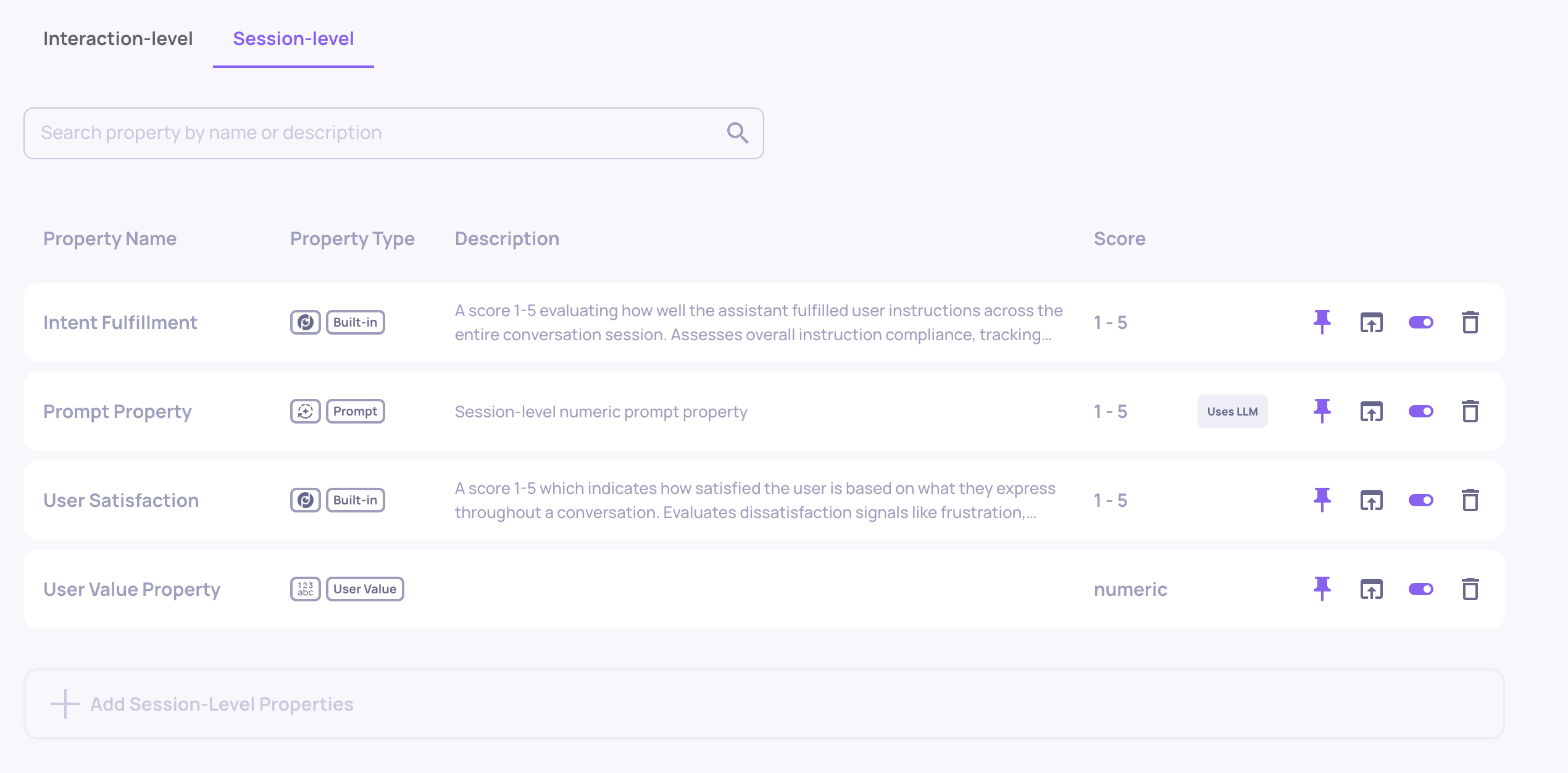
🧵 Session-Level Prompt & User-Value Properties
What's New and Improved?
Know Your Agent (KYA) Feature Suite
Know Your Agent (KYA) is a complete flow for evaluating agentic applications - from connecting your deployed agent, through triggering it with AI-generated test datasets, to high-quality granular evaluation of every component in your agent's workflow.
-
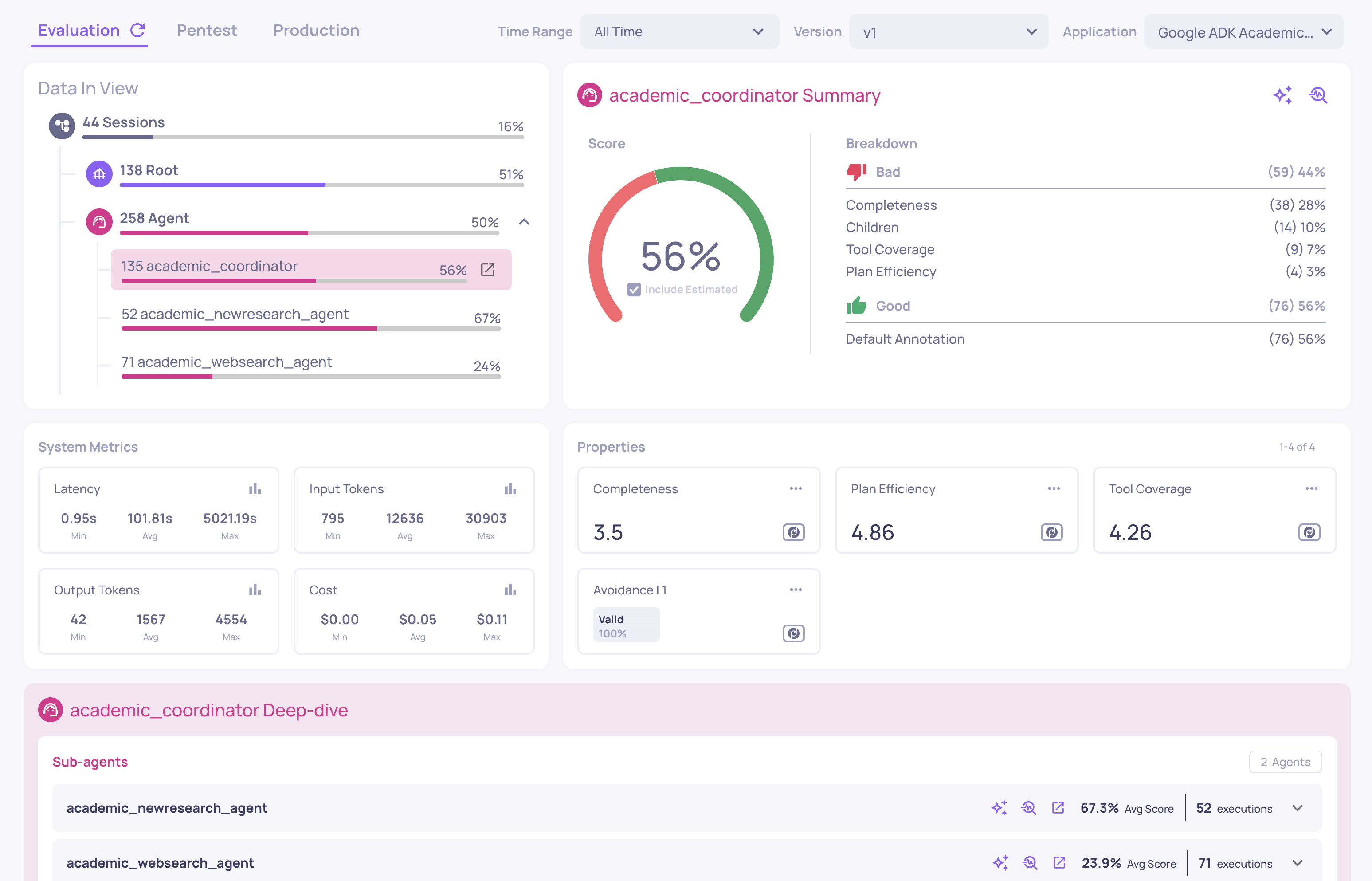
Enhanced Overview - The overview page now features span-name filters that let you differentiate between agents, tools, and LLM calls within your workflow. Select any agent to deep-dive into its sub-components - see how each tool, sub-agent, and LLM span performs with dedicated metrics and property scores. In addition, some general UX improvements were made to the Overview screen.
-
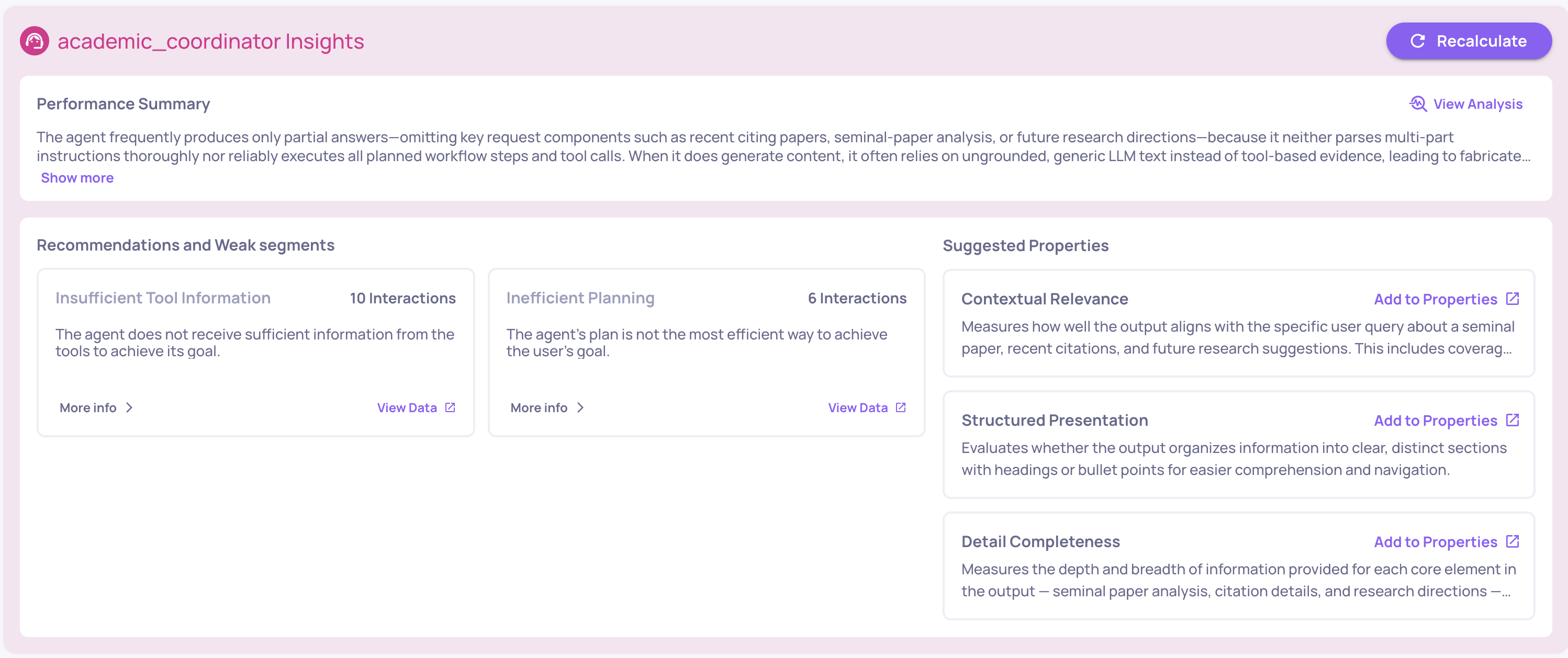
Performance Summary & Suggested Properties - Two new insight components: a Performance Summary providing a concise AI-generated analysis of your version's health, and Suggested Properties that recommend prompt properties based on your data, including an add-property-with-one-click option. In addition, you can now generate failure mode analysis reports at any level, from an entire version down to a specific tool used by a specific agent.
-
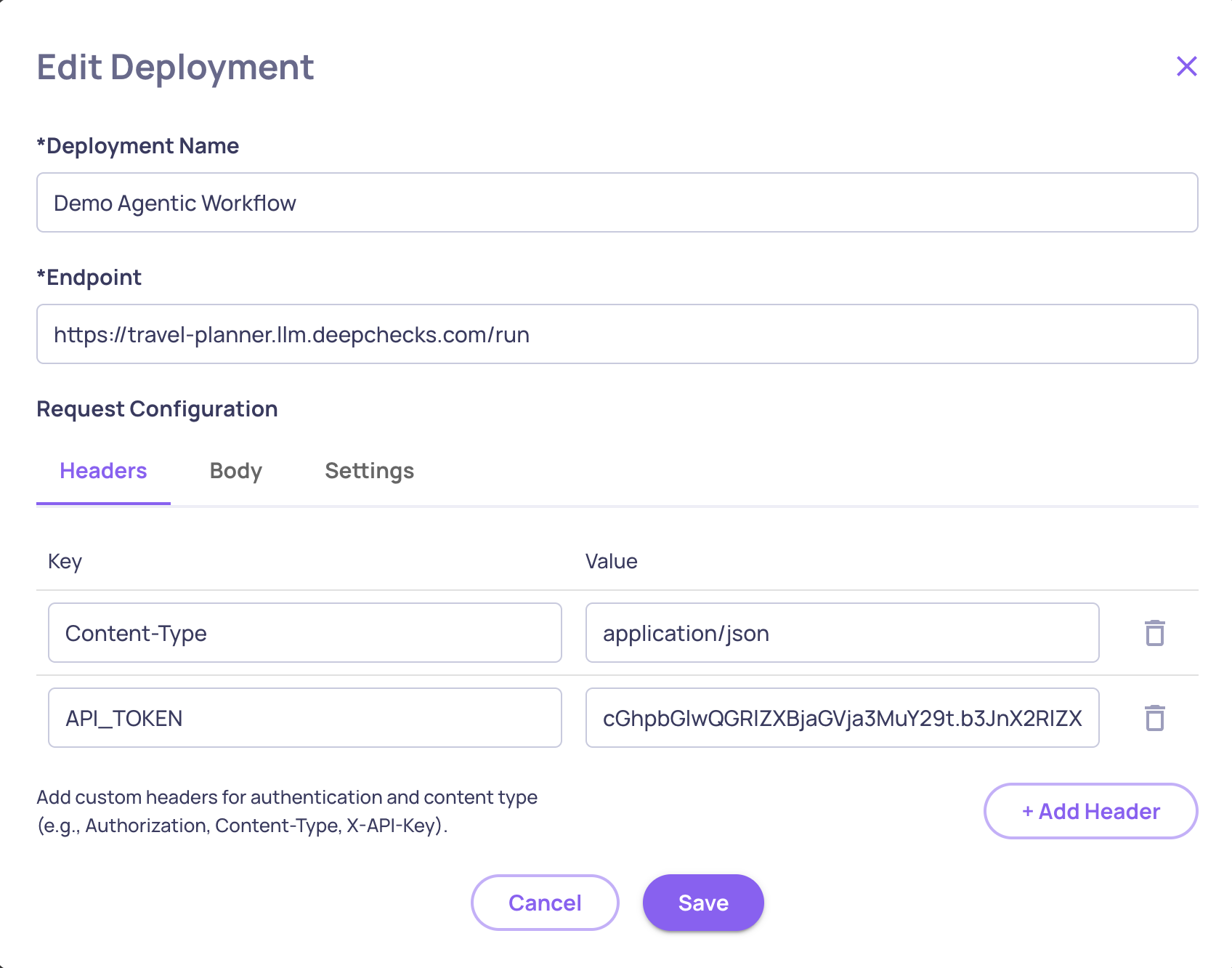
Connect Your Deployed Agent - Configure a deployment by providing your agent's endpoint URL, authentication tokens and custom headers. Deepchecks will use this connection to trigger your agent in the Simulation flow.
-
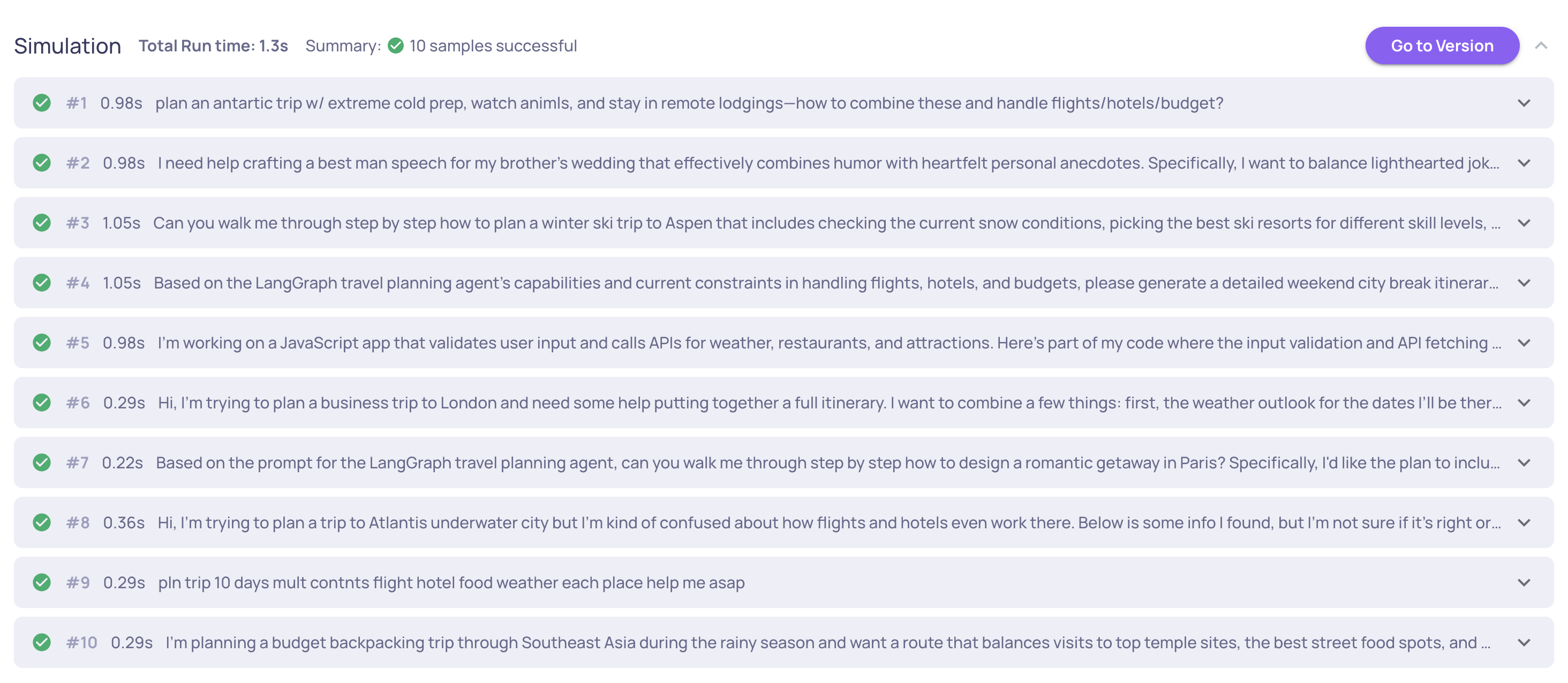
Agent Simulation - Trigger your deployed agent against datasets directly from Deepchecks - including AI-generated datasets tailored to your application. Supports both single-turn and multi-turn conversations with parallel execution, automatic retries, full result tracking, and logging the run data back to Deepchecks for evaluation.
New Properties: Tool Abuse & Error Detection
Two new built-in properties expand evaluation coverage:
- Tool Abuse - Scores agent interactions based on tool usage efficiency, detecting patterns like repeated identical calls, ignoring error feedback, and retrying without adaptation. Available for the Agent interaction type. Read more about Tool Abuse here.
- Error Detection - Classifies whether an output is a valid response, a system/tool/API error, or empty. Uses a two-stage pipeline that first analyzes the output alone, then uses context to disambiguate borderline cases. Available for all interaction types. Additionally, the Avoidance property has been refined to focus exclusively on actual avoided answers (missing knowledge, policy restrictions, other). Error detection is now handled by the dedicated Error Detection property.
Changes to the Single Interaction View
Structured Processed Data View
The single interaction view now displays processed data fields in structured JSON format with syntax highlighting, instead of plain text. This makes it significantly easier to view and evaluate interactions where output format matters - such as structured responses, function calls, or API payloads.
Pinned Properties & Clean Interaction View
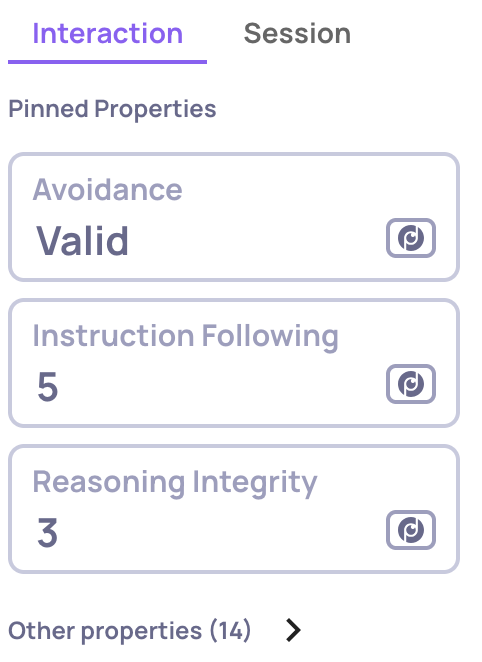
The single interaction view now separates properties into Pinned Properties (shown by default) and a collapsible Other Properties section. Pin the properties you care about most from the Properties configuration page, and they'll appear front and center when reviewing any interaction. N/A values are sorted to the end of each list, keeping actionable results at the top.
Simplified Span Extraction
Extracting a span name into its own interaction type is now more straightforward. When extracting a span, you can choose to either create a new interaction type or move it to an existing compatible one. Properties are automatically matched and remapped between source and target types, and feedback records are preserved during the transfer. Read more about this here.
Pause & Ad-Hoc Property Calculations
You can now pause any property to stop it from running automatically on new incoming data - useful for cost optimization, property development, or seasonal evaluations. Paused properties can still be run on-demand via the recalculation dialog, letting you test changes without impacting your pipeline.
Read the full Pause & Activate documentation →
Manual Annotation Management
A complete workflow for manual annotations is now available:
- Assign interactions to team members for review
- Annotate interactions as Good or Bad with optional reasoning
- Filter by annotator, assignee, or annotation status
- Track coverage via new manual annotation metrics on the overview page, including agreement rates between manual and estimated annotations
Read the full Manual Annotations documentation →
Few Shot Examples Management
The few shot system for refining LLM property evaluations has been redesigned. A new Few Shot tab in the property editor shows all few shot examples for a property in a sortable table. You can click any entry to edit its score, categories, and reasoning, or delete it.
Read the full Property Refinement documentation →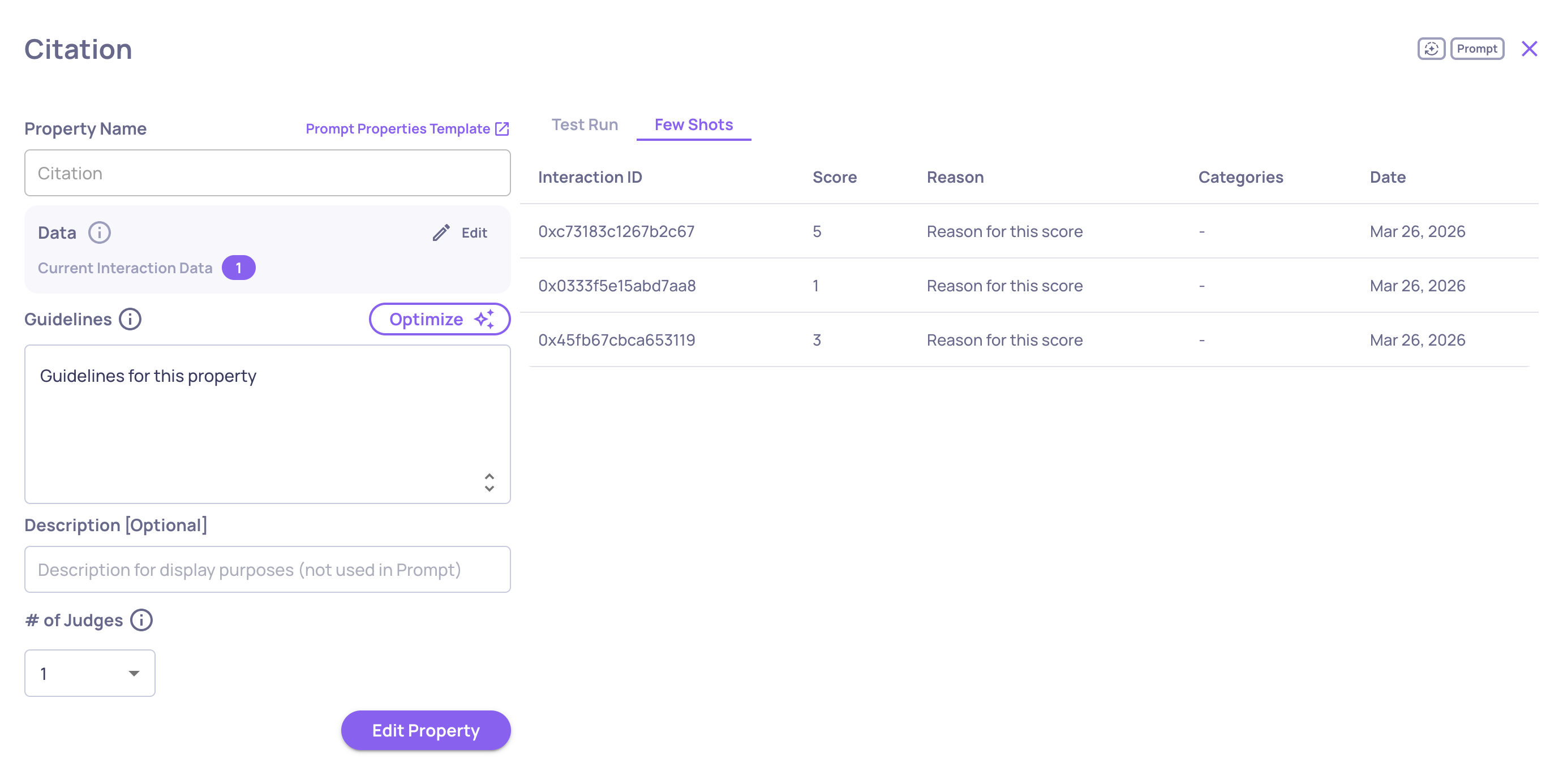
Session-Level Prompt & User-Value Properties
Session-level properties now support two new kinds beyond the built-in evaluations:
- Prompt Properties - Define custom LLM-evaluated session properties with your own guidelines. This includes a test-run interface to validate before deploying.
- User-Value Properties - Set manual or SDK-driven values on sessions for tracking custom metrics like business outcomes or user segments. Values can be set via the SDK with
set_session_property_values()and are auto-created on first use. These values can also be provided or edited within the single-session UI itself.
Read the full Session-Level Properties documentation →