
0.41.0 Release Notes
Deepchecks LLM Evaluation 0.41.0 Release
We're excited to announce version 0.41 of Deepchecks LLM Evaluation. This release brings comprehensive cost visibility, smart property refinement, and powerful dataset generation capabilities. Highlights include automatic cost tracking across all interactions, AI-generated test data for agentic systems, and human-in-the-loop property feedback that makes evaluations more accurate over time.
Deepchecks LLM Evaluation 0.41.0 Release:
- 📊 Dataset Management
- 🤖 Agentic Dataset Generation
- 💰 Cost Tracking with Token-Level Visibility
- 🎯 Property Refinement with User Feedback
What's New and Improved?
Dataset Management
Datasets are now a first-class feature in Deepchecks, providing a structured way to create, manage, and run curated test collections for systematic LLM evaluation.
What datasets enable:
- Reproducible Testing - Run the same test suite across versions to catch regressions and measure improvements
- Controlled Evaluation - Move beyond random production sampling to intentional test scenarios
- Systematic Coverage - Ensure your application handles edge cases, error scenarios, and diverse inputs
- Benchmark Tracking - Compare performance, latency, and cost across versions with consistent test data
Core capabilities:
-
Create & Organize - Build datasets with up to 500 samples, each containing input, optional reference output, and optional metadata
-
Flexible Input - Add samples manually, upload CSV files, use AI generation (more on this below), or copy samples from your production data
-
Sample Management - Edit samples directly in the UI, update metadata, delete unwanted entries
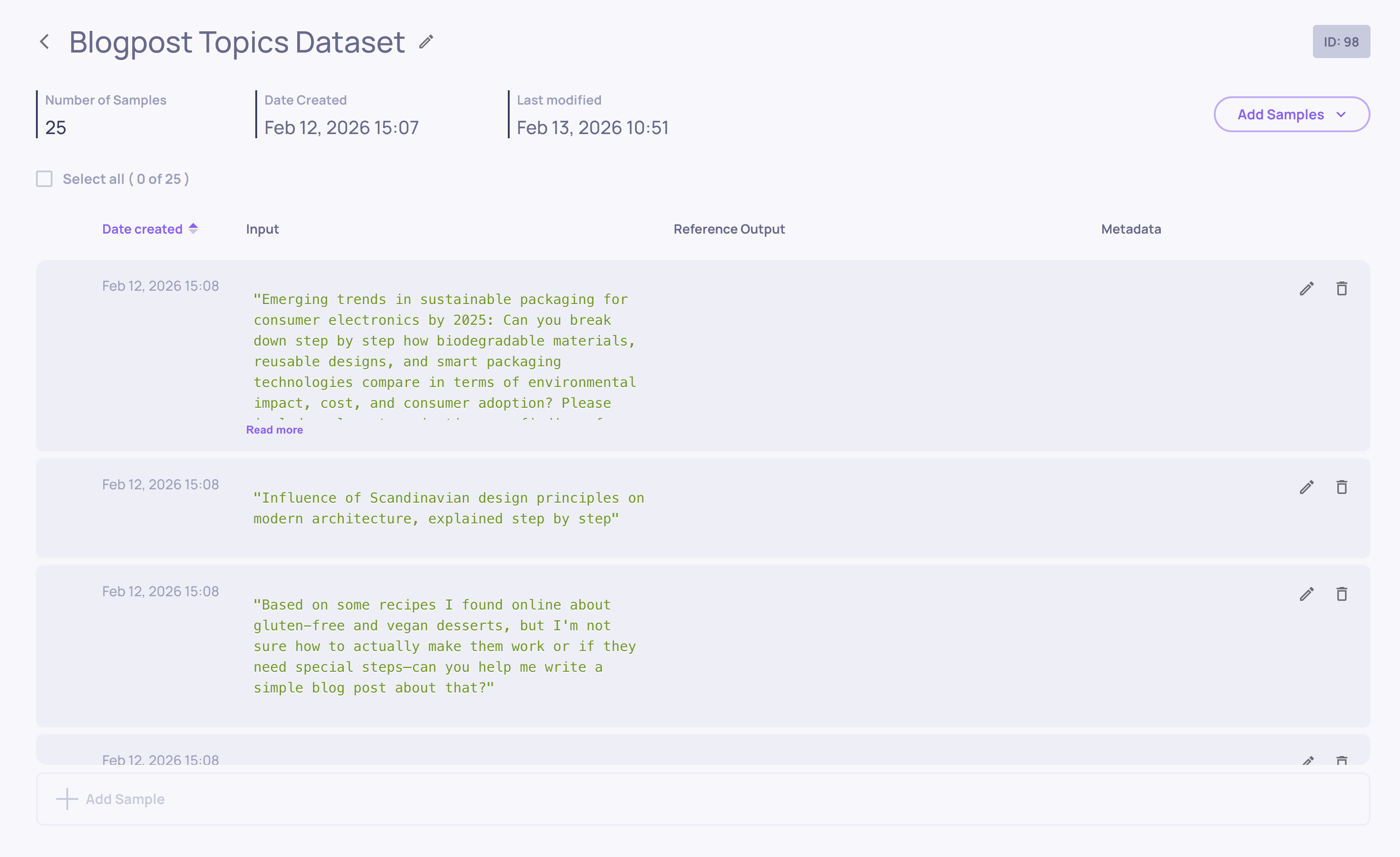
Datasets work seamlessly with both SDK and UI workflows. Create them programmatically, populate via CSV, or use the AI generation tools to build comprehensive test suites in minutes.
Read the full Dataset Management documentation →
Agentic Dataset Generation
Creating comprehensive test datasets for agentic systems is now as simple as describing what your agent does. The new Agents generation mode uses dimensional analysis to automatically create diverse, challenging scenarios that stress-test your agent across complexity levels, ambiguity, multi-step reasoning, and edge cases.
What's new:
- No Data Source Required - Generate purely from your agent's description
- Dimensional Coverage - Automatically tests simple, medium, and hard scenarios across multiple complexity axes
- Agent-Specific Challenges - Creates situations involving multi-step workflows, ambiguous instructions, and constraint conflicts
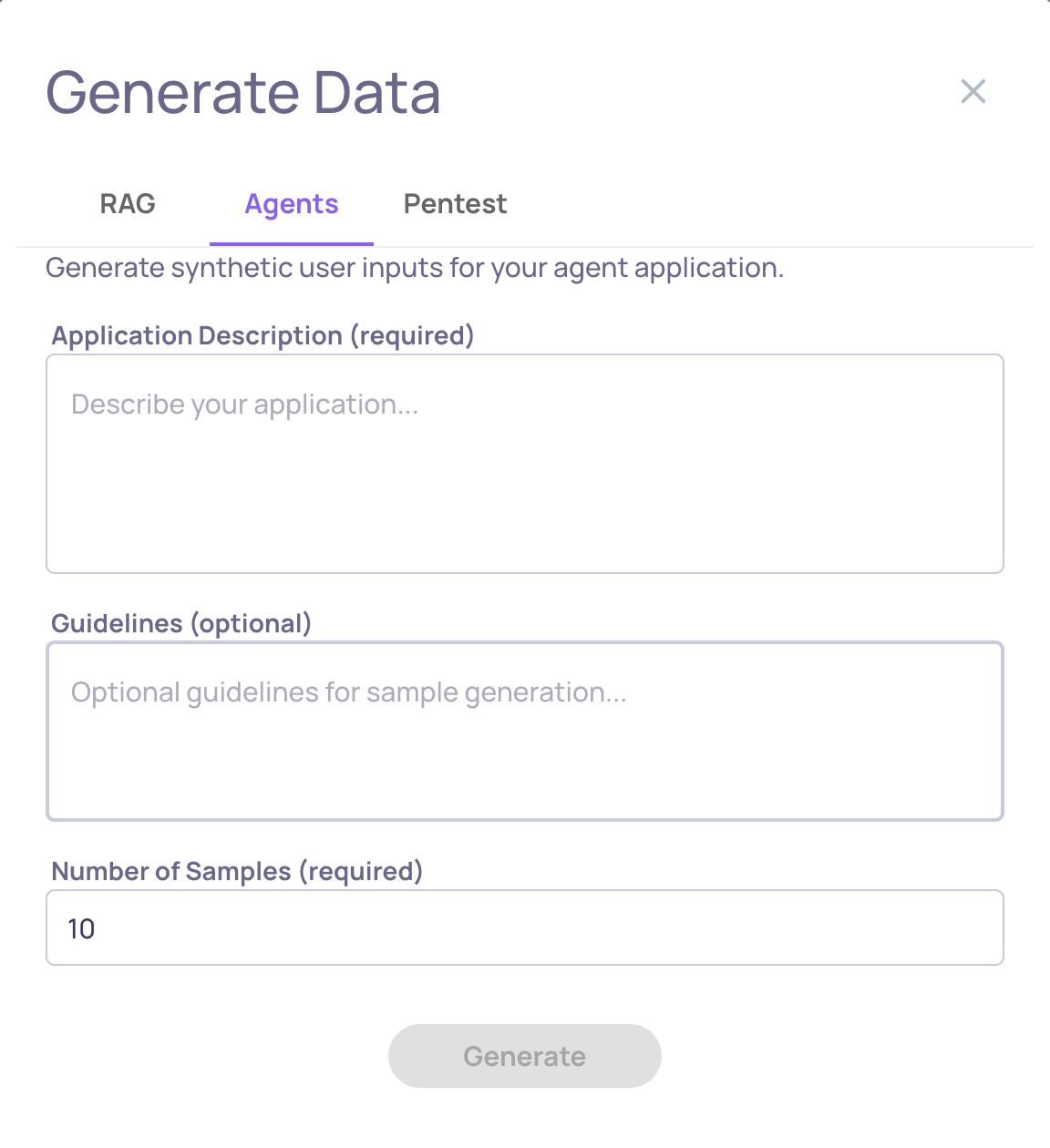
This joins existing generation methods (RAG for document-based apps and Pentest for security testing) to give you the right tool for every evaluation need.
Read the full AI Data Generation documentation →
Cost Tracking with Token-Level Visibility
Understanding LLM costs is now effortless. Deepchecks automatically tracks spending across every interaction by calculating costs based on input and output token usage.
What this gives you:
- Automatic Cost Calculation - Configure model pricing once at the organization level, and costs are computed automatically for every interaction
- Token-Level Tracking - Monitor input tokens and output tokens separately to understand where costs come from
- Aggregated Insights - View session-level and version-level cost totals to identify expensive patterns and compare cost-efficiency across versions
- Filter by Cost - Find your most expensive queries instantly to optimize prompts or switch to more efficient models
Cost tracking works seamlessly with both interactions and spans. For multi-step agentic workflows, costs from nested LLM calls automatically roll up to parent interactions, giving you accurate end-to-end spending visibility.
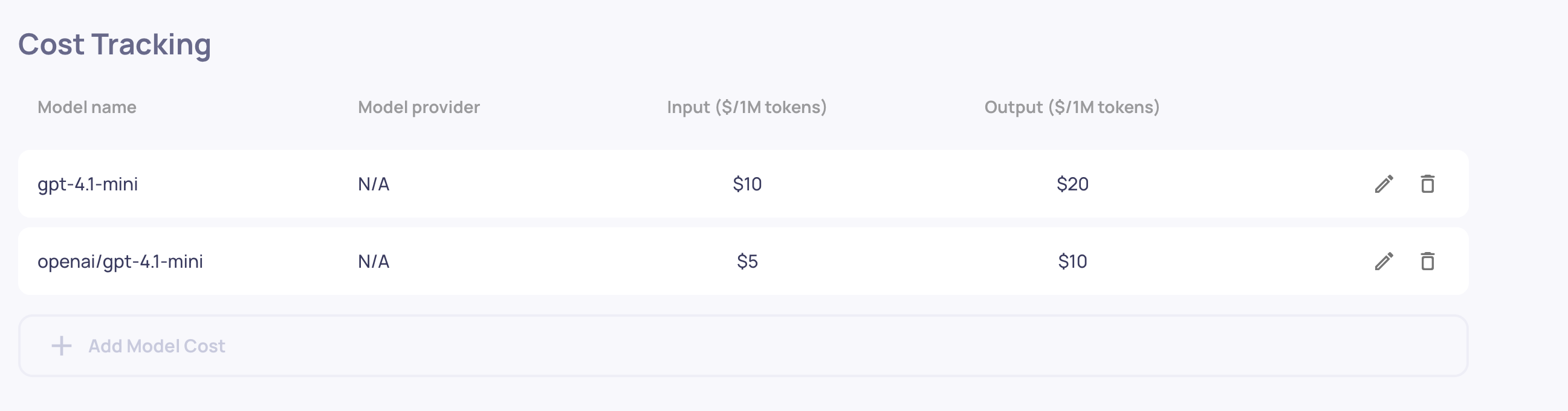
Simply configure your model pricing once, and every interaction automatically shows its cost. No additional integration required beyond logging the model, input_tokens, and output_tokens fields you're likely already tracking.
Read the full Cost Tracking documentation →
Property Refinement with User Feedback
Custom LLM properties now learn from your corrections. When a property's evaluation doesn't match your judgment, provide feedback explaining the correct score - and the property uses it as a training example for future evaluations.
What this enables:
- Continuous Improvement - Properties become more accurate and aligned with your quality standards over time
- Domain Adaptation - Teach properties your industry terminology, edge cases, and subjective quality thresholds
- No Code Required - Refine evaluations through simple UI feedback, no prompt engineering needed
How it works:
For any custom LLM property evaluation, click the feedback icon and provide:
- Your corrected score (1-5 stars for numerical properties or category selection for categorical properties)
- Reasoning explaining why your score is more accurate
Deepchecks incorporates your feedback as in-context learning examples, so future evaluations reference your corrections when judging similar cases. Currently, the property-enhancing feedback is available for prompt properties only.
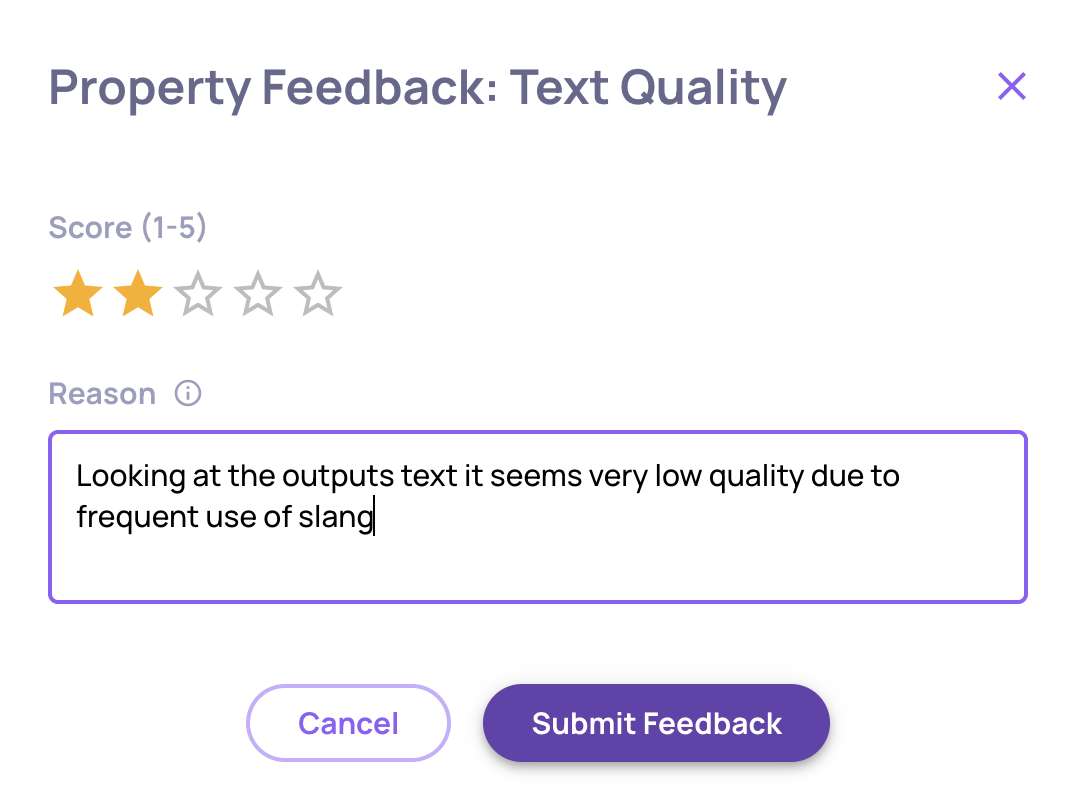
This transforms properties from static evaluation rules into adaptive quality models that evolve with your needs.
Read the full Property Refinement documentation →