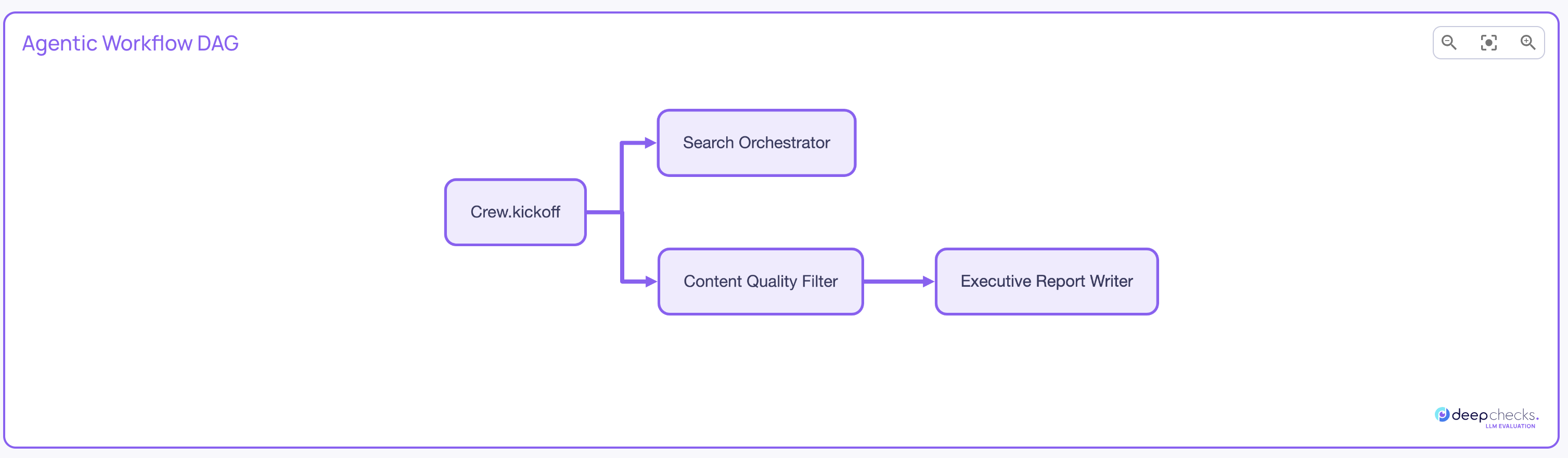
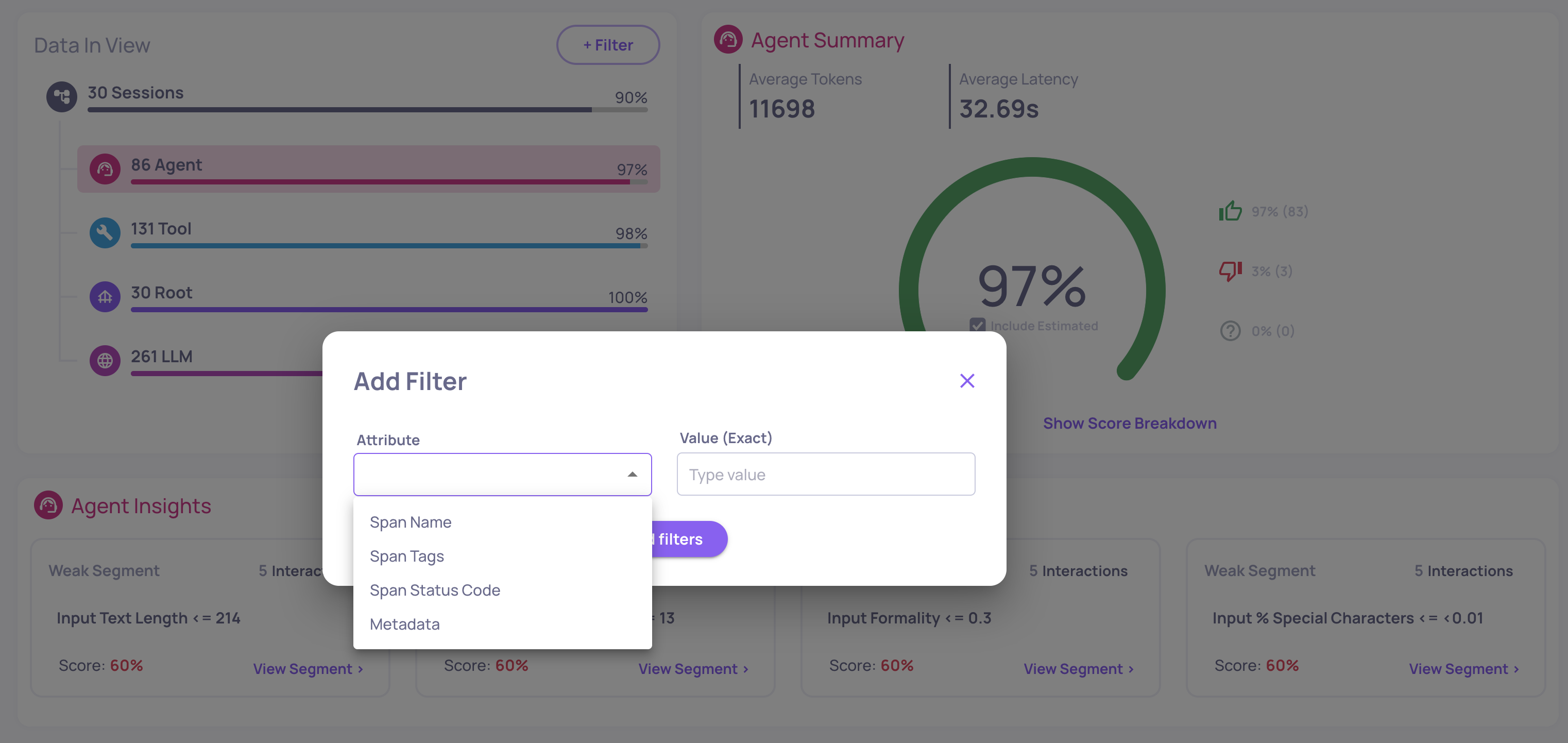
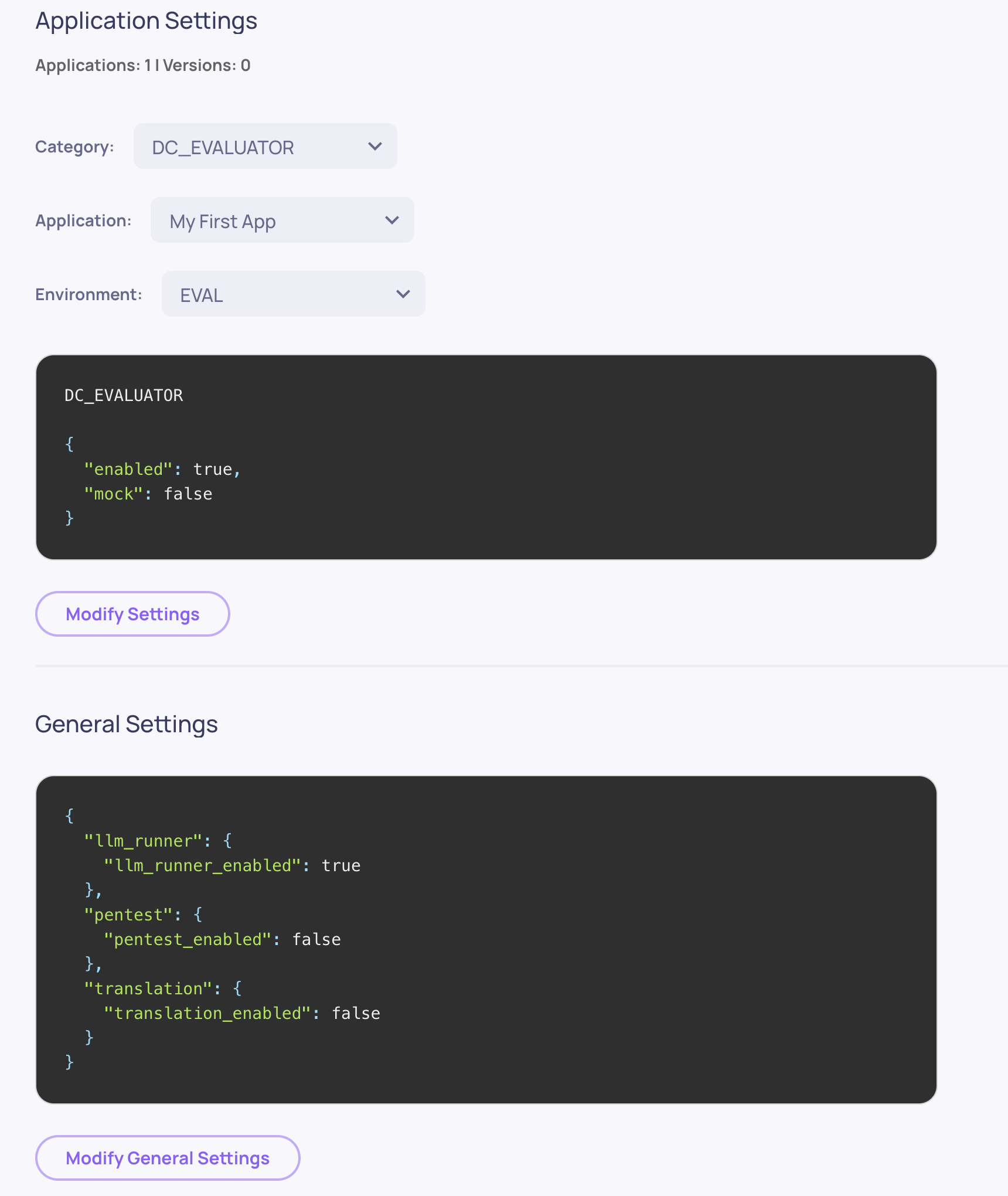
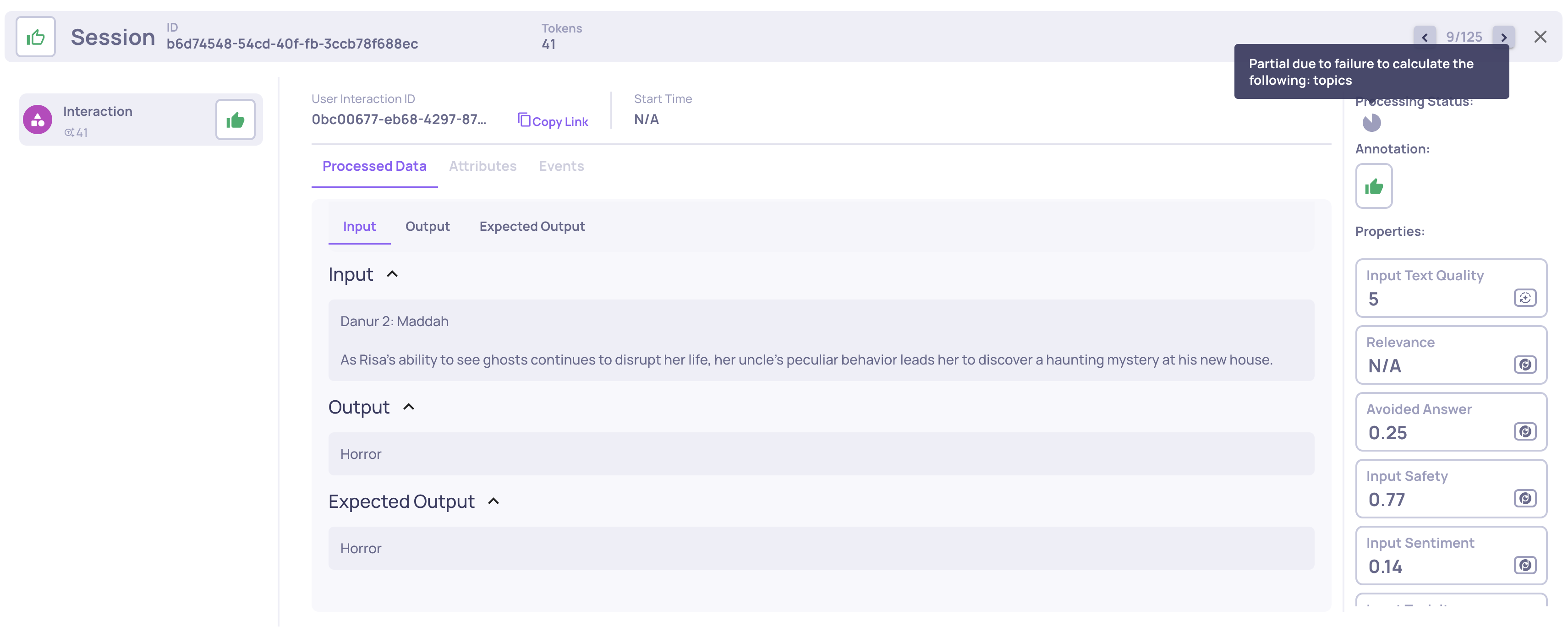
Version 0.44 brings GPT-OSS model support, SDK enhancements, and several UX improvements across the platform.
Deepchecks LLM Evaluation 0.44.0 Release:
🧠 GPT-OSS Model Support
📖 Documentation Revamp
🪜 Steps Support in log_spans
📊 Total System Metrics
📥 Prompt Property JSON Download & Upload
💡 Suggested Feedback for Few Shots
🔒 SageMaker VPC Endpoint for Logs
🚨 Deprecated SDK Functions & Endpoints
What's New and Improved?
GPT-OSS Model Support
Deepchecks now supports GPT-OSS models for property evaluation. This allows self-hosted deployments to run LLM-based properties using open-source GPT models, removing the dependency on external LLM providers.
Documentation Revamp
The Deepchecks documentation has undergone a major revamp — restructured, rewritten, and expanded to cover the full platform in a clear and navigable way. Check it out here.
Steps Support in log_spans
The log_spans SDK function now accepts an optional steps parameter on each span. Steps allow you to attach arbitrary custom data to spans - any structured information you want to upload and later use for property calculations.
System metrics (input tokens, output tokens, total tokens, cost) now display total values alongside min/avg/max statistics. This gives a clearer picture of aggregate resource consumption per session.
Prompt Property JSON Download & Upload
Prompt property configurations can now be downloaded and uploaded as JSON files. This replaces the previous notebook-based export and makes it easier to version-control, share, and migrate prompt property configurations between environments.
Suggested Feedback for Few Shots
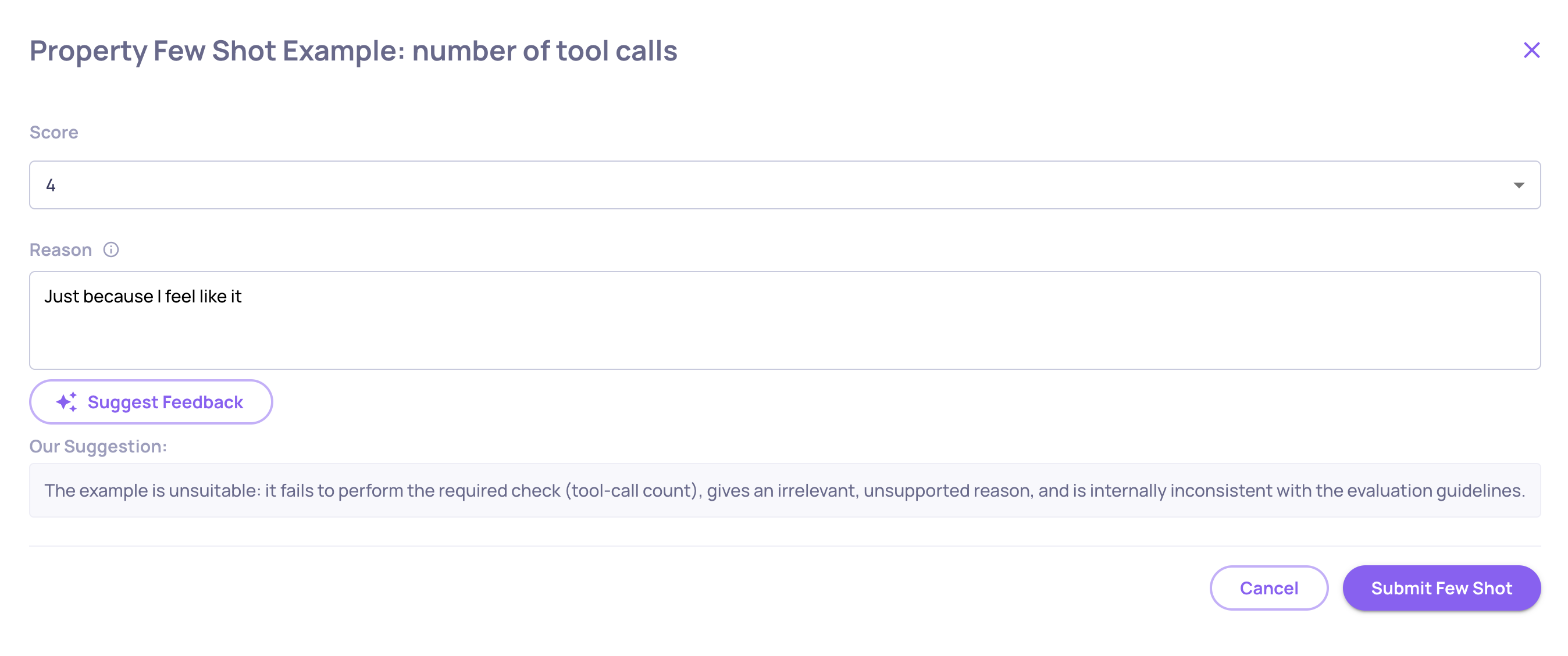
When refining LLM property evaluations with few-shot examples, the system now suggests feedback based on existing data. Suggestions are validated and aligned to help you build high-quality few-shot examples faster.
SageMaker VPC Endpoint for Logs
Self-hosted SageMaker deployments can now route logs through a VPC endpoint, keeping log traffic within your private network and avoiding public internet exposure.
The include_extended_data parameter on GET /applications is deprecated and will be removed in v0.47. Use the new GET /applications/extended endpoint instead, which provides paginated access to application data with full metrics.
We're excited to announce version 0.43 of Deepchecks LLM Evaluation. This release focuses on deeper evaluation capabilities, streamlined property management, and hands-on annotation workflows. Highlights include new built-in properties for agent tool abuse and error detection, a redesigned single interaction view, manual annotation management, and expanded session-level property types.
Know Your Agent (KYA) is a complete flow for evaluating agentic applications - from connecting your deployed agent, through triggering it with AI-generated test datasets, to high-quality granular evaluation of every component in your agent's workflow.
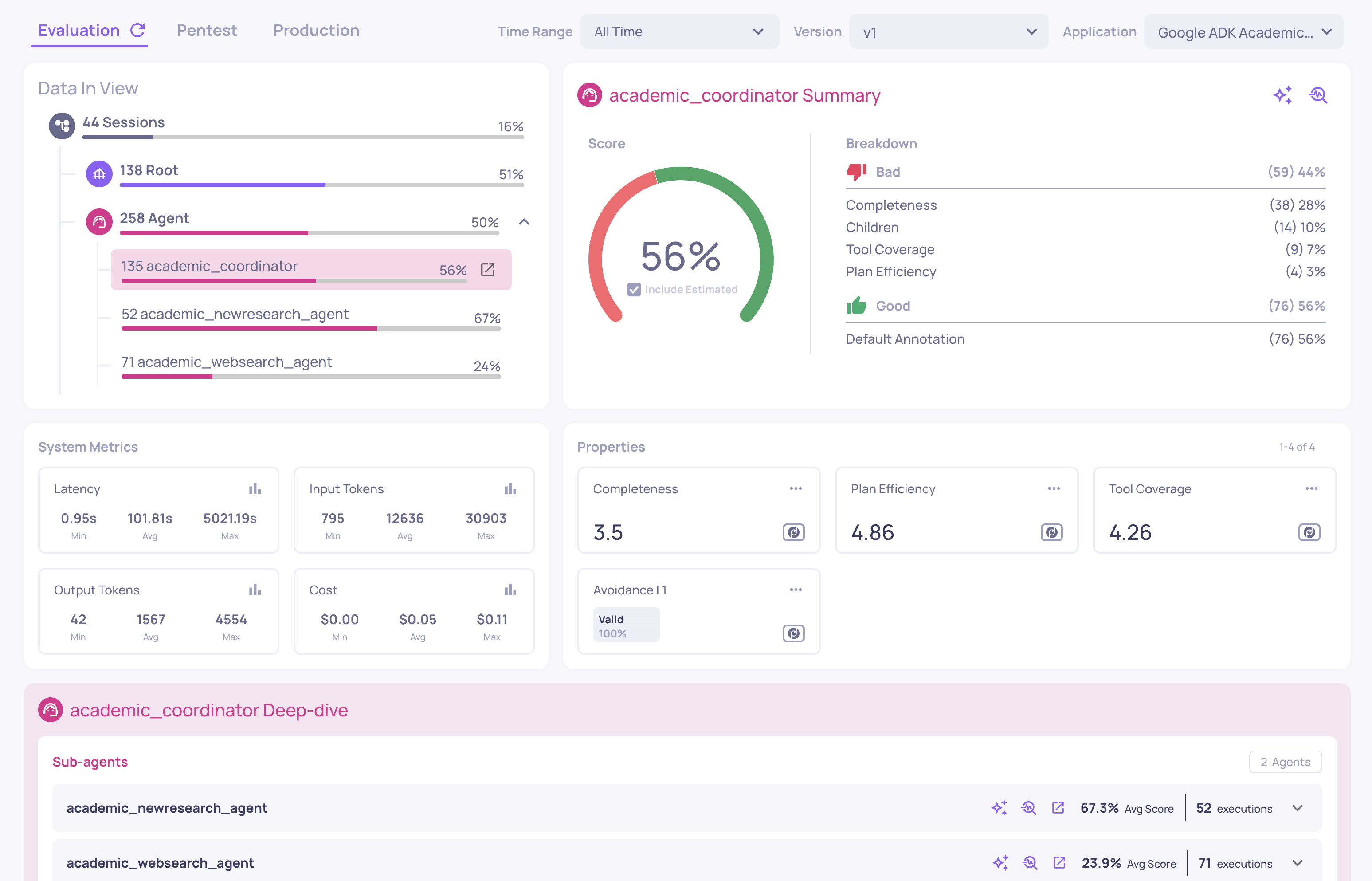
Enhanced Overview - The overview page now features span-name filters that let you differentiate between agents, tools, and LLM calls within your workflow. Select any agent to deep-dive into its sub-components - see how each tool, sub-agent, and LLM span performs with dedicated metrics and property scores. In addition, some general UX improvements were made to the Overview screen.
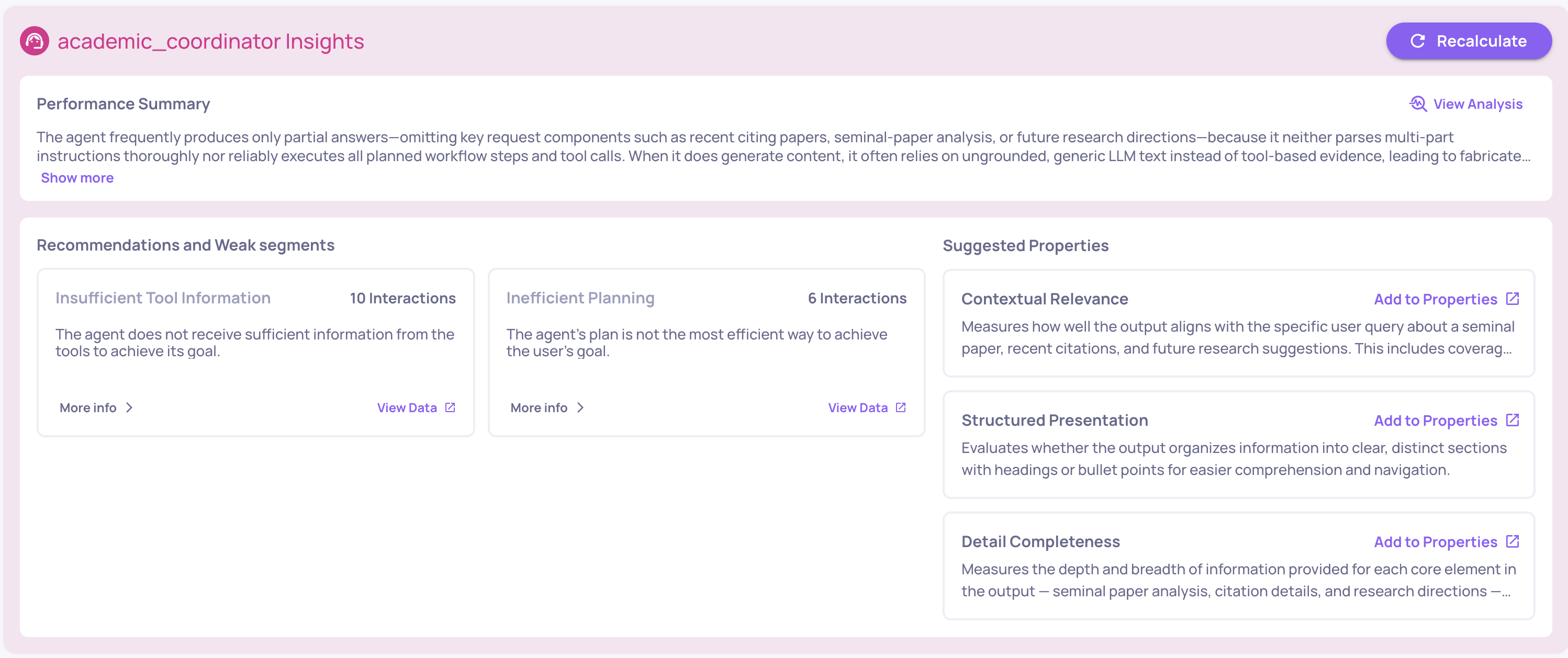
Performance Summary & Suggested Properties - Two new insight components: a Performance Summary providing a concise AI-generated analysis of your version's health, and Suggested Properties that recommend prompt properties based on your data, including an add-property-with-one-click option. In addition, you can now generate failure mode analysis reports at any level, from an entire version down to a specific tool used by a specific agent.
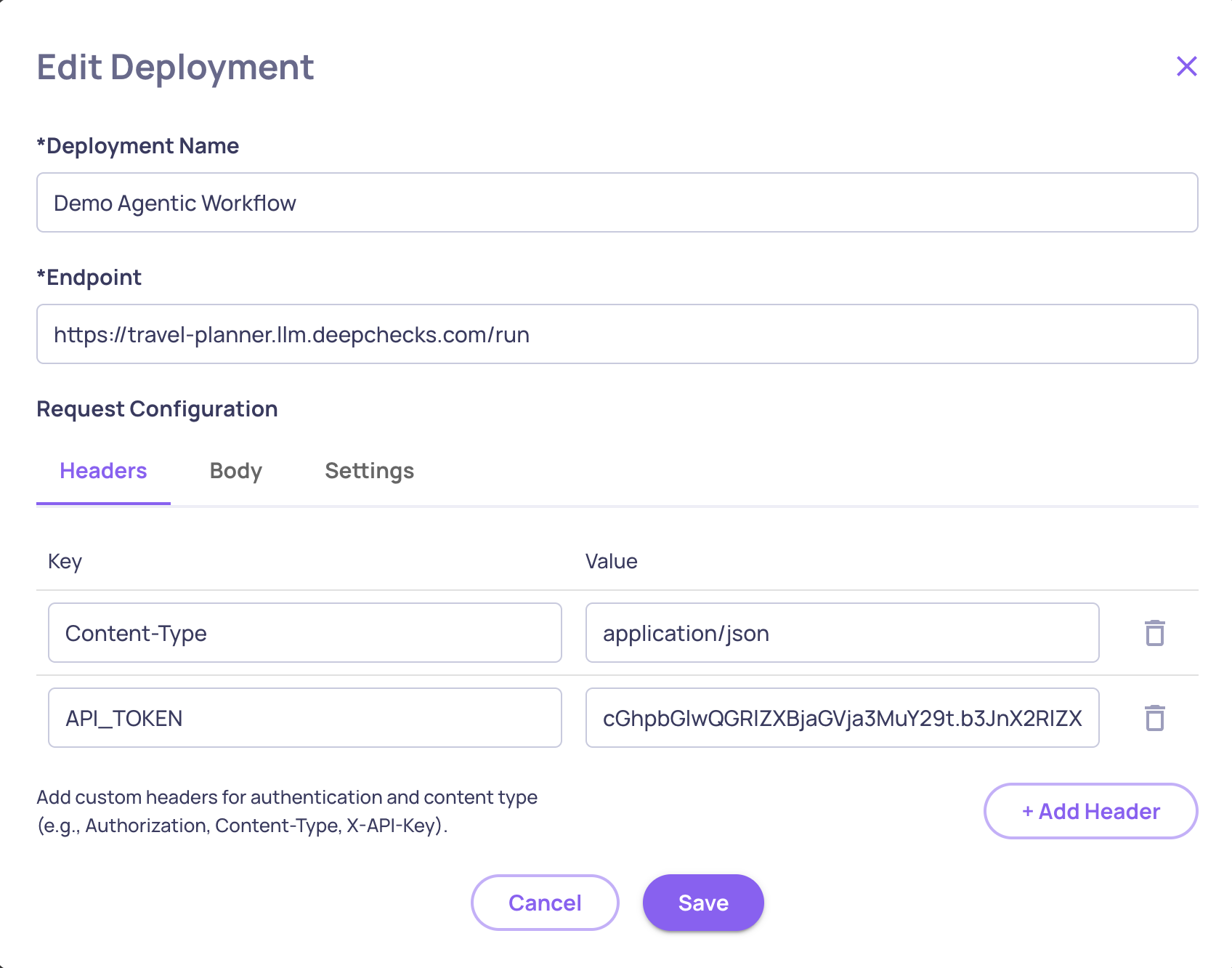
Connect Your Deployed Agent - Configure a deployment by providing your agent's endpoint URL, authentication tokens and custom headers. Deepchecks will use this connection to trigger your agent in the Simulation flow.
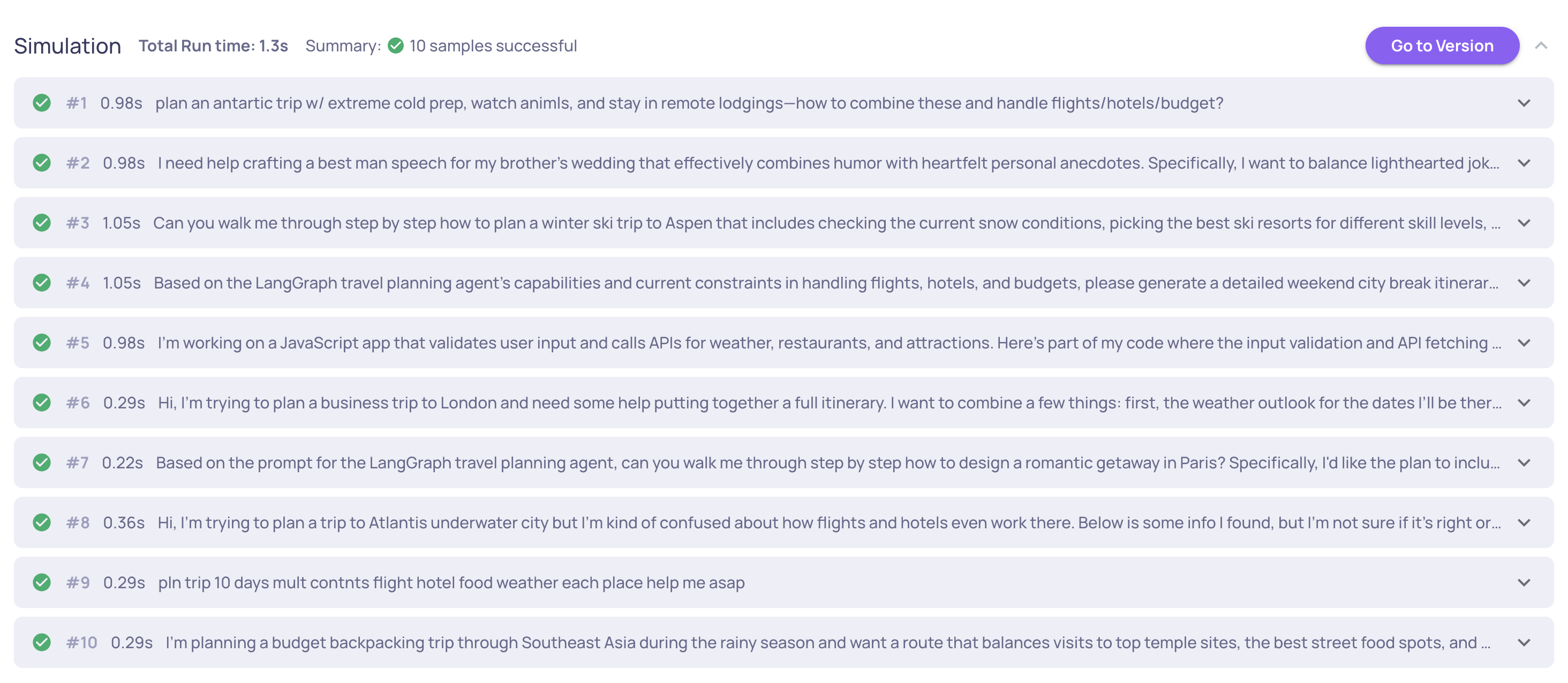
Agent Simulation - Trigger your deployed agent against datasets directly from Deepchecks - including AI-generated datasets tailored to your application. Supports both single-turn and multi-turn conversations with parallel execution, automatic retries, full result tracking, and logging the run data back to Deepchecks for evaluation.
New Properties: Tool Abuse & Error Detection
Two new built-in properties expand evaluation coverage:
Tool Abuse - Scores agent interactions based on tool usage efficiency, detecting patterns like repeated identical calls, ignoring error feedback, and retrying without adaptation. Available for the Agent interaction type. Read more about Tool Abuse here.
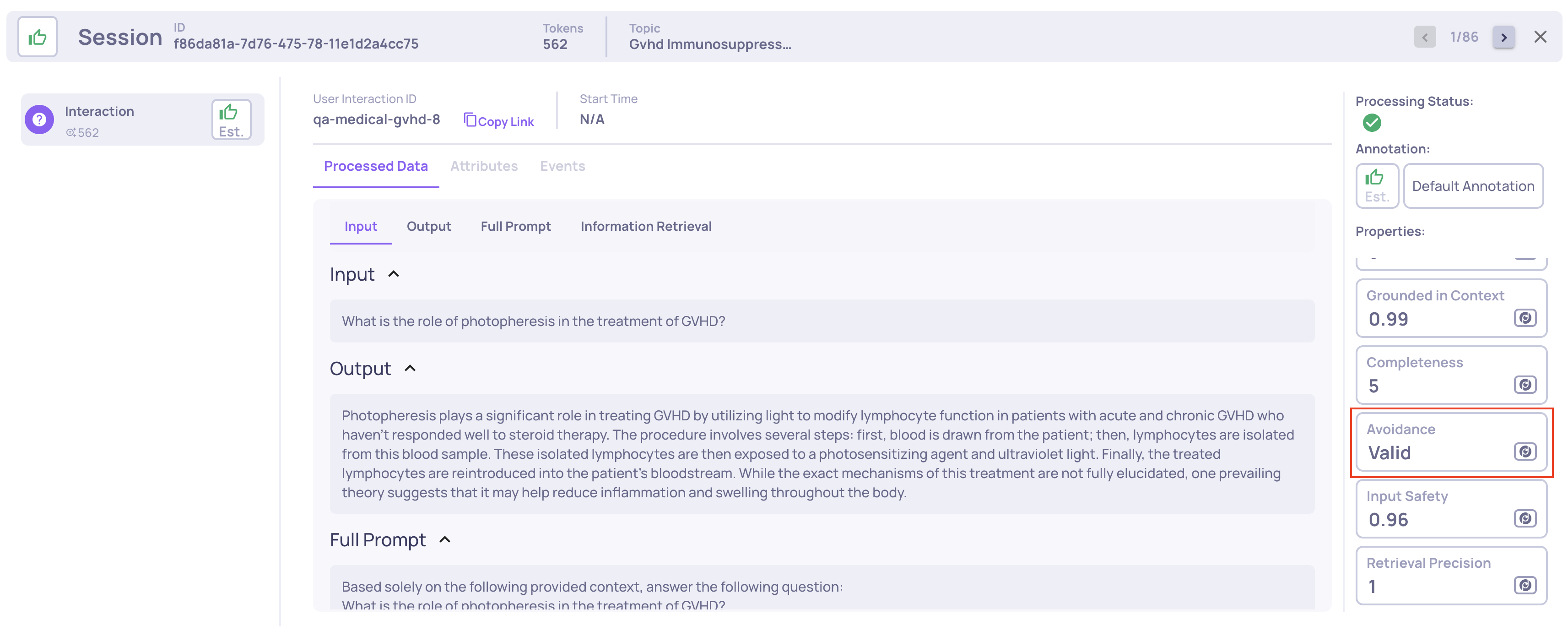
Error Detection - Classifies whether an output is a valid response, a system/tool/API error, or empty. Uses a two-stage pipeline that first analyzes the output alone, then uses context to disambiguate borderline cases. Available for all interaction types. Additionally, the Avoidance property has been refined to focus exclusively on actual avoided answers (missing knowledge, policy restrictions, other). Error detection is now handled by the dedicated Error Detection property.
Changes to the Single Interaction View
Structured Processed Data View
The single interaction view now displays processed data fields in structured JSON format with syntax highlighting, instead of plain text. This makes it significantly easier to view and evaluate interactions where output format matters - such as structured responses, function calls, or API payloads.
Pinned Properties & Clean Interaction View
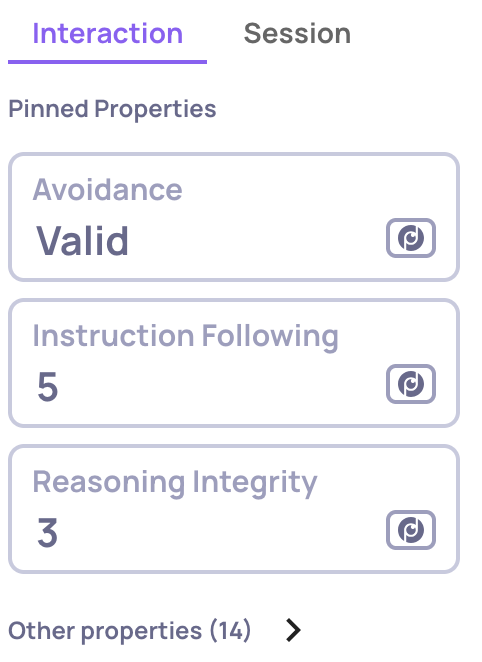
The single interaction view now separates properties into Pinned Properties (shown by default) and a collapsible Other Properties section. Pin the properties you care about most from the Properties configuration page, and they'll appear front and center when reviewing any interaction. N/A values are sorted to the end of each list, keeping actionable results at the top.
Simplified Span Extraction
Extracting a span name into its own interaction type is now more straightforward. When extracting a span, you can choose to either create a new interaction type or move it to an existing compatible one. Properties are automatically matched and remapped between source and target types, and feedback records are preserved during the transfer. Read more about this here.
Pause & Ad-Hoc Property Calculations
You can now pause any property to stop it from running automatically on new incoming data - useful for cost optimization, property development, or seasonal evaluations. Paused properties can still be run on-demand via the recalculation dialog, letting you test changes without impacting your pipeline.
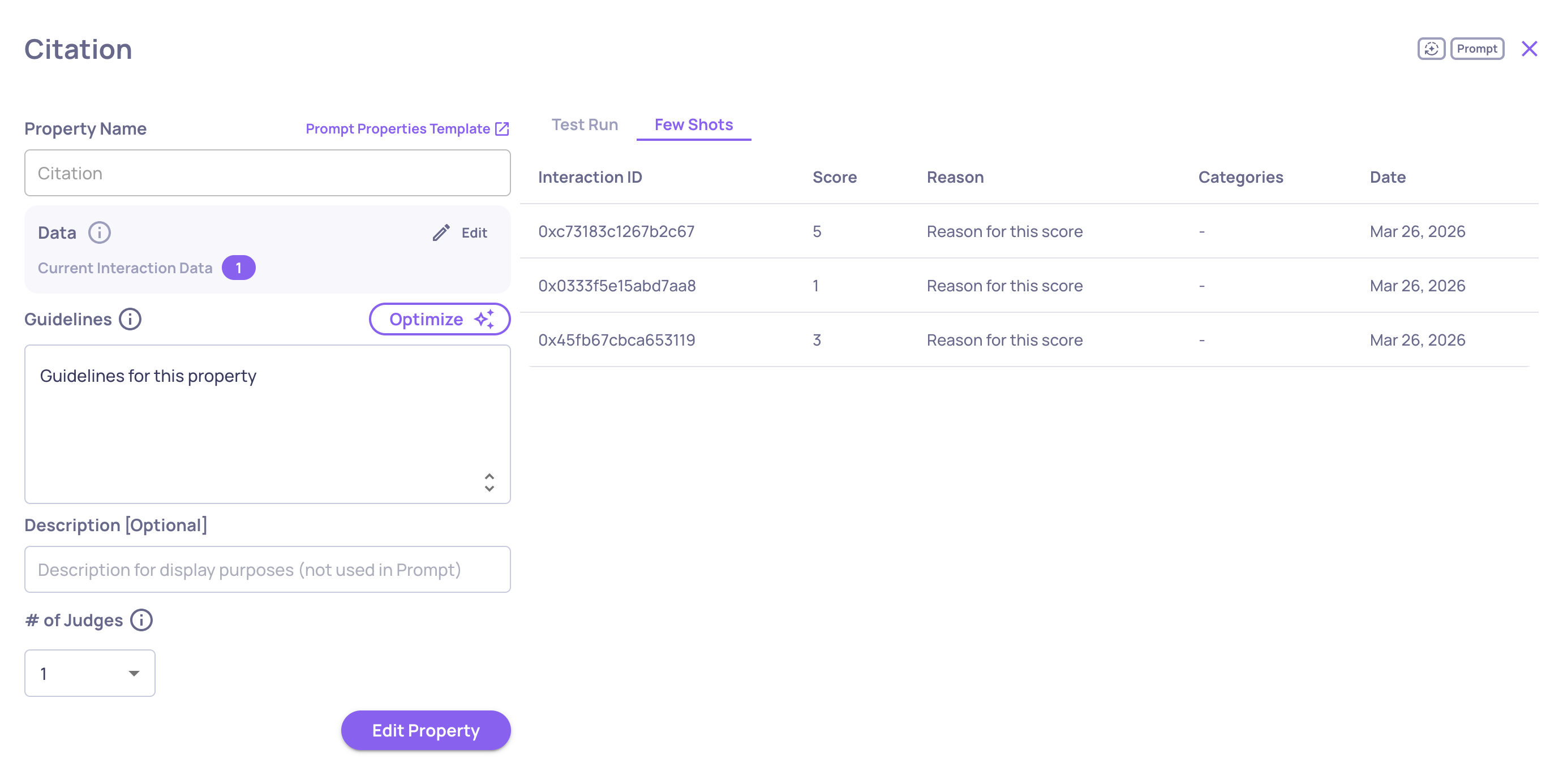
The few shot system for refining LLM property evaluations has been redesigned. A new Few Shot tab in the property editor shows all few shot examples for a property in a sortable table. You can click any entry to edit its score, categories, and reasoning, or delete it.
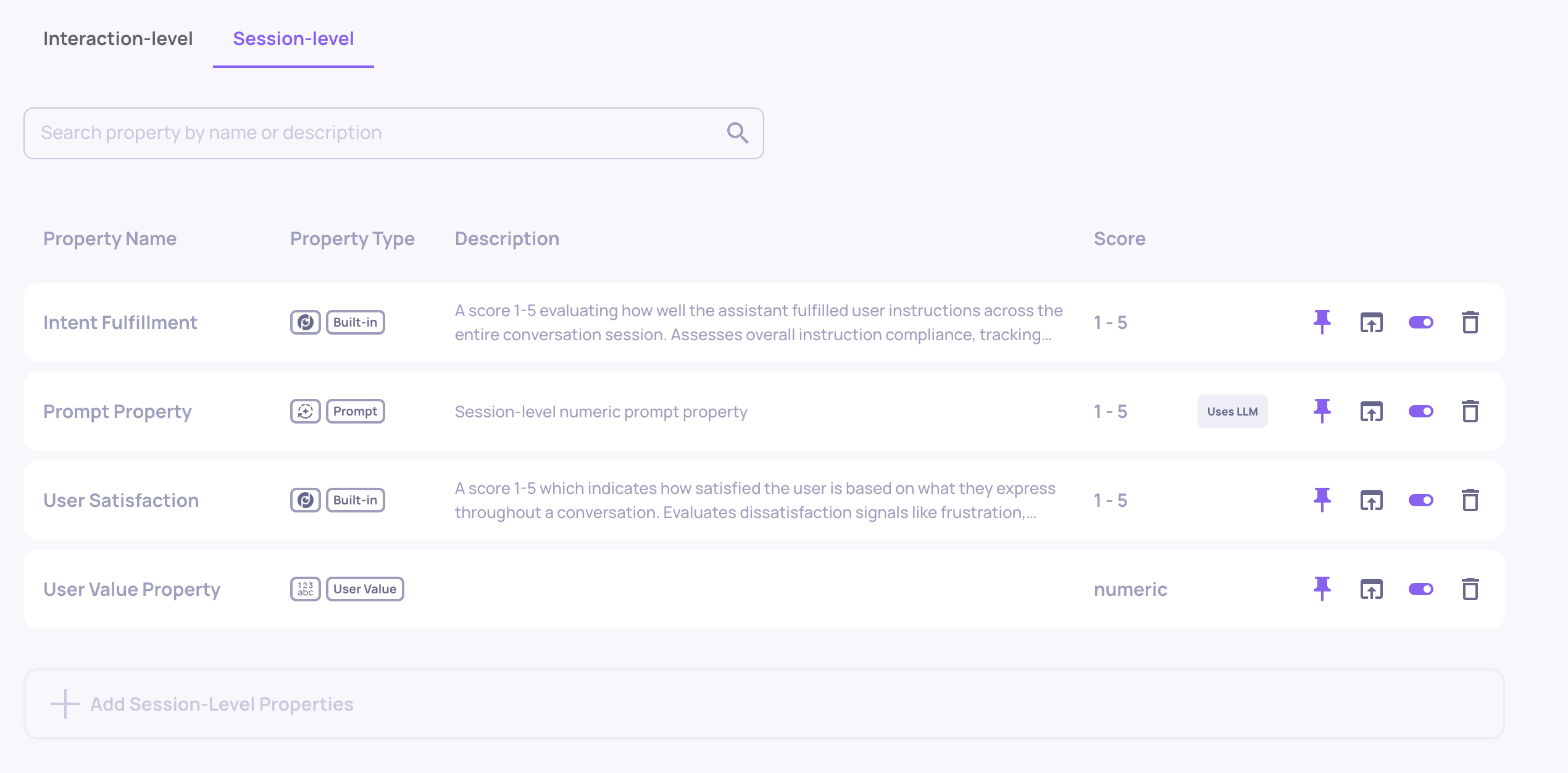
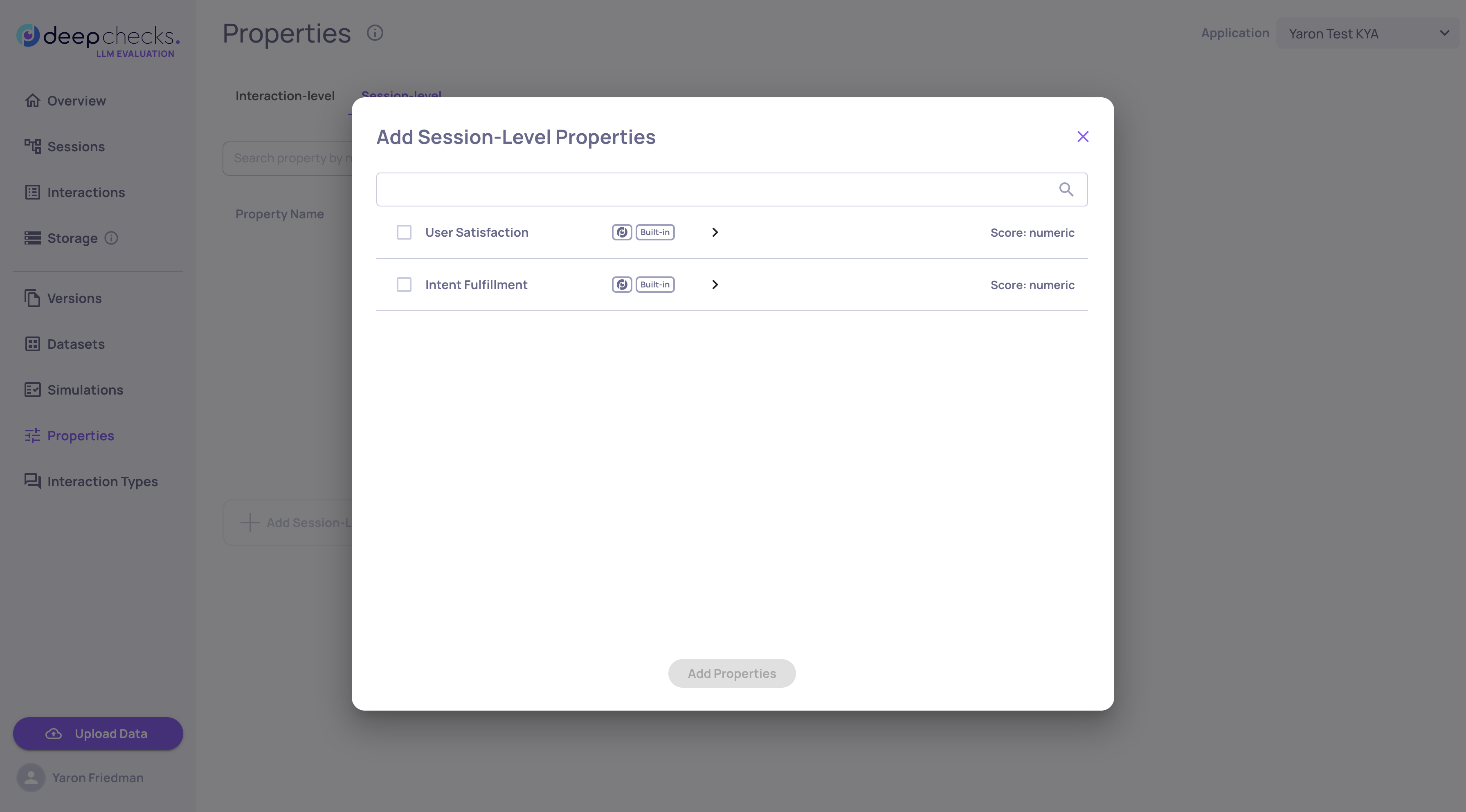
Session-level properties now support two new kinds beyond the built-in evaluations:
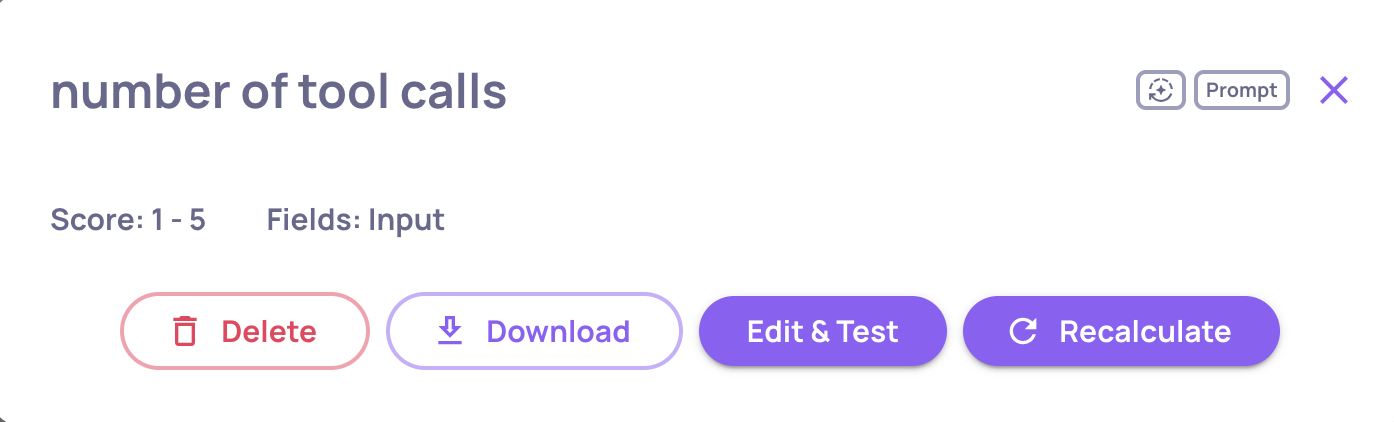
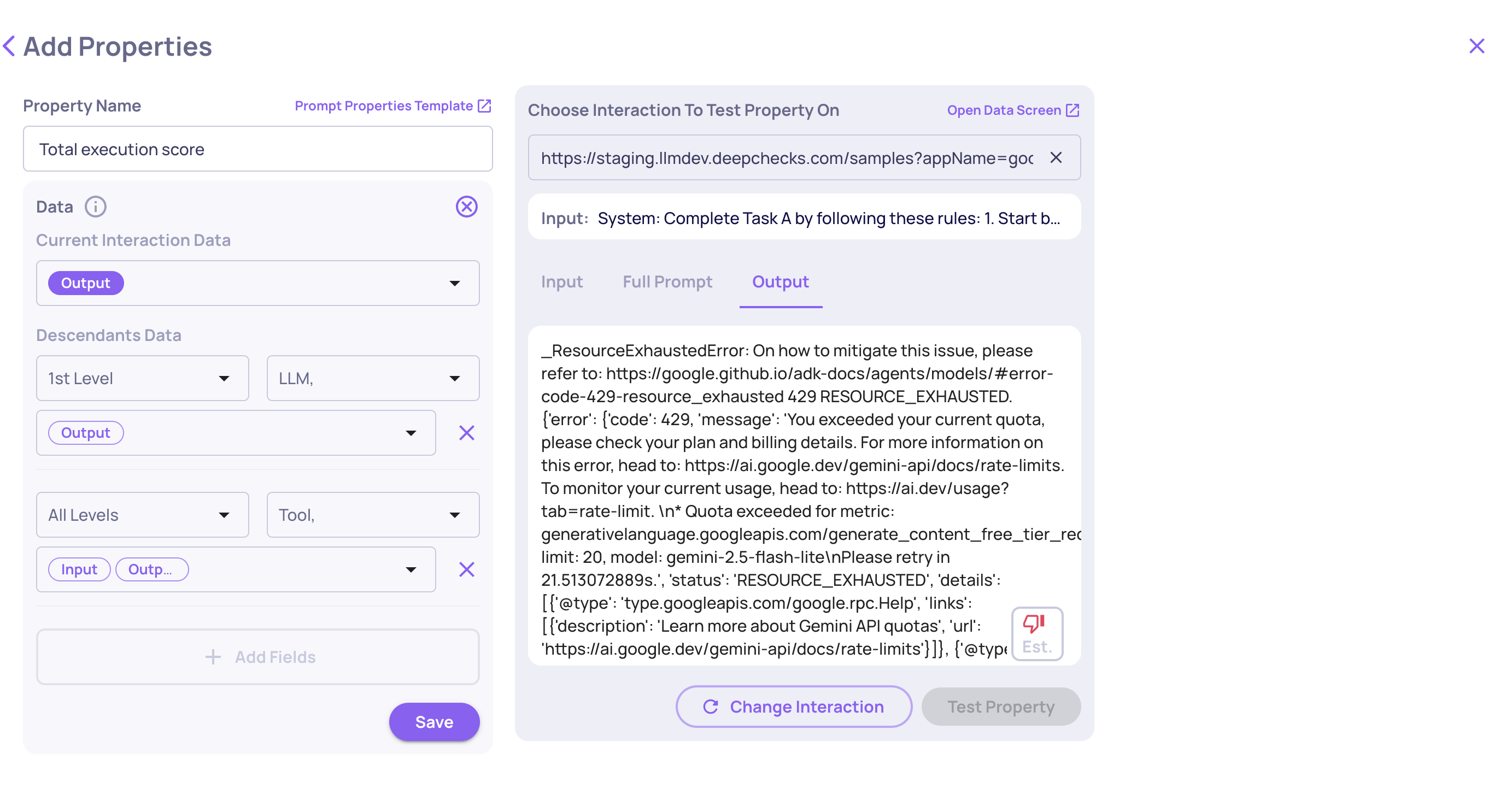
Prompt Properties - Define custom LLM-evaluated session properties with your own guidelines. This includes a test-run interface to validate before deploying.
User-Value Properties - Set manual or SDK-driven values on sessions for tracking custom metrics like business outcomes or user segments. Values can be set via the SDK with set_session_property_values() and are auto-created on first use. These values can also be provided or edited within the single-session UI itself.
We're excited to announce version 0.42 of Deepchecks LLM Evaluation. This release focuses on deeper session-level insights, streamlined configuration, and enterprise-grade governance. Highlights include session-level properties that evaluate entire conversations, a visual auto-annotation editor that replaces manual YAML editing, multi-turn dataset support, and new audit and usage tracking tools for workspace administrators.
Evaluating individual interactions only tells part of the story. Session-level properties analyze entire multi-turn conversations to detect patterns that only emerge across multiple exchanges - like user frustration building over time, instruction drift, or whether all parts of a complex request were ultimately fulfilled.
Two built-in session properties are now available:
User Satisfaction - Scores how satisfied the user appears throughout the conversation by detecting signals like repeated corrections, resignation, or genuine enthusiasm
Intent Fulfillment - Evaluates whether the assistant addressed all user requests across the session, accounting for recovery from early mistakes and multi-step task completion
Each property reviews the full session transcript and returns a score, and reasoning with specific turn citations. You can set pass/fail thresholds and filter and sort sessions by property scores.
Session-level properties complement interaction-level properties to give you a holistic view of conversation quality - not just whether individual responses were good, but whether the overall experience succeeded.
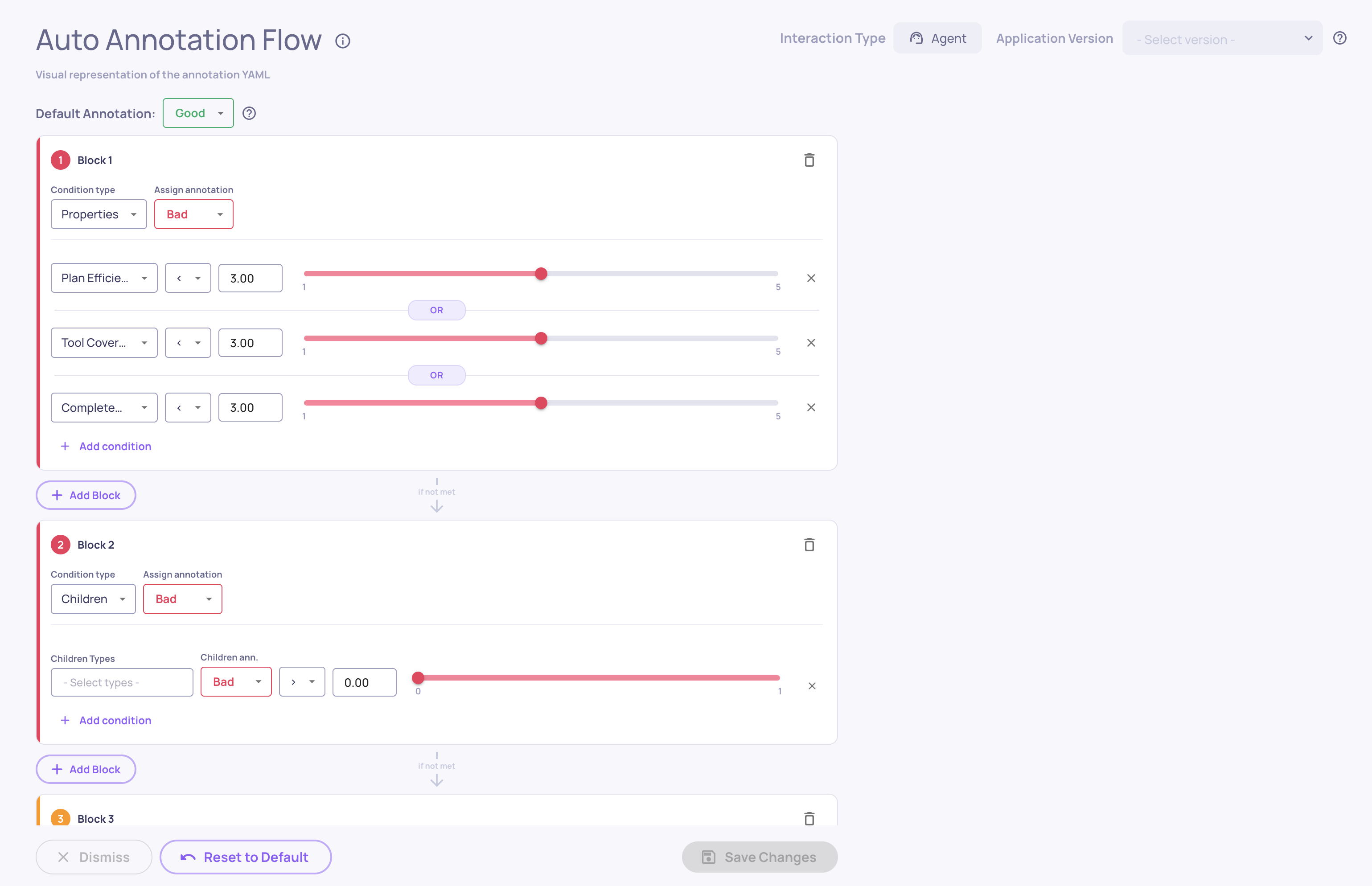
Configuring auto-annotation rules no longer requires editing YAML files by hand. The new visual editor provides a drag-and-drop interface for building and refining your annotation pipeline directly in the UI.
What's new:
Visual Block Builder - Create ordered blocks of conditional rules that determine whether interactions are annotated as Good, Bad, or Unknown
Drag-and-Drop Reordering - Rearrange block priority with simple drag-and-drop, since the first matching block determines the annotation
Built-in Distribution Insights - See histograms showing how your property values are distributed, with real-time previews of how many interactions each condition would match
The editor reads and writes the same YAML configuration used by the pipeline, so you can switch between the visual editor and the raw YAML at any time. Access it from Interaction Types → Choose Interaction Type → Edit YAML.
Datasets now support multi-turn conversations, enabling you to build test suites that evaluate how your application handles extended, back-and-forth interactions - not just isolated single-turn exchanges.
What's new:
Multi-Turn Dataset Type - Create datasets specifically designed for conversational testing, where each sample represents an entire conversation scenario
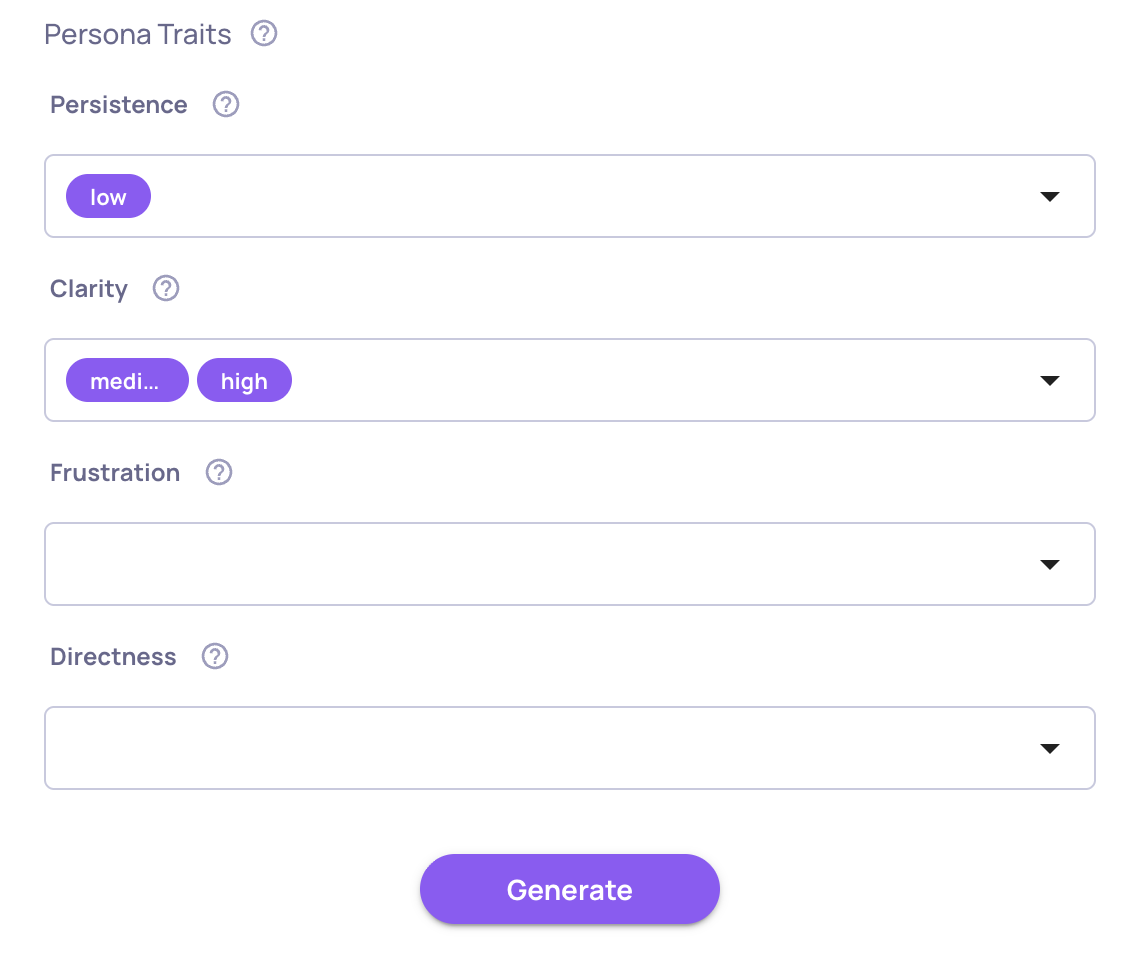
Simulated User Behavior - Each sample defines a user goal along with behavioral dimensions like persistence, clarity, frustration, and directness, creating realistic and diverse conversation dynamics
AI Generation for Multi-Turn - Describe your application and generate diverse multi-turn scenarios automatically, with AI creating varied user goals and combining behavioral dimensions for comprehensive coverage
AI-Generated Labeling - Samples created through AI generation are automatically marked with a sparkle icon. If you manually edit an AI-generated sample, the label updates to reflect that it was edited, so you always know the origin and modification history of each sample
Audit Logs & Usage Export
Two new tools give workspace administrators better visibility into platform activity and resource consumption.
Audit Logs
Every create, update, and delete action across the platform is now automatically logged. Administrators can download audit logs as a CSV file for any date range, covering who performed each action, what was changed, and when. Sensitive data like API keys and credentials are automatically redacted. Access audit log downloads from the Workspace Settings.
A new Download Usage button in Workspace Settings → Usage lets administrators export token consumption data as a CSV. The export breaks down usage by application, version, environment, service type, and model, with separate input and output token counts for precise cost analysis. Select any date range to generate a detailed usage report.
In-App Release Notes
You'll now see a release notes popup when your Deepchecks instance is upgraded to a new version. The popup highlights what's new and links to the full changelog, so your team stays informed about new features without needing to check external documentation. You can dismiss it with a "don't show again" option, and it will only reappear when the next version is deployed.
We're excited to announce version 0.41 of Deepchecks LLM Evaluation. This release brings comprehensive cost visibility, smart property refinement, and powerful dataset generation capabilities. Highlights include automatic cost tracking across all interactions, AI-generated test data for agentic systems, and human-in-the-loop property feedback that makes evaluations more accurate over time.
Deepchecks LLM Evaluation 0.41.0 Release:
📊 Dataset Management
🤖 Agentic Dataset Generation
💰 Cost Tracking with Token-Level Visibility
🎯 Property Refinement with User Feedback
What's New and Improved?
Dataset Management
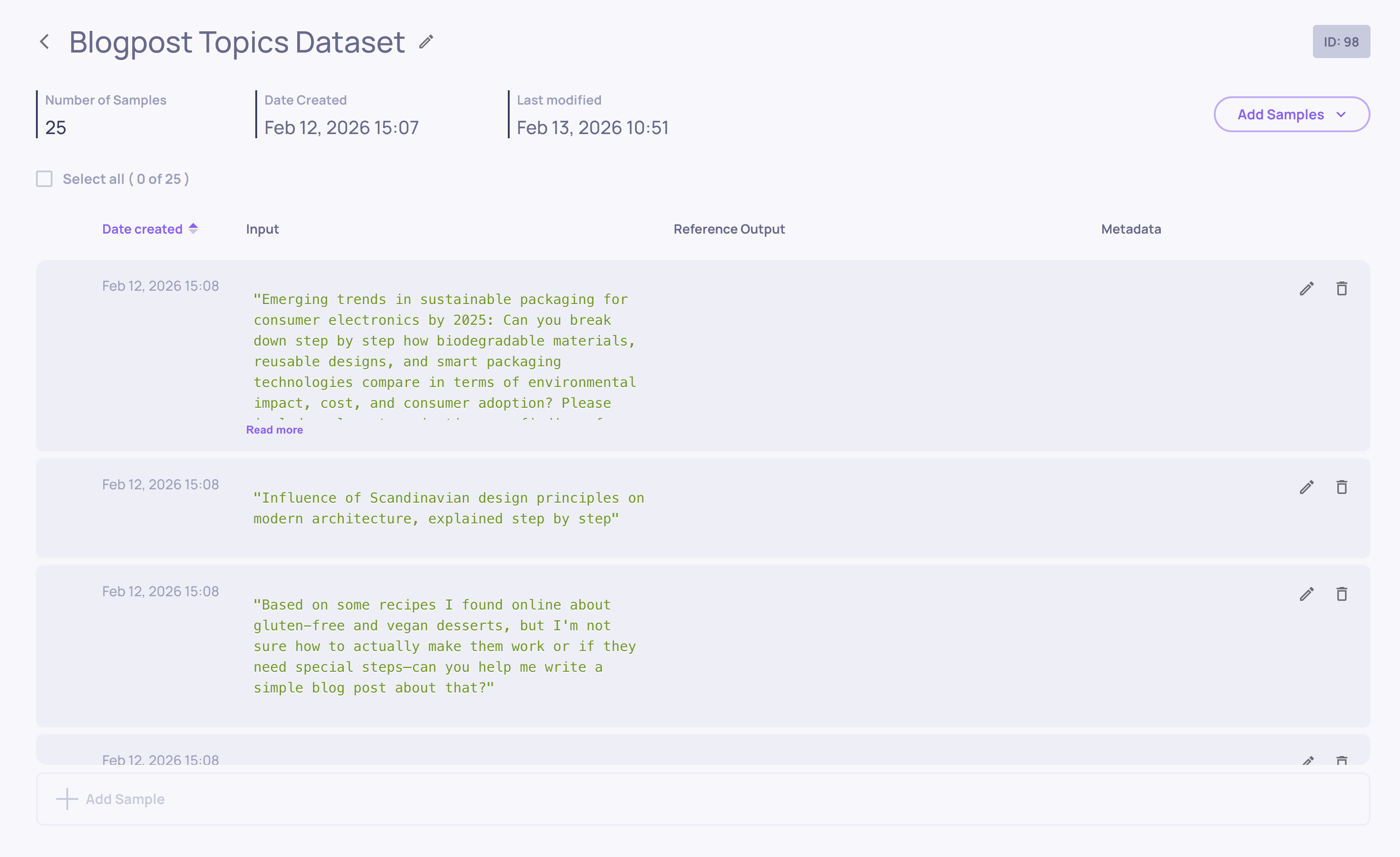
Datasets are now a first-class feature in Deepchecks, providing a structured way to create, manage, and run curated test collections for systematic LLM evaluation.
What datasets enable:
Reproducible Testing - Run the same test suite across versions to catch regressions and measure improvements
Controlled Evaluation - Move beyond random production sampling to intentional test scenarios
Systematic Coverage - Ensure your application handles edge cases, error scenarios, and diverse inputs
Benchmark Tracking - Compare performance, latency, and cost across versions with consistent test data
Core capabilities:
Create & Organize - Build datasets with up to 500 samples, each containing input, optional reference output, and optional metadata
Flexible Input - Add samples manually, upload CSV files, use AI generation (more on this below), or copy samples from your production data
Sample Management - Edit samples directly in the UI, update metadata, delete unwanted entries
Datasets work seamlessly with both SDK and UI workflows. Create them programmatically, populate via CSV, or use the AI generation tools to build comprehensive test suites in minutes.
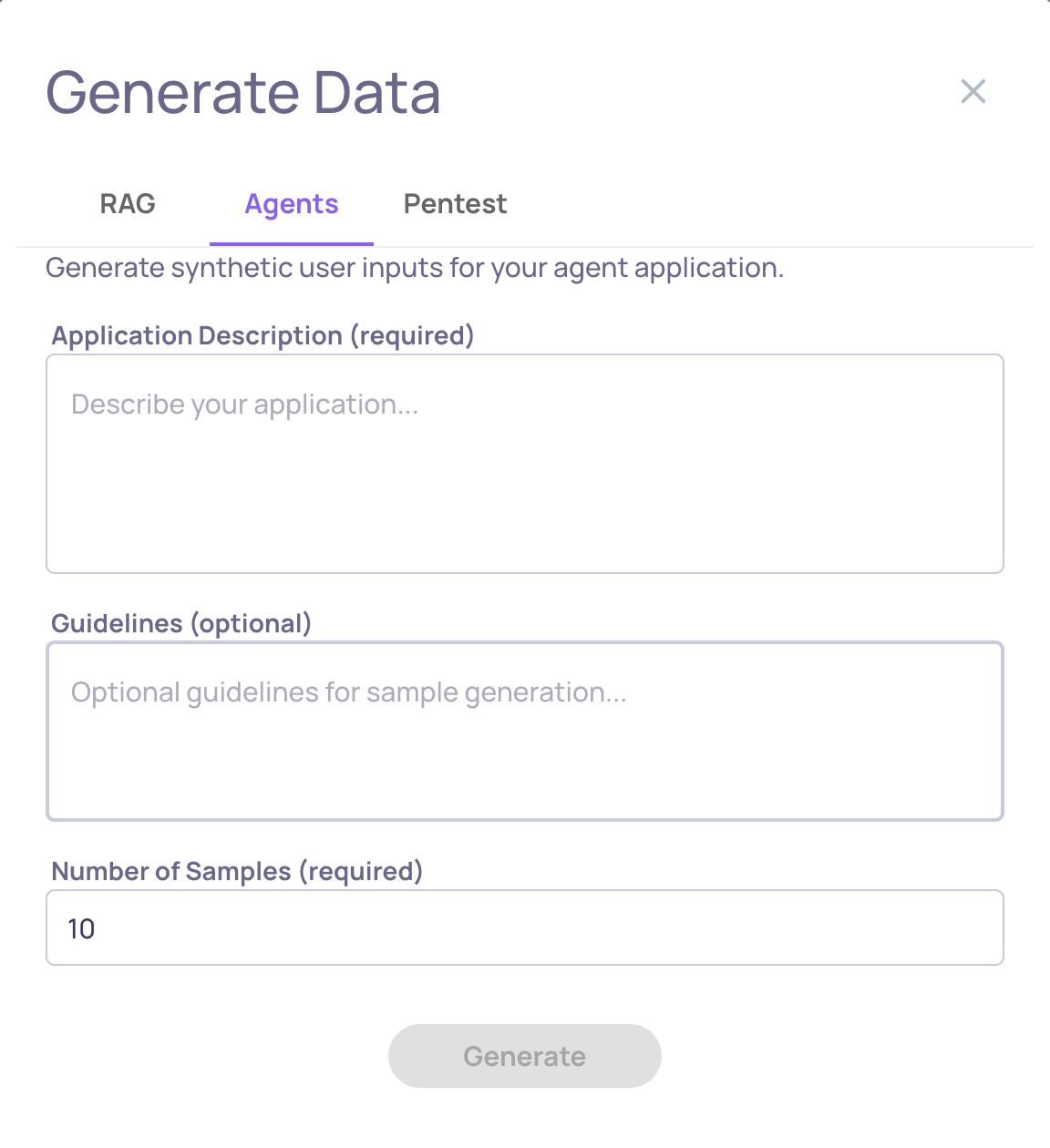
Creating comprehensive test datasets for agentic systems is now as simple as describing what your agent does. The new Agents generation mode uses dimensional analysis to automatically create diverse, challenging scenarios that stress-test your agent across complexity levels, ambiguity, multi-step reasoning, and edge cases.
What's new:
No Data Source Required - Generate purely from your agent's description
Dimensional Coverage - Automatically tests simple, medium, and hard scenarios across multiple complexity axes
This joins existing generation methods (RAG for document-based apps and Pentest for security testing) to give you the right tool for every evaluation need.
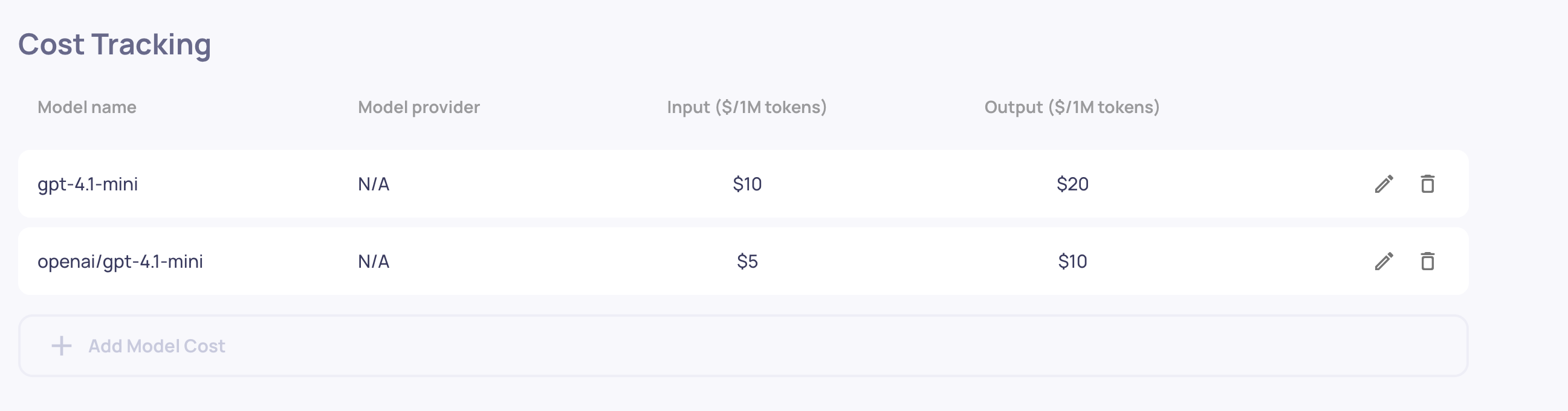
Understanding LLM costs is now effortless. Deepchecks automatically tracks spending across every interaction by calculating costs based on input and output token usage.
What this gives you:
Automatic Cost Calculation - Configure model pricing once at the organization level, and costs are computed automatically for every interaction
Token-Level Tracking - Monitor input tokens and output tokens separately to understand where costs come from
Aggregated Insights - View session-level and version-level cost totals to identify expensive patterns and compare cost-efficiency across versions
Filter by Cost - Find your most expensive queries instantly to optimize prompts or switch to more efficient models
Cost tracking works seamlessly with both interactions and spans. For multi-step agentic workflows, costs from nested LLM calls automatically roll up to parent interactions, giving you accurate end-to-end spending visibility.
Simply configure your model pricing once, and every interaction automatically shows its cost. No additional integration required beyond logging the model, input_tokens, and output_tokens fields you're likely already tracking.
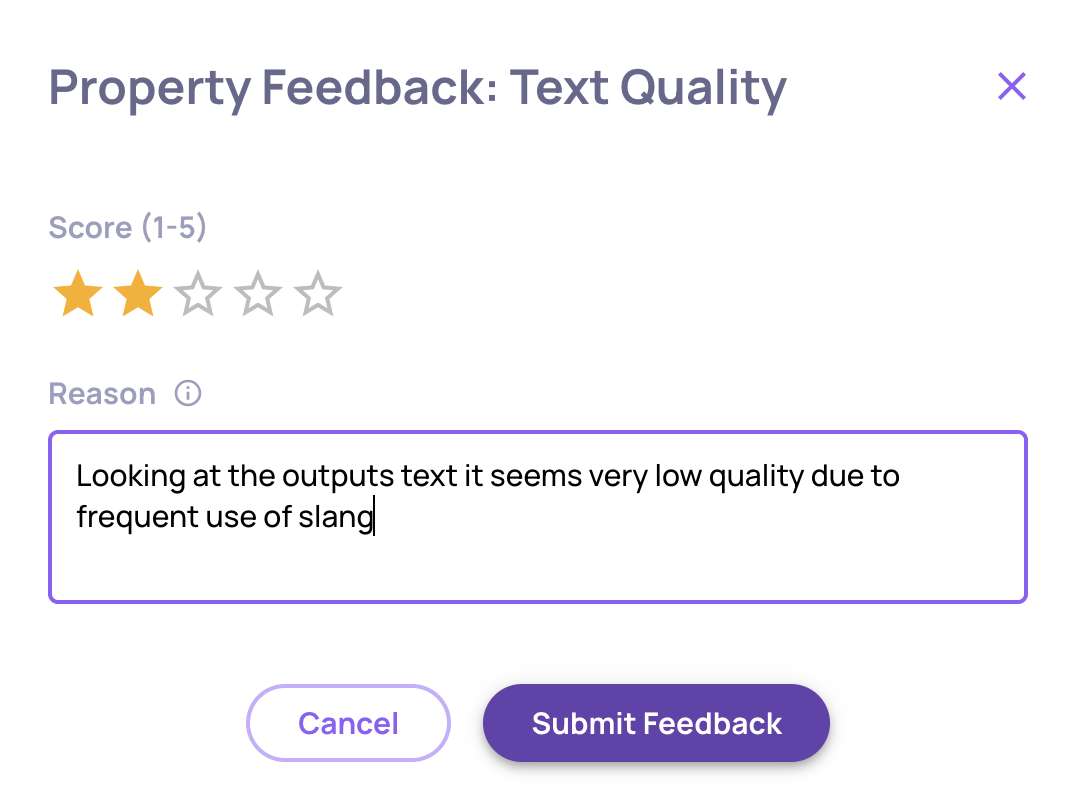
Custom LLM properties now learn from your corrections. When a property's evaluation doesn't match your judgment, provide feedback explaining the correct score - and the property uses it as a training example for future evaluations.
What this enables:
Continuous Improvement - Properties become more accurate and aligned with your quality standards over time
Domain Adaptation - Teach properties your industry terminology, edge cases, and subjective quality thresholds
No Code Required - Refine evaluations through simple UI feedback, no prompt engineering needed
How it works:
For any custom LLM property evaluation, click the feedback icon and provide:
Your corrected score (1-5 stars for numerical properties or category selection for categorical properties)
Reasoning explaining why your score is more accurate
Deepchecks incorporates your feedback as in-context learning examples, so future evaluations reference your corrections when judging similar cases. Currently, the property-enhancing feedback is available for prompt properties only.
This transforms properties from static evaluation rules into adaptive quality models that evolve with your needs.
We’re excited to announce version 0.40 of Deepchecks LLM Evaluation. This release strengthens self-hosted deployments, improves how agentic systems are evaluated end-to-end, and continues to simplify platform governance. Highlights include a new self-hosted deployment guide, children-based annotation aggregation for agentic workflows and centralized model management for self-hosted environments.
Deepchecks LLM Evaluation 0.40.0 Release:
🏗️ Self-Hosted Deployment Guide
🧠 Model Management for Self-Hosted Deployments
🧩 Children Annotation Aggregation for Agentic Workflows
🔐 RBAC Safeguards for Owners
⚠️ Tool Use Interaction Deprecation
What’s New and Improved?
Self-Hosted Deployment Guide
Deepchecks now includes a dedicated deployment guide for Self-Hosted Enterprise, making it easier than ever to run Deepchecks entirely in your own infrastructure.
What this gives you:
Deploy Anywhere - Run Deepchecks inside your own environment with full control over networking, security, and data boundaries
Production-Ready by Design - Built for Kubernetes to support reliability, scalability, and real-world workloads
Clear Deployment Path- A structured walkthrough of the required components and how they fit together
This guide focuses on helping teams understand what’s required and why, without forcing them to become Deepchecks experts on day one. Whether you’re deploying on AWS or adapting to another environment, the core idea is simple: Deepchecks is designed to fit cleanly into your existing infrastructure.
Model Management for Self-Hosted Deployments
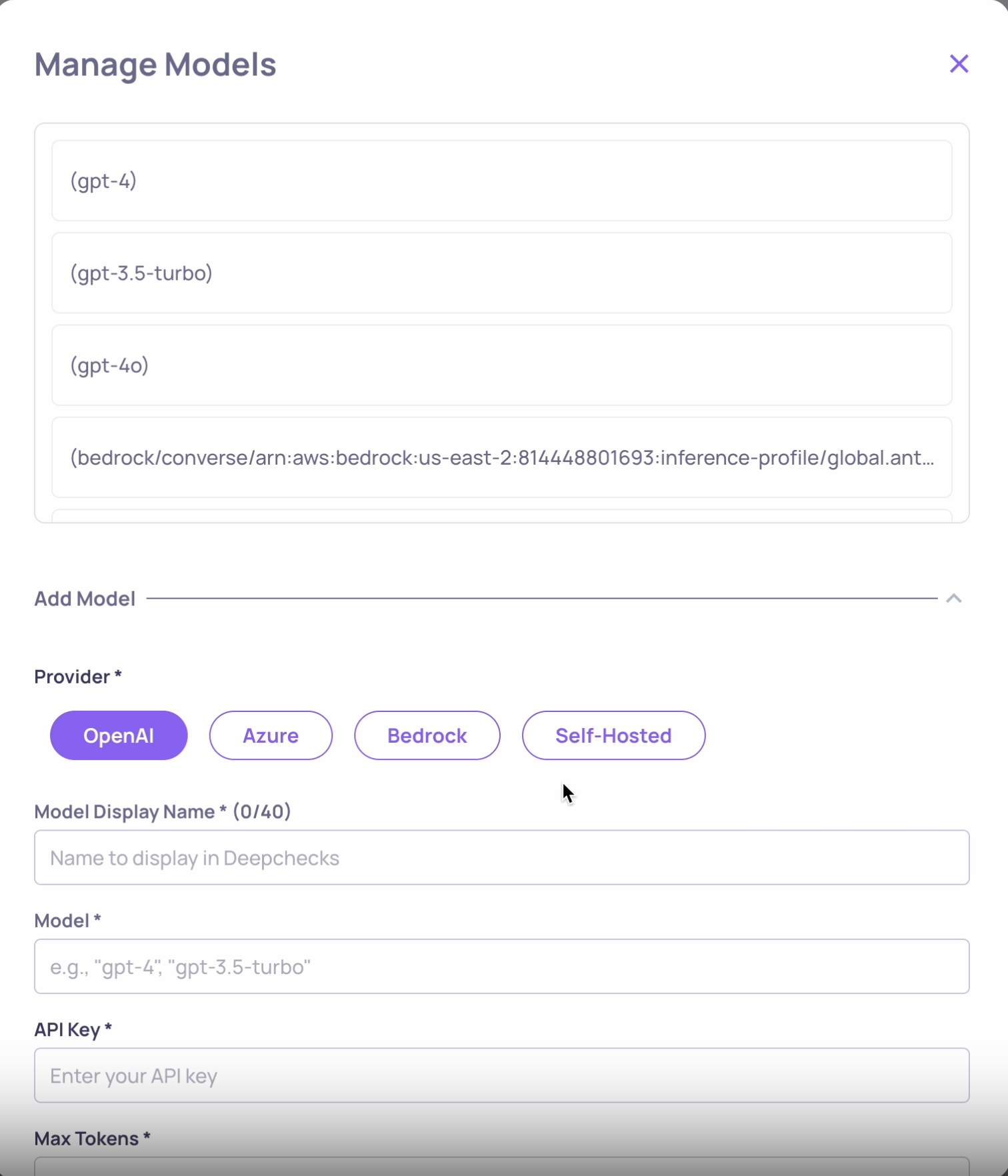
Self-hosted Deepchecks deployments now include first-class model management.
Unlike SaaS deployments, self-hosted environments don’t rely on Deepchecks-managed models. Instead, you explicitly configure the models you own and operate - and Deepchecks makes them available everywhere they’re needed.
What this enables:
Centralized Configuration - Manage all models in one place at the organization level
Broad Provider Support - OpenAI, Azure OpenAI, AWS Bedrock, and self-hosted endpoints via LiteLLM
Immediate Availability - Once added, models appear instantly across evaluations, applications, and preferences
Key details:
Models are validated and connectivity-tested before being saved
No models are configured by default - you stay fully in control
This ensures self-hosted users get the same smooth evaluation experience, without compromising ownership or security.
Children Annotation Aggregation (Agentic Evaluation)
Evaluating agentic systems requires more than looking at a single interaction in isolation. With Children Annotation Aggregation, parent interactions are now automatically annotated based on the quality of their child interactions.
Why this matters:
In agentic workflows, structure is hierarchical:
An Agent may invoke multiple tools and LLM calls
A Chain coordinates a sequence of steps
A Root represents the full end-to-end execution
A parent interaction might look fine on its own - but if its children fail, hallucinate, or misuse tools, the overall outcome isn’t truly successful.
What’s new:
Automatic Upward Propagation - Parent interactions inherit annotations based on their children
Configurable Rules - Define thresholds (e.g. “mark bad if any child is bad” or “if >50% fail”)
Type Filtering - Apply aggregation only to specific child interaction types (LLM, tool, etc.)
The result is a more honest, system-level view of agentic behavior - one that reflects what actually happened beneath the surface.
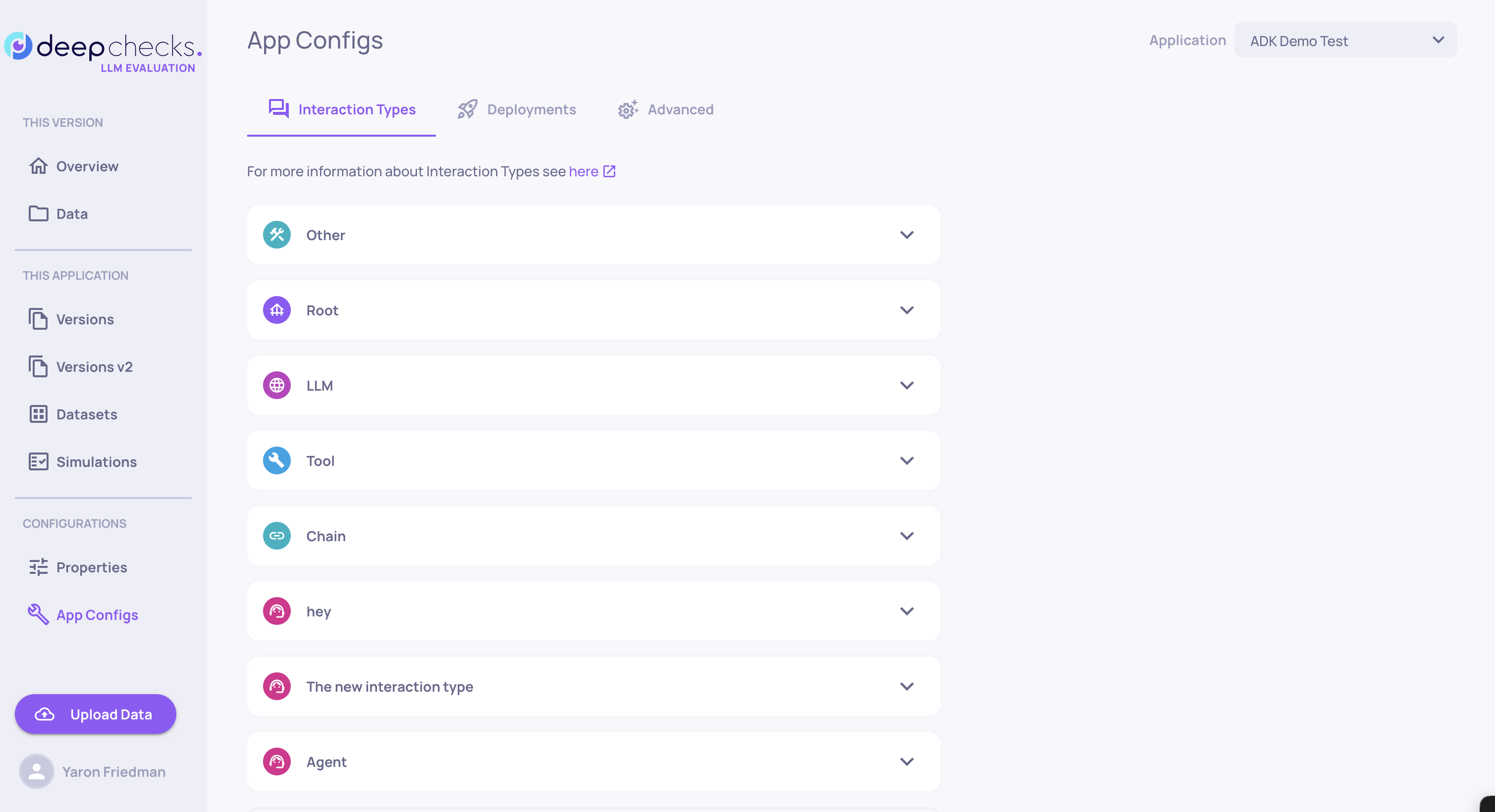
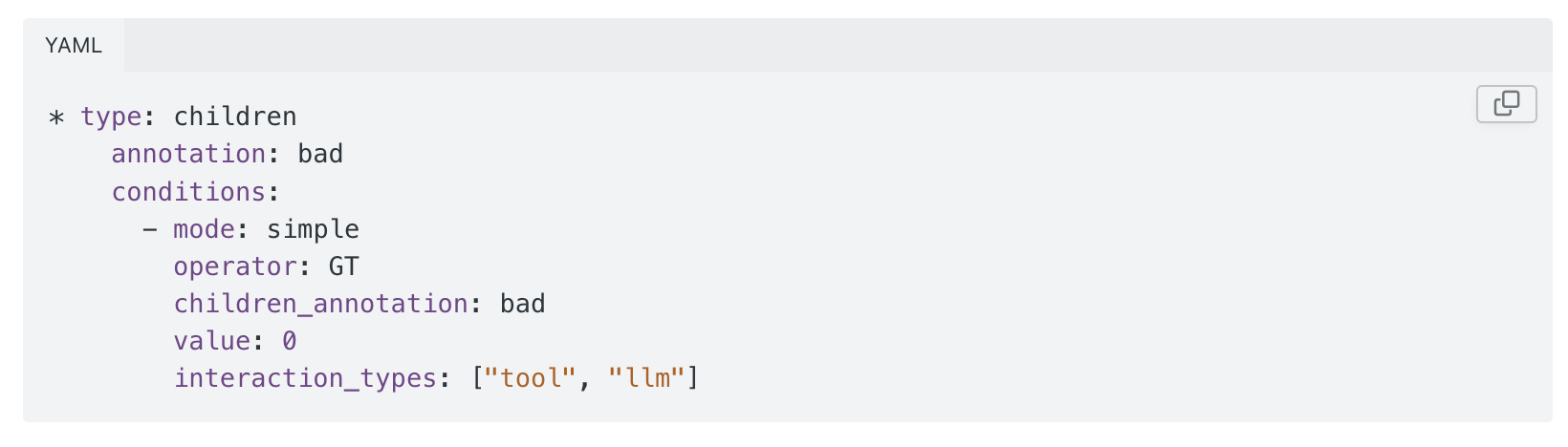
Example of children annotation aggregation where the interaction would get a Bad auto annotation if any of it's direct Tool or LLM children is annotated Bad
RBAC Safeguards for Owners
To protect organizational stability, we’ve added an important safeguard to role management.
What’s changed:
Every organization must always have at least one Owner
An Owner can't downgrade their own role unless another Owner already exists
This prevents accidental lockouts and ensures there’s always someone with the permissions required to manage configuration, users, and critical settings.
Tool Use Interaction Deprecation
The legacy Tool Use interaction type has been deprecated.
What to know:
Tool Use is no longer a standalone interaction type
All agentic workflows now use the unified agentic interaction model:
Root, Agent, Chain, Tool, and LLM
This change simplifies the interaction model and better reflects how modern agentic systems actually operate, while enabling more consistent evaluation and aggregation across hierarchies.
We're excited to announce version 0.39 of Deepchecks LLM Evaluation - introducing per-application access control, enhanced prompt properties with descendant data access, Google ADK integration, and CloudWatch metrics for SageMaker deployments. This release strengthens access control granularity, expands framework support, and provides deeper insights into complex agentic workflows.
Deepchecks LLM Evaluation 0.39.0 Release:
🔐 Per-Application Access Control (New RBAC Tier)
🌳 Prompt Properties: Access Descendant Data
🤖 Google ADK Integration
💡 AI Assistant for Documentation
📊 CloudWatch Integration for SageMaker Deployments
⚠️ Deprecations & API Changes
What's New and Improved?
Per-Application Access Control (New RBAC Tier)
Deepchecks now supports a second tier of access control that enables fine-grained application-level permissions. When enabled, users can be granted access to specific applications rather than having automatic access to all applications in the organization.
What this means:
Granular Access Control - Admins and Owners can specify which applications each user can access when inviting users or updating permissions
Enhanced Security - Users only see and can access applications they've been explicitly granted access to
This feature is particularly valuable for organizations with multiple teams or applications that require stricter data access boundaries.
To learn more about Deepchecks RBAC and the new per-application access tier, click here.
Prompt Properties: Access Descendant Data
Prompt properties can now access data from descendant (child) spans in hierarchical workflows, enabling more comprehensive evaluation of complex agentic use-cases.
What's new:
Descendant Scopes - Add scopes to your prompt properties to access data from child spans at different levels
Granular Control - Specify depth levels, filter by interaction types, and select which data fields to include from descendant spans
Flexible Configuration - Each scope can be configured independently, allowing you to gather different types of information from different parts of the hierarchy
Value:
This enhancement enables you to create highly tailored properties for agentic workflows. For example, you can evaluate whether all tool calls in an agentic interaction were appropriate by accessing all descendant Tool spans, or evaluate the quality of responses from an agent's direct LLM children by looking one level down at LLM spans only.
The Data component provides full flexibility over which data fields are sent to the LLM, ensuring token efficiency by only including what's needed for evaluation.
For detailed information on configuring descendant data access, click here.
Google ADK Integration
Deepchecks now integrates seamlessly with Google ADK, enabling automatic trace collection and evaluation for Google ADK workflows.
What you get:
Automatic Instrumentation - Uses OTEL + OpenInference to automatically instrument Google ADK interactions
Rich Traces - Captures LLM calls, tool invocations, and agent-level spans within the graph
Simple Setup - Register with Deepchecks through a single register_dc_exporter call
Full Evaluation - Benefit from Deepchecks' observability, evaluation, and monitoring capabilities
Google ADK joins the popular frameworks we're already integrated with - CrewAI and LangGraph - expanding Deepchecks' support for the most widely-used agentic frameworks.
For installation and setup instructions, click here.
AI Assistant for Documentation
You can now get instant help directly inside our documentation with the new AI Assistant.
Just click “Ask AI” next to the search field on the documentation site and ask anything you need - from feature explanations and setup guides to “how do I…” questions and best practices.
Why it’s useful:
No more digging - Ask questions in plain language instead of searching through pages
Context-aware answers - Get relevant guidance across features, guides, and workflows
Faster onboarding & troubleshooting - Find what you need in seconds
Whether you’re exploring new capabilities or looking for a specific how-to, the AI Assistant helps you get answers instantly, right where you need them.
CloudWatch Integration for SageMaker Deployments
SageMaker customers can now send Deepchecks monitoring data and LLM evaluation metrics directly to AWS CloudWatch, consolidating model-monitoring data in one place.
What this enables:
Unified Monitoring - View all your Deepchecks metrics alongside your existing AWS dashboards and alarms
Quick Setup - Start getting metrics in CloudWatch within seconds after configuration
Seamless Integration - Use your existing AWS monitoring infrastructure without additional tooling
How it works:
Add the required IAM permissions to your SageMaker execution role
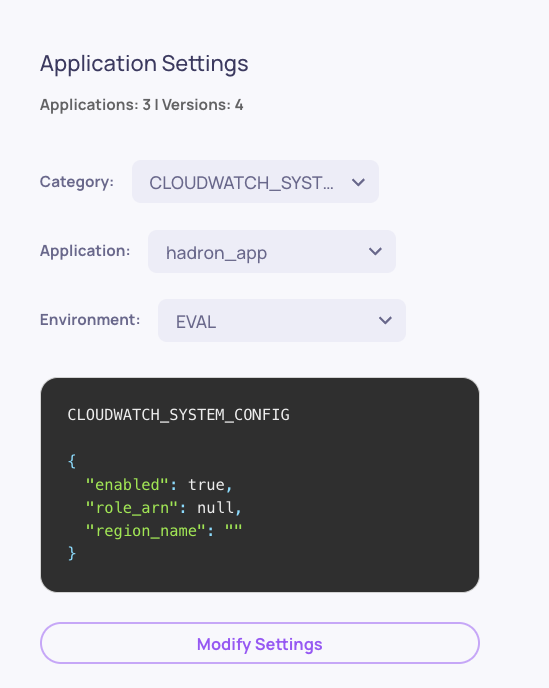
Enable CloudWatch metrics in Workspace Settings (Owner role required)
Metrics automatically flow to CloudWatch under the DeepChecksLLM namespace
This integration allows you to leverage your existing AWS monitoring workflows while benefiting from Deepchecks' comprehensive LLM evaluation capabilities.
For setup instructions and IAM policy details, click here.
Deprecations & API Changes (Public Endpoints)
As part of ongoing improvements to our API surface, we’re beginning the deprecation process for several public API endpoints. These endpoints will be removed after three upcoming milestones, following the same policy used for SDK deprecations.
Endpoints being deprecated:
GET /reference/listappversions
POST /reference/createappversion
POST /reference/publiccreateinteractions
SDK upgrade strongly recommended
The newer SDK versions include improvements aligned with the new endpoints and permissions model, and provide clearer, more helpful messaging.
Improved permission handling
With the updated access control model, API responses now return 403 in cases where:
the application does not exist, or
the user does not have permission to access the application.
The latest SDK improves this experience by explicitly surfacing “application not found” when applicable (the most common case).
We’re excited to announce version 0.38 of Deepchecks LLM Evaluation - introducing framework-agnostic data ingestion for agentic workflows, a more expressive Avoidance evaluation property, and a new Metric Viewer role. This release expands who can use Deepchecks, improves failure signal quality, and strengthens access control and platform clarity.
Deepchecks LLM Evaluation 0.38.0 Release:
🧩 Framework-Agnostic Agentic Data Ingestion
🚫 Avoided Answer → Avoidance (Enhanced Property)
🔐 New RBAC Role: Metric Viewer
🤖 New Models Available for LLM-Based Features
⚠️ SDK Deprecation Notice: send_spans()
What's New and Improved?
Framework-Agnostic Agentic Data Ingestion
Deepchecks now supports uploading agentic and complex workflow data via the SDK, without relying on automatic tracing from a supported framework. This enables full observability and evaluation for teams using custom frameworks, in-house orchestration layers, or unsupported agent runtimes.
You can manually structure and send sessions, traces and spans to Deepchecks while still benefiting from the full evaluation, observability, and root-cause analysis capabilities.
The existing Avoided Answer property has been upgraded to Avoidance, providing richer and more actionable signals.
What changed:
Previously: a binary (0/1) score indicating whether an answer was avoided.
Now: a categorical property that distinguishes between:
valid — the input was not avoided
Specific avoidance modes (e.g. policy-based, lack of knowledge, safety constraints, and more)
This enables clearer diagnosis of why an answer was avoided and supports more meaningful aggregation and analysis across versions.
📌 Deprecation note:
The legacy Avoided Answer property is deprecated but will continue to function for existing applications.
For full property definitions and migration details, click here.
New RBAC Role: Metric Viewer
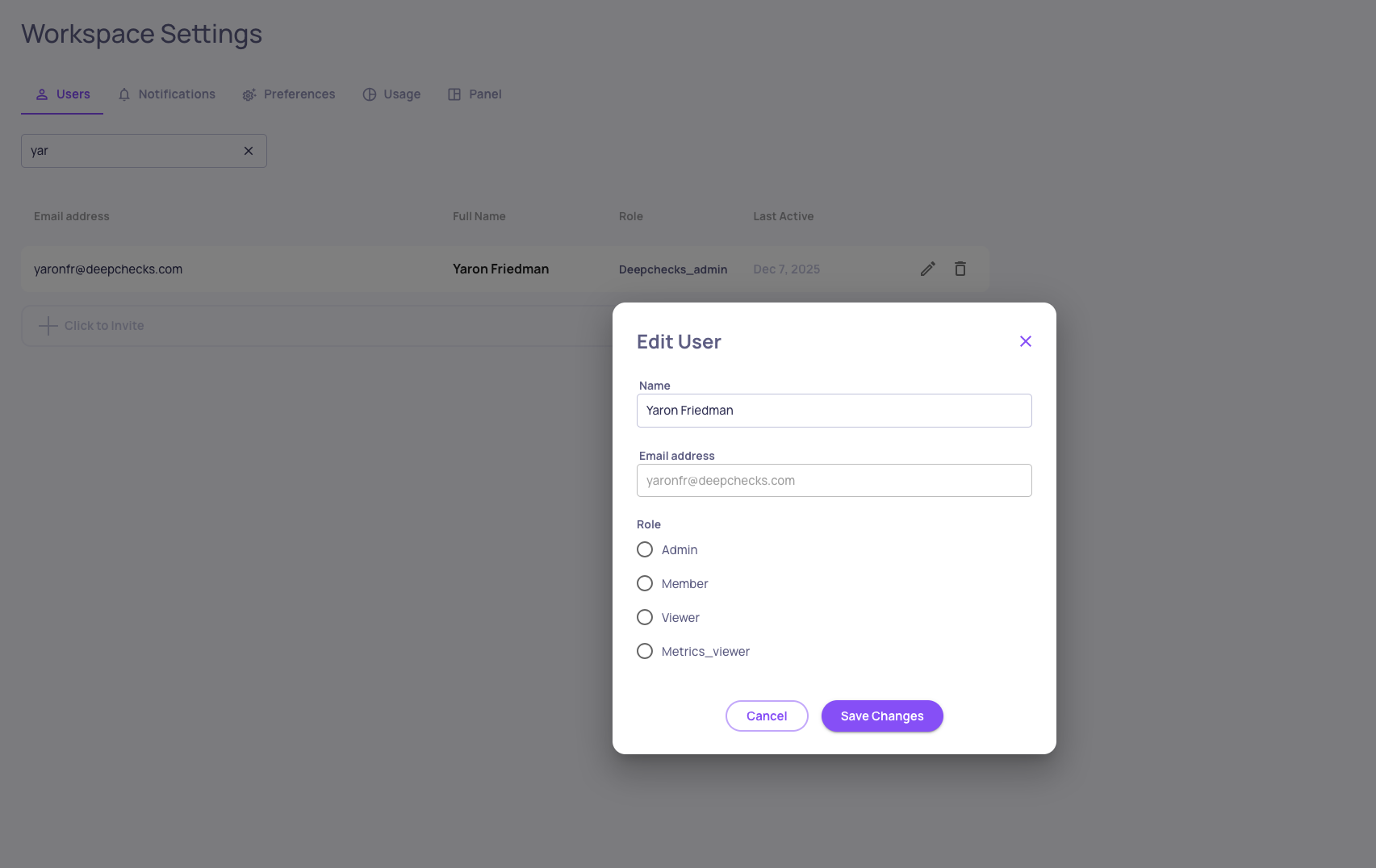
We’ve added a new role to Deepchecks Role-Based Access Control: Metric Viewer.
This role is designed for stakeholders who need high-level insights without access to raw data.
Metric Viewer capabilities:
Read-only access to aggregated metrics and evaluation results
Access limited to the version level
❌ No access (via UI or SDK) to raw spans and traces
❌ No write permissions
This complements the existing Viewer role by enabling stricter data-access boundaries for security-sensitive environments.
To learn more about Deepchecks RBAC roles, click here.
New Models Available for LLM-Based Features
The following models are now supported:
GPT-5.1
Amazon Nova 2 Lite
Amazon Nova Pro
These models can be selected for evaluation, analysis, and automation features across the platform.
SDK Deprecation Notice: send_spans()
The SDK function send_spans() has been renamed to log_spans_file() to better reflect its behavior and usage.
📌 Deprecation notice:send_spans() is now deprecated and will remain supported for the next few releases. We recommend migrating to log_spans_file() to ensure forward compatibility.
Updated SDK documentation and examples reflect the new function name.
We’re excited to announce version 0.37 of Deepchecks LLM Evaluation — featuring enhanced Agent Execution Flow Graphs, flexible span-to-interaction mapping, comprehensive version-level failure mode analysis, CloudWatch integration, and improved hierarchical views. This release helps users navigate complex agentic workflows, consolidate failure insights, and monitor metrics with even greater clarity and control.
Deepchecks LLM Evaluation 0.37.0 Release:
🕸️ Enhanced Agent Execution Flow Graph
🔄 Map Spans to Custom Interaction Types
📊 Version-Level Failure Mode Summary
☁️ CloudWatch Integration for Metrics
📂 Collapsible Trees in Hierarchical Views
What's New and Improved?
Enhanced Agent Execution Flow Graph
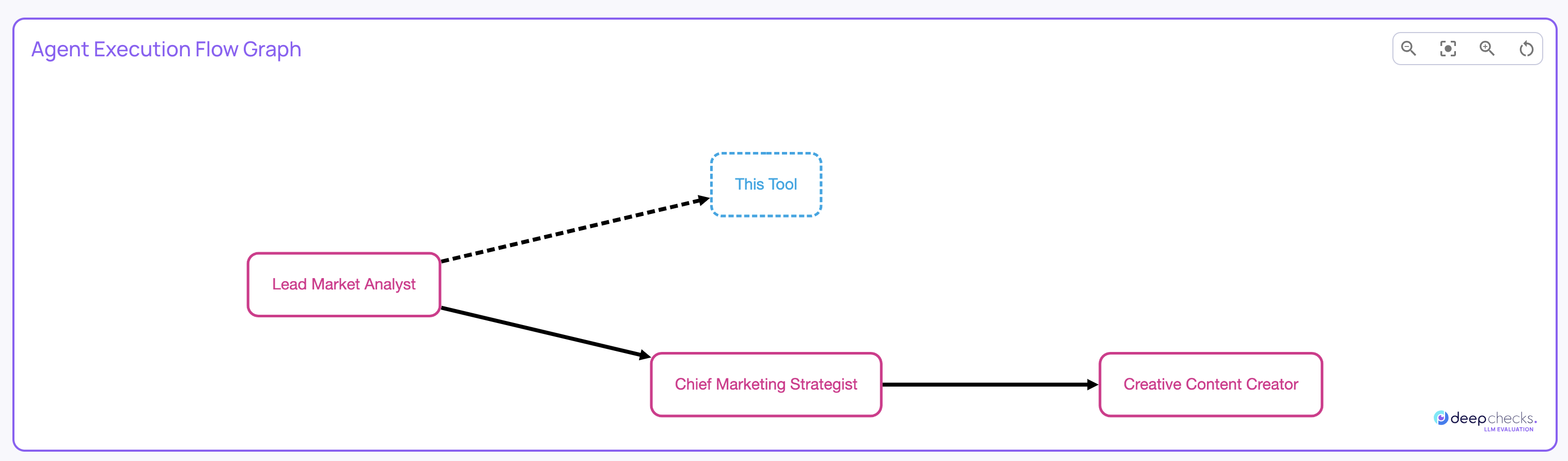
The Agent Execution Graph now offers more interactivity and insights:
Clicking a node filters the Interactions screen to that specific node.
Hovering over nodes or edges shows metadata across all filtered runs.
Node and edge styles indicate consistency: solid lines appear in all filtered runs, dashed lines if only in some.
Map Spans to Custom Interaction Types
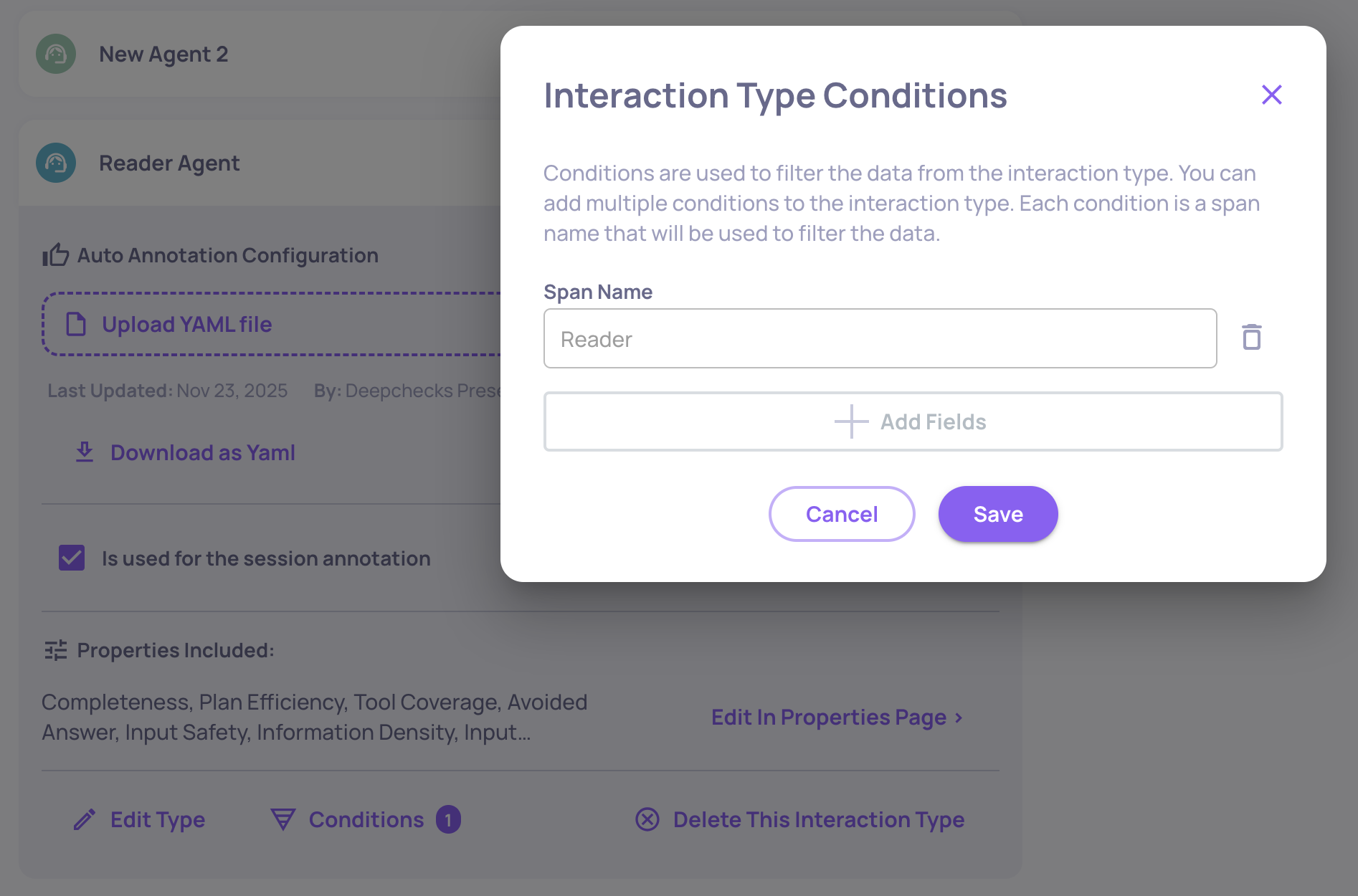
You can now assign specific span names to custom interaction types, overriding default mappings. This allows spans with the same kind to have distinct properties or auto-annotation rules, for example, mapping a “Reader” span and a “Writer” span to separate interaction types. For more details, click here.
Version-Level Failure Mode Summary
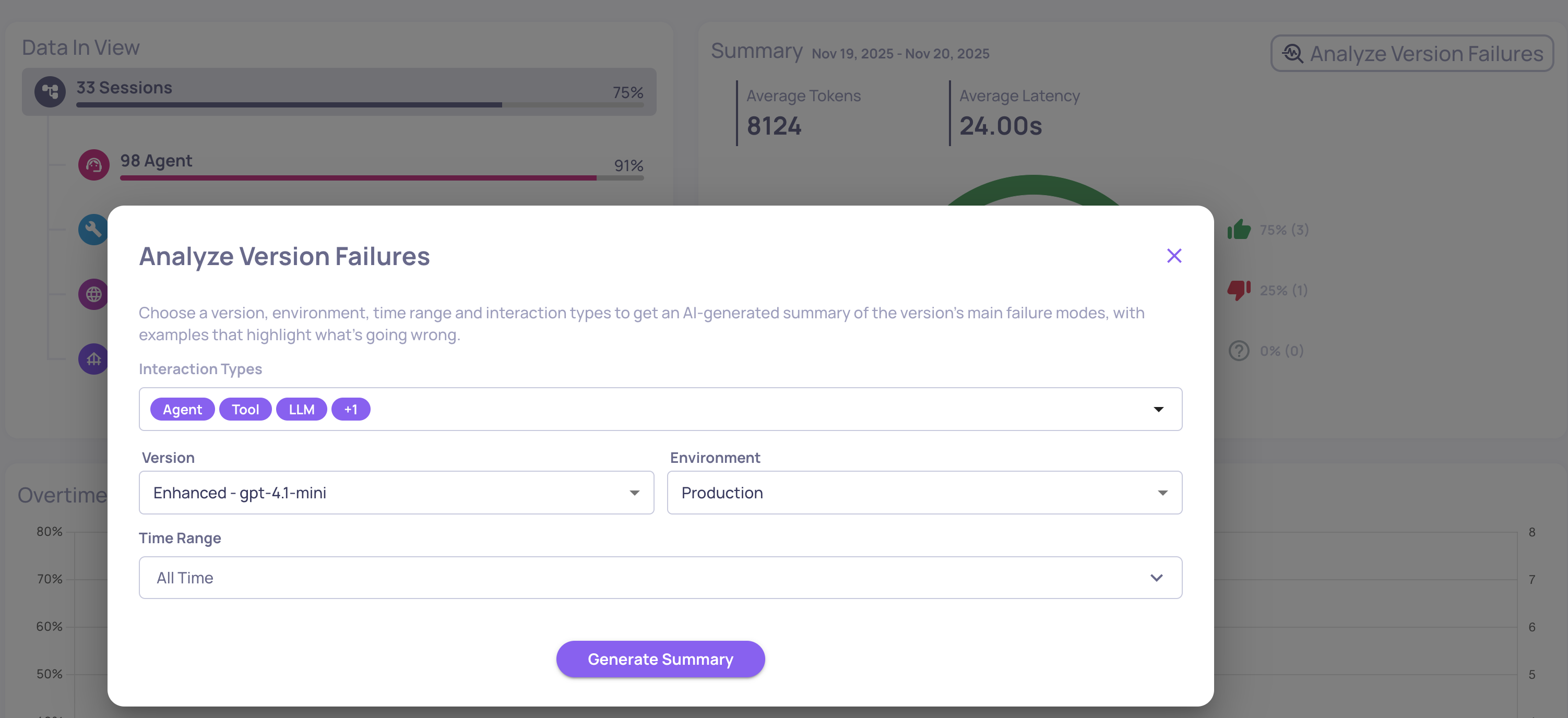
In addition to property-level insights, Deepchecks now generates a **version-level failure mode analysis report. **It aggregates failures across all interaction types and selected properties, providing a consolidated view of dominant issues in the system. Ideal for spotting cross-cutting problems, prioritizing improvements, and detecting regressions. Access this from the Version page via “Analyze version failures.” For more information, click here.
AWS CloudWatch Integration
Deepchecks can now send monitoring data and LLM evaluation metrics directly to AWS CloudWatch. SageMaker users benefit immediately, with metrics appearing in CloudWatch dashboards and alarms without any additional setup. For more details click here.
Collapsible Trees in Hierarchical Views
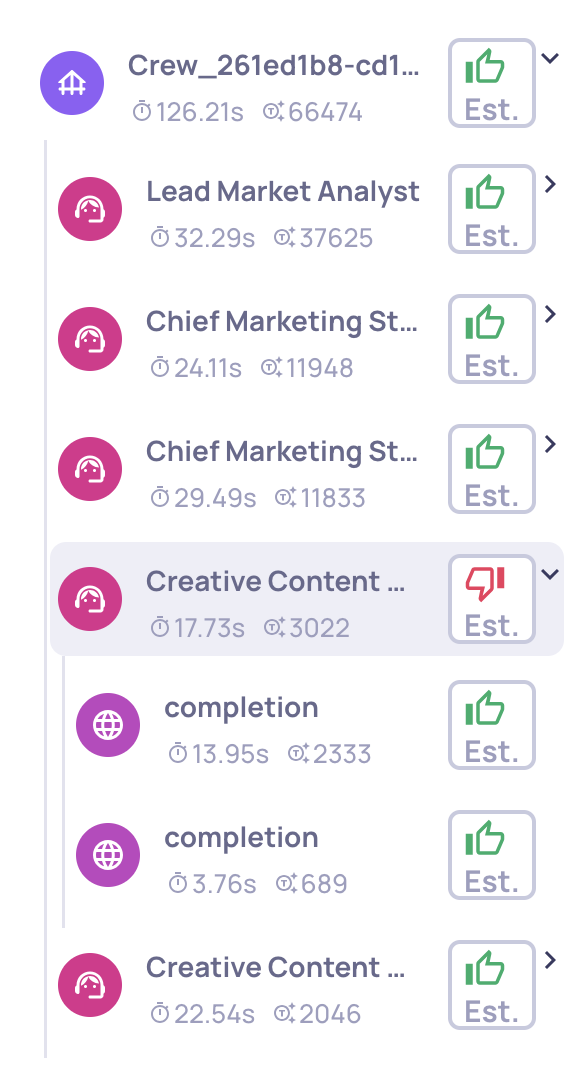
Hierarchical use cases now include collapse buttons, making it easier to navigate and focus on relevant branches of your workflows.
We’re excited to announce version 0.36 of Deepchecks LLM Evaluation - featuring a powerful new Agent Graph visualization, enhanced filtering and analysis capabilities, and deeper AWS SageMaker configurability. This release helps users better understand complex agentic executions, gain sharper analytical control, and manage configurations with greater transparency.
Deepchecks LLM Evaluation 0.36.0 Release:
🕸️ New Agent Execution Graph
🎯 Advanced Filtering by Span Attributes
☁️ Dedicated SageMaker Owner Panel
⚡ New Processing Status: Partial
What's New and Improved?
Agent Execution Graph
Visualize how your agentic workflows actually execute - including branches, loops, and transitions - directly within Deepchecks.
The new Agent Execution Graph provides a dynamic graph-style view of your pipeline runs, built automatically from your existing span metadata (no instrumentation changes required). It’s highly useful for agentic frameworks like LangGraph and CrewAI, helping you understand real runtime behavior at a glance.
You can find the Agent Execution Graph on the Overview page, within the Sessions tab, whenever you’re viewing an agentic use case that includes relevant span data.
Advanced Filtering by Span Attributes
You can now apply granular filters based on span-level attributes, such as span name, metadata fields, and more, directly in the Overview screen.
This enhancement gives analysts more precise control over their investigations, allowing them to isolate behaviors, patterns, or anomalies tied to specific spans or framework metadata.
Dedicated SageMaker Owner Panel
In Deepchecks in SageMaker, the user designated as the Owner now has access to a dedicated Owner Panel with advanced permissions to configure organization- and application-level settings directly through the UI.
This empowers teams to fine-tune Deepchecks behavior across environments - without code changes or redeployment.
We’ve added a third processing status: Partial.
This new state appears when an interaction or session is stuck or failed during a key processing phase, helping users easily distinguish between ongoing runs and those that will not progress further without further user-action.
This improvement brings more transparency and reliability, especially in non-SaaS or self-managed deployments.
We’re excited to announce version 0.35 of Deepchecks LLM Evaluation - packed with new integrations, evaluation properties, and expanded documentation. This release strengthens our support for agentic workflows, improves evaluation flexibility, and deepens our collaboration with AWS SageMaker users.
Deepchecks LLM Evaluation 0.35.0 Release:
🚀 New LangGraph Integration
🧠 New Research-Backed Evals for Agentic Workflows
⚙️ Configurable Number of Judges for Custom Prompt Properties
🤖 New Model Support: Claude Sonnet 4.5
☁️ New AWS SageMaker Documentation
What's New and Improved?
New LangGraph Integration
Seamlessly connect LangGraph applications to Deepchecks for effortless data upload and evaluation. With this integration, you can automatically log traces, spans, and metadata from LangGraph workflows and visualize and evaluate them directly in Deepchecks. Learn more here.
New Research-Backed Evals for Agentic Workflows
We’ve added two new built-in evaluation properties tailored for agentic applications: Reasoning Integrity and Instruction Following. These properties are based on cutting-edge research and provide deeper insight into reasoning quality, task adherence, and logical consistency across agent runs. Learn more here.
Example of an Instruction Following score on an LLM span
Configurable Number of Judges for Custom Prompt Properties
You can now configure the number of judges (1, 3, or 5) used for custom prompt-based evaluations. This feature gives you more control over evaluation robustness and cost-performance trade-offs. Learn more here.
The "# of Judges" configuration on the "Create Prompt Property" screen
New Model Support: Claude Sonnet 4.5
We’ve added support for Claude Sonnet 4.5 as a model option for your prompt properties. This enables you to leverage Anthropic’s latest model for more nuanced, high-quality evaluations within your existing Deepchecks workflows.
New AWS SageMaker Documentation
We’ve added dedicated documentation for users running Deepchecks on AWS SageMaker. The new guides explain how to effectively use LLM-based features and how to optimize your DPU utilization in SageMaker environments. Using LLM Features on SageMaker → Optimizing DPUs on SageMaker →