DocumentationAPI ReferenceRelease Notes
DocumentationLog In
Release Notes

0.32.0 Release Notes

by Yaron Friedman

We’re excited to introduce enhanced capabilities for production monitoring, version comparisons, failure analysis, and interaction filtering—making it easier than ever to spot trends, identify winners, and focus your evaluations.

Deepchecks LLM Evaluation 0.32.0 Release:

  • 📊 New sessions tab and insights in Production overview
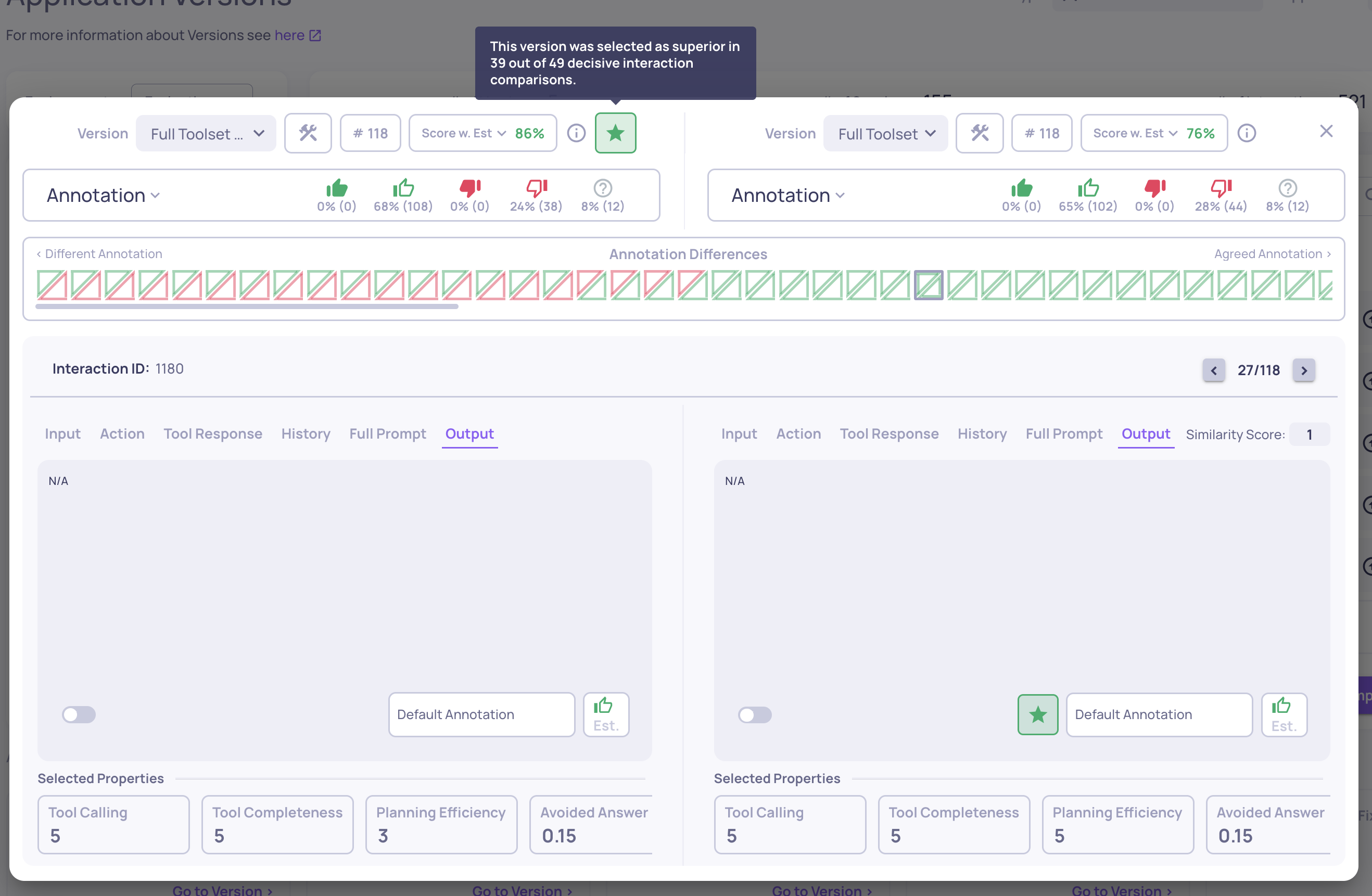
  • ⭐ Identify better versions and interactions in comparisons
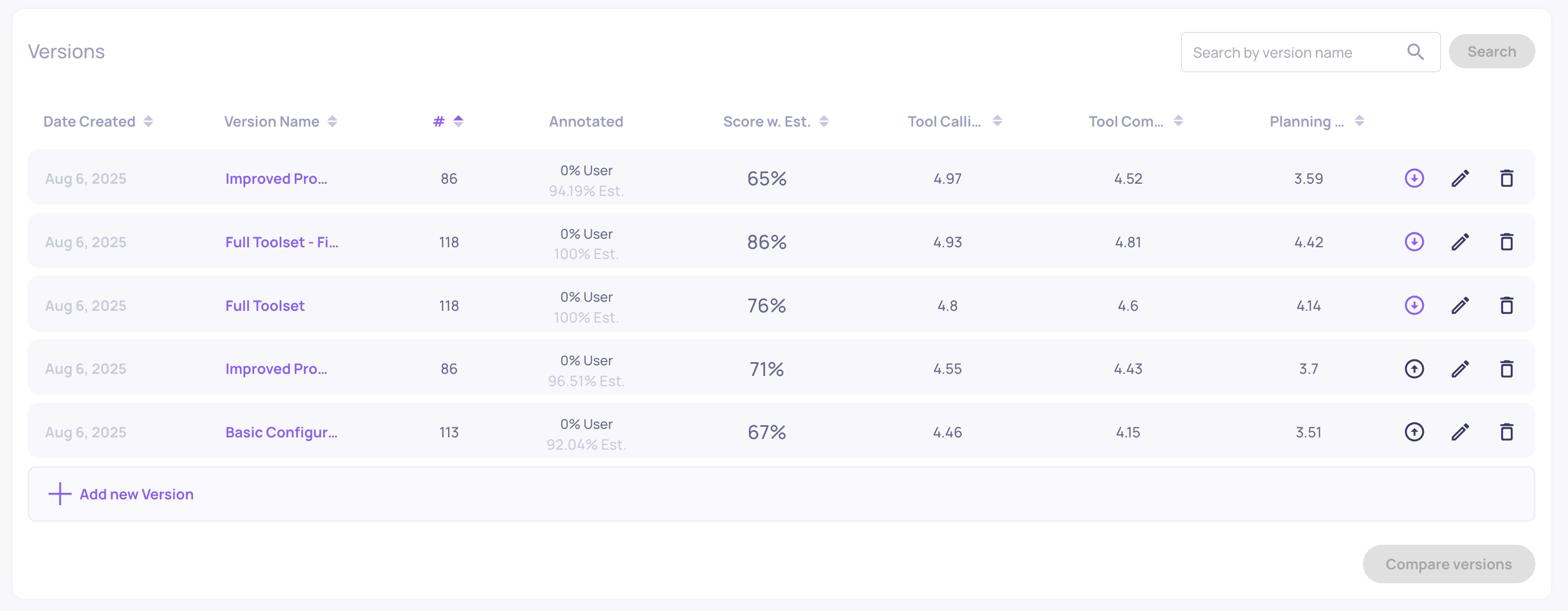
  • 📌 “Sticky” versions for easier comparison
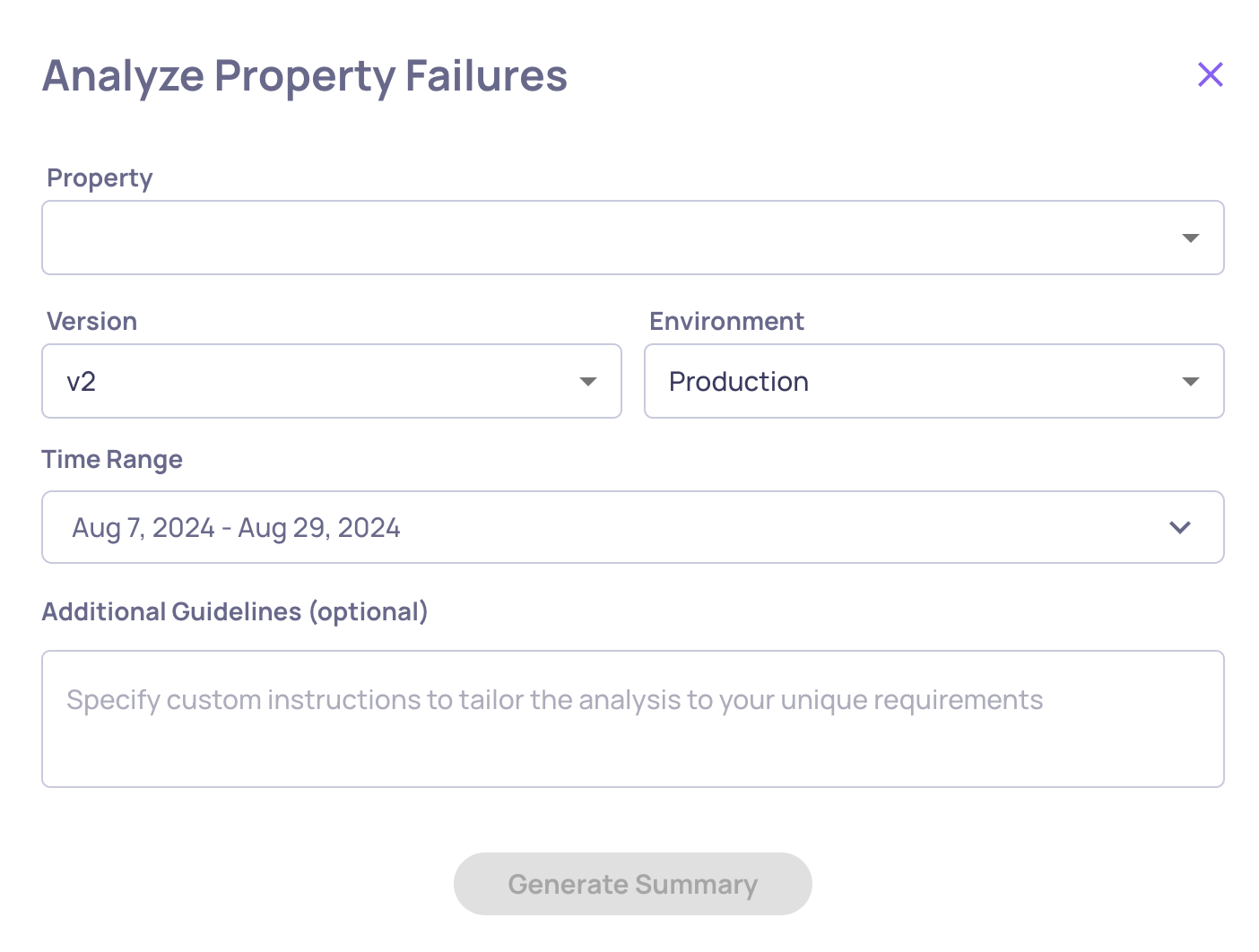
  • 📝 Custom guidelines for Failure Mode Analysis
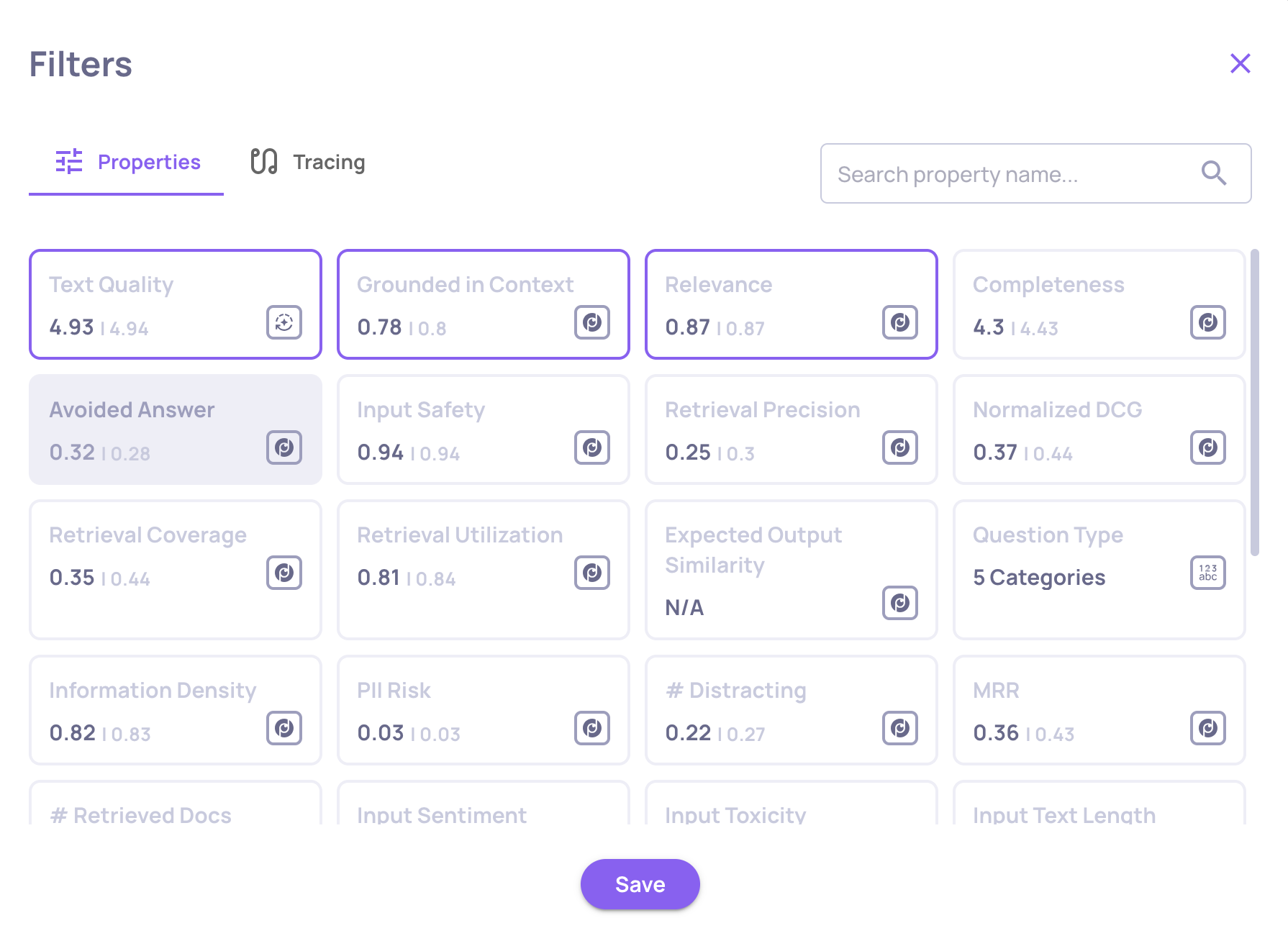
  • 🎯 Filter interactions by tracing data (tokens & latency)

What's New and Improved?

New sessions tab and insights in Production overview

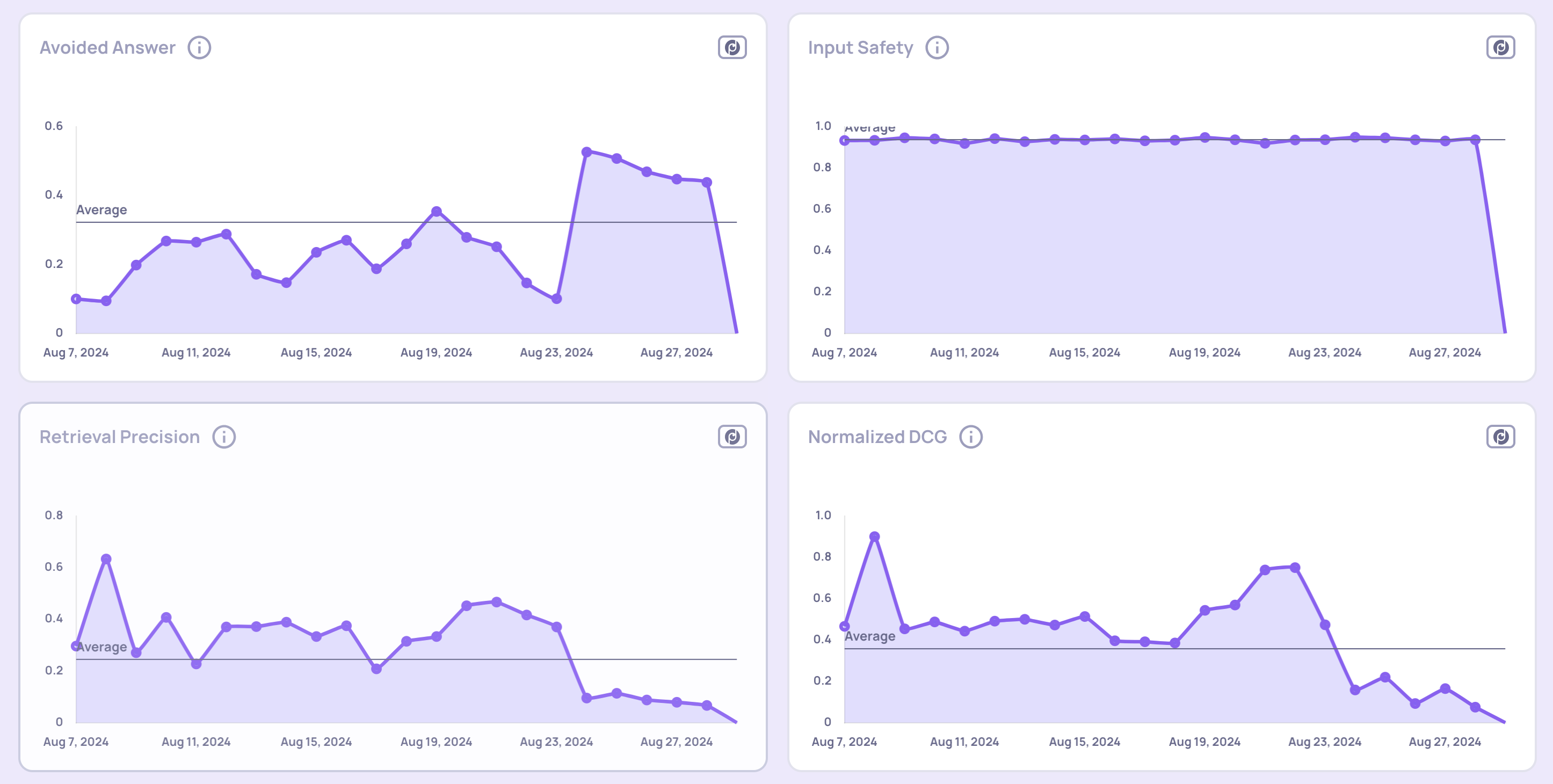
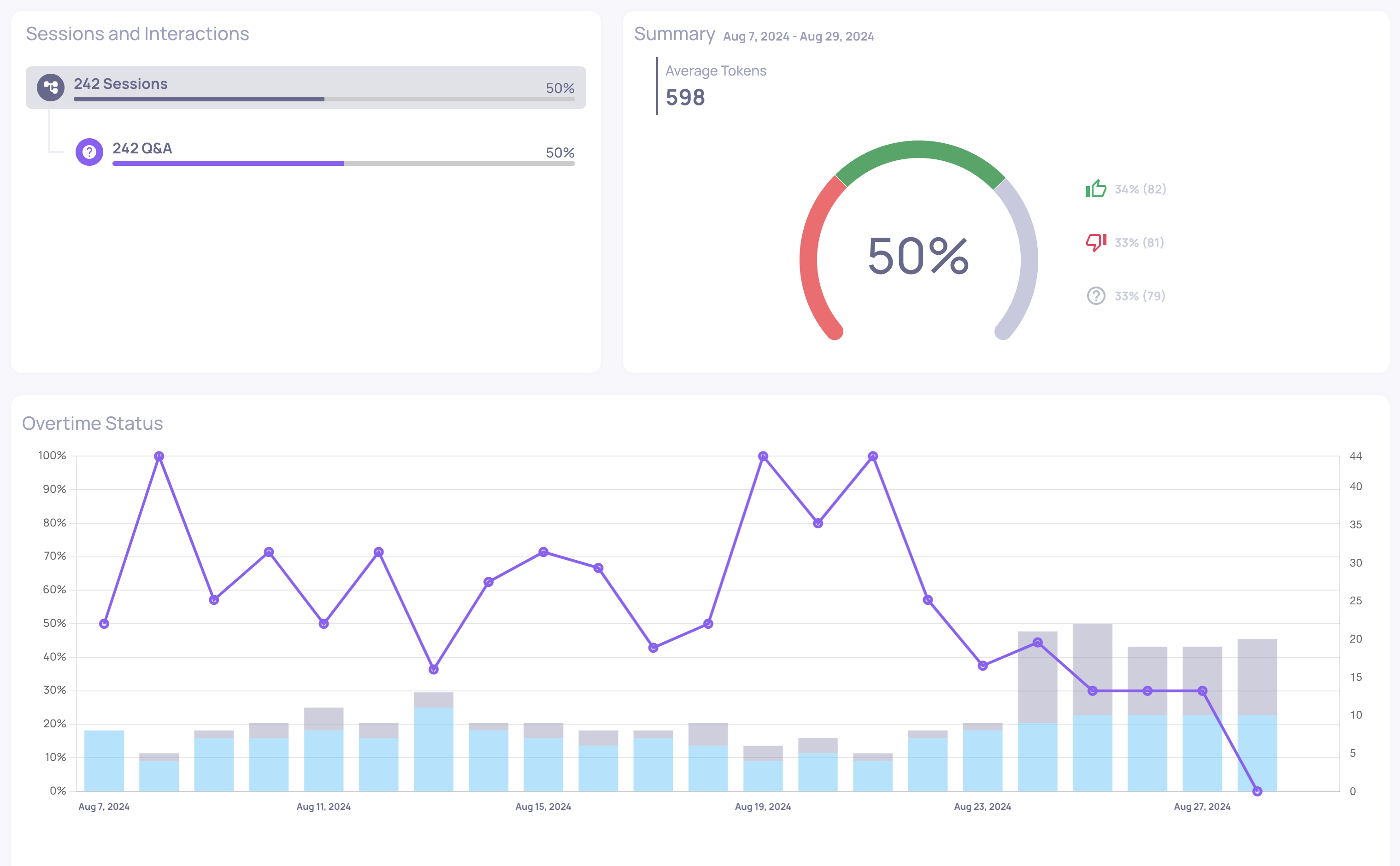
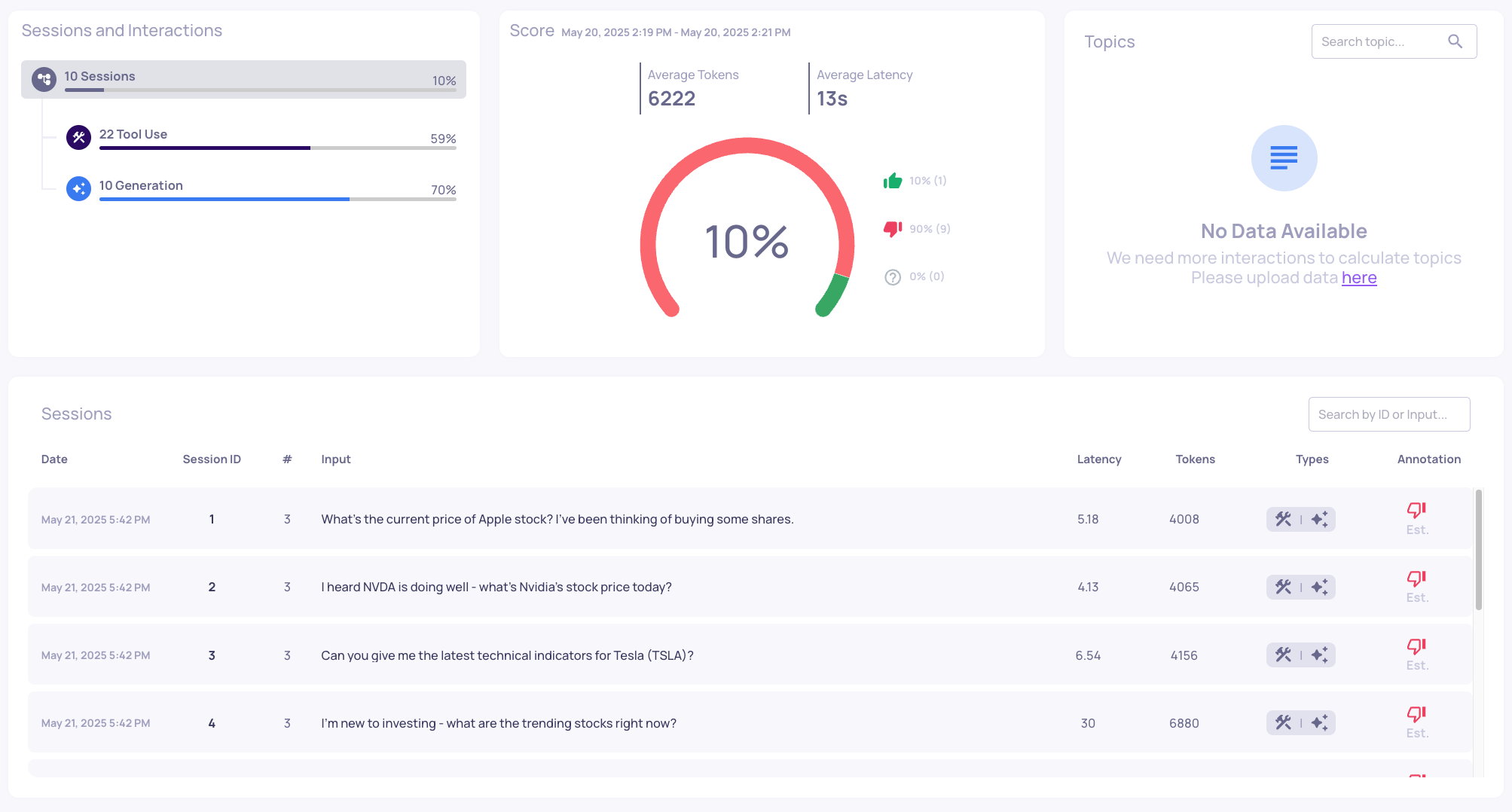
  • The Production environment now includes a dedicated Sessions tab, showing metrics and trends specifically at the session level—complete with score summaries, over-time graphs, and a detailed session list.
Sessions tab in Production environment view

Sessions tab in Production environment view


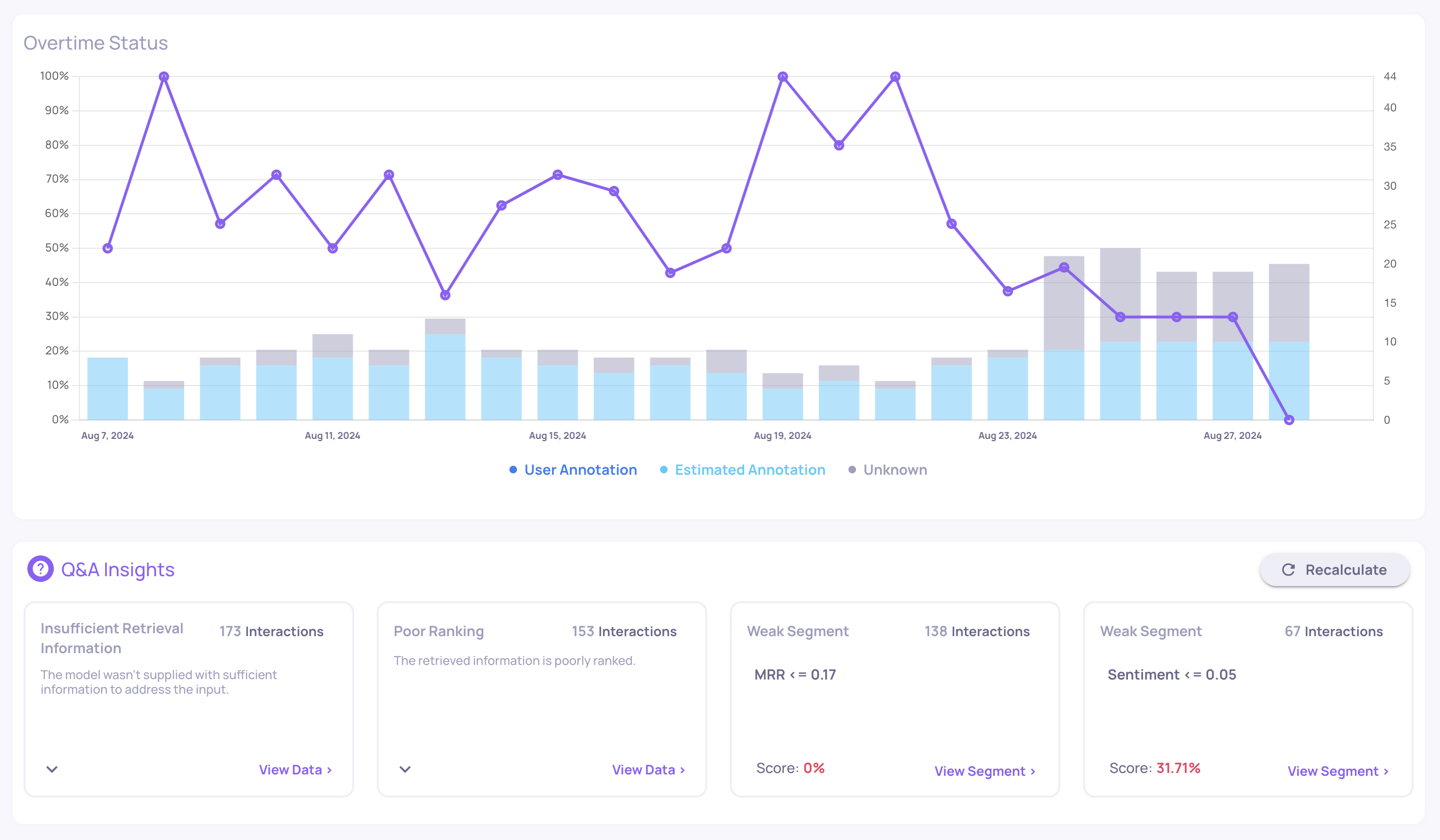
  • We’ve also added time-range-aware insights to Production. Simply adjust the global time-range filter, and your insights will update accordingly—helping you focus on recent data or specific time periods of interest.
Time-range aware insights in Production environment view

Time-range aware insights in Production environment view


Identify better versions and interactions in comparisons

  • The version comparison view now highlights which version—and which specific interactions—perform better, based on numerical property analysis.
  • Interaction-Level Star Indicator: Each interaction pair is evaluated using the average of the first three pinned numerical properties (often your most critical metrics). The higher-scoring interaction gets a star, and ties get stars for both.
  • Version-Level Star Indicator: The version with a majority of “better” interactions earns a star, giving you an at-a-glance winner.
  • Hover for explanation: Tooltips clarify the reasoning behind each star selection.

“Sticky” versions for easier comparison

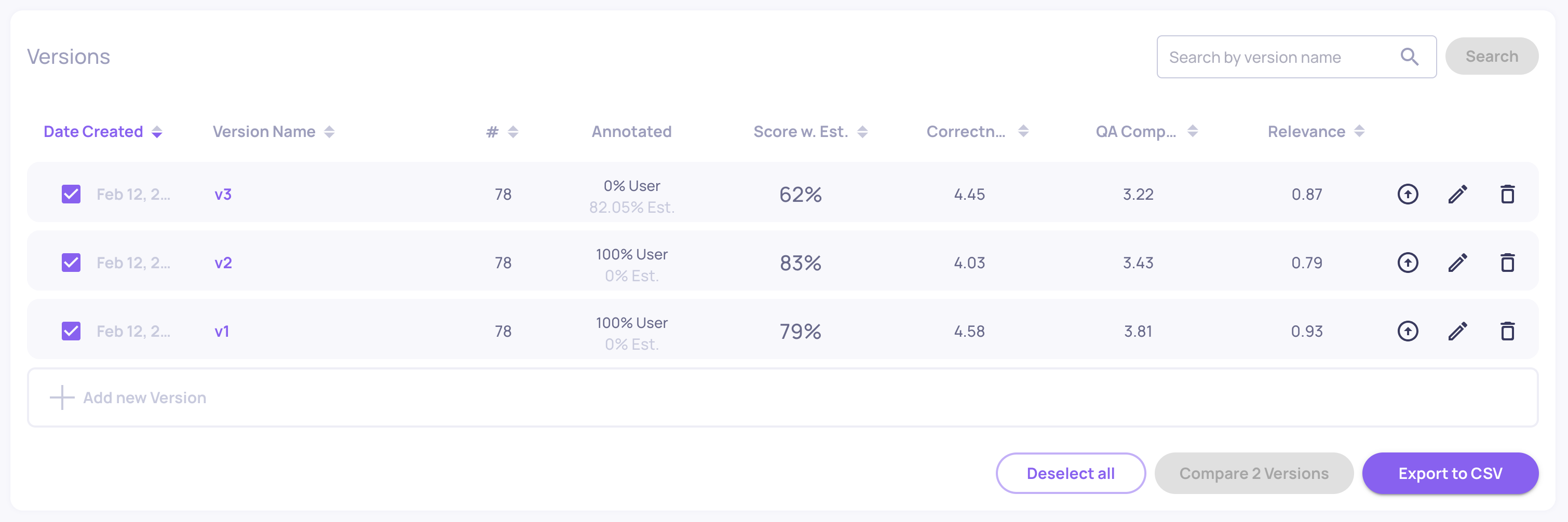
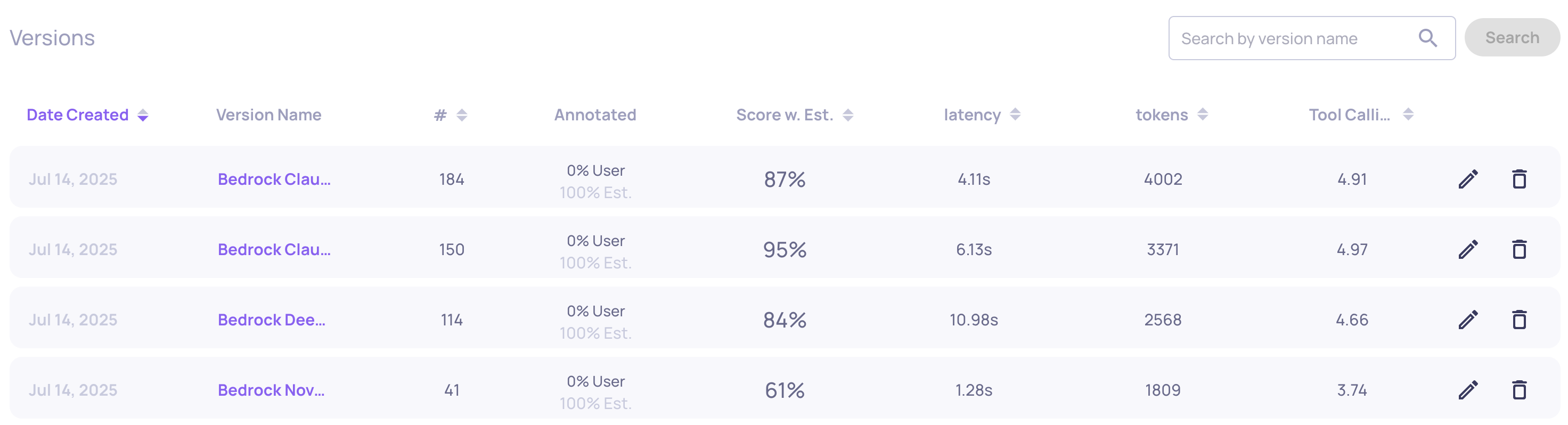
  • You can now pin (“stick”) versions to the top of the Versions screen by clicking the up-arrow icon next to them. This keeps them in view while you sort, filter, or explore other versions—perfect for focusing on a few key versions.
"Sticky" versions feature

"Sticky" versions feature


Custom guidelines for Failure Mode Analysis

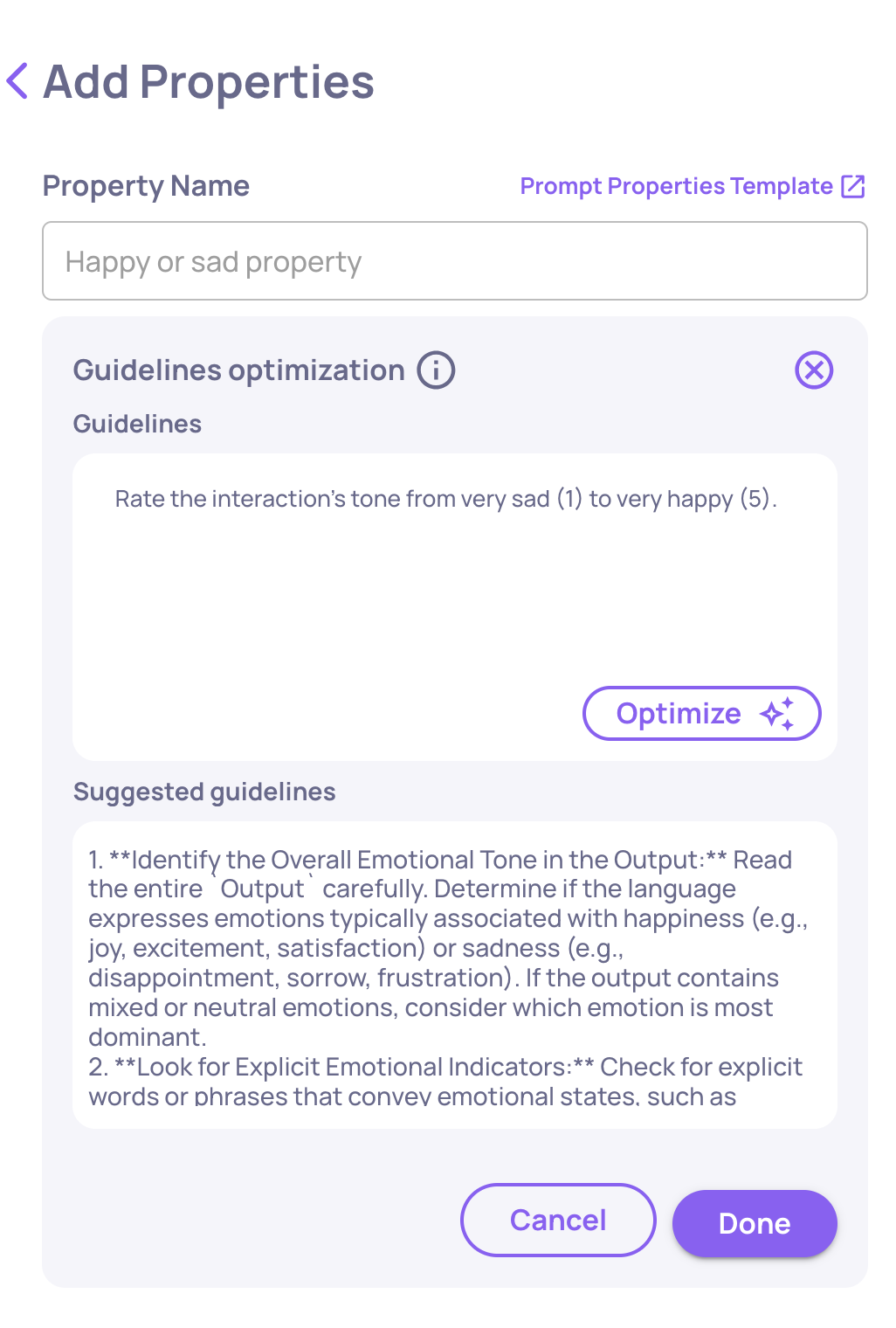
  • Failure Mode Analysis now supports user-provided guidelines. You can supply assumptions, suspected failure modes, or specific areas of concern for the analysis agent to focus on—helping tailor summaries to your specific evaluation goals.
Option to add user-provided guideline before analyzing property failure modes

Option to add user-provided guideline before analyzing property failure modes


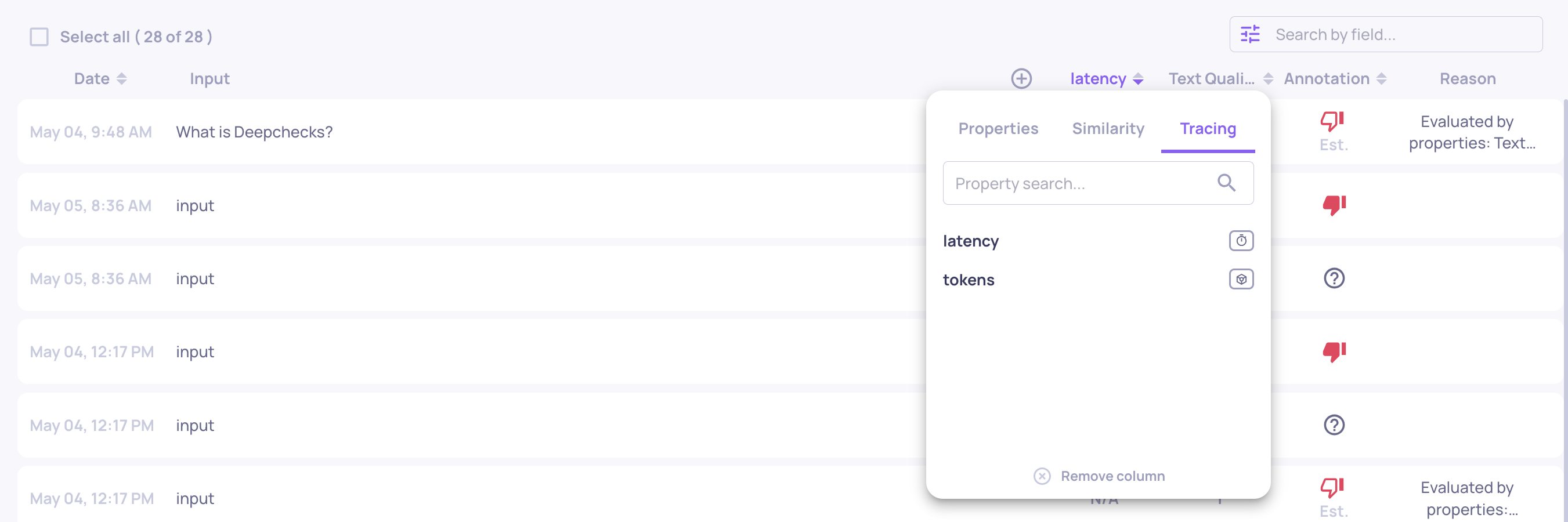
Filter interactions by tracing data

  • The Interactions page now includes filters for tracing-based system metrics such as total tokens and interaction latency—making it easier to investigate performance patterns or anomalies linked to system behavior.

0.31.0 Release Notes

by Yaron Friedman

We’re excited to introduce powerful new capabilities across translation, production monitoring, version comparisons, and property management—helping you gain deeper insights and streamline your evaluation workflows.

Deepchecks LLM Evaluation 0.31.0 Release:

  • 🌐 Switched to LLM-based translation
  • 📉 Score breakdown comparison in Production
  • ⏱️ Latency and token metrics in comparison flows
  • 🧪 Improved property page filtering and UX

What's New and Improved?

Switched to LLM-based translation

  • We’ve upgraded our translation mechanism to be fully LLM-based, resulting in significantly higher translation quality while also reducing costs. This change ensures more accurate and context-aware translations across the platform.

Score breakdown comparison in Production

  • The score breakdown component is now available in the Production environment, giving you deeper insights into model performance. In addition, we’ve introduced a new comparison feature that lets you analyze score breakdowns across two different time ranges. This helps uncover trends, detect potential drifts, and identify which properties may be causing performance issues—or driving improvements—enabling faster root-cause analysis and smarter decisions.
Score Breakdown Comparison in Production Environment

Score Breakdown Comparison in Production Environment


Latency and token metrics in comparison flows

  • We've integrated latency and token metrics as key components of our version comparison flow. In the multi-version flow, you can now include the averages of these metrics for a comprehensive overview. Additionally, in the granular comparison mode—which allows you to compare two interactions side-by-side—these metrics are displayed for a detailed, direct comparison.
Average Latency and Tokens in the Version Comparison Screen

Average Latency and Tokens in the Version Comparison Screen


Improved property page filtering and UX

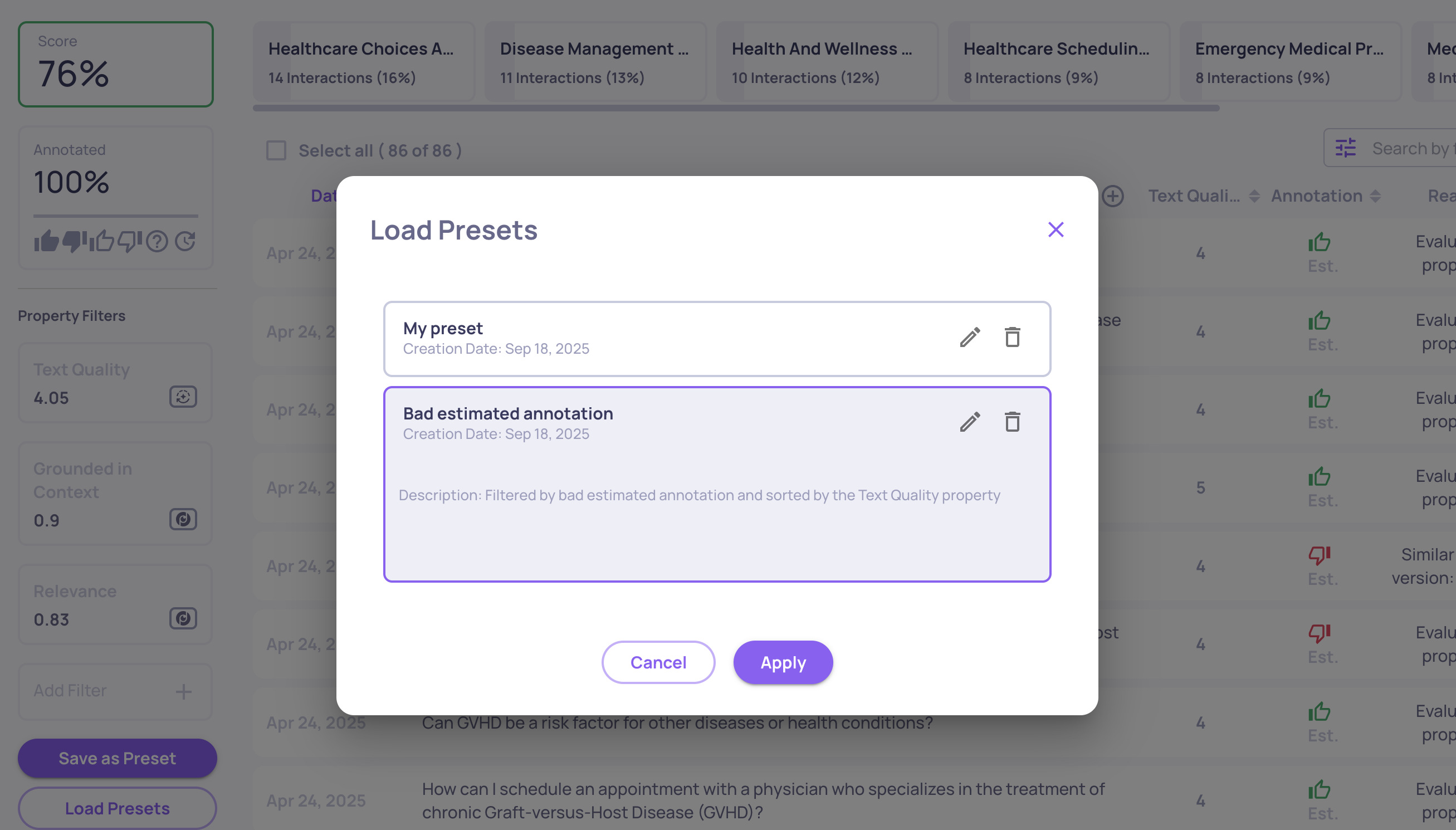
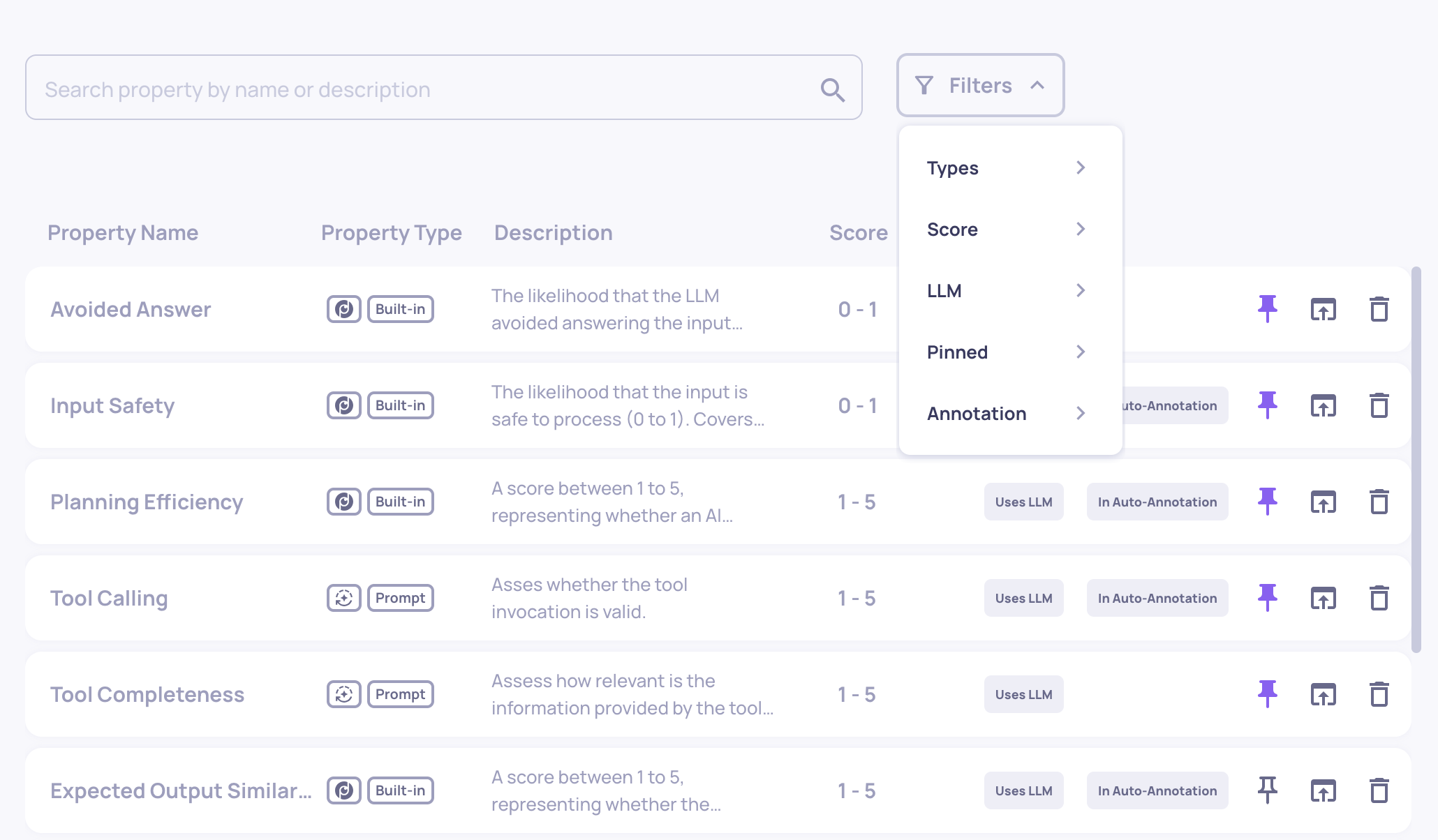
  • We’ve enhanced the Properties page with better filtering and visibility. A new "In auto-annotation" tag clearly marks properties included in the YAML-defined flow. You can now filter properties by attributes like LLM usage, auto-annotation inclusion, property type, and whether they're pinned to the Overview—making it easier to find and manage relevant properties.
The New Properties Screen Includes the New Tag and Filtering

The New Properties Screen Includes the New Tag and Filtering

0.30.0 Release Notes

by Yaron Friedman

We’re excited to introduce several powerful improvements to data visibility, evaluation control, and LLM-based analysis. This release brings new pages, enhanced customization for properties, and more intuitive session-level insights—designed to help you streamline your evaluation workflows and better understand your pipeline’s performance.


Deepchecks LLM Evaluation 0.30.0 Release:

  • 📁 New Data Pages: Sessions & Storage
  • 📝 Edit LLM-Based Properties
  • 🧩 Must/Optional Fields in Prompt Properties
  • 📊 High-Level Property Insights
  • 🧠 Session Topics per Environment

What's New and Improved?

New Data Pages: Sessions & Storage

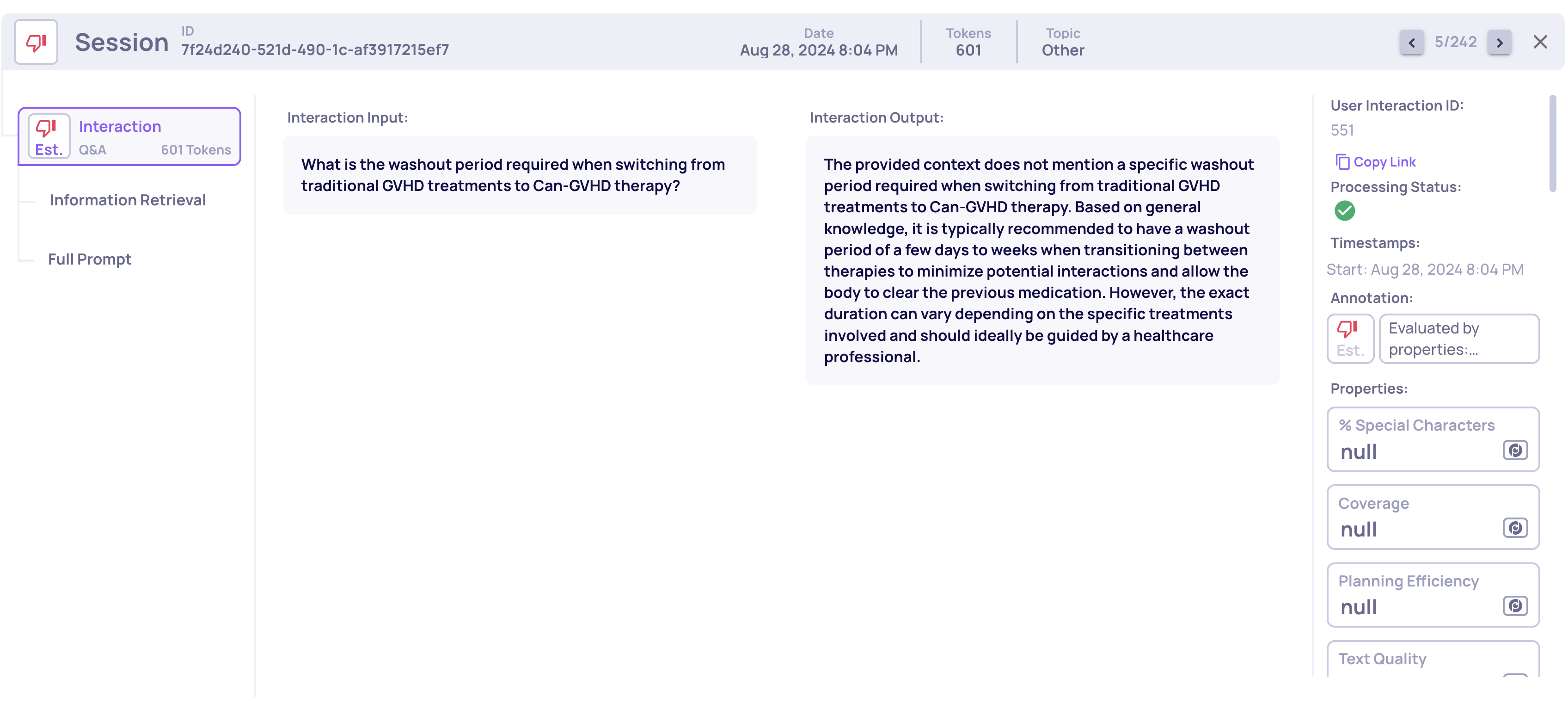
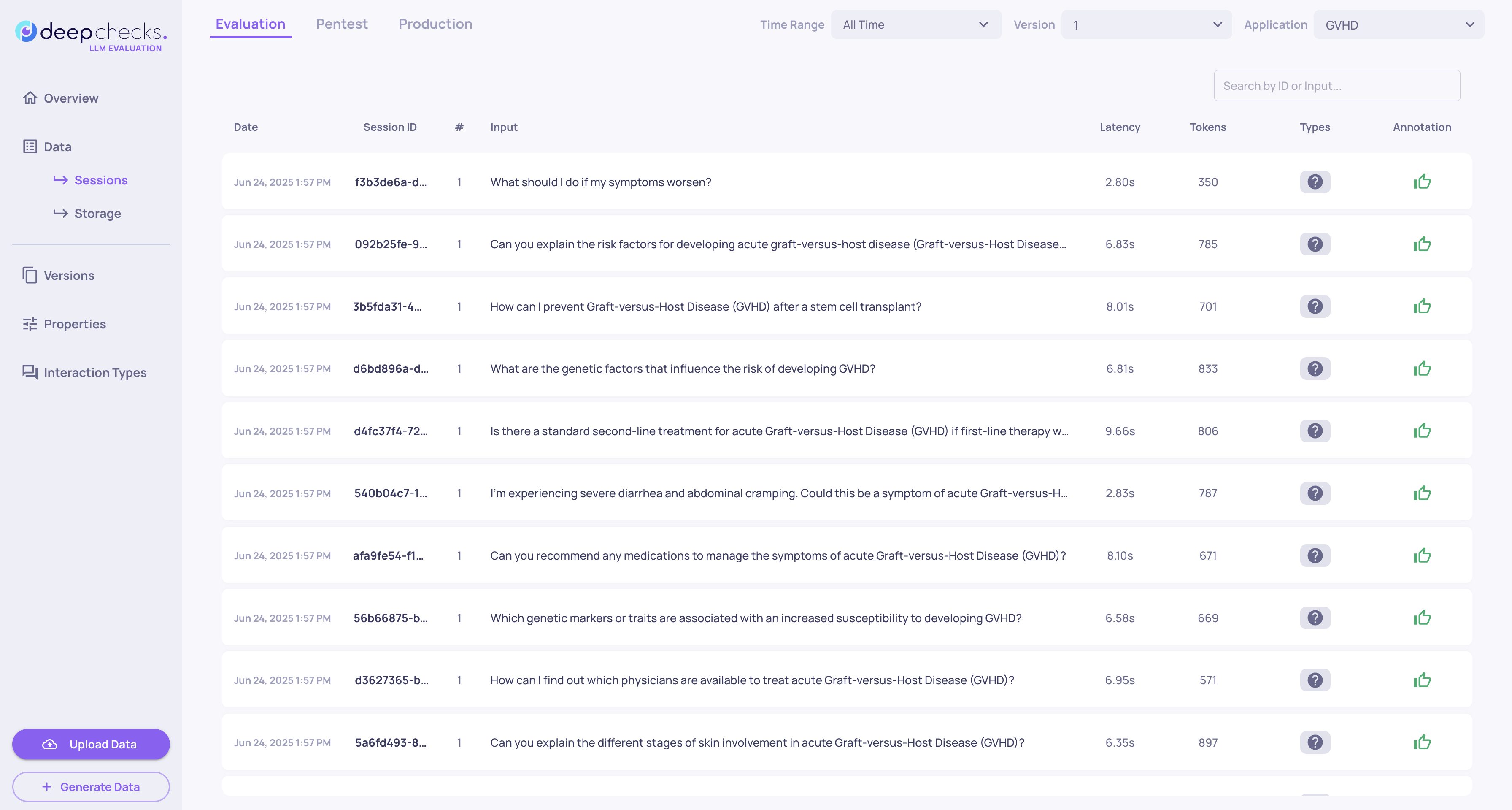
  • We’ve added a dedicated Sessions page under each version. This view allows quick inspection and comparison of all evaluated sessions, including key metadata: session ID, number of interactions, initial user input, total latency, token usage, session annotation, and interaction types. It's a fast and informative way to analyze session-level data in your version.
Session Screen of Deephecks' GVHD Demo

Session Screen of Deephecks' GVHD Demo


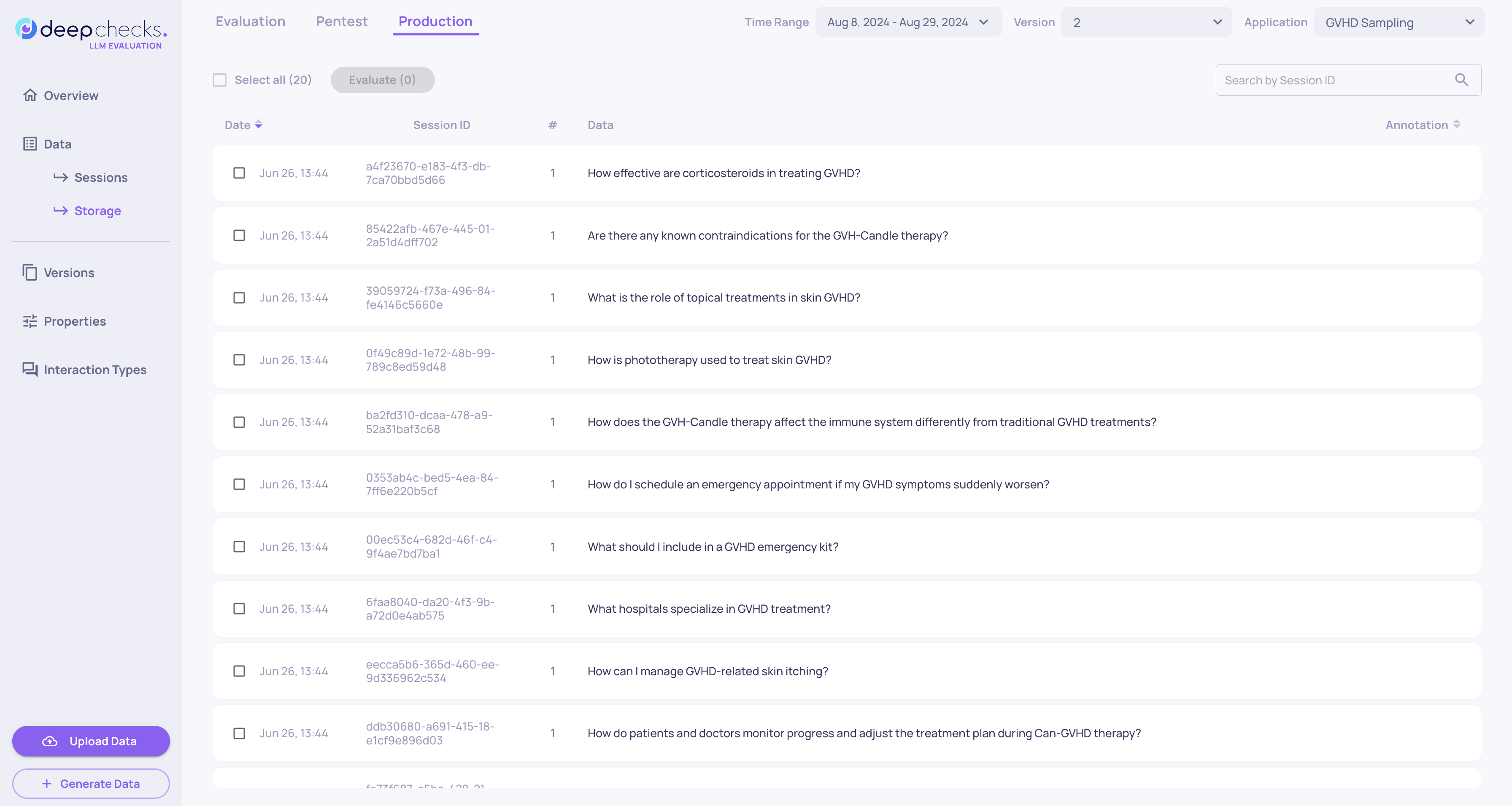
  • The Storage page provides visibility into unevaluated sessions—available only for the production environment. Sessions are stored here if they were not selected for evaluation based on your configured sampling ratio. This page allows basic filtering, session-level inspection, and the ability to send selected sessions to evaluation, either individually or in bulk. Learn more about sampling here.
Storage Screen of Deepchecks' GVHD Demo

Storage Screen of Deepchecks' GVHD Demo


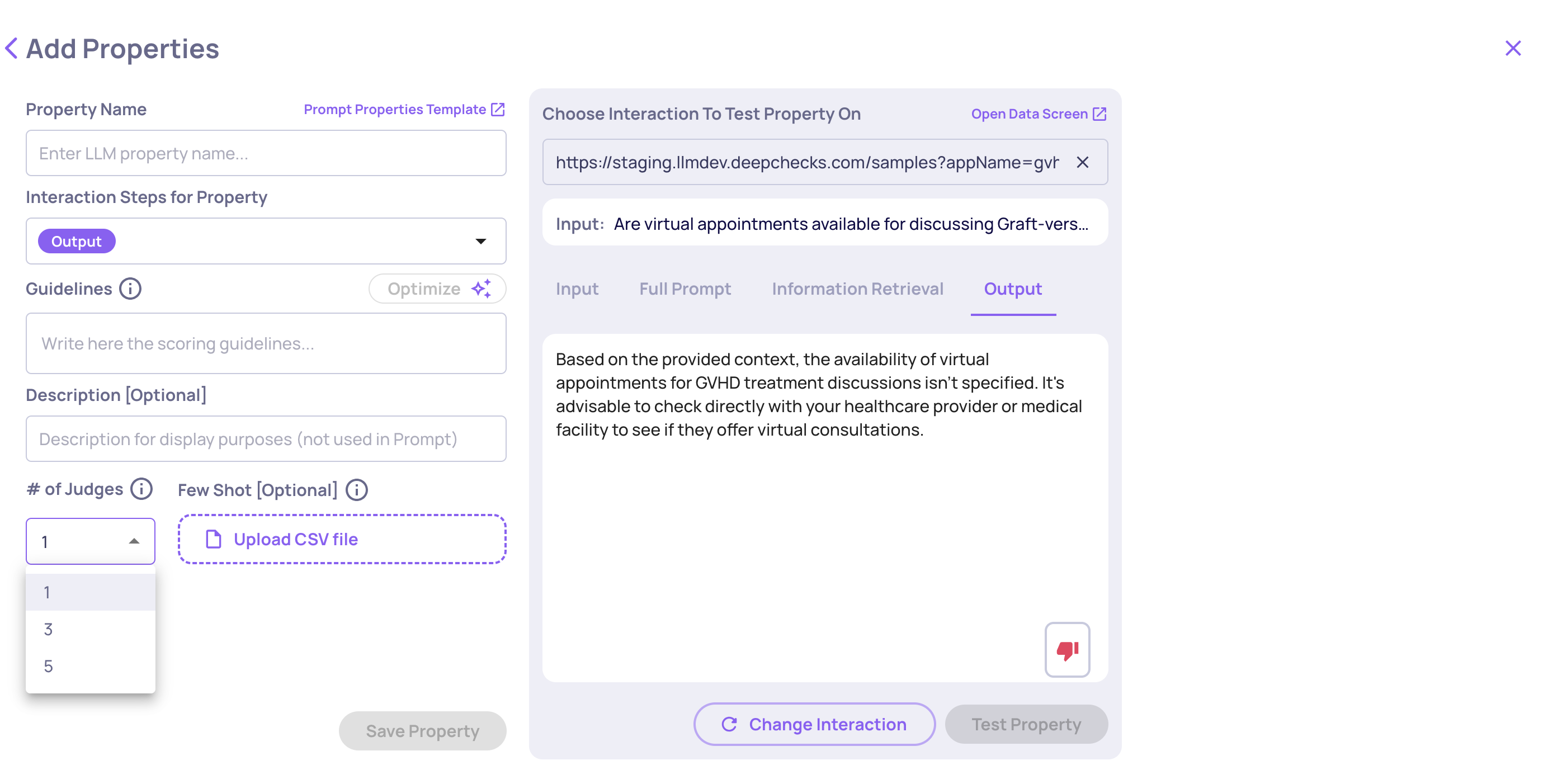
Edit LLM-Based Properties

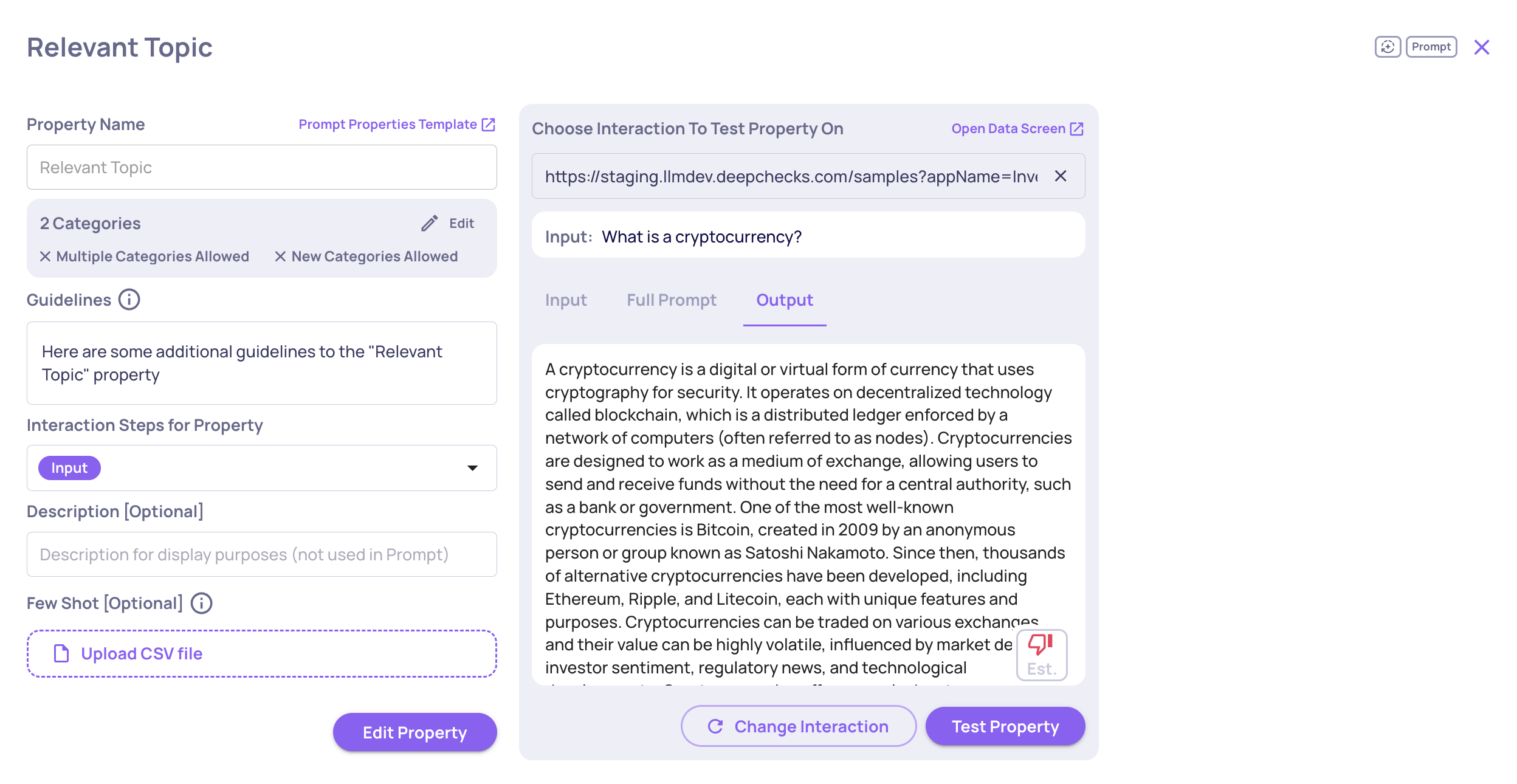
  • It’s now possible to edit existing LLM-based properties directly (instead of creating a copy). For prompt properties, numerical or categorical, you can fully update prompt content and instructions as well as the steps and description. For built-in LLM properties, editing focuses on adjusting guidelines—allowing users to better align our prebuilt properties with their specific use cases. See full details in the Property Guide.
Example of Editing a Categorical Prompt Property

Example of Editing a Categorical Prompt Property


Must/Optional Fields in Prompt Properties

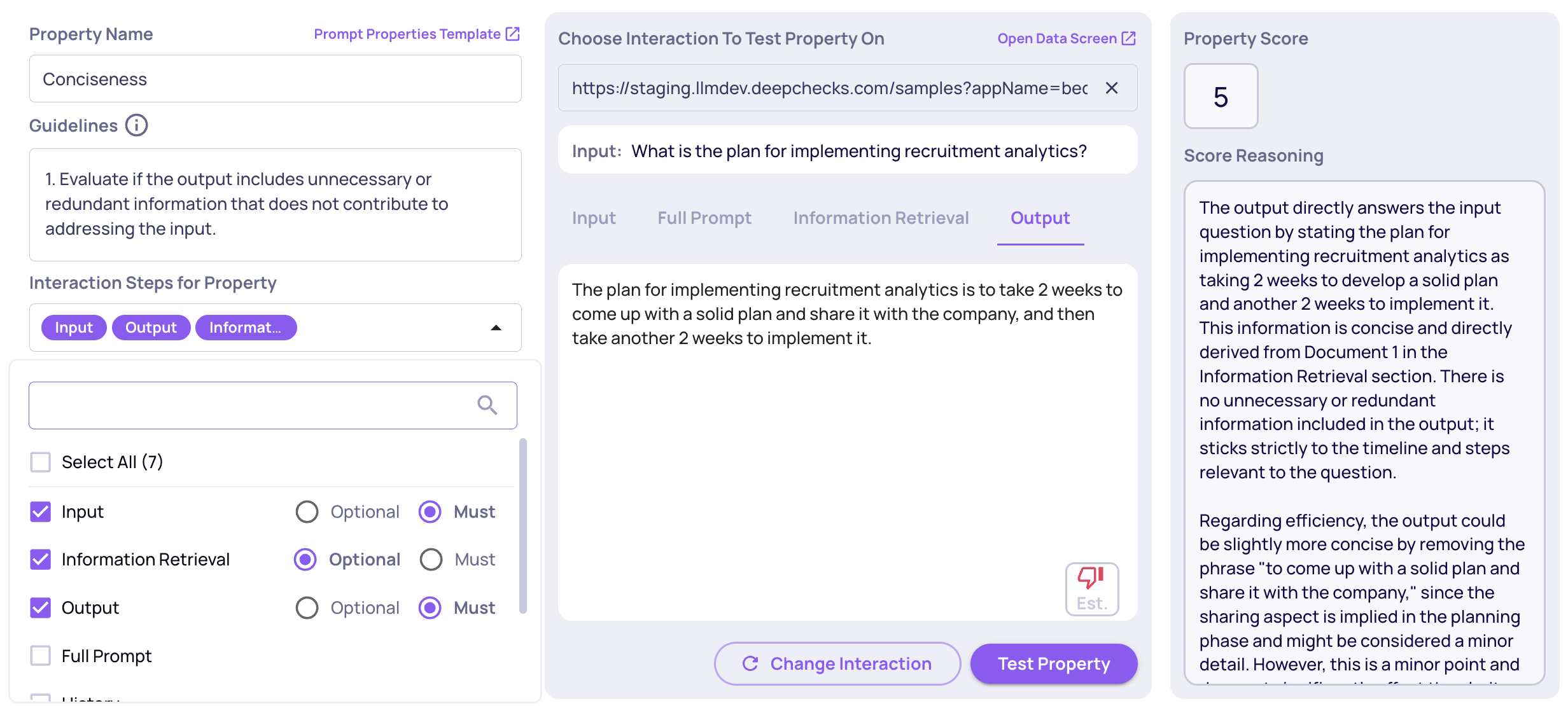
  • Prompt property creation is now more flexible with Must/Optional field configuration. When defining fields for your prompt logic, you can now mark each as: Must – the field must exist in the interaction for the property to be calculated. Optional – used if present, but doesn’t block evaluation if missing. This helps reduce unnecessary N/As and improves robustness.
The Dropdown Enables Choosing Must/Optional for Each Data Field

The Dropdown Enables Choosing Must/Optional for Each Data Field


High-Level Property Insights

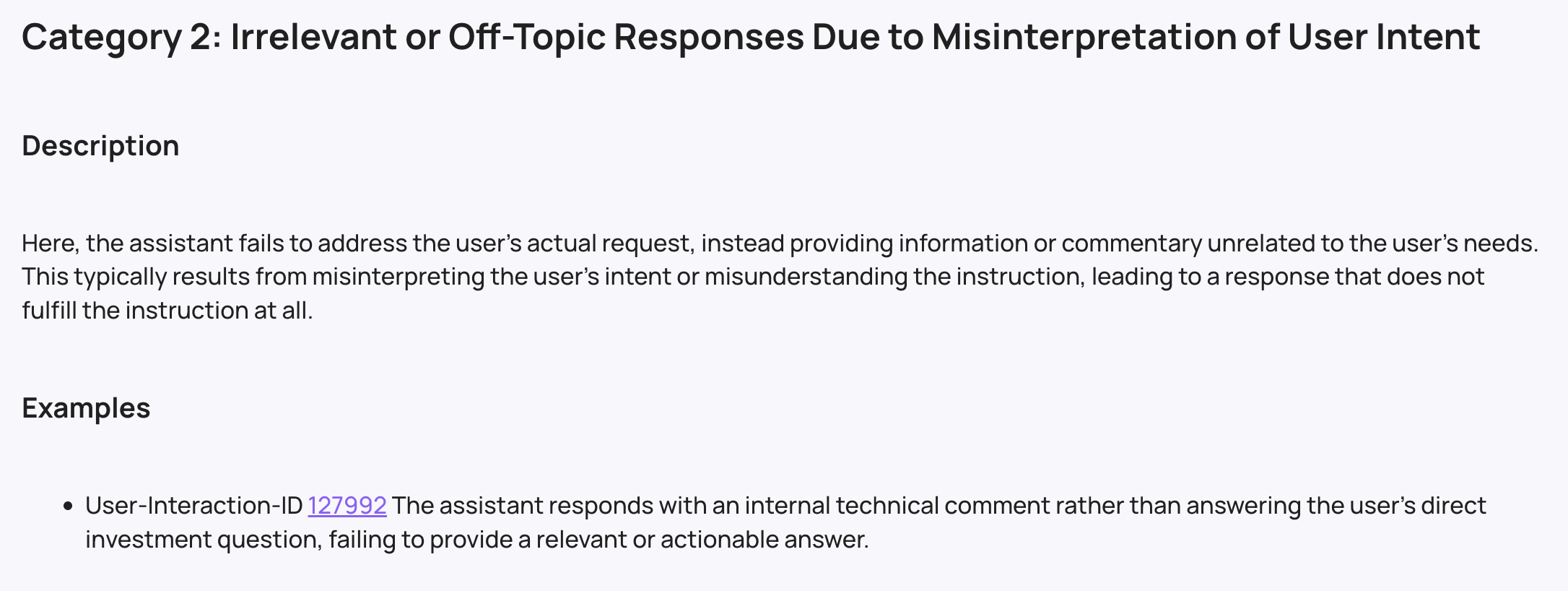
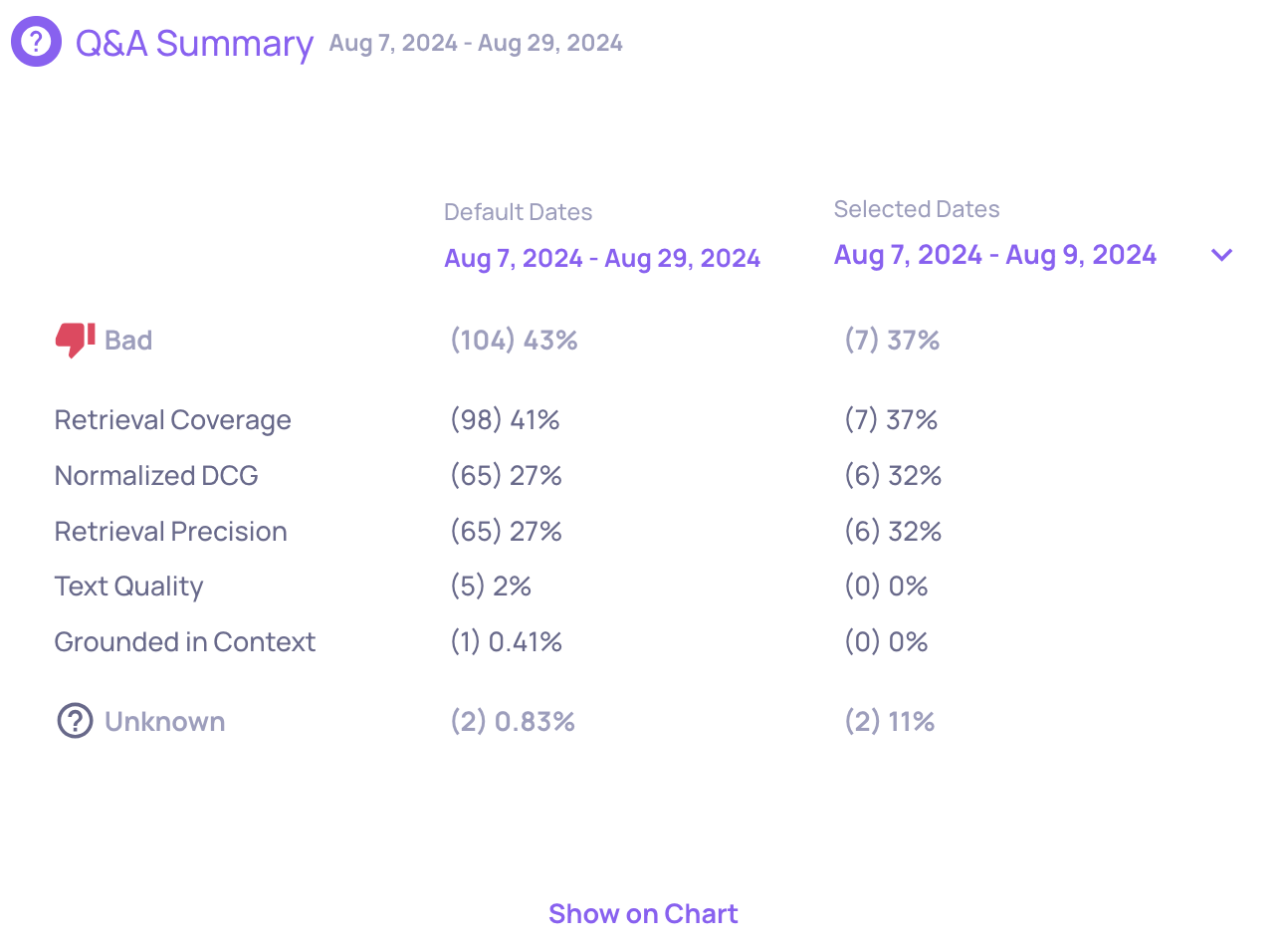
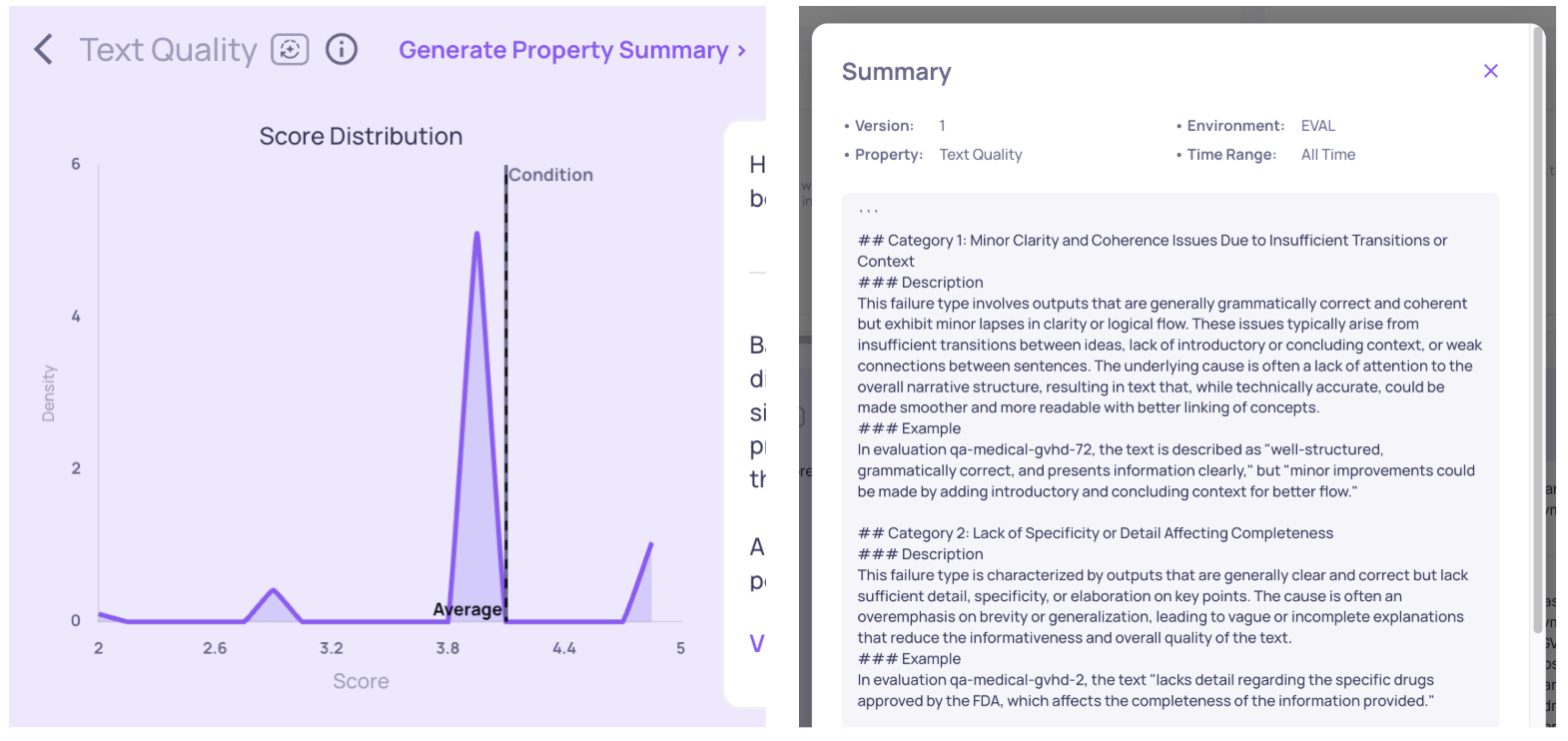
  • We’ve added a new RCA capability called Analyze Property Failures—providing LLM-generated summaries of how your properties are performing across the version. This gives a quick, high-level view of the failure points of each property that are causing problems on the interaction and session levels, helping you prioritize areas for version improvement. Read more here.
"Text Quality" Property Failure Analysis

"Text Quality" Property Failure Analysis


Session Topics per Environment

  • We now support topic assignment at the session level and scoped by environment. While each interaction is still tagged with a topic (available via the SDK), this reflects the session’s topic. Separating topics between evaluation and production environments enables detection of new or unexpected topics appearing only in production.

0.29.0 Release Notes

by Shir Chorev

This version includes Enhanced session visibility, improved annotation defaults, and streamlined property feedback, along with more features, stability and performance improvements, that are part of our 0.29.0 release.

Deepchecks LLM Evaluation 0.29.0 Release:

  • 🔍 Sessions View in Overview Screen
  • 📝 Improved Prompt Property Reasoning
  • 🎯 Introduced Support for Sampling
  • ⚙️ Updated Default Annotation Logic

What's New and Improved?

Sessions View

  • We've enhanced the Overview screen with a new Session View toggle, allowing you to switch between session-level and interaction type-level perspectives. This allows greater flexibility in analyzing your data, enabling to examine both the broader session context and the granular details of individual interaction types.

Improved Prompt Property Reasoning

  • We've streamlined the reasoning output for Prompt Properties, making feedback more concise and actionable. The shortened explanations focus on key insights while maintaining clarity, enabling to understand evaluation results and take appropriate action without the verbose explanations.

Introduced Support for Sampling

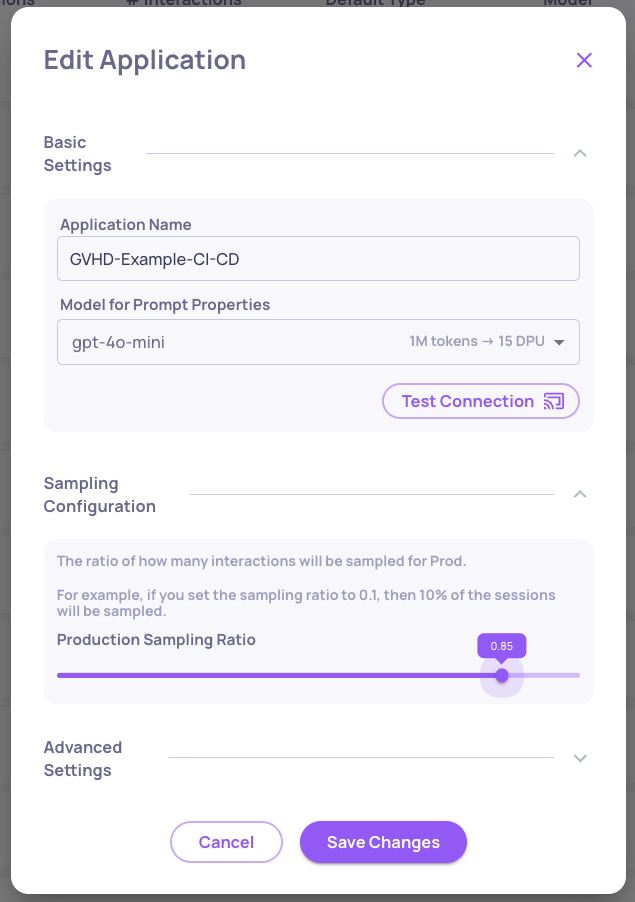
  • We've added robust backend infrastructure for sampling capabilities, to allow production data to be sampled for evaluation. This feature will be accessible via UI in next release, currently - sampling ratio can be selected in application settings, and data will be accessible via SDK.
  • 📘

    3 Month Retention Period for Sampled Data

    After 3 months, all data that wasn't sampled for evaluation will be deleted

Updated Default Annotation Logic

  • We've improved the default annotation behavior for new applications. Previously, interactions without explicit annotations defaulted to "unknown" status. Now, they default to "good," providing a cleaner way to evaluate failure modes for quality assessment workflows and asses application’s performance.

0.28.0 Release Notes

by Yaron Friedman

This version includes **Support of agent use-cases, experimentation management components and annotations on the session level,**along with more features, stability and performance improvements, that are part of our 0.28.0 release.

Deepchecks LLM Evaluation 0.28.0 Release:

  • 🕵️‍♂️ Support of Agent Use-Cases
  • 🥼 Experiment Management
  • ⏱️ Introducing Tracing Metrics (Latency and Tokens)
  • 👍 Session Annotation
  • 🗃️ Additional Retrieval Use-Case Properties

What’s New and Improved?

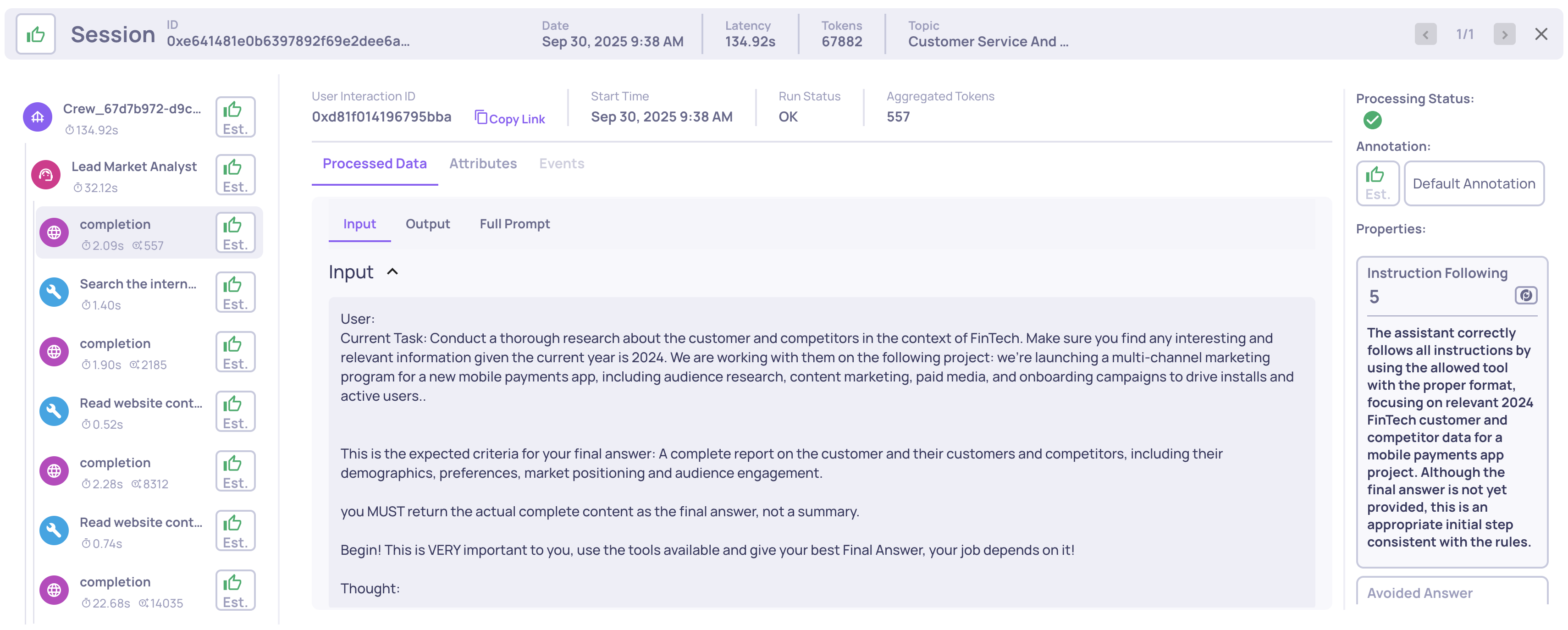
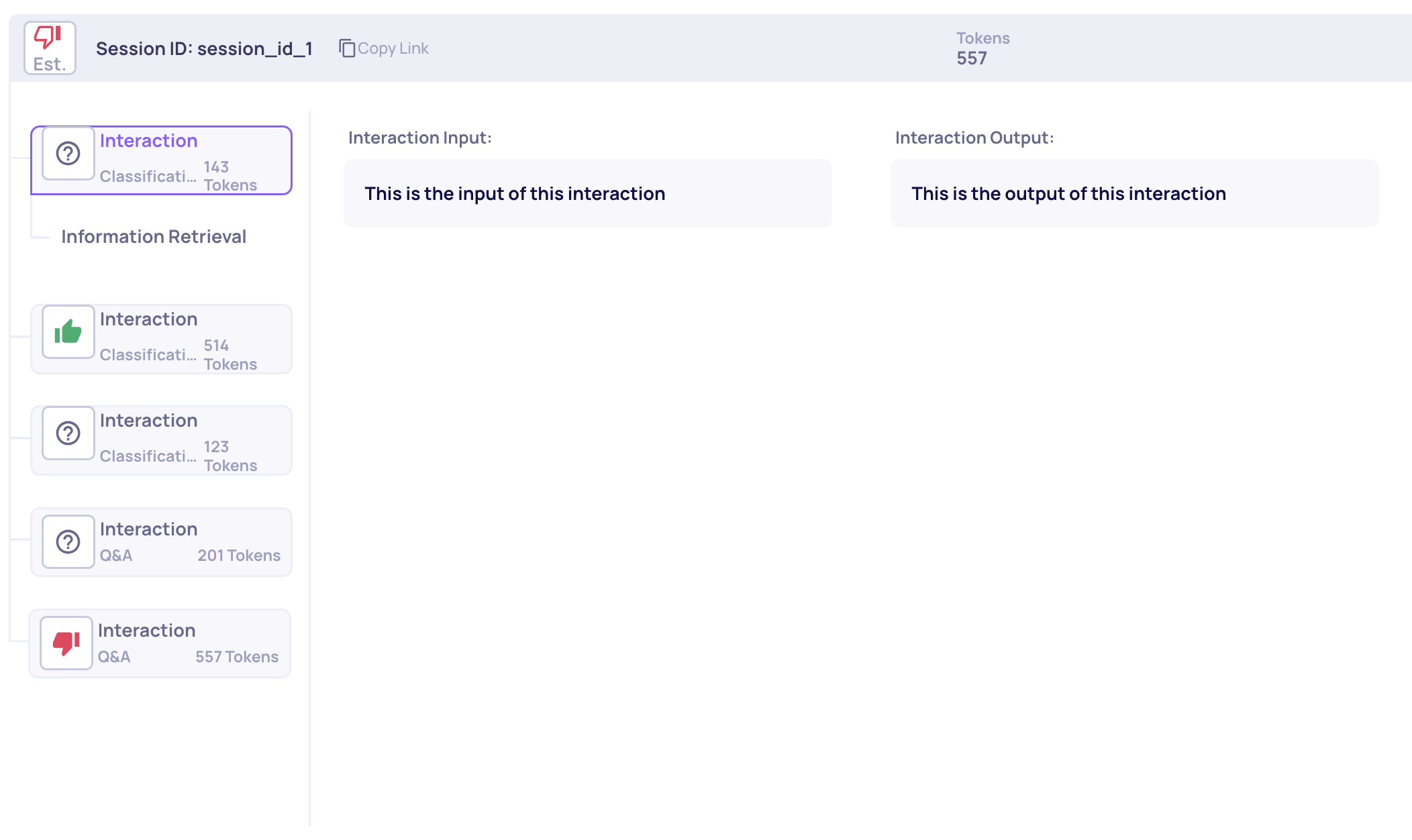
  • Support of Agent Use-Cases

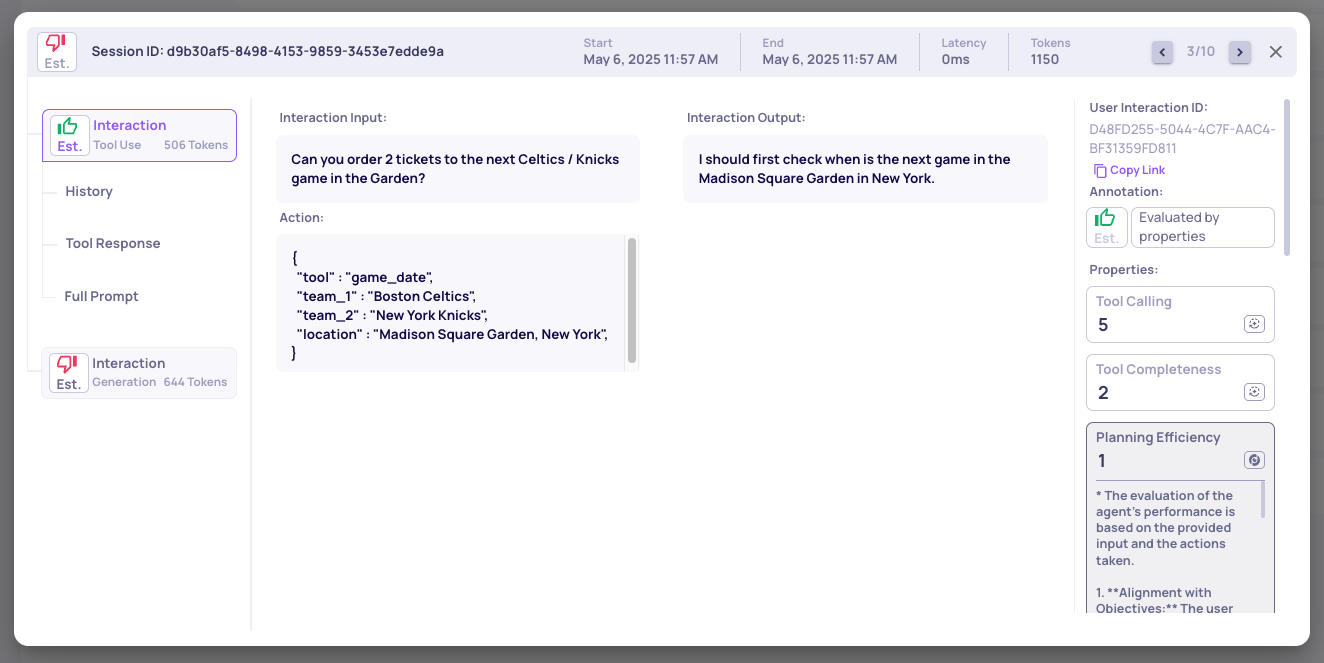
    • We've introduced a new interaction type: Tool Use, designed to evaluate agentic workflows where LLMs invoke external tools (e.g., calculators, web search, APIs) during multi-step reasoning. This structure captures each step's observation, action, and response, enabling detailed analysis of the agent's decision-making process.
    • To support this, we've added specialized properties such as Tool Appropriateness, Tool Efficiency, and Action Relevance, allowing for nuanced evaluation of tool-based interactions. These properties help assess whether the chosen tools are suitable, efficiently used, and relevant to the task at hand. For more details, click here.
Example of an Agent Use-Case Session with Tool-Use Unique Properties

Example of an Agent Use-Case Session with Tool-Use Unique Properties


  • Experiment Management

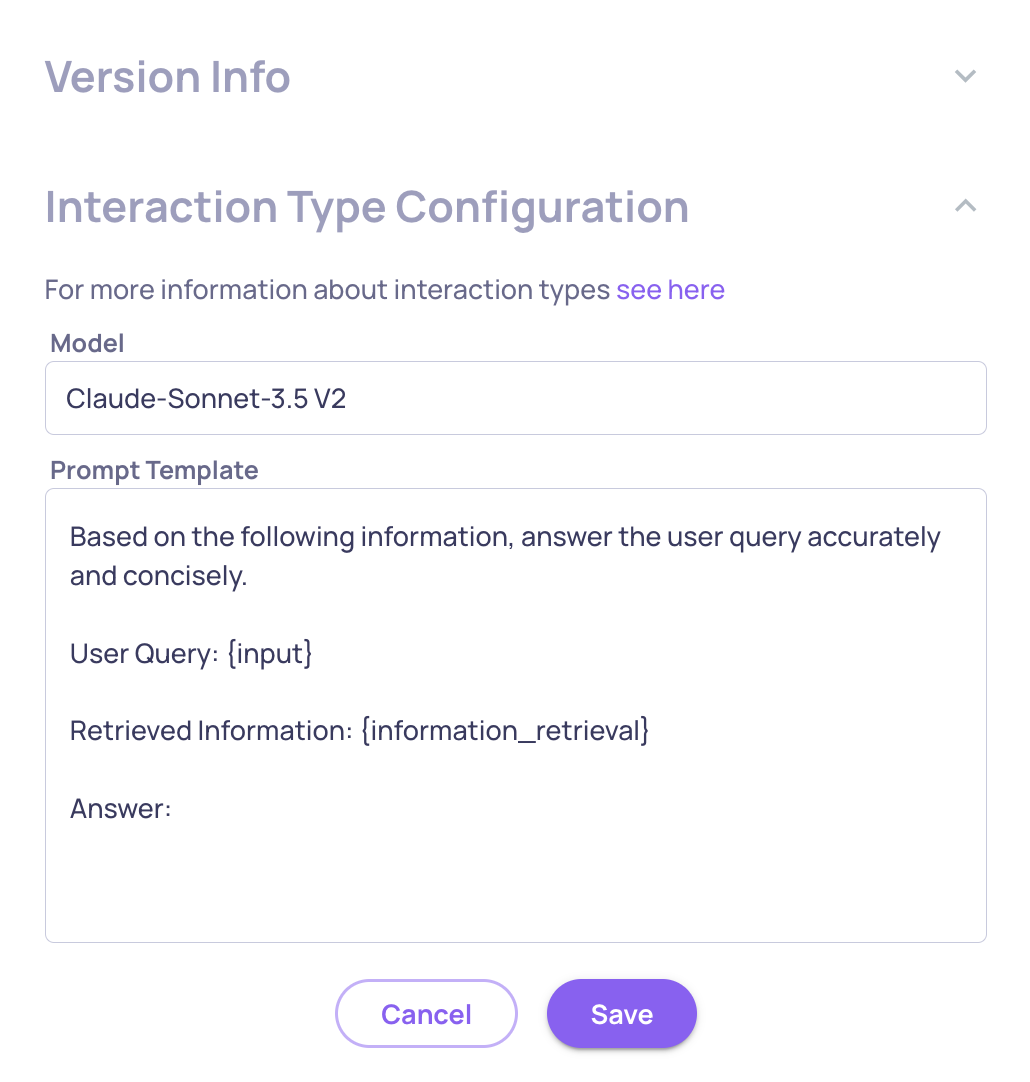
    • We've enhanced our experiment management by introducing interaction-type-level configuration. Beyond version-level metadata, you can now define experiment-specific details—such as model identifiers, prompt templates, and custom tags—directly within each interaction type. This granularity enables more precise comparisons across experiments and a clearer understanding of how specific configurations impact performance. For more details, click here.
Experiment Configuration Data on the Interaction Type Level

Experiment Configuration Data on the Interaction Type Level


  • Introducing Tracing Metrics

    • We've added support for tracing metrics, enabling you to analyze interaction latency and token usage across your LLM workflows. These metrics are aggregated at the session level, providing a comprehensive view of performance over multi-step interactions. This enhancement facilitates deeper analysis of version behavior and more effective comparisons between different configurations. For more details, click here.
    Sorting and Filtering by tracing data on the Data Screen

    Sorting and Filtering by tracing data on the Data Screen


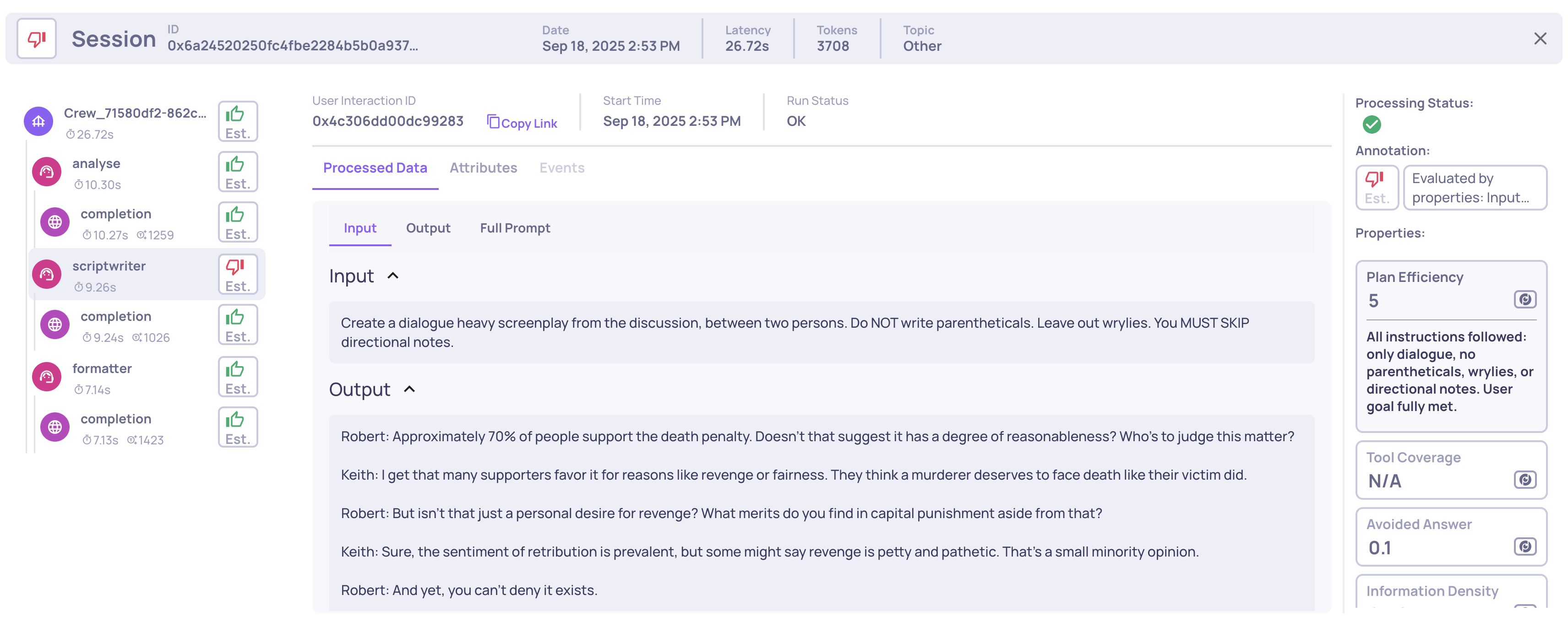
  • Session Annotations

    • We've expanded our annotation capabilities by introducing session-level annotations. Previously, annotations were available only at the interaction level. Now, Deepchecks aggregates these into a single session annotation using a configurable logic. This enhancement is particularly beneficial for evaluating multi-step workflows, such as agentic or conversational sessions, where understanding the overall session quality is crucial. For more details, click here.
A session that was annotated \"bad' due to a bad interaction annotation on a flagged interaction type (Q&A)

A session that was annotated 'bad' due to a bad interaction annotation on a flagged interaction type (Q&A)

0.27.0 Release Notes

by Yaron Friedman

This version includes improved properties flows, updated usage tracking method and flexibility in model choice, along with more features, stability and performance improvements, that are part of our 0.27.0 release.

Deepchecks LLM Evaluation 0.27.0 Release

  • 🏷️ New Categorical Prompt Properties
  • 🗃️ Document Classification and Retrieval Properties for RAG Use-Cases
  • 🤖 Support of Claude-Sonnet-3.7 as an Optional Model for Prompt Properties
  • 🌐 Customize Translation Settings per App

What’s New and Improved?

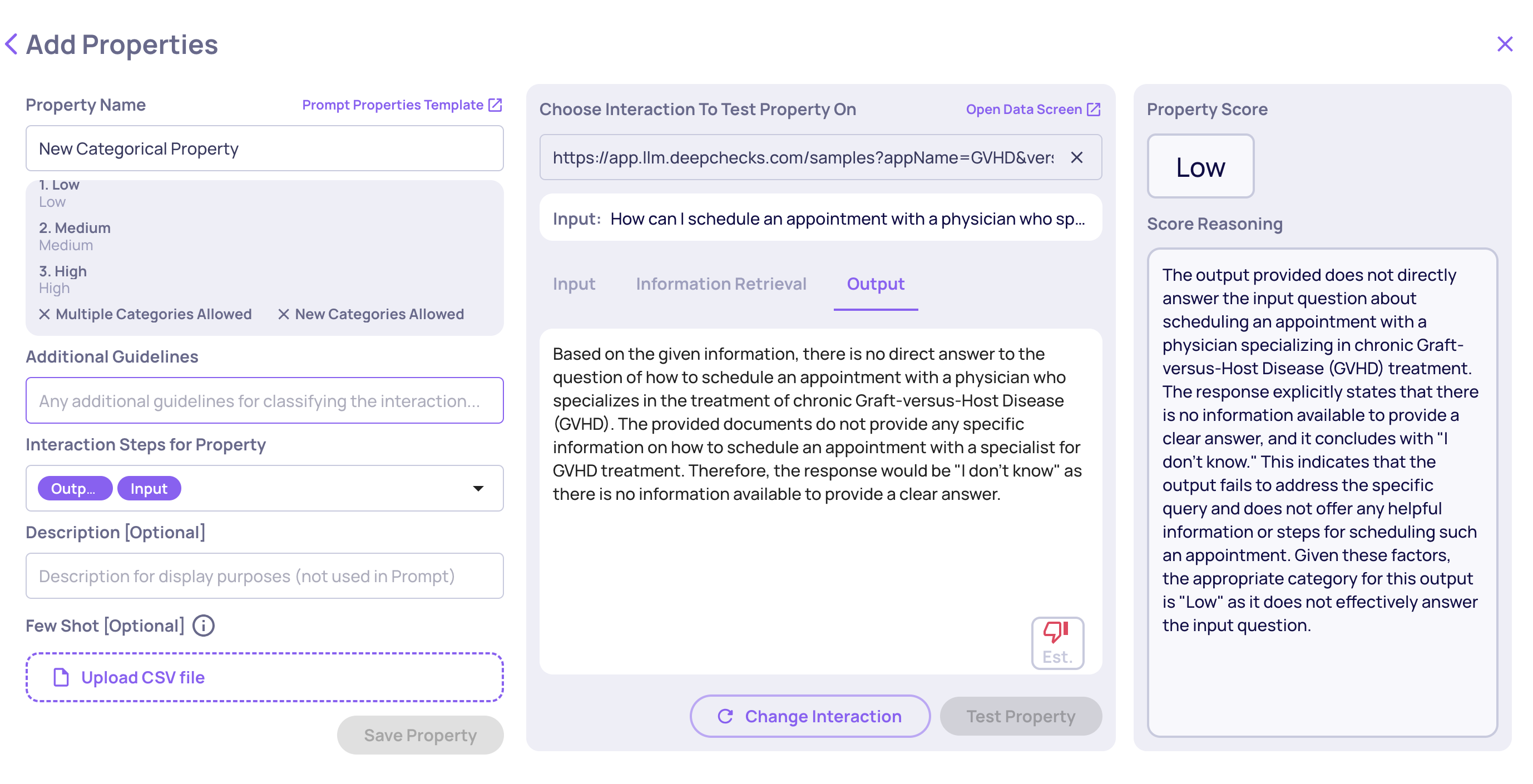
  • New Categorical Prompt Properties

    • We've introduced a new type of prompt property: Categorical. Previously, only numerical properties were available, providing scores of 1-5. Now, you can categorize interactions based on user-defined categories and guidelines, with options to allow the LLM to create new categories and classify an interaction into multiple categories. For more details, click here.
Add Categorical Property Screen

Add Categorical Property Screen

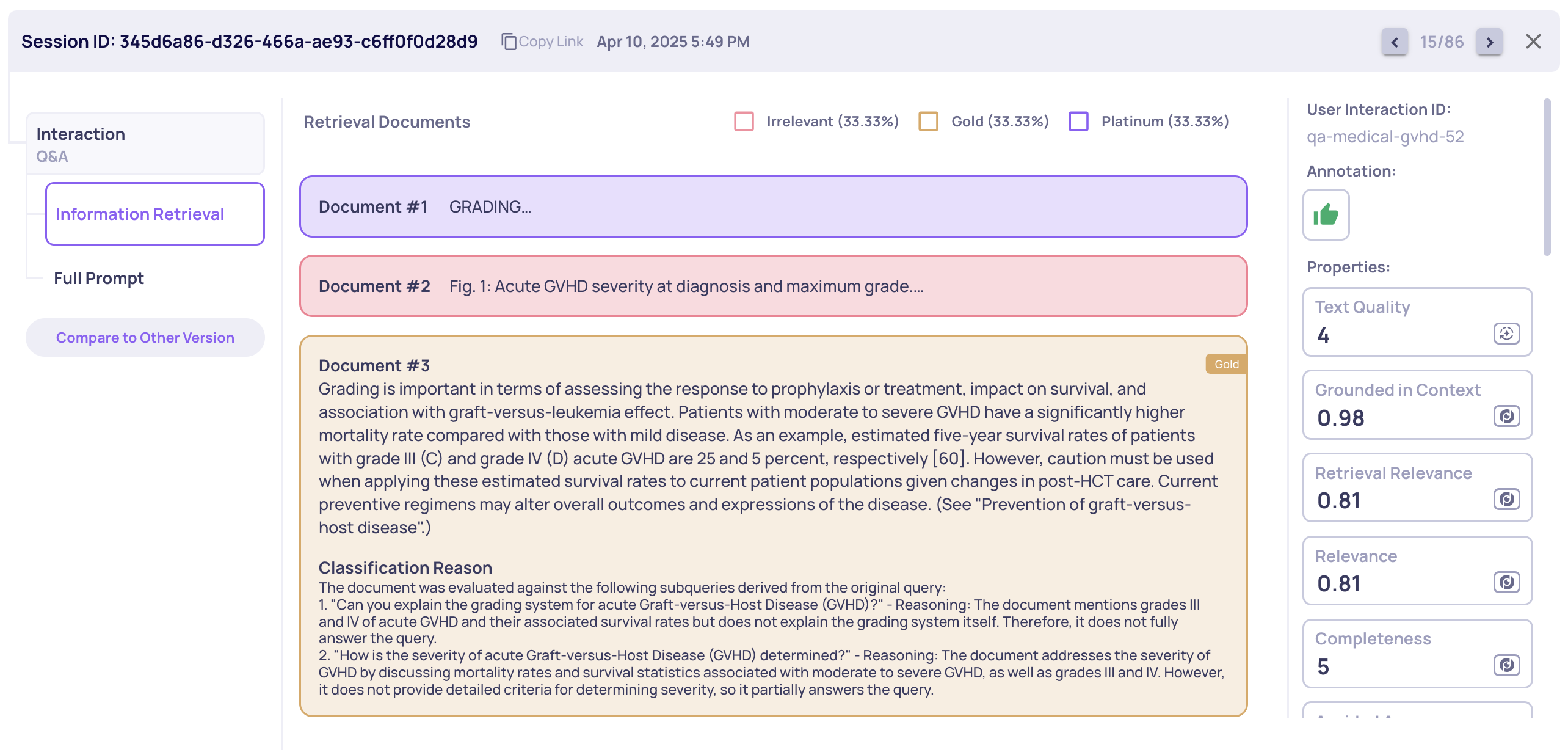
  • Document Classification and Retrieval Properties for RAG Use-Cases

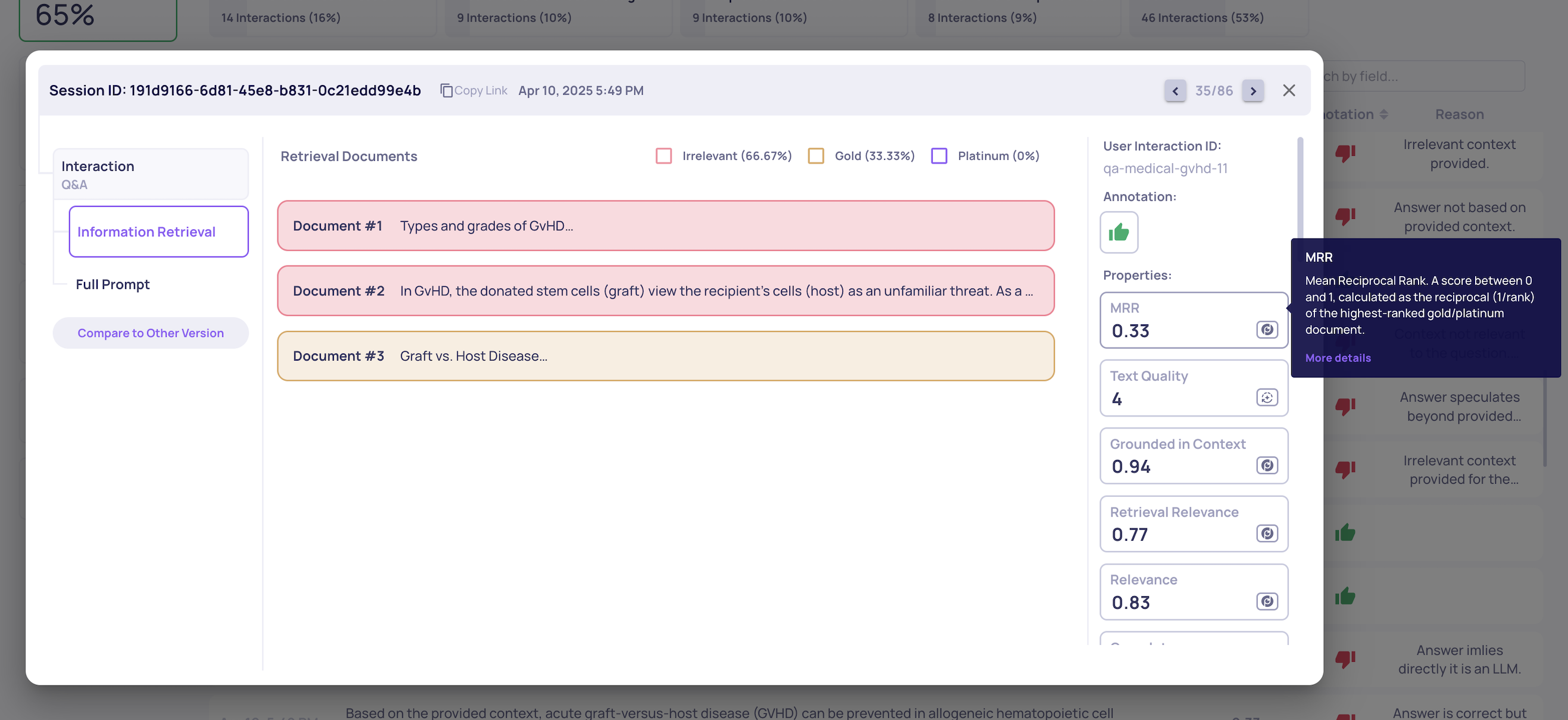
    • We now offer enhanced support for RAG use-cases by introducing document classification into Platinum, Gold, and Irrelevant classes, along with dedicated retrieval-use-case properties derived from these classifications. To enable classification and retrieval property calculations, go to "Edit Application" on the "Manage Applications" screen.
    Example of Document Classification for a Single Interaction

    Example of Document Classification for a Single Interaction

    Example of the MRR Retrieval Property calculation

    Example of the MRR Retrieval Property calculation


  • Support of Claude-Sonnet-3.7 as an Optional Model for Prompt Properties

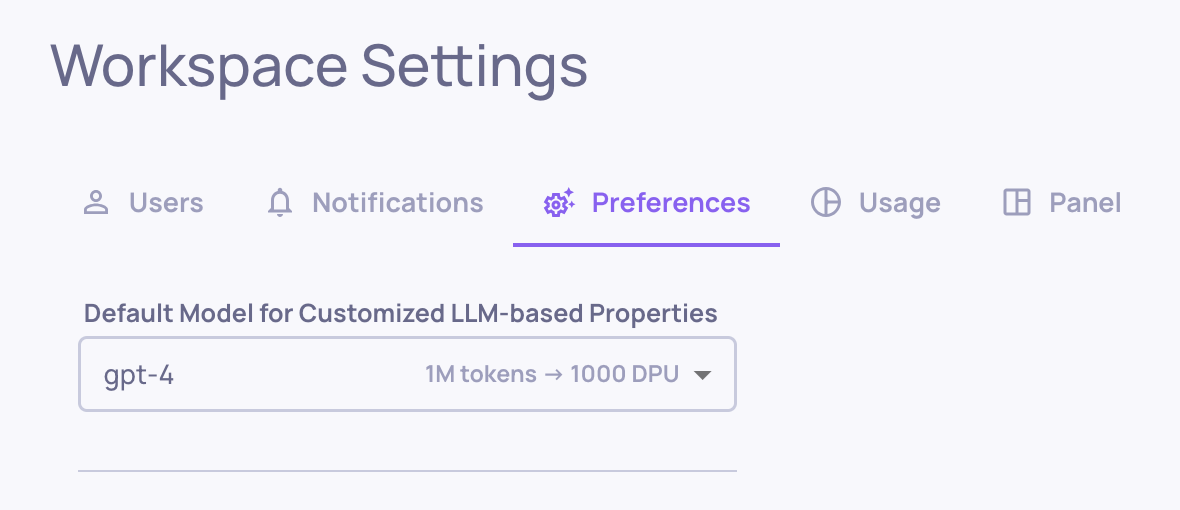
    • In this version, we introduce support for the Claude-Sonnet-3.7 model for custom prompt properties. To view usage info and switch your model to Sonnet-3.7, go to "Preferences" on the "Workspace Settings" tab at the organization level, or "Edit Application" on the "Manage Applications" screen at the application level.
  • Customize Translation Settings per App

    • Customers with translation capabilities can now toggle translation on or off at the application level. When translation is off, new uploaded data will not be translated. This can be configured in the "Edit Application" window.

0.26.0 Release Notes

by Yaron Friedman

This version includes improved properties flows, updated usage tracking method and flexibility in model choice, along with more features, stability and performance improvements, that are part of our 0.26.0 release.

Deepchecks LLM Evaluation 0.26.0 Release

  • 📄 New Properties Screen
    • 📕 Note: Properties Naming Update
  • 🦸‍♀️ LLM Model Choice for Prompt Properties
  • 🪙 Usage Tracking Updated to Deepchecks Processing Units (DPUs)
  • 🧮 New Property Recalculation Options
  • 💽 Download All Interactions in a Session

What’s New and Improved?

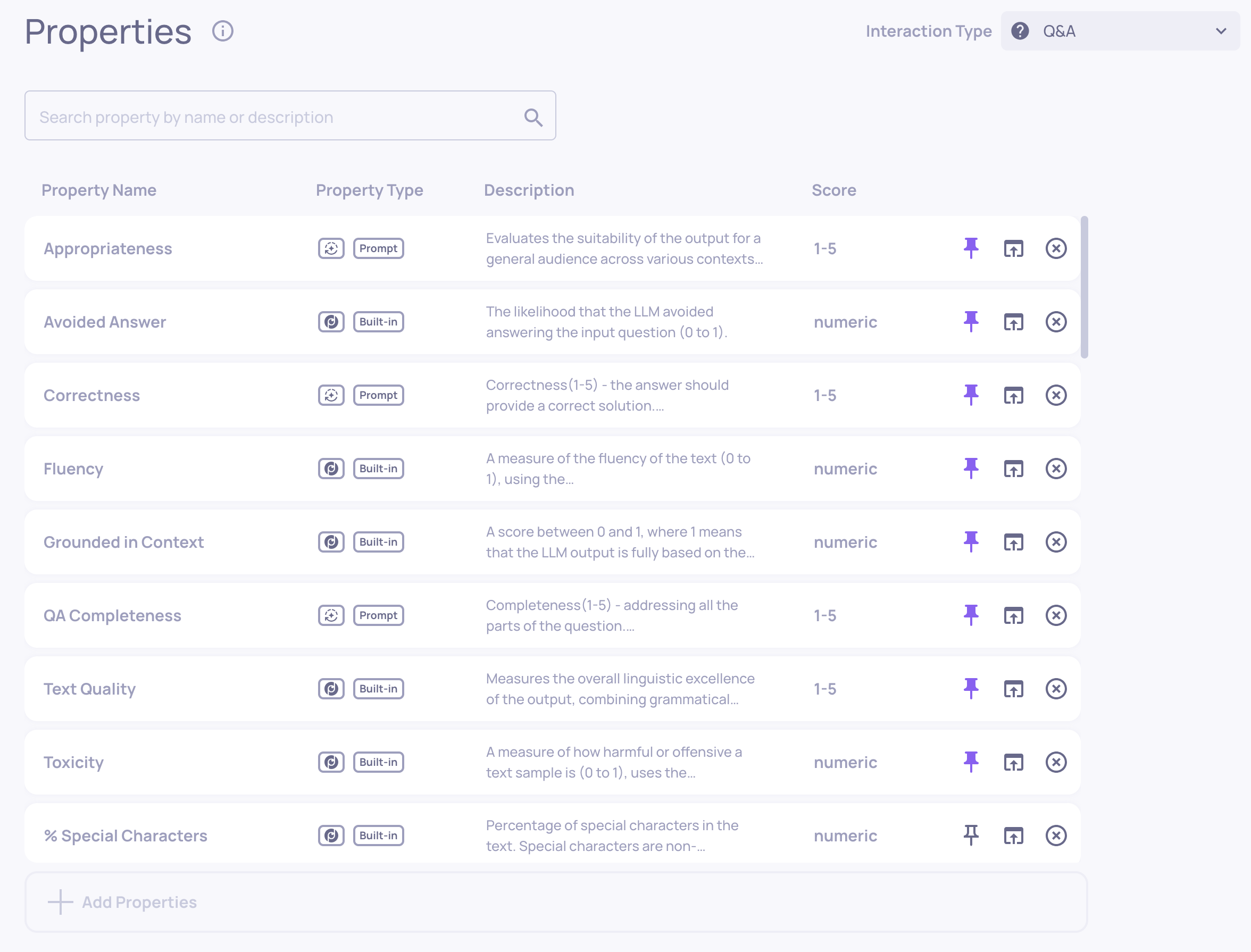
  • New Properties Screen

    • In the main properties screen, LLM, built-in and custom properties have been consolidated into one unified list, with icon differentiation for each property type.
    Illustration of the Properties Screen
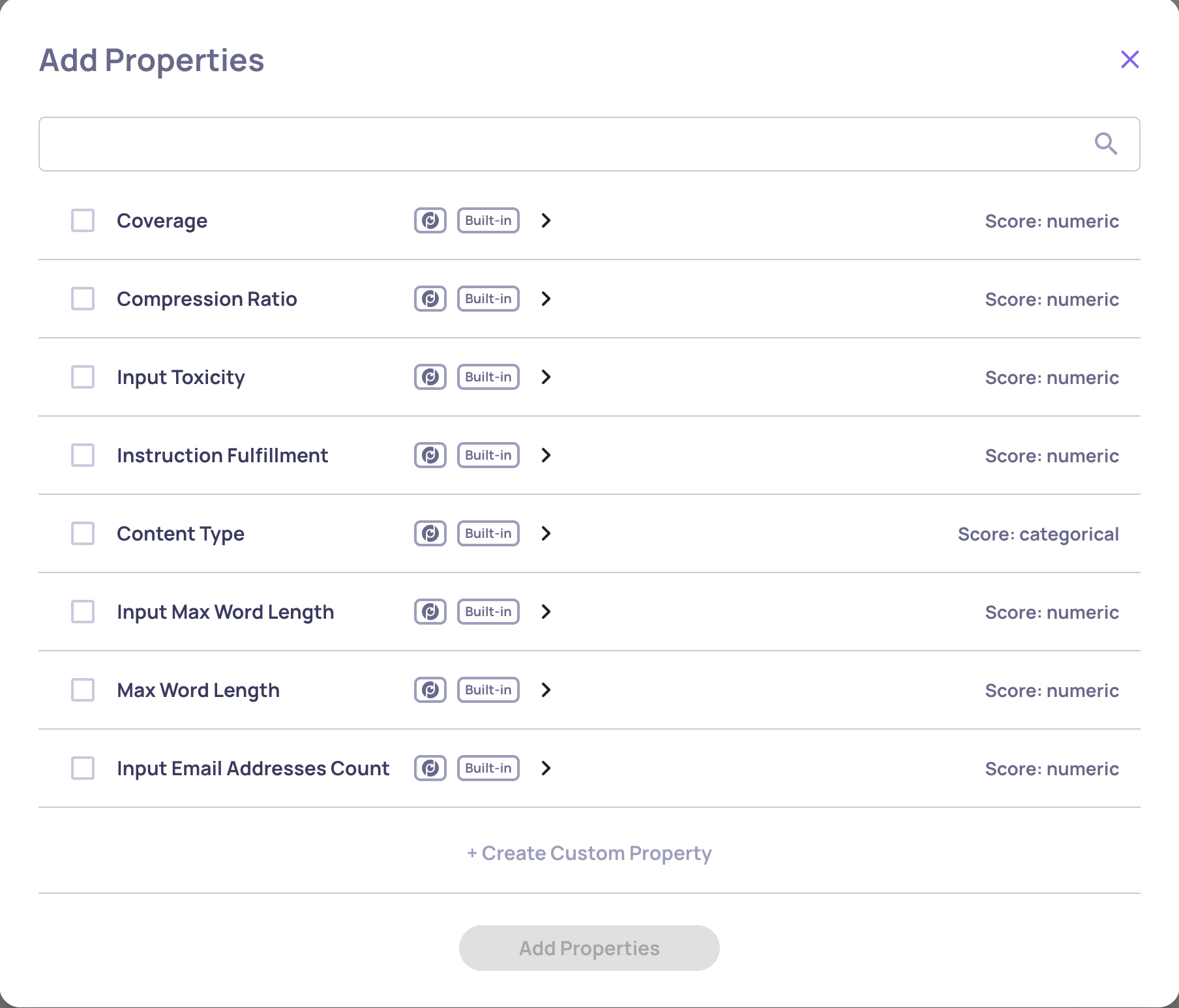
    • Properties on the main screen will be automatically calculated for all interactions within the relevant interaction type. Additional properties can be incorporated by selecting them from the “property bank.”
    • A centralized “hub” is now available for adding and customizing new properties.
    • For more information on the new properties structure and flows, click here
    • 📘

      Property Naming Updates

      • To improve property naming and understanding, Deepchecks no longer requires the types -"out", "in", "llm", "custom". Instead - names of active properties have to be unique. Accordingly, the "type" filed is now redundant in YAML, and some properties were renamed for clarity and uniqueness.
      • Renamed properties:
        • All properties that had an "_INPUT" suffix, e.g. FLUENCY_INPUT, TOXICITY_INPUT are now INPUT_TOXICITY, INPUT_FLUENCY
        • All properties that had an "_OUTPUT" or an "_LLM" suffix have dropped that suffix (e.g. LEXICAL_DENSITY_OUTPUT is now LEXICAL_DENSITY, and COMPLETENESS_LLM is now COMPLETENESS)
  • LLM Model Choice for Prompt Properties

    • You can now select which models process your Prompt properties in the Deepchecks app, providing greater flexibility. Usage is calculated based on the selected LLM model.

    • This configuration can be managed on two levels:

      • Organization-wide default settings (accessible via "Workspace Settings").
      • Application-specific settings (override the default for specific applications in the "Application" screen).
  • Usage Tracking Method Shift — from Tokens to DPUs

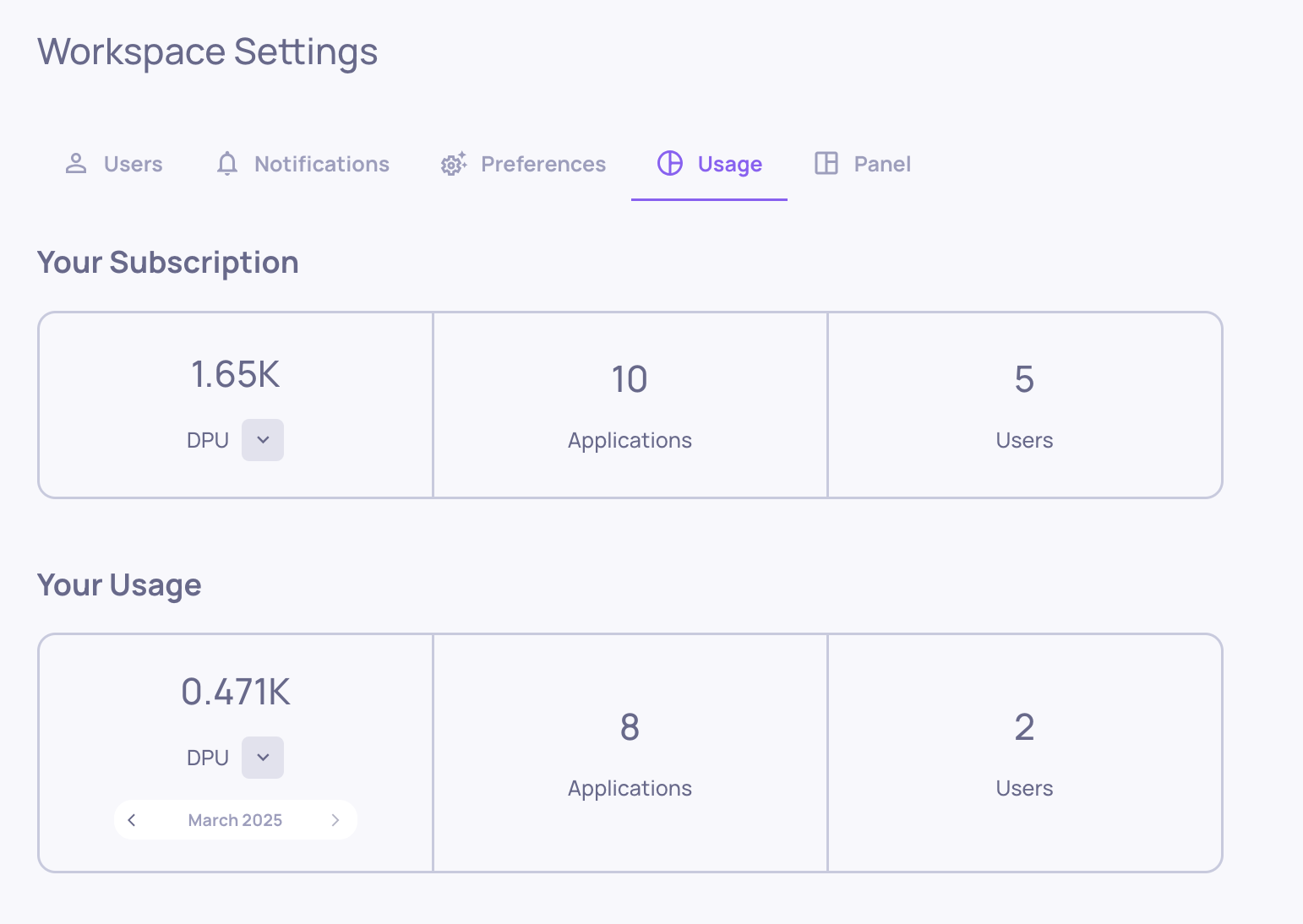
    • We've updated our usage tracking method from tokens to DPUs (Deepchecks Processing Units) to accommodate our new flexible model choices. In addition to being a more accurate and transparent usage tracking method, this change provides you with a unified pool of processing units which you can allocate as needed.
    • The usage screen displays your plan in DPUs and shows your monthly usage. Click the small arrow to see a detailed breakdown of your monthly DPU usage.
    • Where applicable, you'll see how 1M LLM token usage converts to DPUs for different models.
  • Property Recalculation Options

    • You can now recalculate properties based on interaction upload dates (time range), in addition to recalculating across all interactions in selected versions.

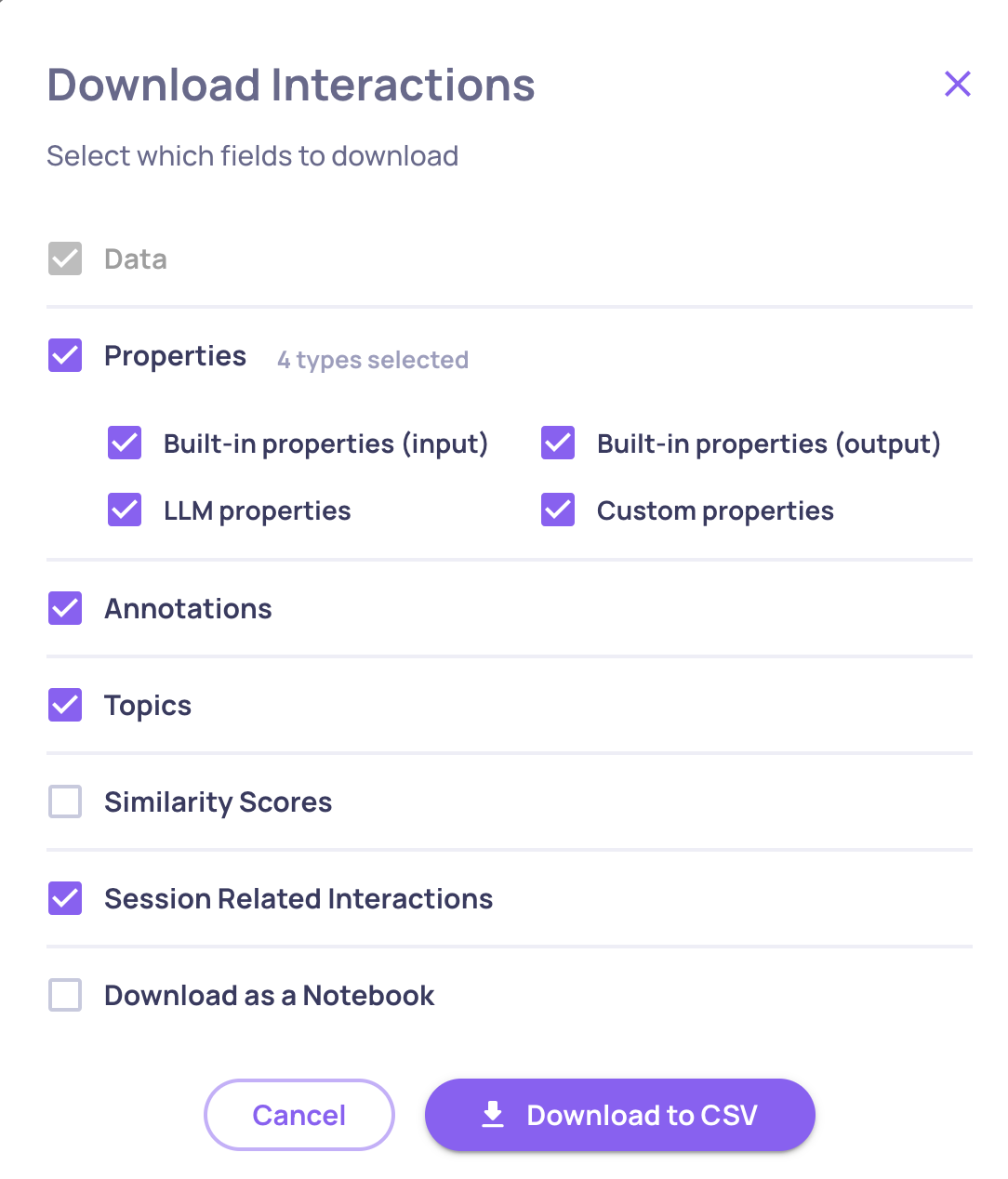
  • Download All Interactions in a Session (Available in UI & SDK)

    • In the interaction download flow we’ve added to option to download all other interaction in a given session. Checking this option when downloading multiple interactions will result in downloading all of the interaction from all the relevant sessions.

  • You can also download all session related interaction with the SDK:

dc_client = DeepchecksLLMClient(
        host="HOST",
        api_token="API_KEY"
    )
df = dc_client.get_data(
        app_name="APP_NAME",
        version_name="APP_VERSION",
        env_type=EnvType.EVAL,
        user_interaction_ids=['46eaf233-5825-4bad-ad02-0d8dbd94994e', '80ab45da-53f4-45b1-a3b5-94c7afe05bec'],
        return_session_related=True
    )

0.25.0 Release Notes

by Shir Chorev

This version includes new user roles, updated design for the expected output data, and metadata information for the automatic annotation pipeline, along with more features, stability and performance improvements, that are part of our 0.25.0 release.

Deepchecks LLM Evaluation 0.25.0 Release

  • 🎨 New Expected Output Design
  • ⏳ Estimated Annotations Configuration - Metadata & Download
  • 🫵 User Roles

What’s New and Improved?

  • Expected Output Design

    • When "expected_output"s are logged for an interaction, they are now conveniently available alongside the original output, allowing easy comparison, highlighting and evaluating alongside the Expected Output Similarity property.

  • Estimated Annotations Configuration Updates

    • The interaction type auto annotation configuration now allows:

      • Seeing when the auto-annotation YAML was last uploaded and by whom.
      • Downloading the current or default (preset) configuration for that interaction type.

  • User roles

    • Deepchecks now supports different user roles. The following are the three preset roles:
      • Viewers - can view the applications and data inside the Deepchecks system
      • Members - can upload data, update the properties and evaluation configurations
      • Admins - full control, including inviting and removing users from organization, and organization deletion

0.24.0 Release Notes

by Shir Chorev

This version includes support for expected outputs (comparison to ground truth) and customization of interaction types for evaluation, along with more features, stability and performance improvements, that are part of our 0.24.0 release.

Deepchecks LLM Evaluation 0.24.0 Release

  • ✅ Support for Expected Outputs for Evaluation Data Comparison
  • 🥗 Custom Interaction Types & Configuration

What’s New and Improved?

  • Support for Expected Outputs for Evaluation Data Comparison

    • You can now send an expected_output field, allowing you to log your ground truths alongside your outputs

    • Expected Output Similarity Property - Deepchecks built in property for assessing the accuracy of your output in comparison to the ground truth. 5 is highly accurate and 1 is the opposite. This is used for identifying wrong outputs in the auto-annotation configuration. Read more about this property here.

  • Custom Interaction Types & Configuration

    • Update to the Interaction Types screen, including the auto-annotation configuration which is now available here.

    • You can now define your custom interaction types alongside the Deepchecks preset ones. Choose an icon, name, the desired properties and your auto-annotation configuration and you’re ready to go.
    • When defining a new interaction type you can either start from scratch, or use as a template any of the interaction types that you already have defined in your current app.

🚧

Note: SDK Breaking Changes

All calls to log_batch_interactions, are now done using the LogInteraction object, which is a renaming of the previous LogInteractionType object.

Previosly:

dc_client.log_batch_interactions(
	app_name="app", version_name="version", env_type=EnvType.EVAL,
  interactions=LogInteractionType(
  	input="input",
    output="output",
    user_interaction_id="id",
    interaction_type="Q&A",
    session_id="session-id"  
  )
)

now:

dc_client.log_batch_interactions(
	app_name="app", version_name="version", env_type=EnvType.EVAL,
  interactions=LogInteraction(
  	input="input",
    output="output",
    user_interaction_id="id",
    interaction_type="Q&A",
    session_id="session-id"  
  )
)

0.23.0 Release Notes

by Shir Chorev

This version introduces the concept of Sessions, enabling better organization and analysis of interactions across complex workflows such as agents. This capability is now fully integrated across the platform, including SDK support for managing and interacting with session-level data. The Sessions concept, along with additional improvements, stability updates, and performance enhancements, is part of our 0.23.0 release.

Deepchecks LLM Evaluation 0.23.0 Release

  • 🧮 New Sessions Layer, and SDK Enhancements Supporting it
  • 🔡 Data Screen Content Search
  • ⛏️ Feature Extraction Interaction Type

What’s New and Improved?

  • New Sessions Layer for evaluating and viewing multi-phase and agentic workflows

    • Sessions introduce a new hierarchy for organizing interactions, allowing users to logically group related activities, such as conversations or tasks split into multiple steps.

    • When opening an interaction on the data screen, you can see all interactions associated with the same session id

    • More info about SDK adaptations below

  • Data Screen Content Search

    • Interactions can now be searched for in Data screen based on interaction content and not only IDs.

    • This is selectable using the search filters in the Data screen.

  • Feature Extraction Interaction Type

    • Feature Extraction is an interaction type dedicated to cases where information is extracted from a text into a predefined format (e.g. a JSON schema). This interaction type also presents three new properties that excel in evaluating an LLM's performance in an extraction task.

Session SDK/API Enhancements

  • Session Support inLogInteraction

    • Introduced the optional session_id parameter in the LogInteraction class, enabling developers to assign custom session identifiers to group related interactions.

    • If session_id is omitted, the system generates a unique session ID automatically.

      from deepchecks_llm_client.data_types import LogInteraction
      from datetime import datetime
      
      single_sample = LogInteraction(
          user_interaction_id="id-1",
          input="my user input1",
          output="my model output1",
          started_at="2024-09-01T23:59:59",
          finished_at=datetime.now().astimezone(),
          annotation="Good",  # Either Good, Bad, Unknown, or None
          interaction_type="Generation",  # Optional. Defaults to the application's default type if not provided.
          session_id="session-1",  # Optional. Groups related interactions; auto-generated if not provided.
      )
  • Session Support in Stream Upload

    • Added support for session_id in stream upload via the log_interaction method, facilitating real-time tracking of interactions within sessions.

      dc_client.log_interaction(
          app_name="DemoApp",
          version_name="v1",
          env_type=EnvType.EVAL,
          user_interaction_id="id-1",
          input="My Input",
          session_id="session-1",
          is_completed=False,
      )
  • Session-Based Filtering inget_data

    • Enhanced the get_data method to include filtering by session_ids, providing greater flexibility in retrieving session-specific data.

      dc_client.get_data(
          app_name="MyAppName",
          version_name="MyVersionName",
          environment=EnvType.EVAL,
          session_ids=["session-1", "session-2"],
      )