DocumentationAPI ReferenceRelease Notes
DocumentationLog In
Release Notes
These docs are for v0.12.0. Click to read the latest docs for v0.38.0.

0.38.0 Release Notes

by Yaron Friedman

We’re excited to announce version 0.38 of Deepchecks LLM Evaluation - introducing framework-agnostic data ingestion for agentic workflows, a more expressive Avoidance evaluation property, and a new Metric Viewer role. This release expands who can use Deepchecks, improves failure signal quality, and strengthens access control and platform clarity.

Deepchecks LLM Evaluation 0.38.0 Release:

  • 🧩 Framework-Agnostic Agentic Data Ingestion
  • 🚫 Avoided Answer → Avoidance (Enhanced Property)
  • 🔐 New RBAC Role: Metric Viewer
  • 🤖 New Models Available for LLM-Based Features
  • ⚠️ SDK Deprecation Notice: send_spans()

What's New and Improved?

Framework-Agnostic Agentic Data Ingestion

Deepchecks now supports uploading agentic and complex workflow data via the SDK, without relying on automatic tracing from a supported framework. This enables full observability and evaluation for teams using custom frameworks, in-house orchestration layers, or unsupported agent runtimes.

You can manually structure and send sessions, traces and spans to Deepchecks while still benefiting from the full evaluation, observability, and root-cause analysis capabilities.

For a step-by-step guide, click here.


Avoided Answer → Avoidance (Enhanced Property)

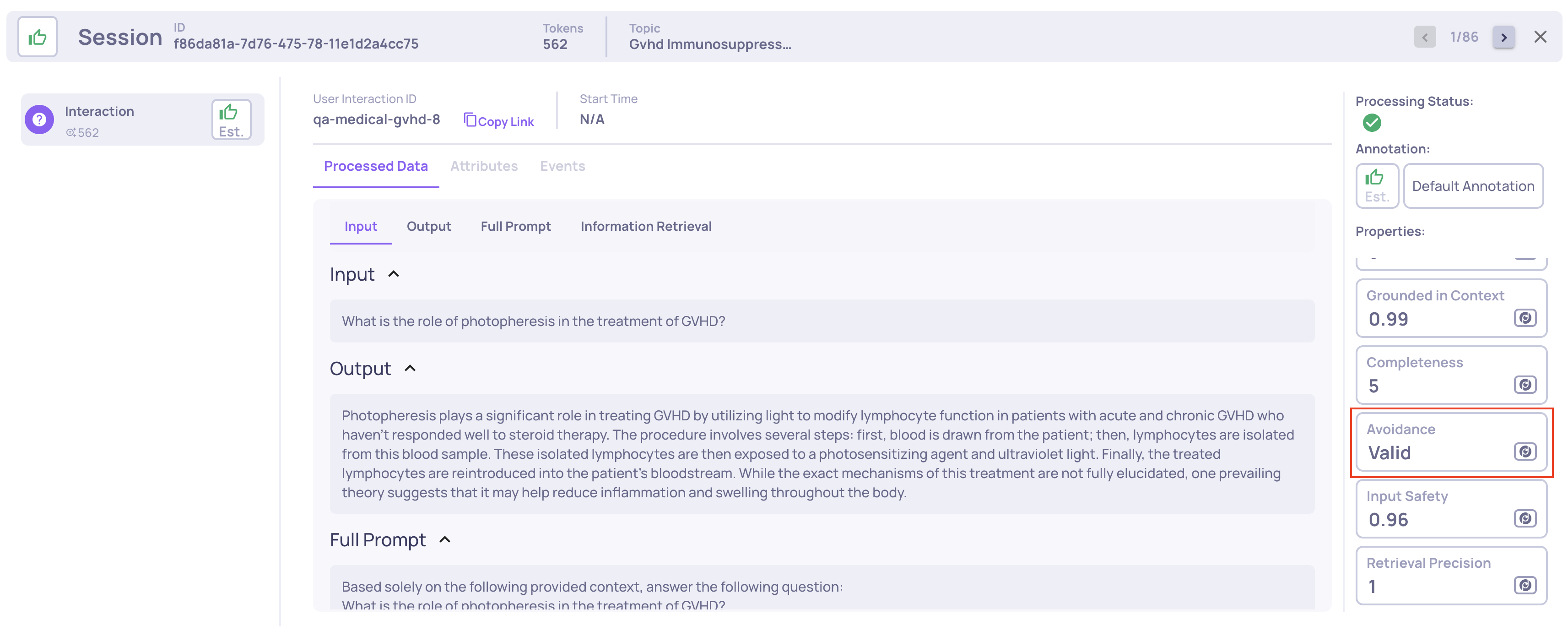
The existing Avoided Answer property has been upgraded to Avoidance, providing richer and more actionable signals.

What changed:

  • Previously: a binary (0/1) score indicating whether an answer was avoided.
  • Now: a categorical property that distinguishes between:
    • valid — the input was not avoided
    • Specific avoidance modes (e.g. policy-based, lack of knowledge, safety constraints, and more)

This enables clearer diagnosis of why an answer was avoided and supports more meaningful aggregation and analysis across versions.

📌 Deprecation note: The legacy Avoided Answer property is deprecated but will continue to function for existing applications.

For full property definitions and migration details, click here.


New RBAC Role: Metric Viewer

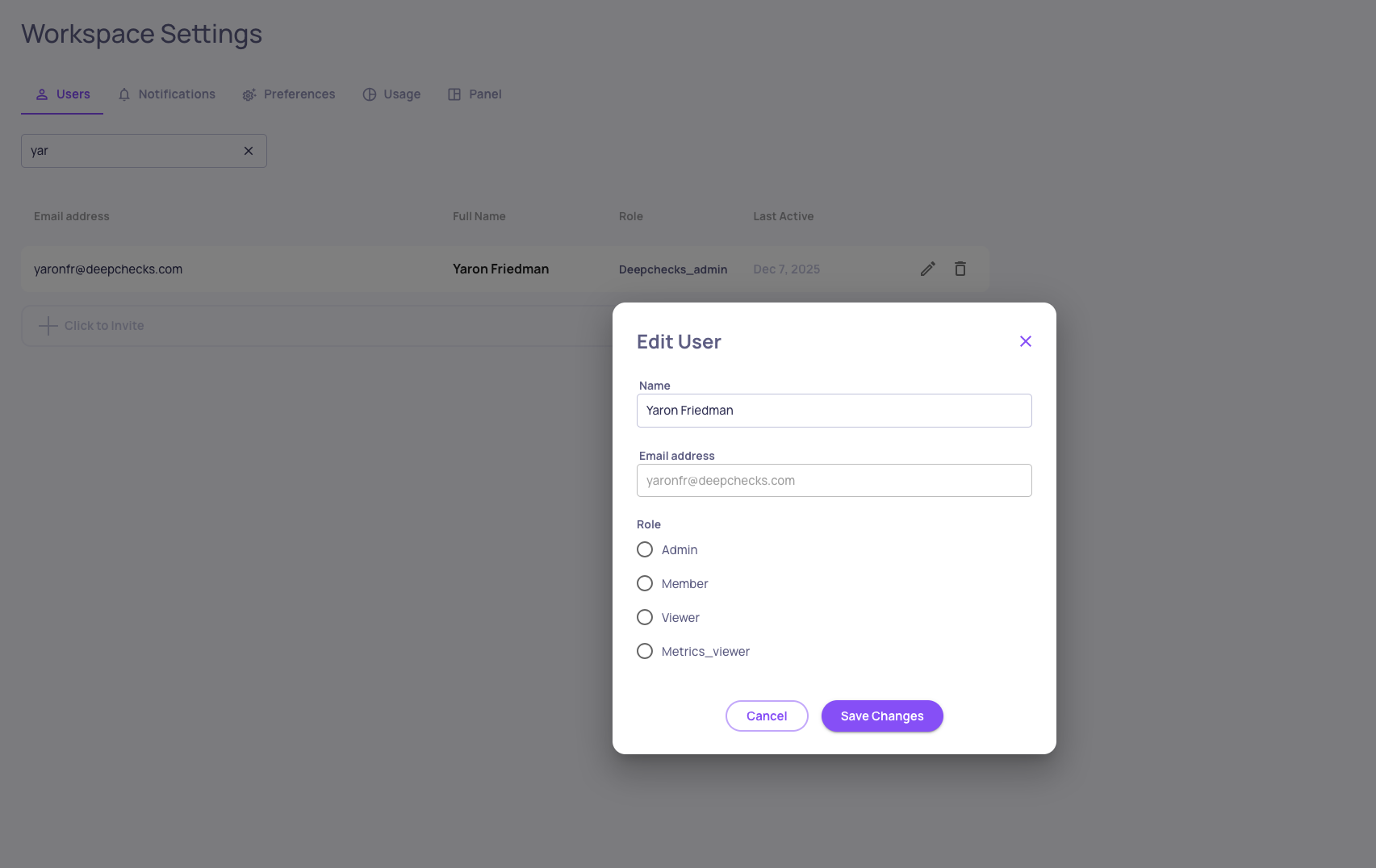
We’ve added a new role to Deepchecks Role-Based Access Control: Metric Viewer.

This role is designed for stakeholders who need high-level insights without access to raw data.

Metric Viewer capabilities:

  • Read-only access to aggregated metrics and evaluation results
  • Access limited to the version level
  • ❌ No access (via UI or SDK) to raw spans and traces
  • ❌ No write permissions

This complements the existing Viewer role by enabling stricter data-access boundaries for security-sensitive environments.

To learn more about Deepchecks RBAC roles, click here.


New Models Available for LLM-Based Features

The following models are now supported:

  • GPT-5.1
  • Amazon Nova 2 Lite
  • Amazon Nova Pro

These models can be selected for evaluation, analysis, and automation features across the platform.


SDK Deprecation Notice: send_spans()

The SDK function send_spans() has been renamed to log_spans_file() to better reflect its behavior and usage.

📌 Deprecation notice: send_spans() is now deprecated and will remain supported for the next few releases. We recommend migrating to log_spans_file() to ensure forward compatibility.

Updated SDK documentation and examples reflect the new function name.


0.37.0 Release Notes

by Yaron Friedman

We’re excited to announce version 0.37 of Deepchecks LLM Evaluation — featuring enhanced Agent Execution Flow Graphs, flexible span-to-interaction mapping, comprehensive version-level failure mode analysis, CloudWatch integration, and improved hierarchical views. This release helps users navigate complex agentic workflows, consolidate failure insights, and monitor metrics with even greater clarity and control.

Deepchecks LLM Evaluation 0.37.0 Release:

  • 🕸️ Enhanced Agent Execution Flow Graph
  • 🔄 Map Spans to Custom Interaction Types
  • 📊 Version-Level Failure Mode Summary
  • ☁️ CloudWatch Integration for Metrics
  • 📂 Collapsible Trees in Hierarchical Views

What's New and Improved?

Enhanced Agent Execution Flow Graph

The Agent Execution Graph now offers more interactivity and insights:

  • Clicking a node filters the Interactions screen to that specific node.
  • Hovering over nodes or edges shows metadata across all filtered runs.
  • Node and edge styles indicate consistency: solid lines appear in all filtered runs, dashed lines if only in some.

Map Spans to Custom Interaction Types

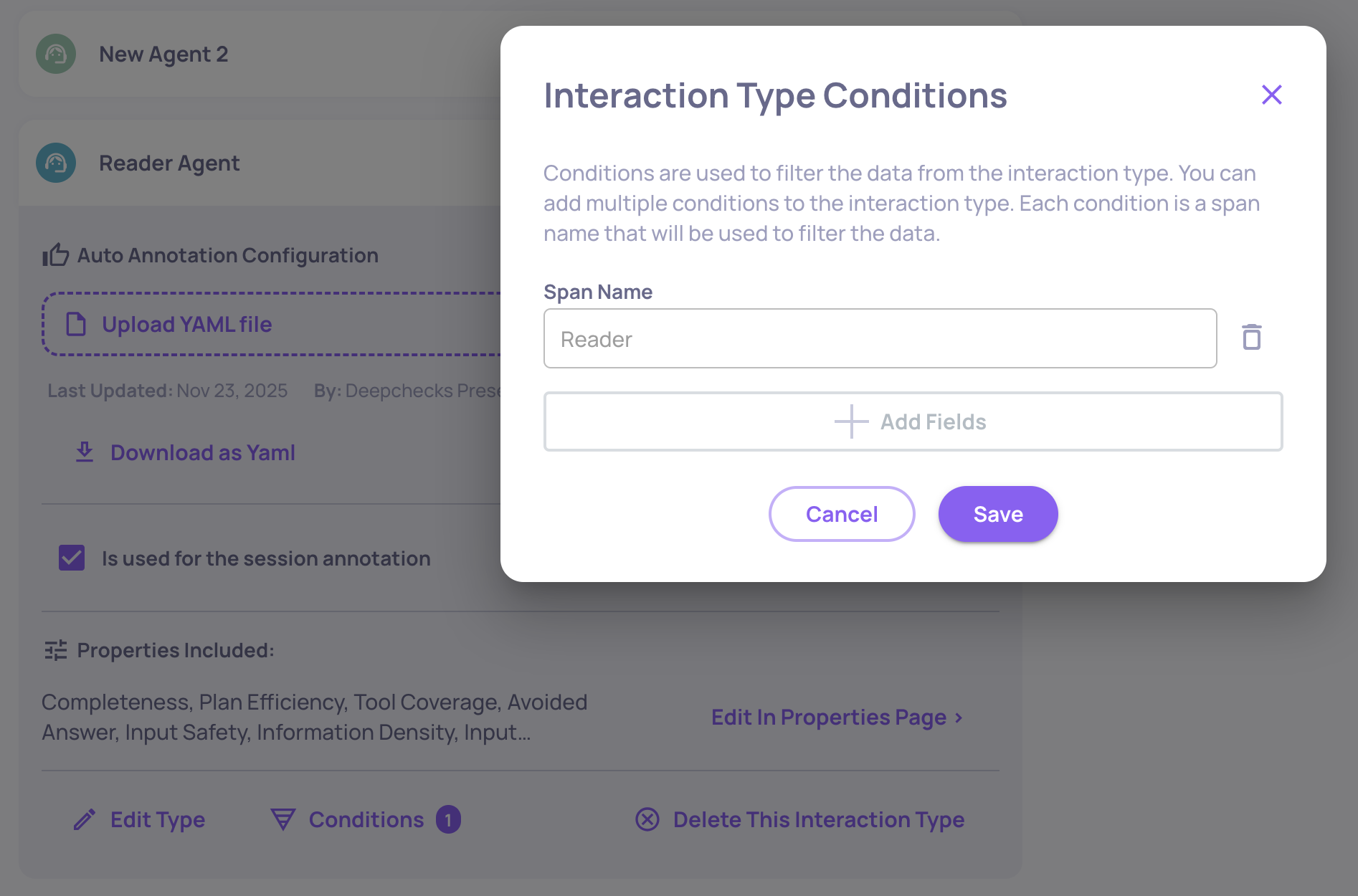
You can now assign specific span names to custom interaction types, overriding default mappings. This allows spans with the same kind to have distinct properties or auto-annotation rules, for example, mapping a “Reader” span and a “Writer” span to separate interaction types. For more details, click here.

Version-Level Failure Mode Summary

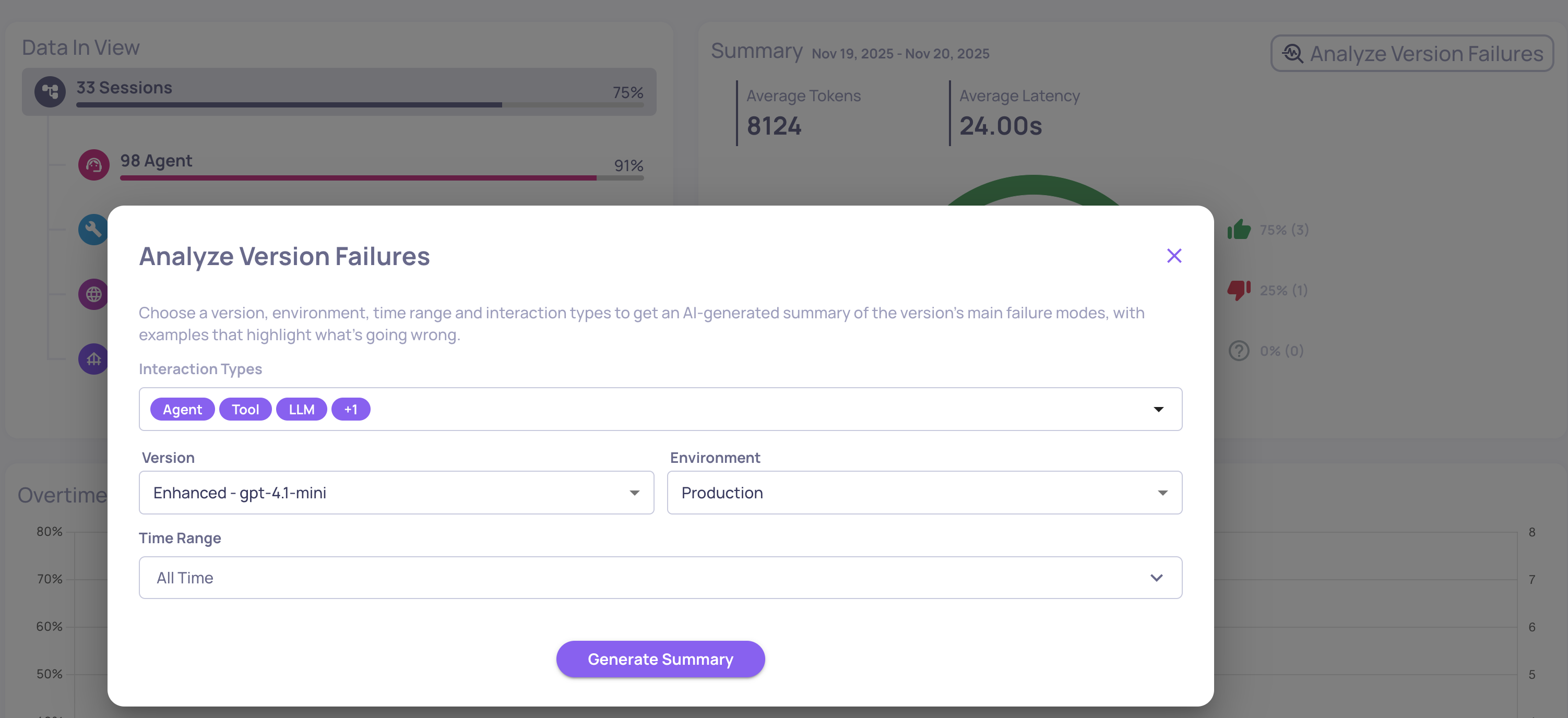
In addition to property-level insights, Deepchecks now generates a **version-level failure mode analysis report. **It aggregates failures across all interaction types and selected properties, providing a consolidated view of dominant issues in the system. Ideal for spotting cross-cutting problems, prioritizing improvements, and detecting regressions. Access this from the Version page via “Analyze version failures.” For more information, click here.

AWS CloudWatch Integration

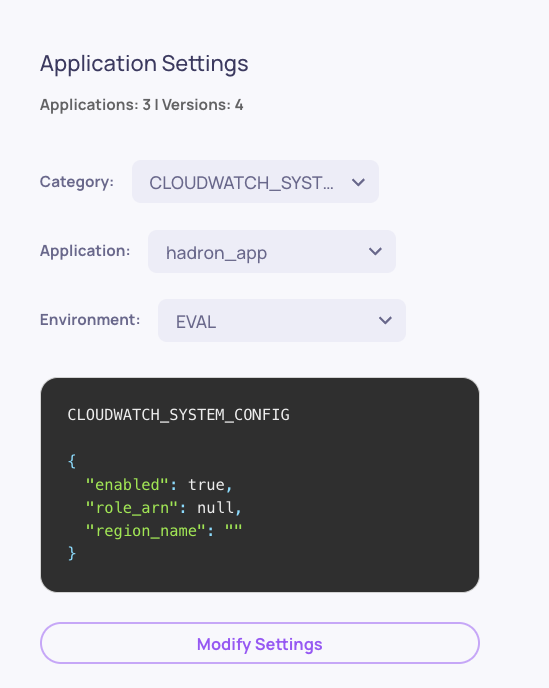
Deepchecks can now send monitoring data and LLM evaluation metrics directly to AWS CloudWatch. SageMaker users benefit immediately, with metrics appearing in CloudWatch dashboards and alarms without any additional setup. For more details click here.

Collapsible Trees in Hierarchical Views Hierarchical use cases now include collapse buttons, making it easier to navigate and focus on relevant branches of your workflows.


0.36.0 Release Notes

by Yaron Friedman

We’re excited to announce version 0.36 of Deepchecks LLM Evaluation - featuring a powerful new Agent Graph visualization, enhanced filtering and analysis capabilities, and deeper AWS SageMaker configurability. This release helps users better understand complex agentic executions, gain sharper analytical control, and manage configurations with greater transparency.

Deepchecks LLM Evaluation 0.36.0 Release:

  • 🕸️ New Agent Execution Graph
  • 🎯 Advanced Filtering by Span Attributes
  • ☁️ Dedicated SageMaker Owner Panel
  • ⚡ New Processing Status: Partial

What's New and Improved?

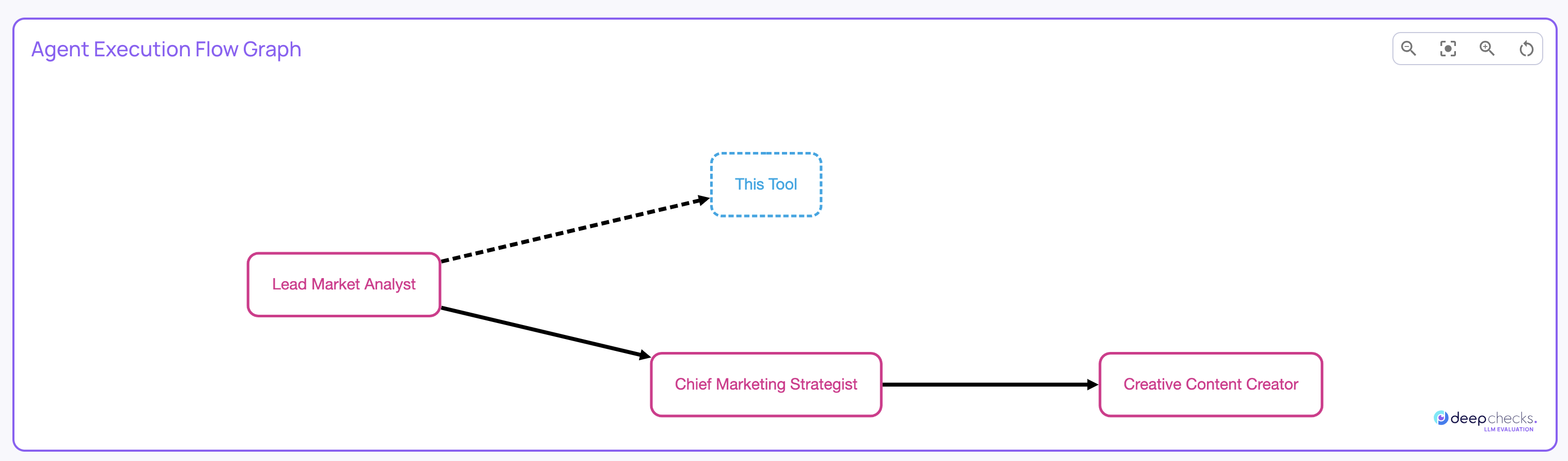
Agent Execution Graph

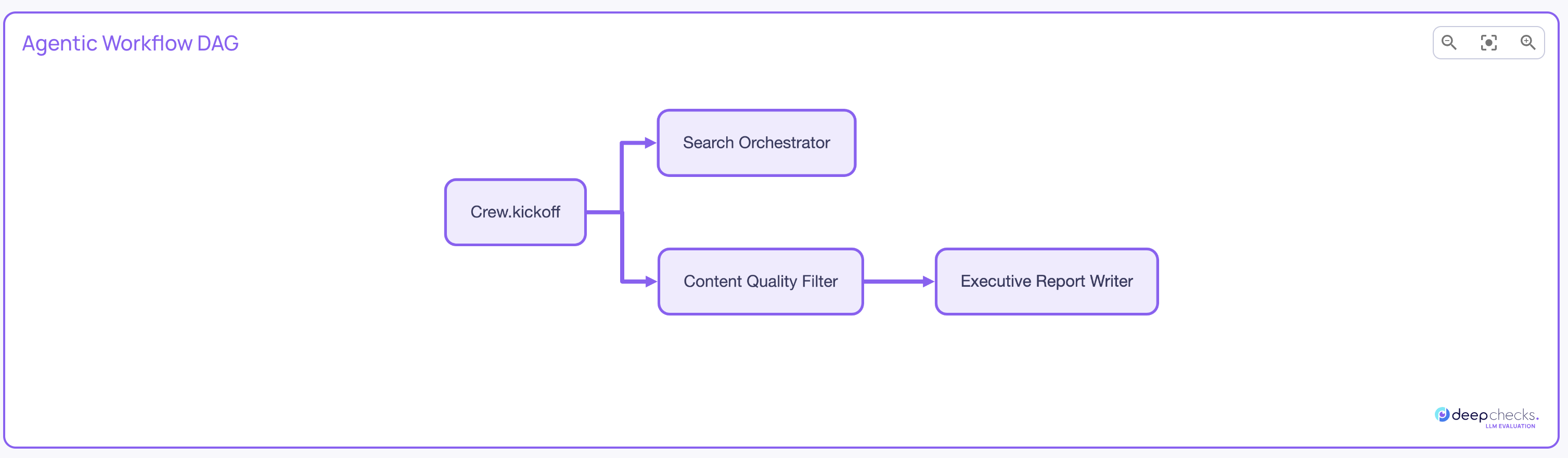
Visualize how your agentic workflows actually execute - including branches, loops, and transitions - directly within Deepchecks.
The new Agent Execution Graph provides a dynamic graph-style view of your pipeline runs, built automatically from your existing span metadata (no instrumentation changes required). It’s highly useful for agentic frameworks like LangGraph and CrewAI, helping you understand real runtime behavior at a glance.

You can find the Agent Execution Graph on the Overview page, within the Sessions tab, whenever you’re viewing an agentic use case that includes relevant span data.


Advanced Filtering by Span Attributes

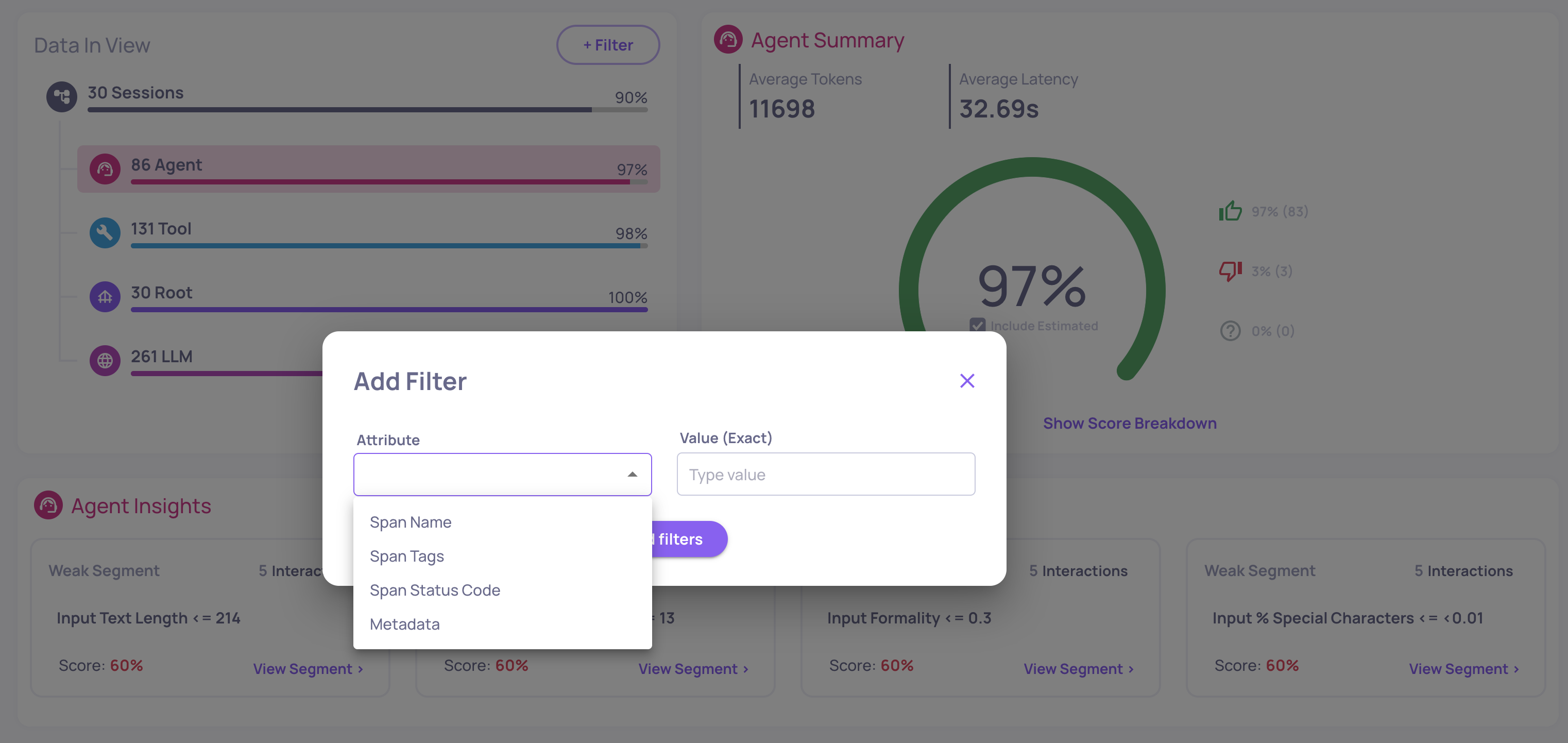
You can now apply granular filters based on span-level attributes, such as span name, metadata fields, and more, directly in the Overview screen.
This enhancement gives analysts more precise control over their investigations, allowing them to isolate behaviors, patterns, or anomalies tied to specific spans or framework metadata.


Dedicated SageMaker Owner Panel

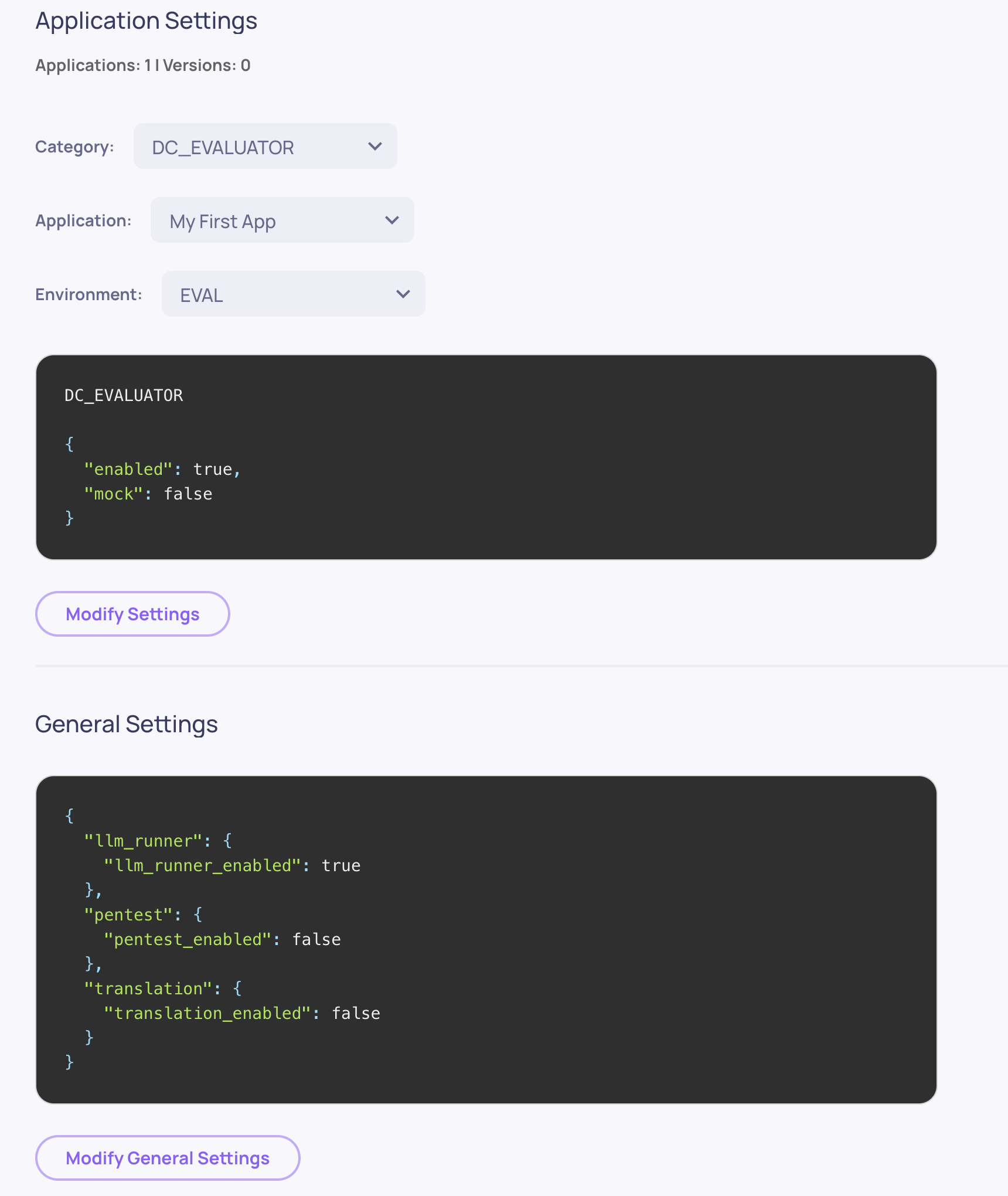
In Deepchecks in SageMaker, the user designated as the Owner now has access to a dedicated Owner Panel with advanced permissions to configure organization- and application-level settings directly through the UI.
This empowers teams to fine-tune Deepchecks behavior across environments - without code changes or redeployment.

Using the Owner Panel on SageMaker →


New Processing Status: Partial

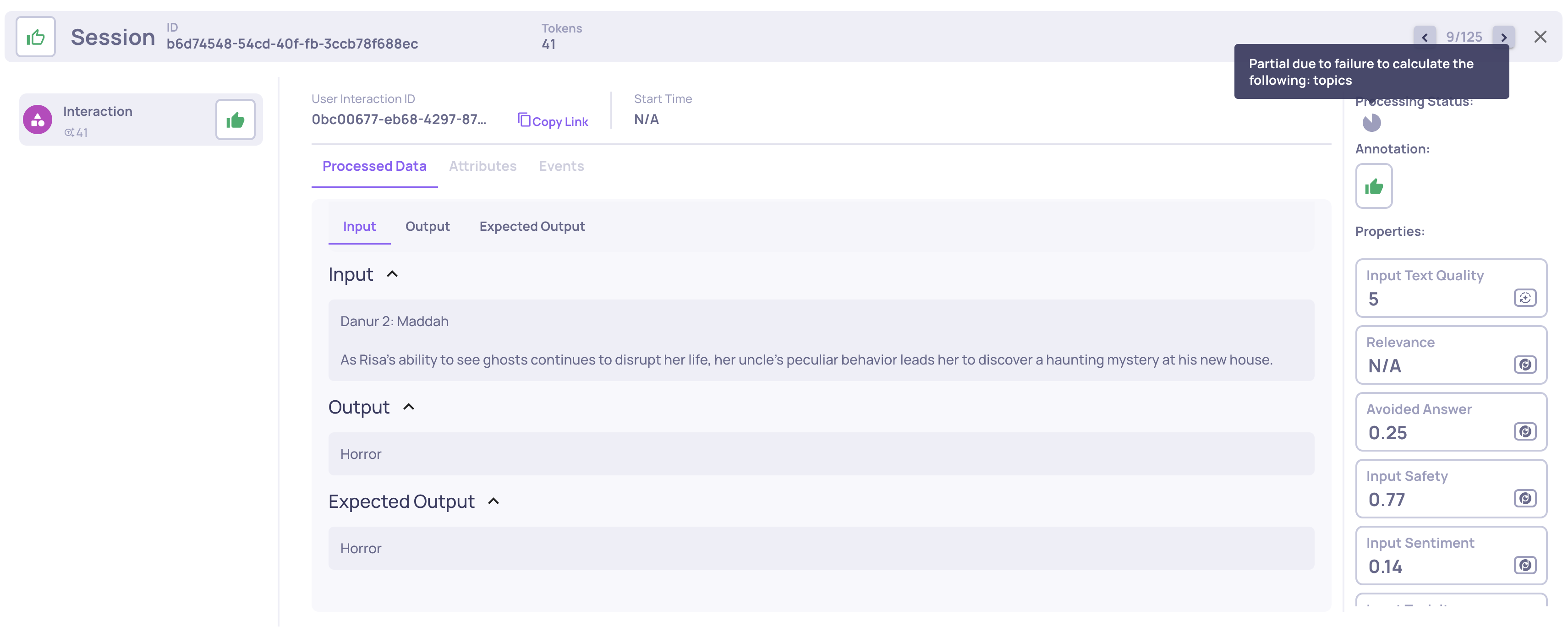
We’ve added a third processing status: Partial.
This new state appears when an interaction or session is stuck or failed during a key processing phase, helping users easily distinguish between ongoing runs and those that will not progress further without further user-action.
This improvement brings more transparency and reliability, especially in non-SaaS or self-managed deployments.

0.35.0 Release Notes

by Yaron Friedman

We’re excited to announce version 0.35 of Deepchecks LLM Evaluation - packed with new integrations, evaluation properties, and expanded documentation. This release strengthens our support for agentic workflows, improves evaluation flexibility, and deepens our collaboration with AWS SageMaker users.

Deepchecks LLM Evaluation 0.35.0 Release:

  • 🚀 New LangGraph Integration
  • 🧠 New Research-Backed Evals for Agentic Workflows
  • ⚙️ Configurable Number of Judges for Custom Prompt Properties
  • 🤖 New Model Support: Claude Sonnet 4.5
  • ☁️ New AWS SageMaker Documentation

What's New and Improved?

New LangGraph Integration

Seamlessly connect LangGraph applications to Deepchecks for effortless data upload and evaluation. With this integration, you can automatically log traces, spans, and metadata from LangGraph workflows and visualize and evaluate them directly in Deepchecks. Learn more here.

New Research-Backed Evals for Agentic Workflows

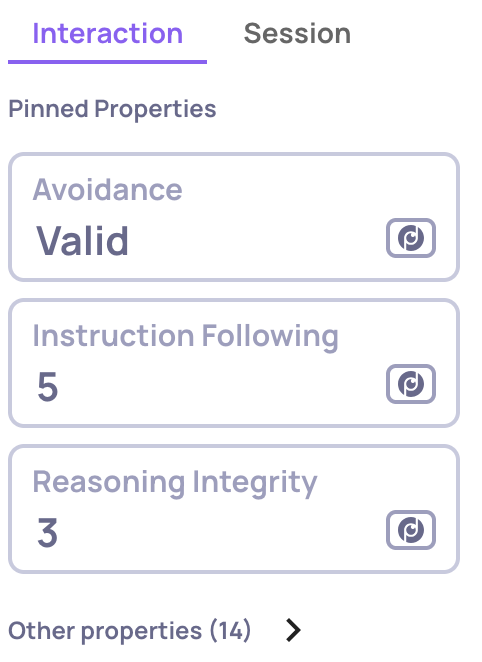
We’ve added two new built-in evaluation properties tailored for agentic applications: Reasoning Integrity and Instruction Following. These properties are based on cutting-edge research and provide deeper insight into reasoning quality, task adherence, and logical consistency across agent runs. Learn more here.

Example of an Instruction Following score on an LLM span

Example of an Instruction Following score on an LLM span

Configurable Number of Judges for Custom Prompt Properties

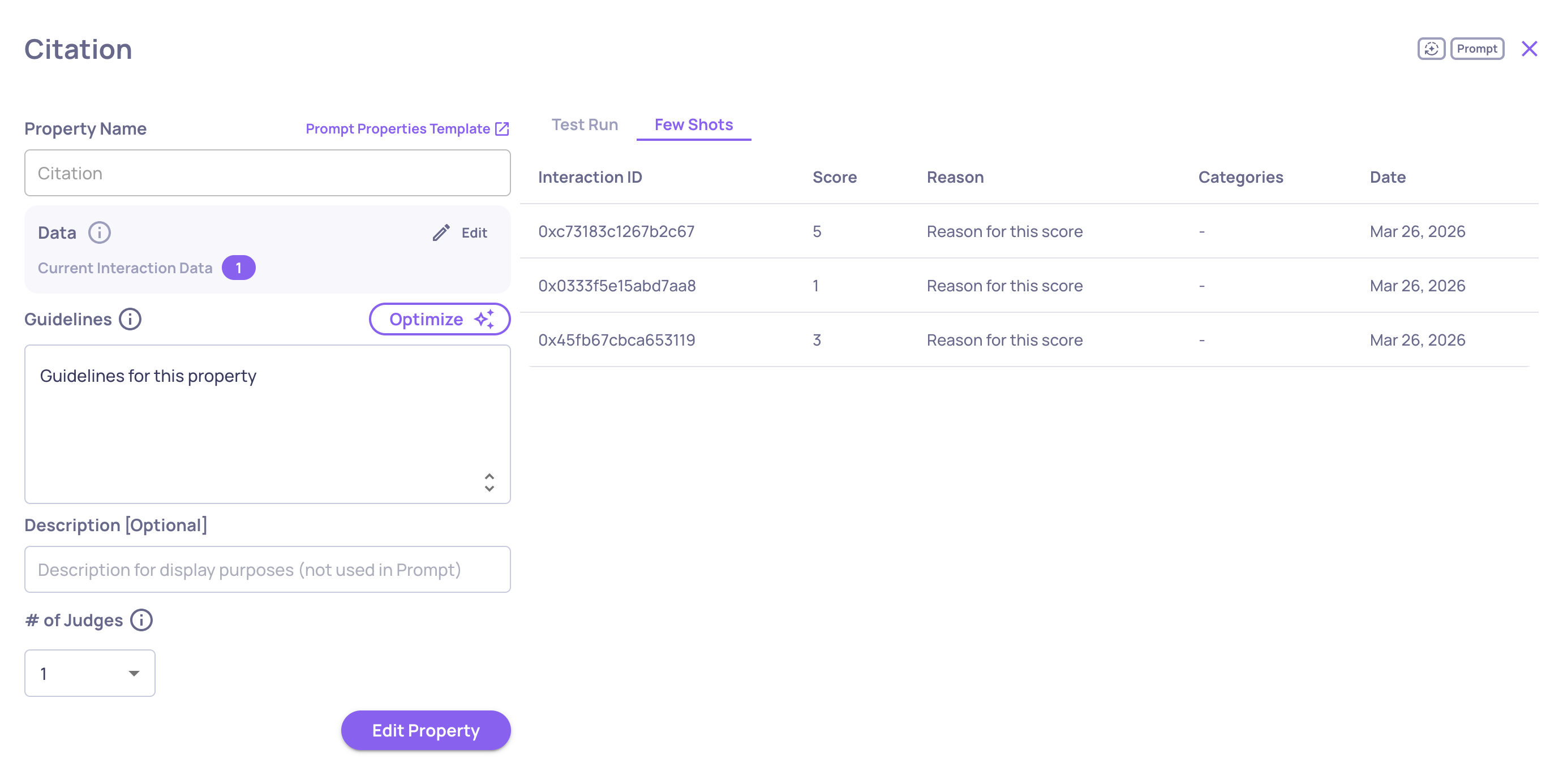
You can now configure the number of judges (1, 3, or 5) used for custom prompt-based evaluations. This feature gives you more control over evaluation robustness and cost-performance trade-offs. Learn more here.

The "# of Judges" configuration on the "Create Prompt Property" screen

The "# of Judges" configuration on the "Create Prompt Property" screen

New Model Support: Claude Sonnet 4.5

We’ve added support for Claude Sonnet 4.5 as a model option for your prompt properties. This enables you to leverage Anthropic’s latest model for more nuanced, high-quality evaluations within your existing Deepchecks workflows.

New AWS SageMaker Documentation

We’ve added dedicated documentation for users running Deepchecks on AWS SageMaker. The new guides explain how to effectively use LLM-based features and how to optimize your DPU utilization in SageMaker environments.
Using LLM Features on SageMaker →
Optimizing DPUs on SageMaker →

0.34.0 Release Notes

by Yaron Friedman

This release focuses on flexibility, observability, and deeper insights: evaluate multi-agent workflows, simplify trace logging, tailor performance to your setup, and keep control with new filters and organization-wide logs.

Deepchecks LLM Evaluation 0.34.0 Release:

  • 🤖 Advanced support of agent evaluation (including nested interactions, new interaction types, child-aware properties and CrewAI integration)
  • 📡 Trace logging with instrumentation
  • 🎛️ Configurable processing speed for AWS SageMaker & On-Prem deployments
  • 🔖 Save filter presets for quick navigation
  • 📊 Version Comparison CSV Export
  • 🗂️ Organization-level logs across applications

What's New and Improved?

Advanced support of agent evaluation

We’ve significantly expanded our observability and evlauation support for agentic workflows - across frameworks, tracing methods, and evaluation:

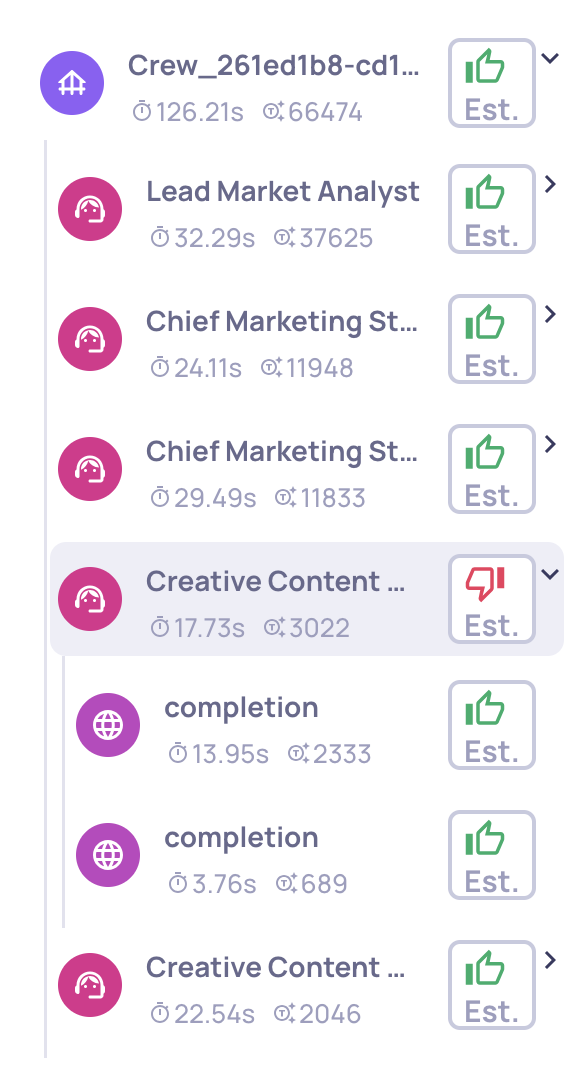
  • New interaction types (Root, Agent, LLM, Tool), each with research-backed built-in properties and auto-annotation configurations.
  • New built-in properties tailored for agents and tools, including Plan Efficiency, Tool Coverage, and Tool Completeness.
  • Nested spans & interactions, with properties that leverage child data for richer evaluation.
  • Enhanced UI for single-trace view, showing run status, logged system metrics, attributes, and events - making debugging and analysis more transparent.
  • Seamless framework support: thanks to our new OpenTelemetry tracing (see the following item), agent frameworks like CrewAI can now be logged and evaluated directly.
Example of a the new single Agent span view

Example of a the new single Agent span view


Trace logging with instrumentation

We’ve just introduced native support for trace logging via OpenTelemetry and OpenInference 🎉.

Now, you can automatically capture and centralize traces and spans from your LLM and agentic frameworks into Deepchecks - no more manual logging required. If you’re already using frameworks with built-in instrumentors (like CrewAI, LangGraph, and others), setup is seamless and requires only a few lines of code for configuration.

This makes it easy to collect rich, structured trace data from your agents and pipelines, and immediately make it available for:

  • Evaluation: Run properties and analyses directly on trace-level data.
  • Monitoring: Keep track of performance across workflows.
  • Debugging: Quickly drill down into problematic spans, traces and versions.

This ensures you get the deepest possible visibility with minimal effort.


Configurable Processing Speed for Deepchecks On-Prem & SageMaker products

For our non-SaaS deployments, evaluation speed depends on your own LLM capacity. To reduce rate limits and bottlenecks, you can now choose between three processing modes—fast, balanced, or reduced load - so evaluations always complete smoothly at the pace that fits your setup.

Changing the processing speed on the Workspace Settings screen

Changing the processing speed on the Workspace Settings screen


Save Filter Presets for Quick Navigation

Tired of reapplying the same filters and sorts? You can now save your setup as a preset on the Interactions screen, then reload it with a single click. This makes it effortless to jump back to your most useful views and keep analyses consistent across sessions.
Loading a save preset on the interactions screen

Loading a save preset on the interactions screen


Version Comparison CSV Export

Need to take your version comparisons beyond the UI? You can now export comparison results directly to CSV for deeper analysis.

  • Review all selected versions side by side.
  • Access details like overall performance, system metrics, and property-level breakdowns.
  • Extend analysis using your own tools - filter, aggregate, or merge with external data sources.

This makes it simple to share results across teams and continue working in the format that best fits your workflow.

Export to CSV option on the Versions screen

Export to CSV option on the Versions screen


Organization-level logs across applications

Previously, logs were only available per application. Now, you can access a centralized log view for your entire organization - covering all applications - in the Workspace Settings screen (top-right).

"View Logs" on the organization level on the Workspace Settings screen

"View Logs" on the organization level on the Workspace Settings screen

0.33.0 Release Notes

by Yaron Friedman

This release focuses on clarity, speed, and smarter insights: visualize property performance over time, optimize evaluation guidelines with AI, track processing status at a glance, and jump straight to relevant data with new hyperlinks and filters.

Deepchecks LLM Evaluation 0.33.0 Release:

  • 🤖 AI-assisted optimization for property guidelines
  • 📈 Property graphs view in both Evaluation and Production
  • ⏳ Processing status indicators for interactions and sessions
  • 🔍 Filter-by-click from score-breakdown component
  • ❓ Reasoning explanations for N/A properties
  • 🔗 Hyperlinked examples in Property Failure Mode Analysis

What's New and Improved?

AI-Assisted Optimization of Property Guidelines

Writing robust prompt guidelines can be hard - especially without prompt engineering experience. Now, after you fill in essential fields (property name, guidelines, interaction steps), an Optimize button appears. Clicking it opens an expansion panel:

  • Your current input is pre-filled as “Additional Guidelines.”
  • All relevant context (name, description, categories, examples, steps) is sent to a research-backed LLM, which returns polished, AI-generated Suggested Guidelines—fully editable before saving.
Suggested guidelines after optimization

Suggested guidelines after optimization

  • You can save to overwrite your draft, or cancel to retain it. And if you adjust your draft, Optimize becomes available again for further refinement.

Why it matters: More context means smarter suggestions—so the richer your original details, the better the AI helps refine them.

See more details here: https://llmdocs.deepchecks.com/docs/improve-guidelines-with-ai


Property Graphs View in Evaluation & Production

We’ve added a versatile graphs option to the Overview screen:

  • Evaluation environment: Visualize property score distributions, helping you spot outliers or skewed metrics at a glance.
  • Production environment: Track average property scores over time. Compare these alongside the overall production score to pinpoint which properties most influence trends.
Property score trends view

Property score trends view

This gives you a clearer, data-driven view into what’s driving performance.


Processing Status Indicators for Interactions & Sessions

Keep tabs on what’s done and what’s still running:

  • In Progress: Analysis steps (property calculations, annotations, topic inference, similarity checks, etc.) are still underway.
  • Completed: Everything’s finished, and results are ready.

Where to see it:

  • Single Interaction View: Status icon at the top denotes real-time progress.
An interaction with a "completed" processing status (can be seen on the right of the screen)

An interaction with a "completed" processing status (can be seen on the right of the screen)

  • Interactions List: Each row shows an icon (with hover text) to quickly assess readiness.
  • Sessions List: Each session displays a summary status—completed only when all interactions are done.

This way, you always know exactly what’s ready to review.

See more details here: https://llmdocs.deepchecks.com/docs/interaction-and-session-completion-status


Click-to-Filter from Score Breakdown

In the Score Breakdown component, now clicking any property or annotation reason instantly filters the Interactions screen to show only relevant items. It makes digging into causes intuitive and fast.


Reasoning for N/A Properties

When a property is marked N/A, you’ll now see a brief explanation—why it couldn’t be calculated. Over the next few weeks, this reasoning will be extended to cover more property types, offering transparency and aiding debugging.


Hyperlinked Examples in Failure Mode Analysis

Failure Mode Analysis now outputs interactive examples - every example includes a hyperlink that opens the specific interaction in a new window. This makes deep-dives from summaries directly actionable.

Failure mode analysis example with a hyperlink to the interaction

Failure mode analysis example with a hyperlink to the interaction

0.32.0 Release Notes

by Yaron Friedman

We’re excited to introduce enhanced capabilities for production monitoring, version comparisons, failure analysis, and interaction filtering—making it easier than ever to spot trends, identify winners, and focus your evaluations.

Deepchecks LLM Evaluation 0.32.0 Release:

  • 📊 New sessions tab and insights in Production overview
  • ⭐ Identify better versions and interactions in comparisons
  • 📌 “Sticky” versions for easier comparison
  • 📝 Custom guidelines for Failure Mode Analysis
  • 🎯 Filter interactions by tracing data (tokens & latency)

What's New and Improved?

New sessions tab and insights in Production overview

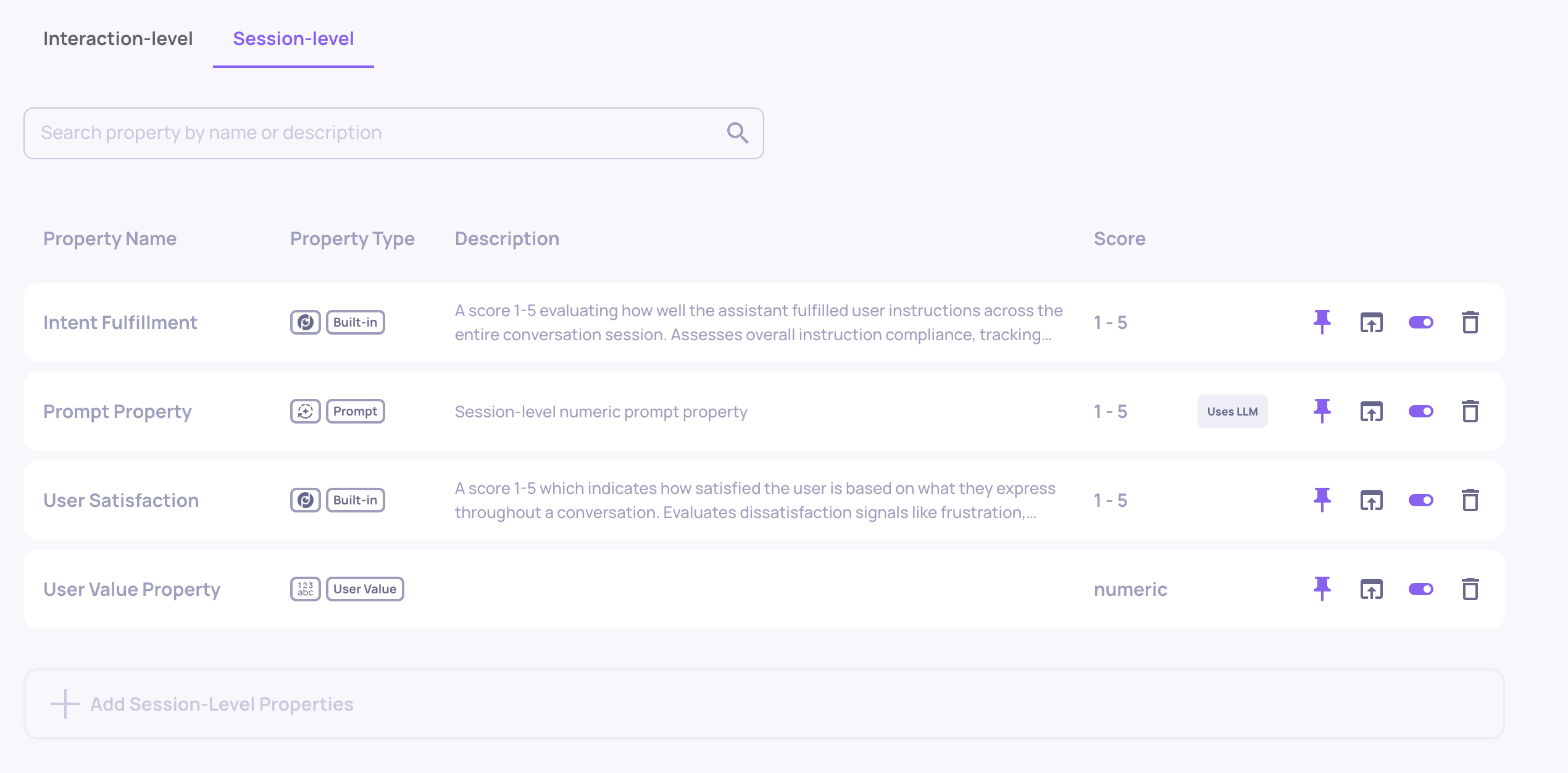
  • The Production environment now includes a dedicated Sessions tab, showing metrics and trends specifically at the session level—complete with score summaries, over-time graphs, and a detailed session list.
Sessions tab in Production environment view

Sessions tab in Production environment view


  • We’ve also added time-range-aware insights to Production. Simply adjust the global time-range filter, and your insights will update accordingly—helping you focus on recent data or specific time periods of interest.
Time-range aware insights in Production environment view

Time-range aware insights in Production environment view


Identify better versions and interactions in comparisons

  • The version comparison view now highlights which version—and which specific interactions—perform better, based on numerical property analysis.
  • Interaction-Level Star Indicator: Each interaction pair is evaluated using the average of the first three pinned numerical properties (often your most critical metrics). The higher-scoring interaction gets a star, and ties get stars for both.
  • Version-Level Star Indicator: The version with a majority of “better” interactions earns a star, giving you an at-a-glance winner.
  • Hover for explanation: Tooltips clarify the reasoning behind each star selection.

“Sticky” versions for easier comparison

  • You can now pin (“stick”) versions to the top of the Versions screen by clicking the up-arrow icon next to them. This keeps them in view while you sort, filter, or explore other versions—perfect for focusing on a few key versions.
"Sticky" versions feature

"Sticky" versions feature


Custom guidelines for Failure Mode Analysis

  • Failure Mode Analysis now supports user-provided guidelines. You can supply assumptions, suspected failure modes, or specific areas of concern for the analysis agent to focus on—helping tailor summaries to your specific evaluation goals.
Option to add user-provided guideline before analyzing property failure modes

Option to add user-provided guideline before analyzing property failure modes


Filter interactions by tracing data

  • The Interactions page now includes filters for tracing-based system metrics such as total tokens and interaction latency—making it easier to investigate performance patterns or anomalies linked to system behavior.

0.31.0 Release Notes

by Yaron Friedman

We’re excited to introduce powerful new capabilities across translation, production monitoring, version comparisons, and property management—helping you gain deeper insights and streamline your evaluation workflows.

Deepchecks LLM Evaluation 0.31.0 Release:

  • 🌐 Switched to LLM-based translation
  • 📉 Score breakdown comparison in Production
  • ⏱️ Latency and token metrics in comparison flows
  • 🧪 Improved property page filtering and UX

What's New and Improved?

Switched to LLM-based translation

  • We’ve upgraded our translation mechanism to be fully LLM-based, resulting in significantly higher translation quality while also reducing costs. This change ensures more accurate and context-aware translations across the platform.

Score breakdown comparison in Production

  • The score breakdown component is now available in the Production environment, giving you deeper insights into model performance. In addition, we’ve introduced a new comparison feature that lets you analyze score breakdowns across two different time ranges. This helps uncover trends, detect potential drifts, and identify which properties may be causing performance issues—or driving improvements—enabling faster root-cause analysis and smarter decisions.
Score Breakdown Comparison in Production Environment

Score Breakdown Comparison in Production Environment


Latency and token metrics in comparison flows

  • We've integrated latency and token metrics as key components of our version comparison flow. In the multi-version flow, you can now include the averages of these metrics for a comprehensive overview. Additionally, in the granular comparison mode—which allows you to compare two interactions side-by-side—these metrics are displayed for a detailed, direct comparison.
Average Latency and Tokens in the Version Comparison Screen

Average Latency and Tokens in the Version Comparison Screen


Improved property page filtering and UX

  • We’ve enhanced the Properties page with better filtering and visibility. A new "In auto-annotation" tag clearly marks properties included in the YAML-defined flow. You can now filter properties by attributes like LLM usage, auto-annotation inclusion, property type, and whether they're pinned to the Overview—making it easier to find and manage relevant properties.
The New Properties Screen Includes the New Tag and Filtering

The New Properties Screen Includes the New Tag and Filtering

0.30.0 Release Notes

by Yaron Friedman

We’re excited to introduce several powerful improvements to data visibility, evaluation control, and LLM-based analysis. This release brings new pages, enhanced customization for properties, and more intuitive session-level insights—designed to help you streamline your evaluation workflows and better understand your pipeline’s performance.


Deepchecks LLM Evaluation 0.30.0 Release:

  • 📁 New Data Pages: Sessions & Storage
  • 📝 Edit LLM-Based Properties
  • 🧩 Must/Optional Fields in Prompt Properties
  • 📊 High-Level Property Insights
  • 🧠 Session Topics per Environment

What's New and Improved?

New Data Pages: Sessions & Storage

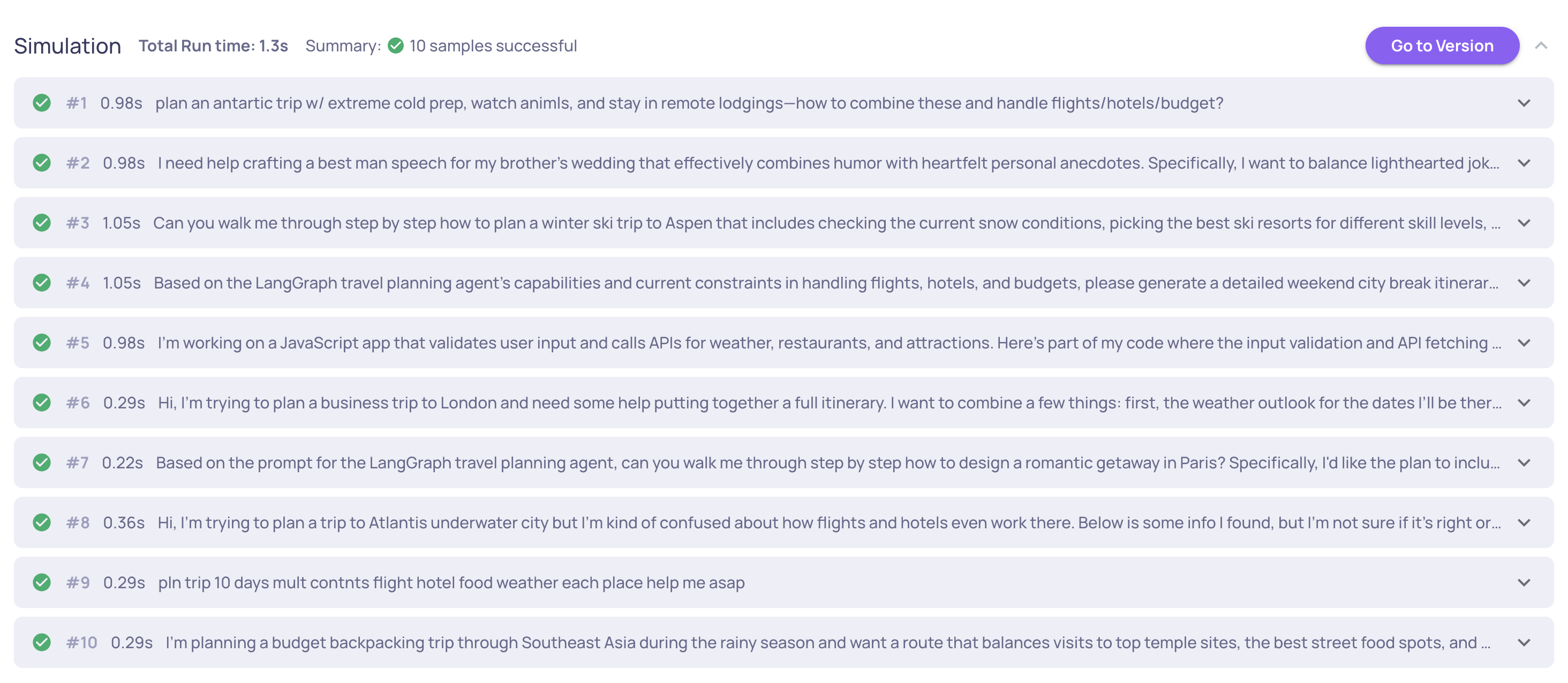
  • We’ve added a dedicated Sessions page under each version. This view allows quick inspection and comparison of all evaluated sessions, including key metadata: session ID, number of interactions, initial user input, total latency, token usage, session annotation, and interaction types. It's a fast and informative way to analyze session-level data in your version.
Session Screen of Deephecks' GVHD Demo

Session Screen of Deephecks' GVHD Demo


  • The Storage page provides visibility into unevaluated sessions—available only for the production environment. Sessions are stored here if they were not selected for evaluation based on your configured sampling ratio. This page allows basic filtering, session-level inspection, and the ability to send selected sessions to evaluation, either individually or in bulk. Learn more about sampling here.
Storage Screen of Deepchecks' GVHD Demo

Storage Screen of Deepchecks' GVHD Demo


Edit LLM-Based Properties

  • It’s now possible to edit existing LLM-based properties directly (instead of creating a copy). For prompt properties, numerical or categorical, you can fully update prompt content and instructions as well as the steps and description. For built-in LLM properties, editing focuses on adjusting guidelines—allowing users to better align our prebuilt properties with their specific use cases. See full details in the Property Guide.
Example of Editing a Categorical Prompt Property

Example of Editing a Categorical Prompt Property


Must/Optional Fields in Prompt Properties

  • Prompt property creation is now more flexible with Must/Optional field configuration. When defining fields for your prompt logic, you can now mark each as: Must – the field must exist in the interaction for the property to be calculated. Optional – used if present, but doesn’t block evaluation if missing. This helps reduce unnecessary N/As and improves robustness.
The Dropdown Enables Choosing Must/Optional for Each Data Field

The Dropdown Enables Choosing Must/Optional for Each Data Field


High-Level Property Insights

  • We’ve added a new RCA capability called Analyze Property Failures—providing LLM-generated summaries of how your properties are performing across the version. This gives a quick, high-level view of the failure points of each property that are causing problems on the interaction and session levels, helping you prioritize areas for version improvement. Read more here.
"Text Quality" Property Failure Analysis

"Text Quality" Property Failure Analysis


Session Topics per Environment

  • We now support topic assignment at the session level and scoped by environment. While each interaction is still tagged with a topic (available via the SDK), this reflects the session’s topic. Separating topics between evaluation and production environments enables detection of new or unexpected topics appearing only in production.

0.29.0 Release Notes

by Shir Chorev

This version includes Enhanced session visibility, improved annotation defaults, and streamlined property feedback, along with more features, stability and performance improvements, that are part of our 0.29.0 release.

Deepchecks LLM Evaluation 0.29.0 Release:

  • 🔍 Sessions View in Overview Screen
  • 📝 Improved Prompt Property Reasoning
  • 🎯 Introduced Support for Sampling
  • ⚙️ Updated Default Annotation Logic

What's New and Improved?

Sessions View

  • We've enhanced the Overview screen with a new Session View toggle, allowing you to switch between session-level and interaction type-level perspectives. This allows greater flexibility in analyzing your data, enabling to examine both the broader session context and the granular details of individual interaction types.

Improved Prompt Property Reasoning

  • We've streamlined the reasoning output for Prompt Properties, making feedback more concise and actionable. The shortened explanations focus on key insights while maintaining clarity, enabling to understand evaluation results and take appropriate action without the verbose explanations.

Introduced Support for Sampling

  • We've added robust backend infrastructure for sampling capabilities, to allow production data to be sampled for evaluation. This feature will be accessible via UI in next release, currently - sampling ratio can be selected in application settings, and data will be accessible via SDK.
  • 📘

    3 Month Retention Period for Sampled Data

    After 3 months, all data that wasn't sampled for evaluation will be deleted

Updated Default Annotation Logic

  • We've improved the default annotation behavior for new applications. Previously, interactions without explicit annotations defaulted to "unknown" status. Now, they default to "good," providing a cleaner way to evaluate failure modes for quality assessment workflows and asses application’s performance.